Rave allows you to upload MS Project schedule files to projects in Enterprise Scheduling mode, and supports up to two levels of nesting: Milestone → Task Category → Task.
Click here for instructions How to Use Rave Enterprise Scheduling's Task Categories
How to upload an MS Project .mpp or .xml file into Rave
From your project's schedule sub-tab, via the Task List view, and with Enterprise Scheduling turned on:
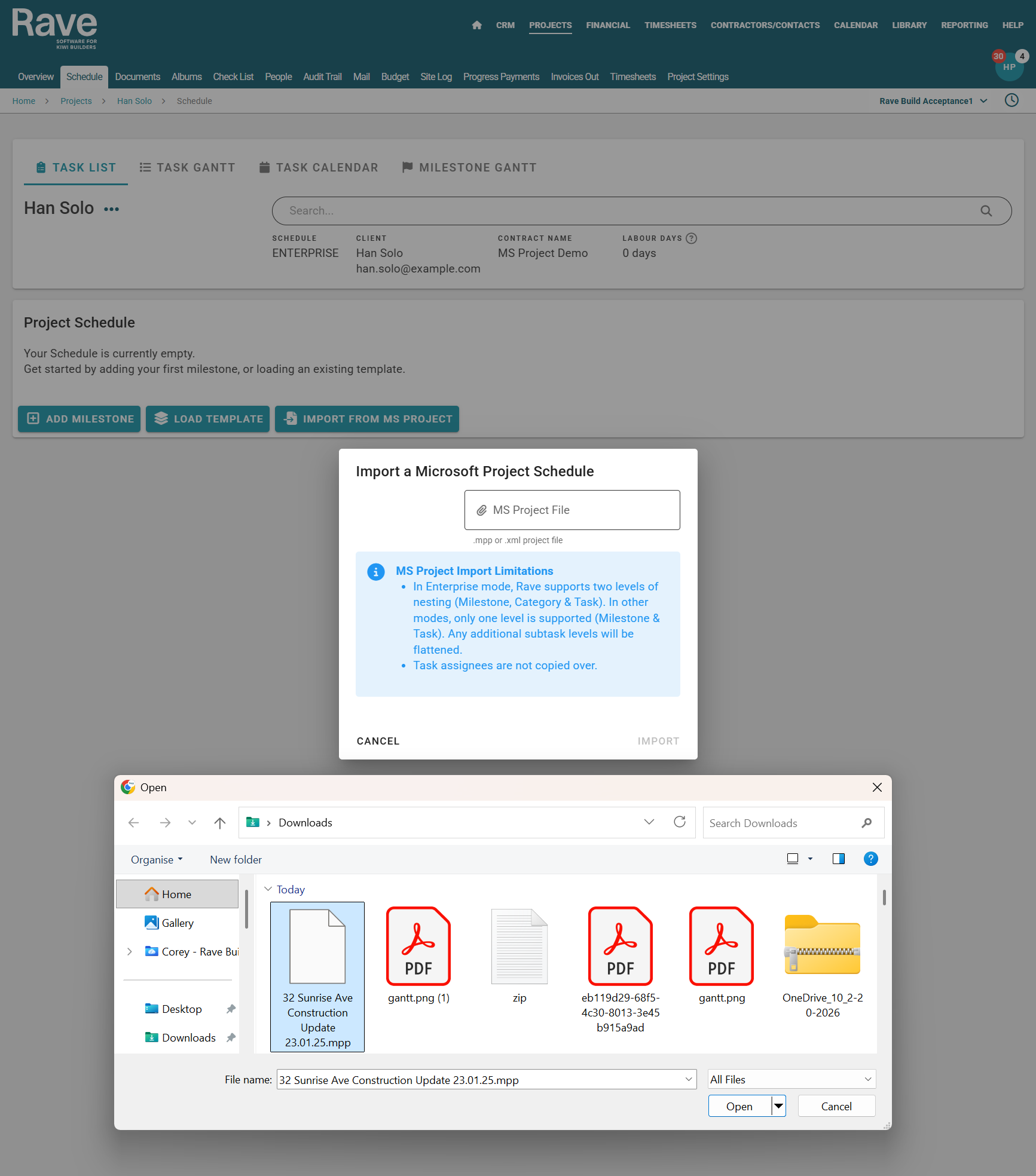
- Click on the Import From MS Project Button
- Then the MS Project File field, to open your file browser
- Select your MS Project .mpp or .xml file
- Then click the Import button to confirm
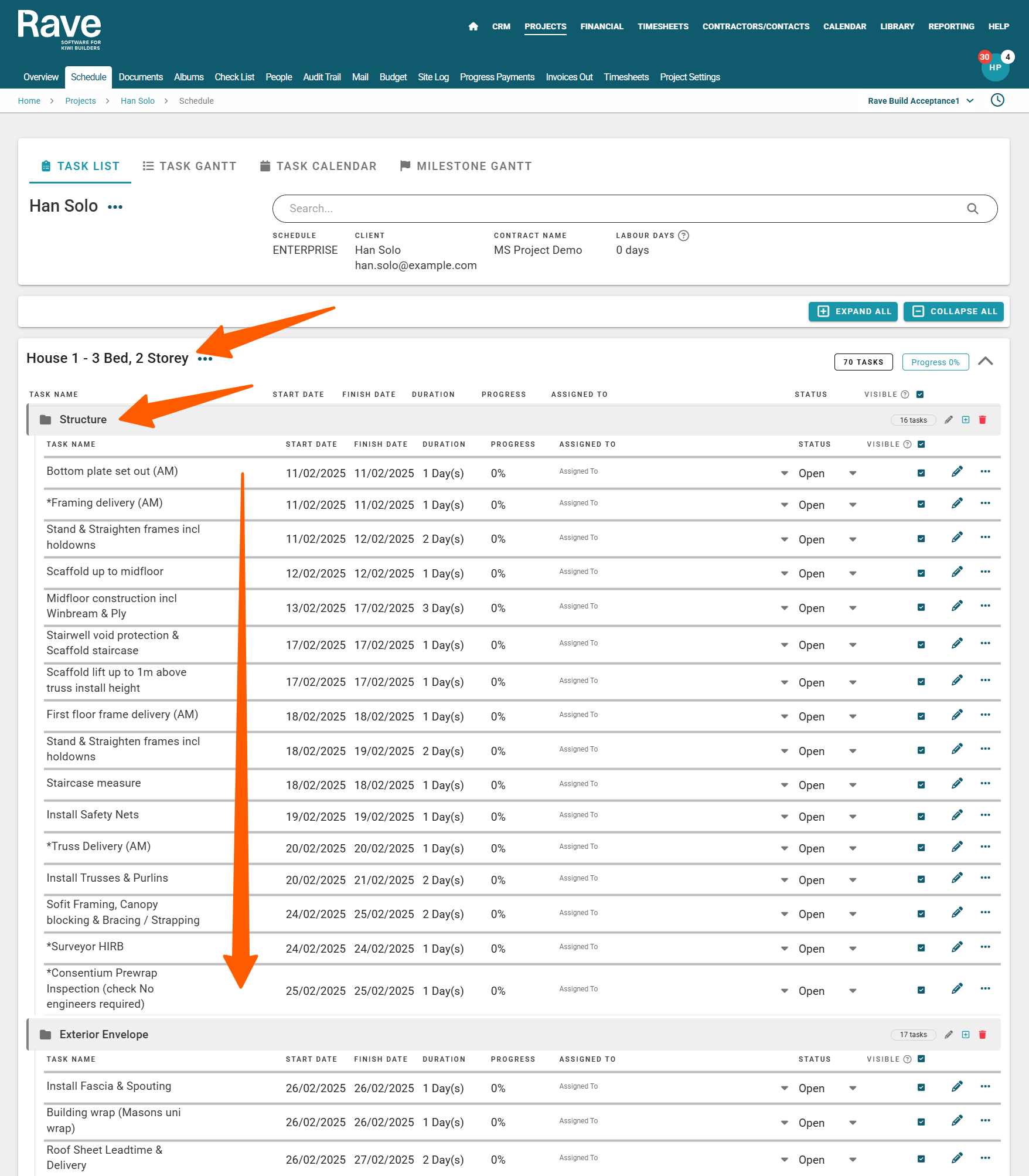
This will upload your MS Project schedule, with two levels of nesting:
Milestone
- Task Category
- Task
Was this article helpful?
That’s Great!
Thank you for your feedback
Sorry! We couldn't be helpful
Thank you for your feedback
Feedback sent
We appreciate your effort and will try to fix the article