Changing the start date of a successor (linked task) via the edit Task Details pop-up will not work. This is because the task is held in place by the task link connecting it from the predecessor, i.e. trying to change the start date in this way will see the start date change, and then snap back in place based on its link - basically the link's delay duration is holding the task in place.
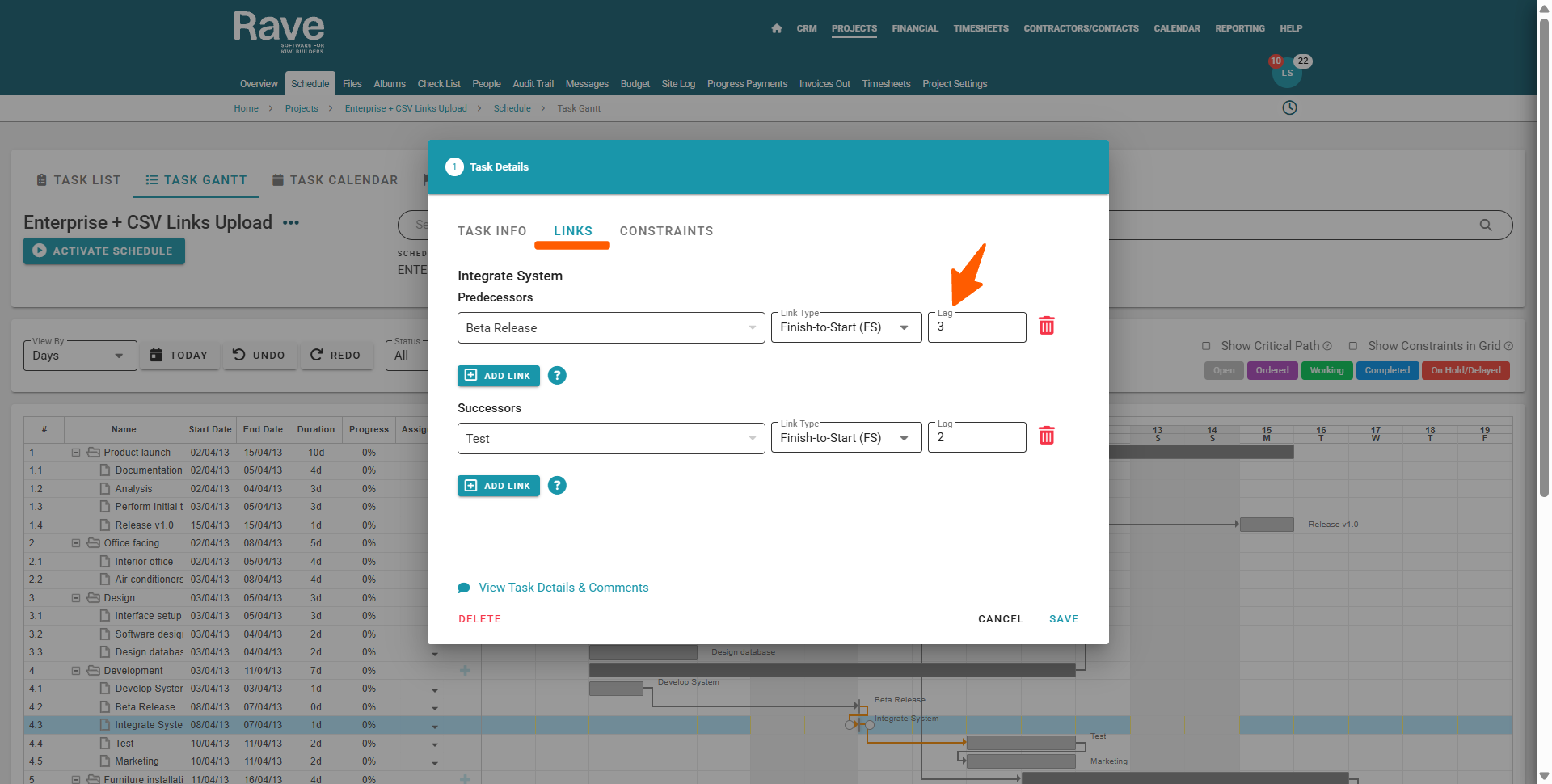
When this occurs, the fix for this is to change the links (or lags) working day duration. This will pull the task forward, or push the task back, and update subsequently linked tasks also.
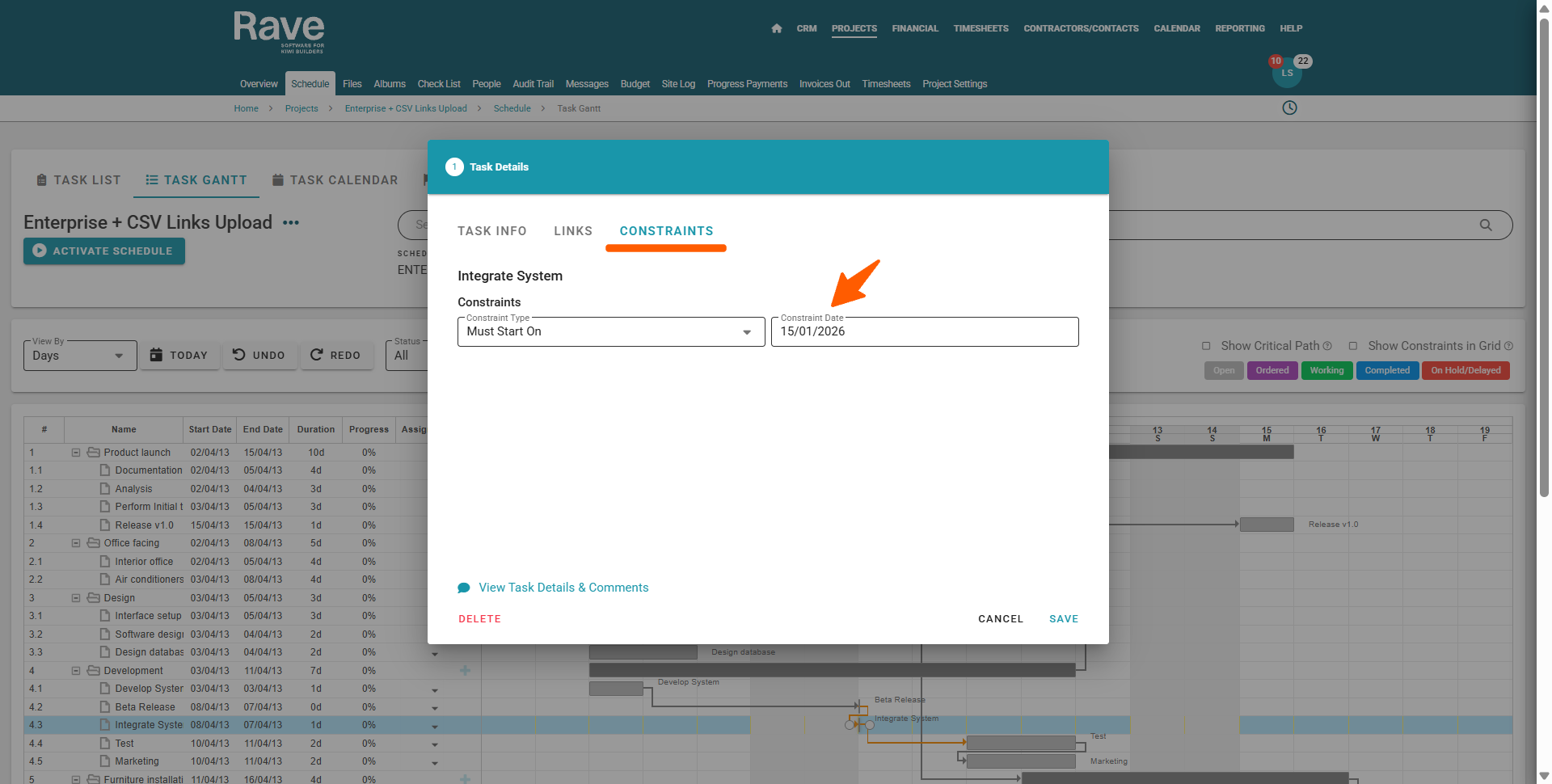
NOTE: You can also use a Must Start on Constraint, with a specific date, to over-ride the links lag and move the task where you want it to go.
Was this article helpful?
That’s Great!
Thank you for your feedback
Sorry! We couldn't be helpful
Thank you for your feedback
Feedback sent
We appreciate your effort and will try to fix the article