Your Building Partner may provide you with access to the Invoices sub-tab.
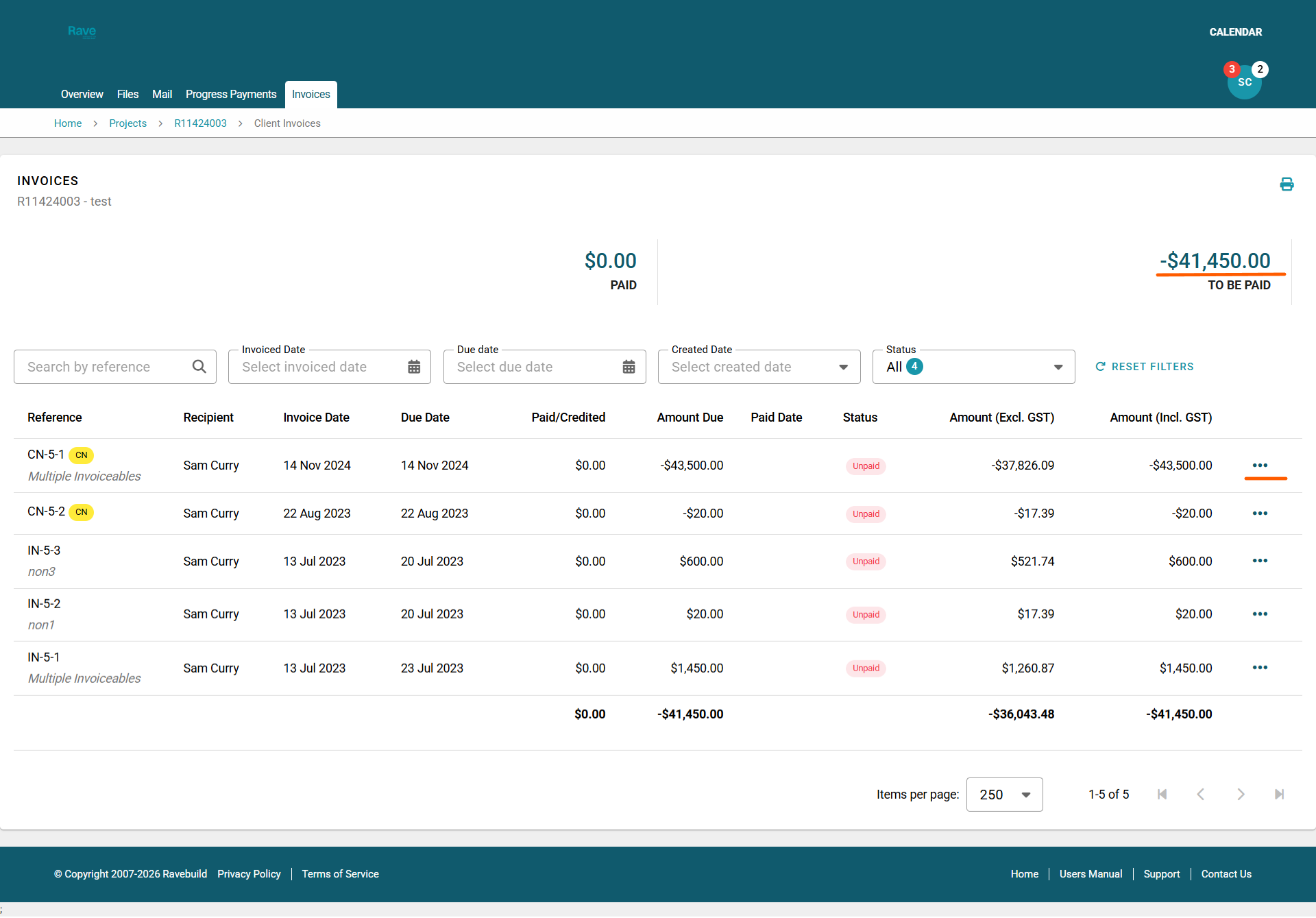
This page displays all your Invoices and Credit Notes created for your project.
At the top of the page, you can see your Total Paid and to be Paid amounts. These figures update as your building partner reconciles your payments.
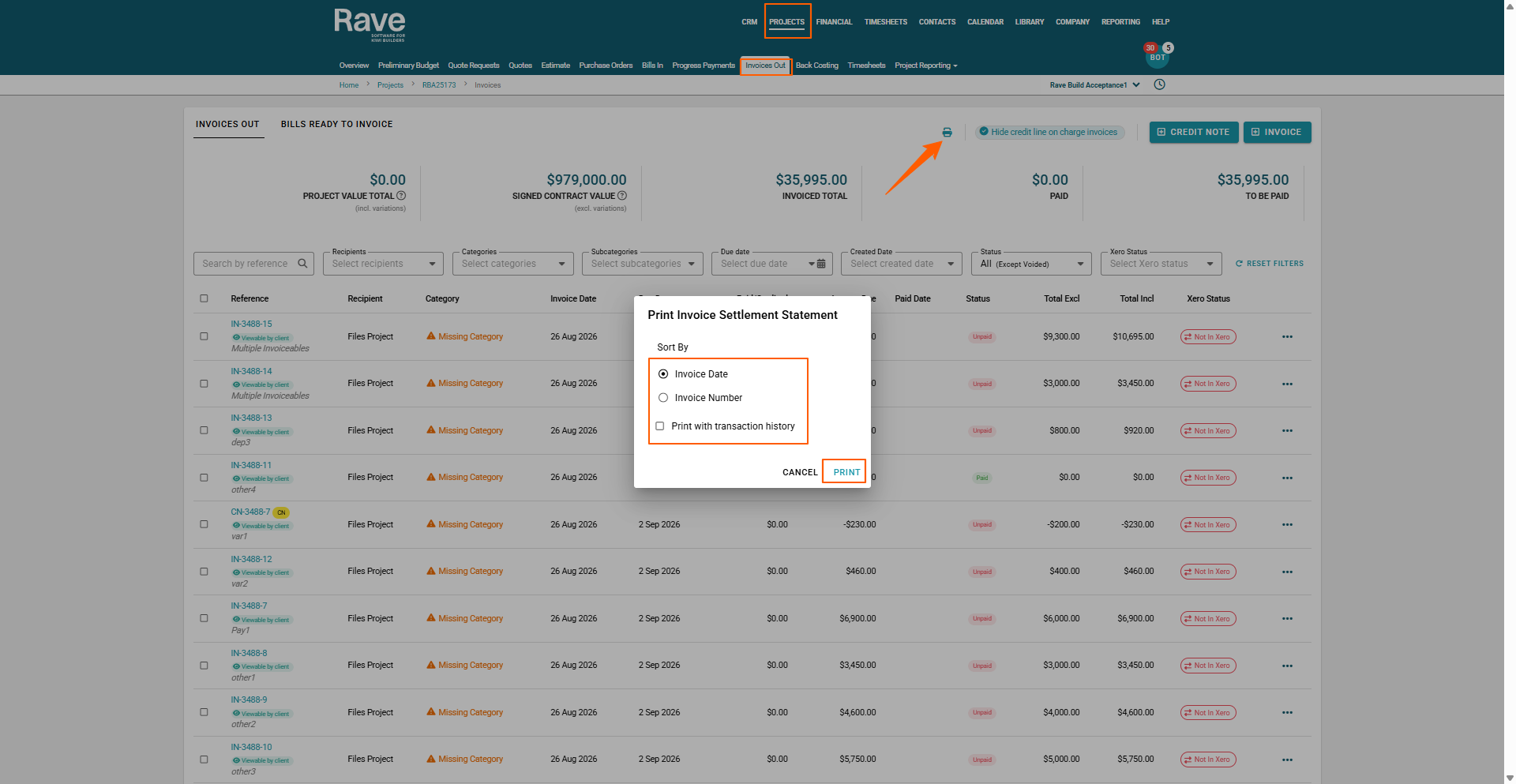
The printer icon in the top right lets you print an invoice statement, with or without transaction history, in date order or invoice order.
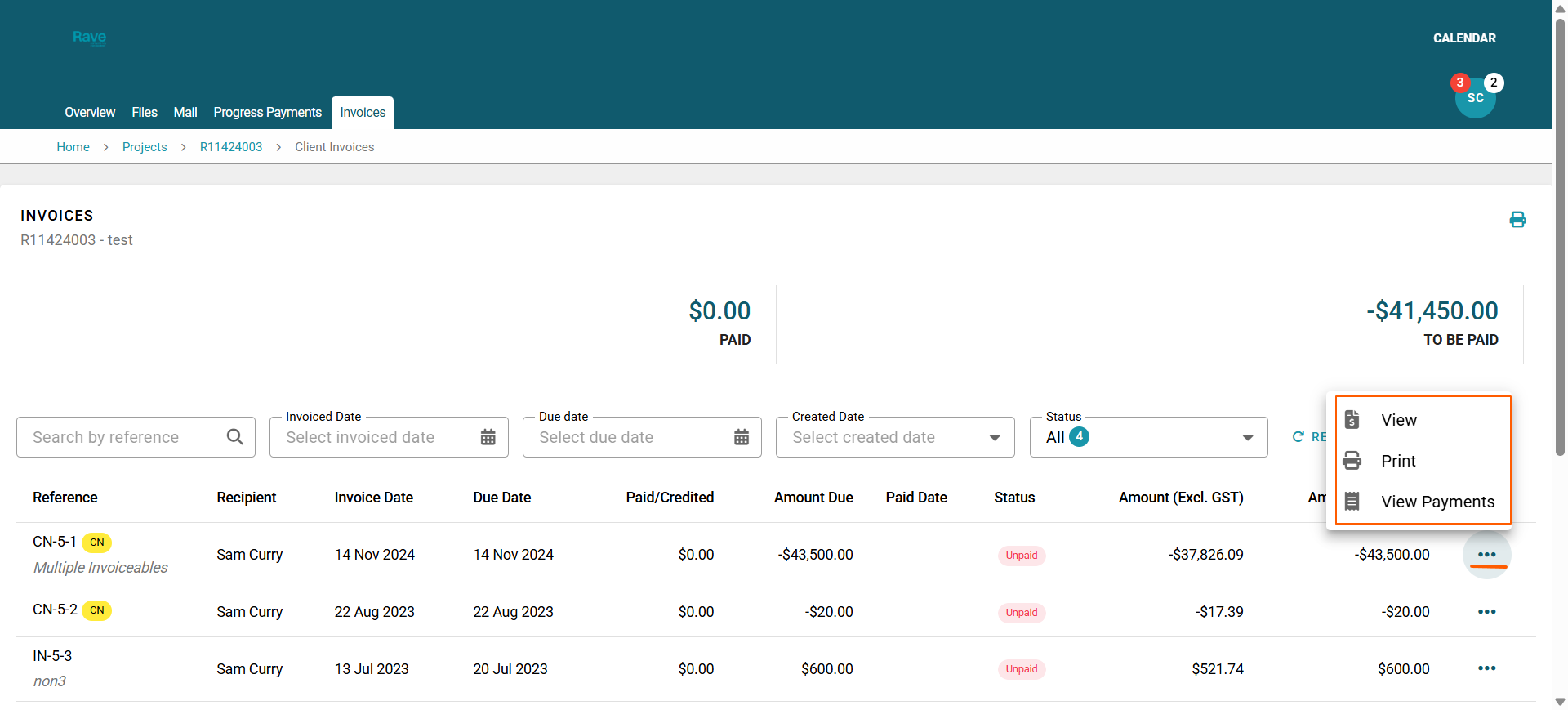
The 3-dot ellipse to the right of each line lets you view the document in detail, print it, and, if applicable, view any payments made to that document.
Was this article helpful?
That’s Great!
Thank you for your feedback
Sorry! We couldn't be helpful
Thank you for your feedback
Feedback sent
We appreciate your effort and will try to fix the article