Viewing Notifications
Log in to Rave.
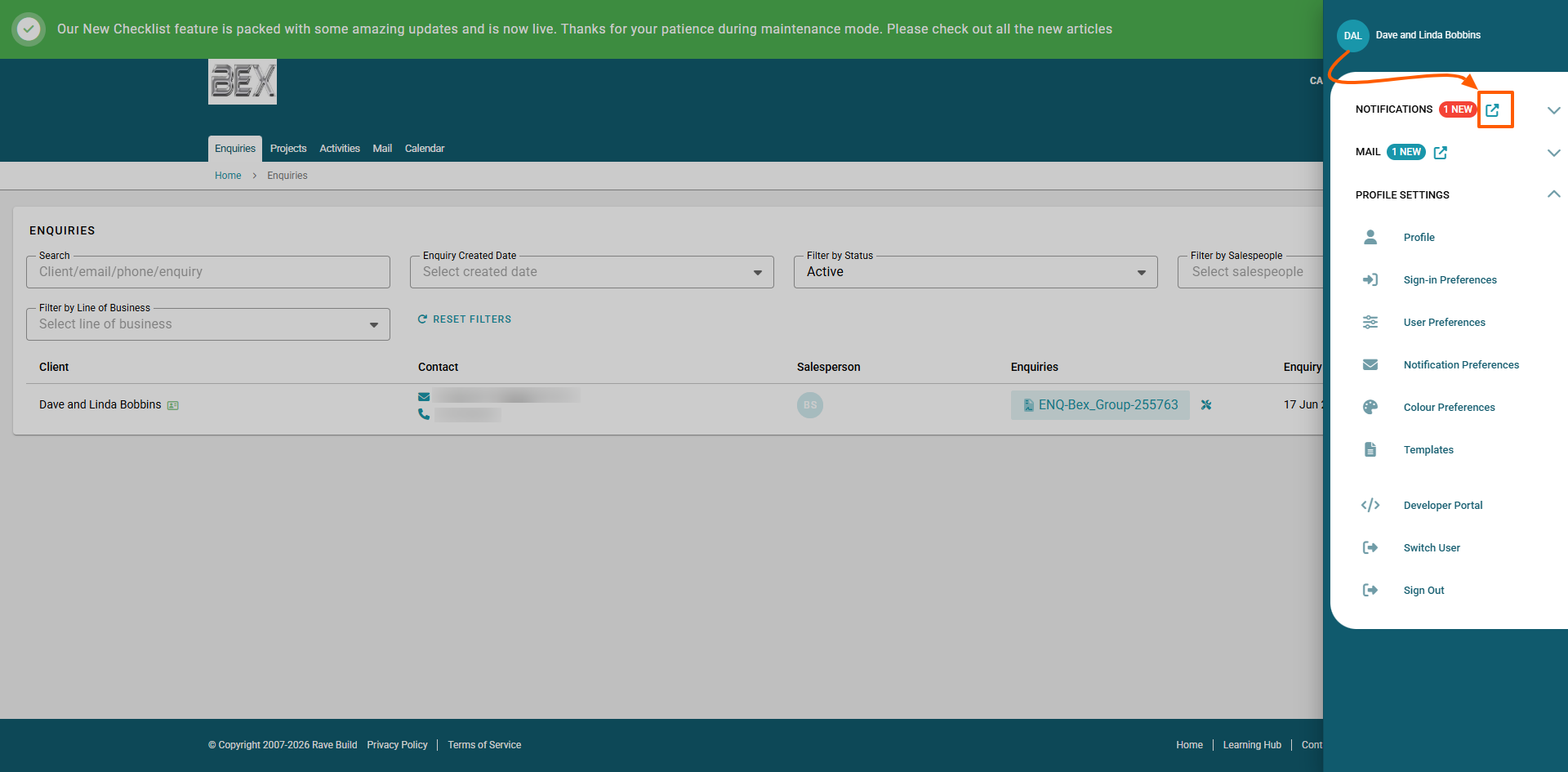
Click on your initials (top right corner of the screen - teal circle)
Here you will see Notifications
Select the Icon with the square and the arrow point to the right to go straight to the notifications page
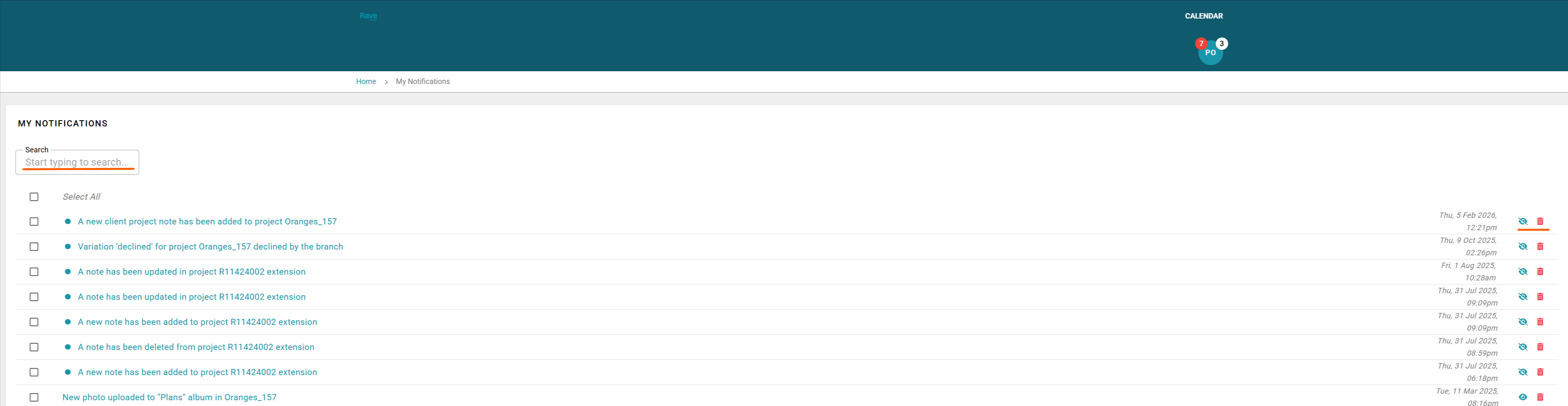
Here you can view all your internal notifications in one place and manage if they have been read or not.
Along the right hand side of each notification is an eyeball icon this allows you to mark the notification as read or unread. There is also a trash can to delete the notification.
Clicking into the notification will take you to that Project or Enquiry so you can view the update in real time.
Was this article helpful?
That’s Great!
Thank you for your feedback
Sorry! We couldn't be helpful
Thank you for your feedback
Feedback sent
We appreciate your effort and will try to fix the article