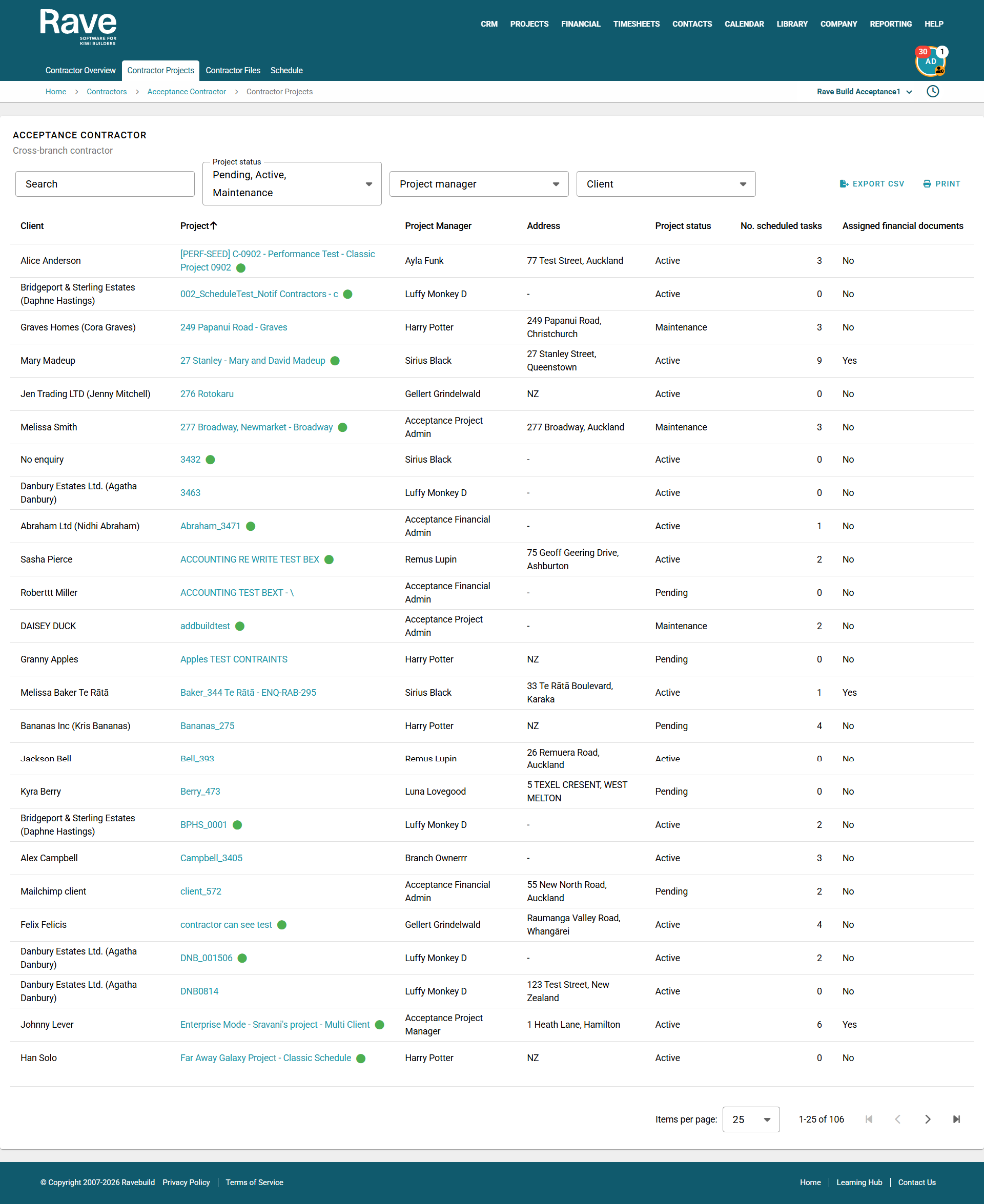
From the Contractor Profile, you can now click into the Contractor Projects tab to see all projects assigned to that contractor.
You can search for a specific project, client name, or address in the search bar, and filter by project status, project manager, and client.
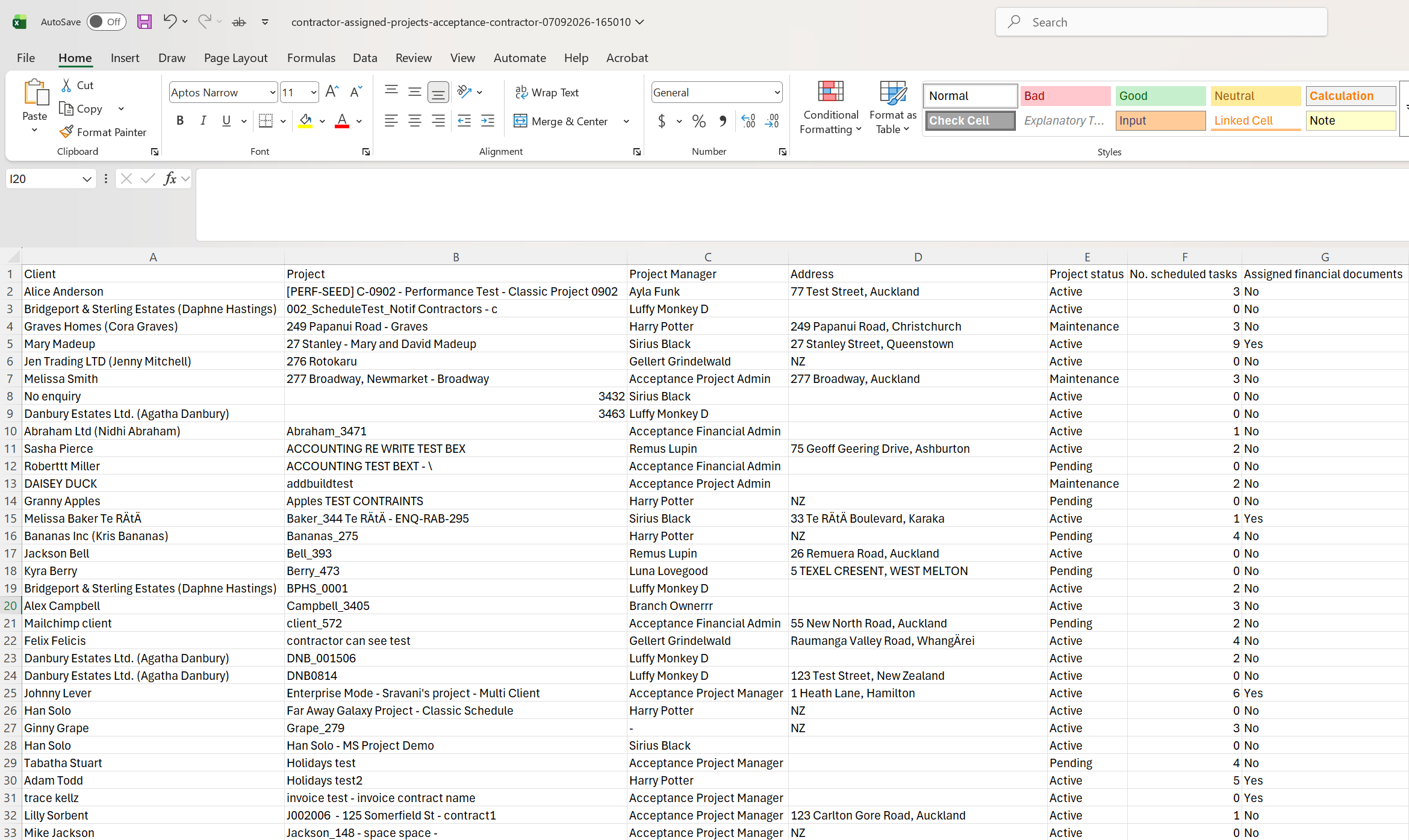
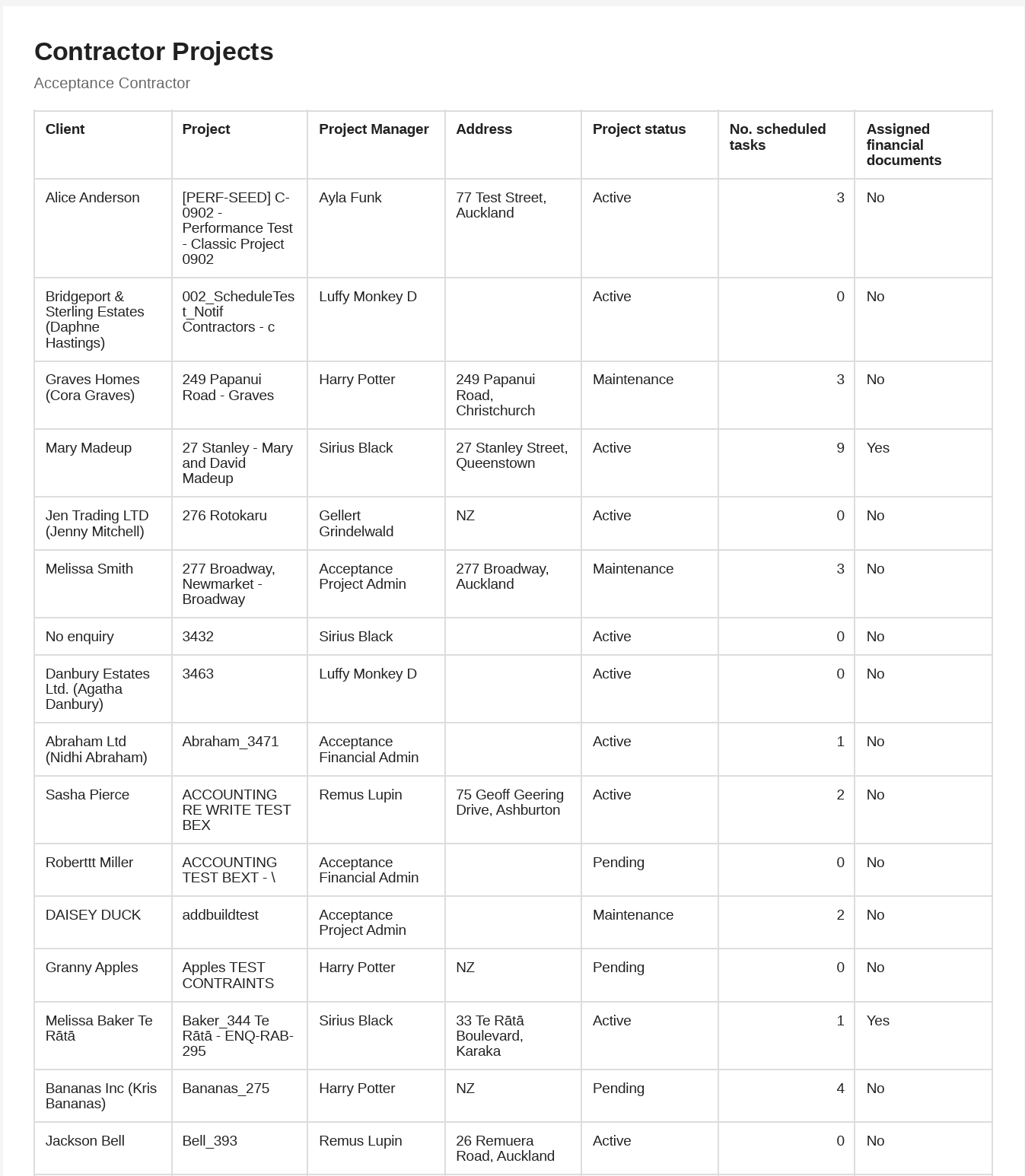
Using the print button, you can't print the page to PDF or Export to CSV by clicking EXPORT CSV
For each project, you can view:
The project Status
The number of schedule tasks assigned to them
Whether there are any financial documents assigned to the contractor
Clicking the project hyperlink will take you directly to the People tab of that project.
Example CSV export:
Was this article helpful?
That’s Great!
Thank you for your feedback
Sorry! We couldn't be helpful
Thank you for your feedback
Feedback sent
We appreciate your effort and will try to fix the article