You can over ride Rave's task status colours (open, ordered, working, on hold/delayed, completed) with colour coding assigned to contractors - to more easily see task list and task gantt tasks assigned to your specific task assignees.
NOTE: This action disables the normal task status across all projects - all unassigned tasks regardless of their status will be set to the 'open' grey colour.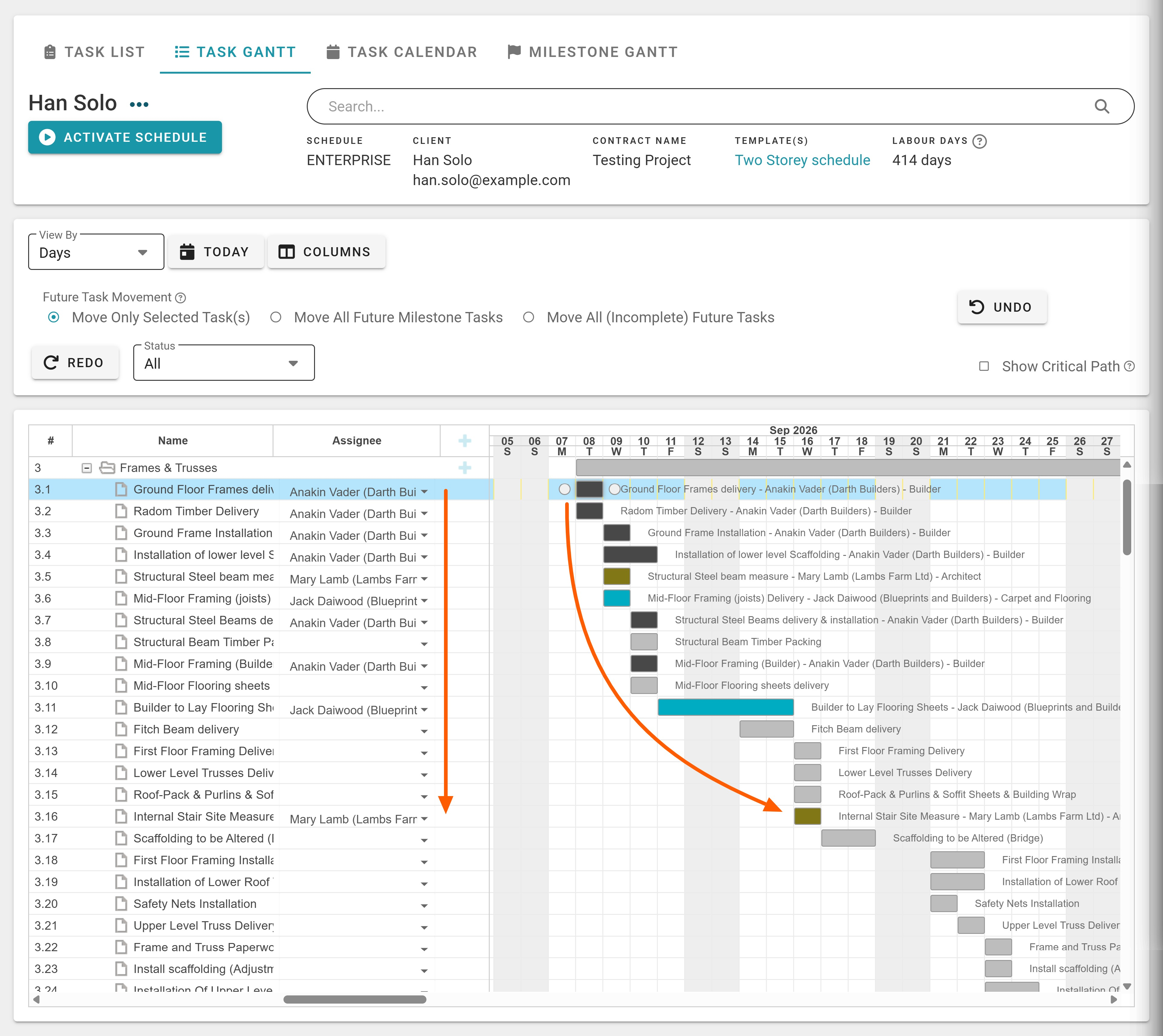
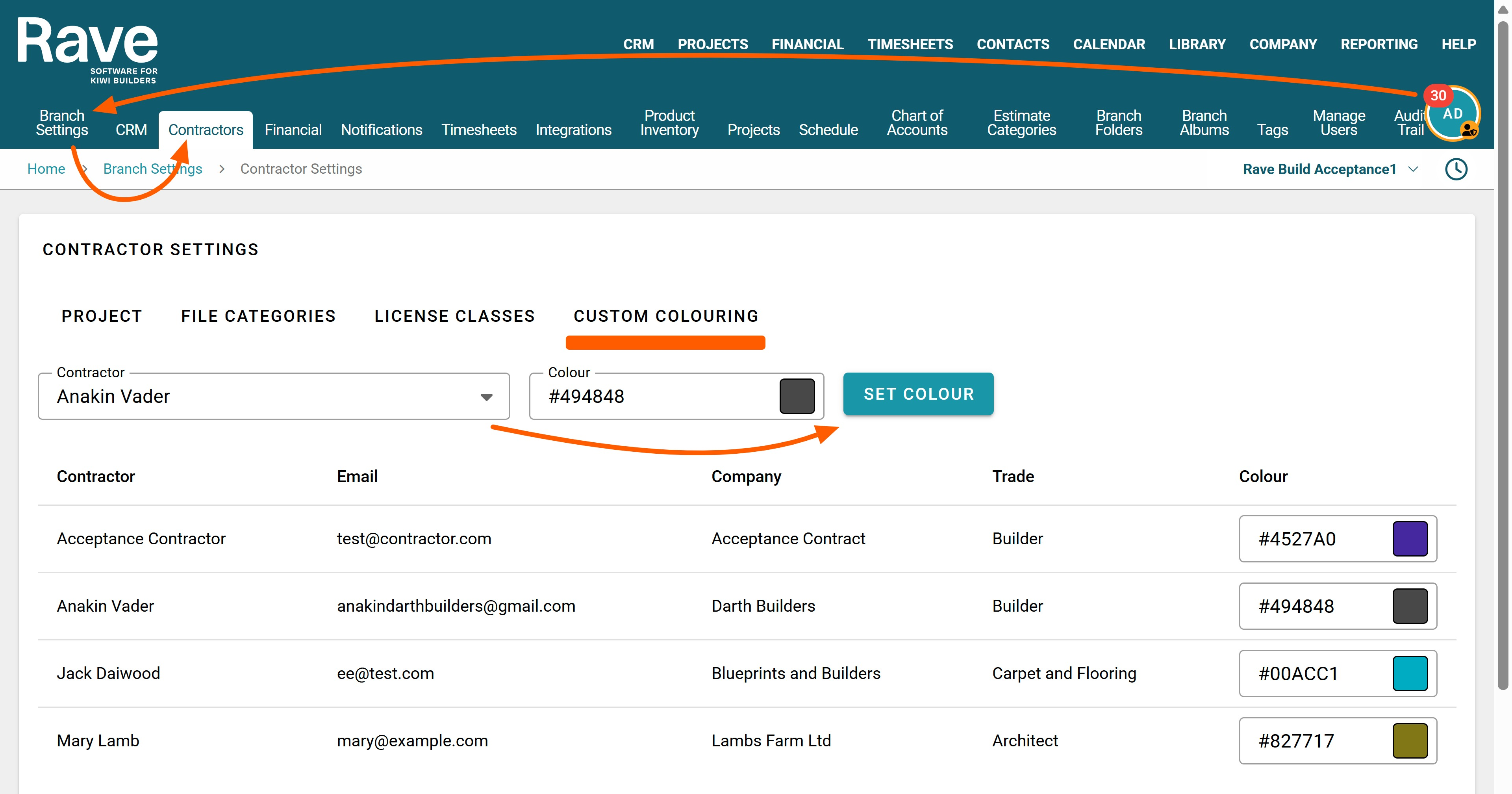
How to Set your Branches Contractor Custom Colouring
To set your contractors custom task colouring, go to your branch owners Profile Drop-down | Branch Settings | Contractors | Custom Colouring screen
- Then select your contractor from the Contractor drop-down
- Add a 6 digit Hex colour code or click on the colour palette square to choose a colour
- And finally click the Set Colour button to apply
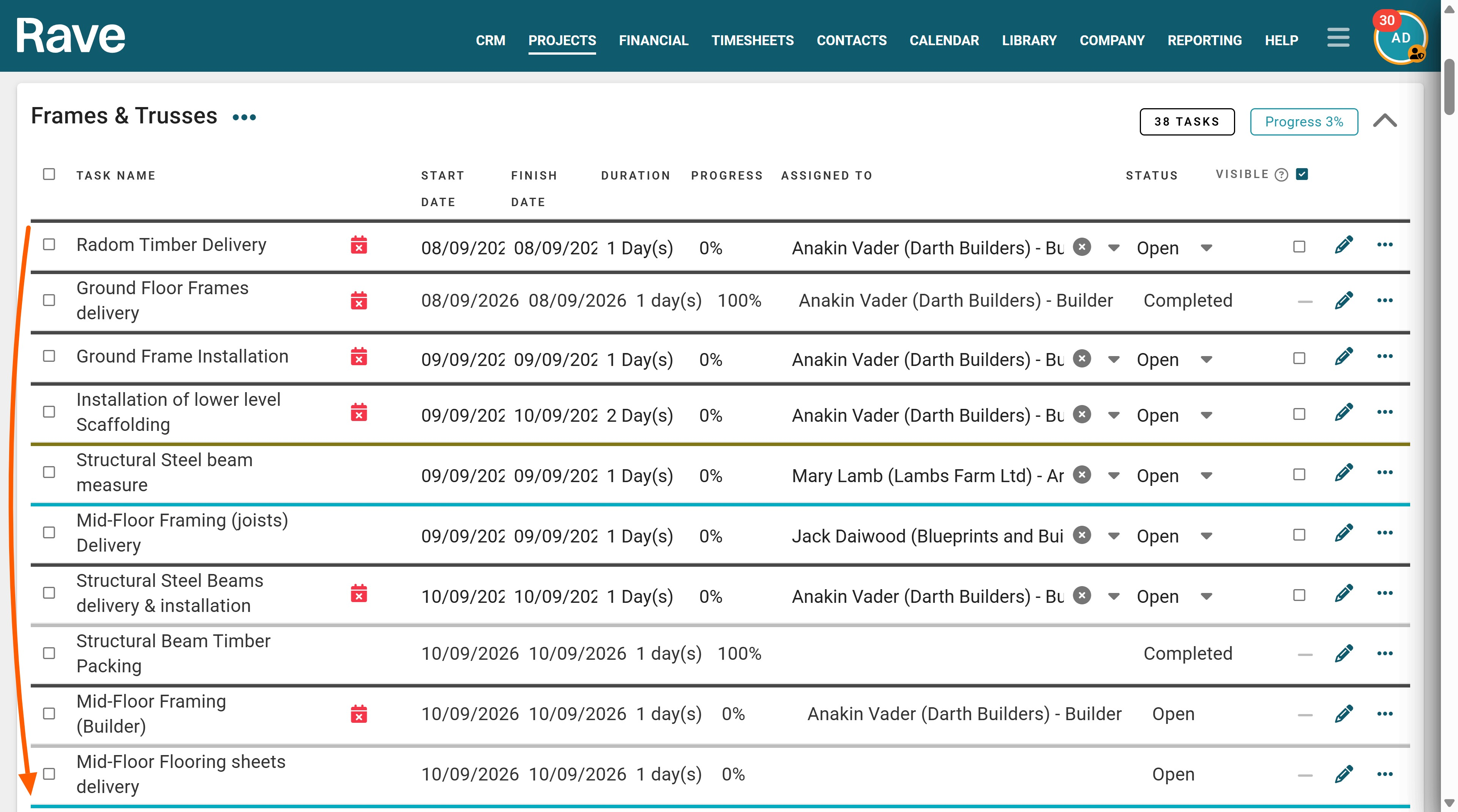
Repeat for each contractor you want to set a custom colour for. When you next view your Task List or Task Gantt view of the schedule, you will see the colour coding appeaar.
NOTE: This action disables the normal task status across all projects - all unassigned tasks regardless of their status will be set to the 'open' grey colour.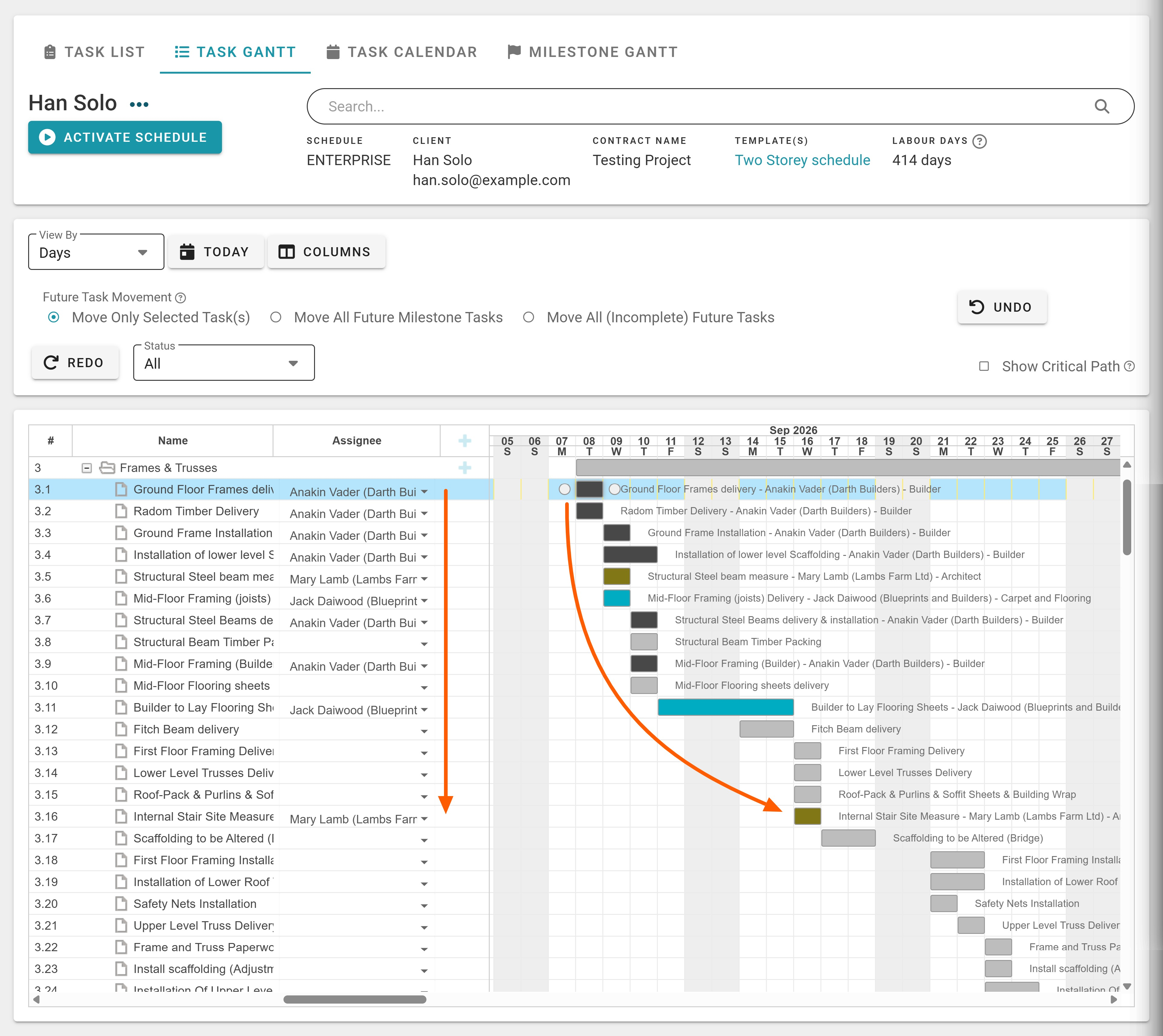
Was this article helpful?
That’s Great!
Thank you for your feedback
Sorry! We couldn't be helpful
Thank you for your feedback
Feedback sent
We appreciate your effort and will try to fix the article