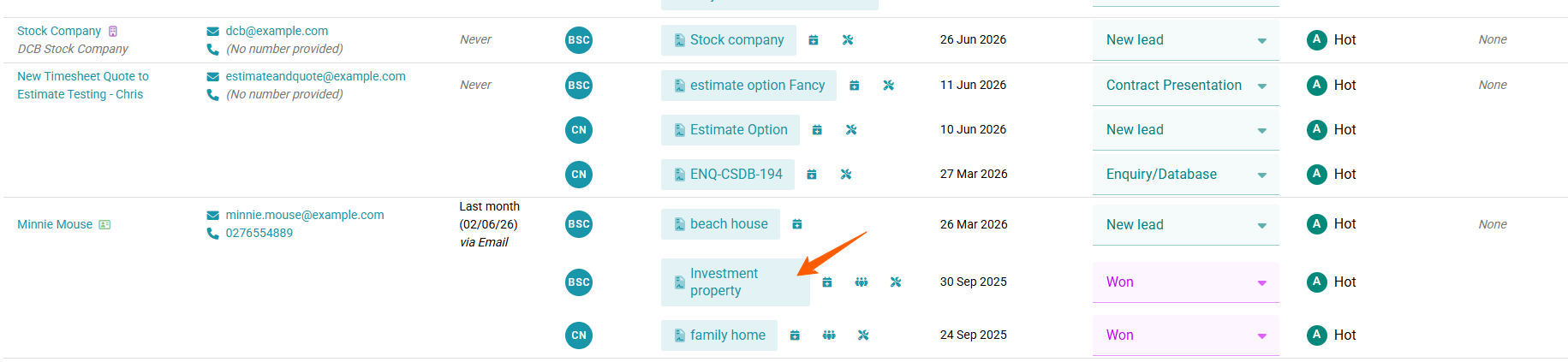
To Invite a secondary client to Rave, Click on the Enquiry that the Secondary Client belongs to.
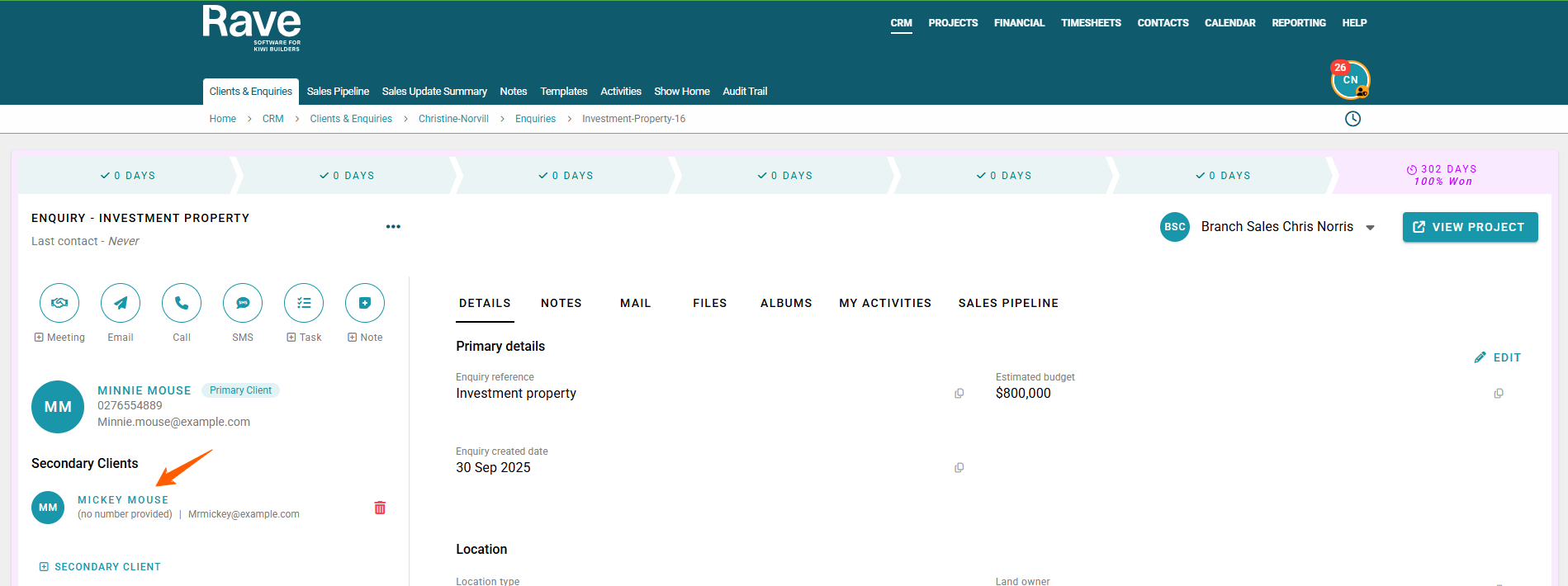
Now that you are in the enquiry click on the secondary clients name
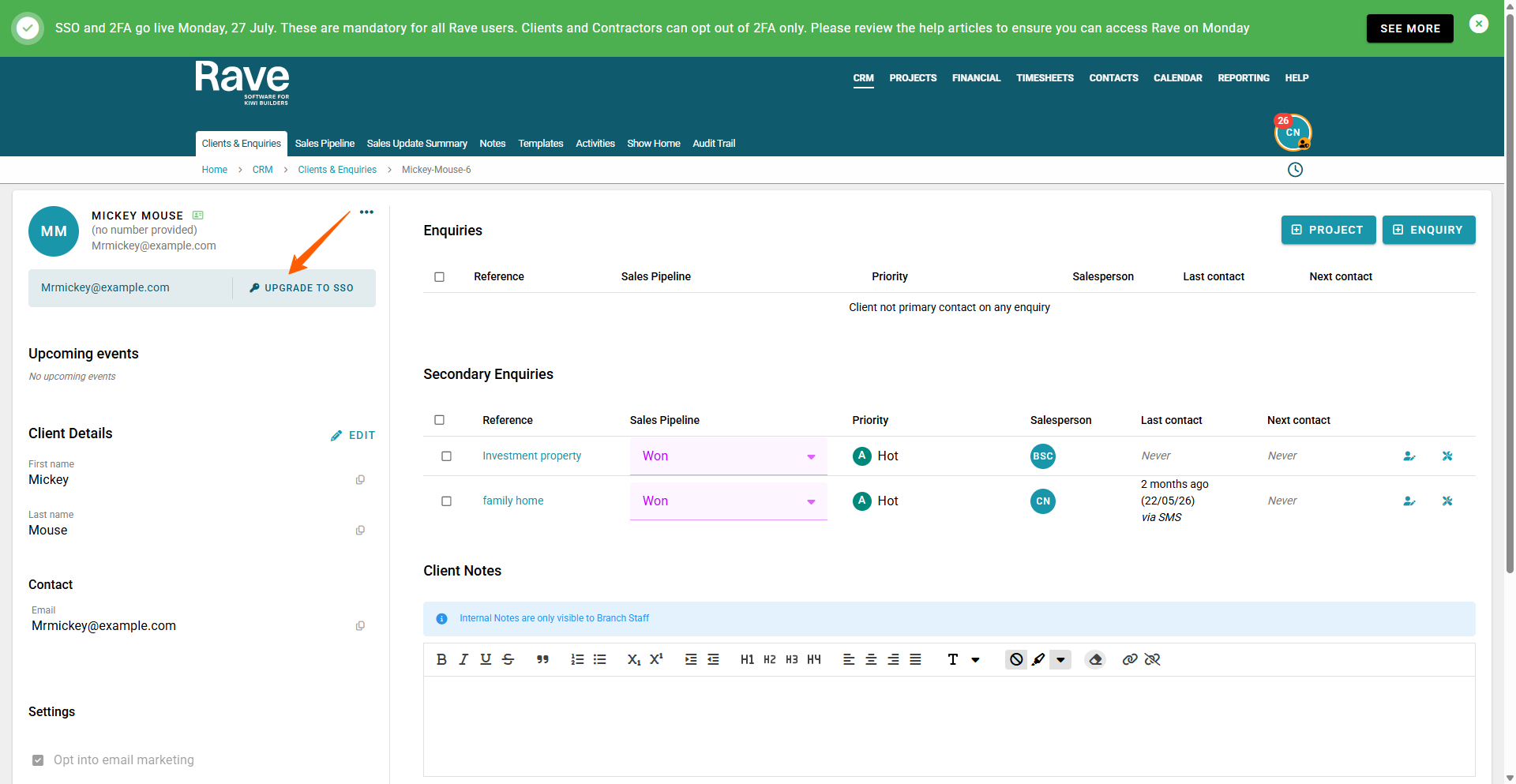
Now Click on Upgrade to SSO to create their invite and give permissions.
Was this article helpful?
That’s Great!
Thank you for your feedback
Sorry! We couldn't be helpful
Thank you for your feedback
Feedback sent
We appreciate your effort and will try to fix the article