Rave's Enterprise scheduling now offers 'Classic' scheduling-style future task movement options when changing the start date, duration, and end date of a task, in both the Task List and Task Gantt schedule views.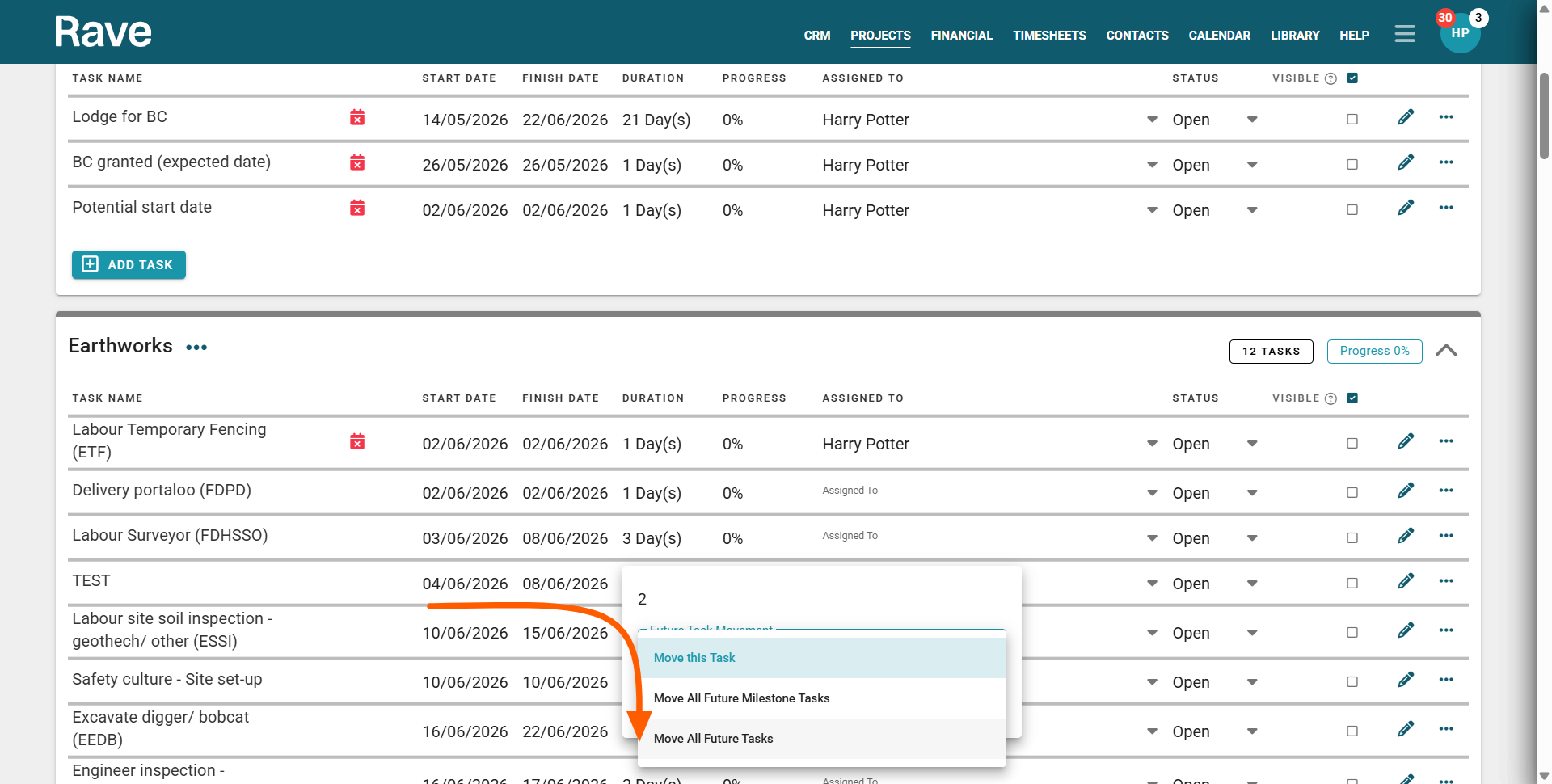
Task List View - Updating the Schedule with Future Task Movement Options
You can now update future tasks, like the classic scheduling options in 'Enterprise' scheduling mode, via the task list view, by editing the task's start date, end date, or duration, or by clicking the task's pencil edit icon to do the same:
- Clicking on the pencil edit icon will open the Task Details modal
- From here, you can edit the task's start date, end date, or duration
- This will reveal a 'Future Task Movement' field with three options to choose from:
- Move Only this Task - will leave the rest of the schedule where it is and just move this particular task to its new start date*
- Move All Future Milestone Tasks - will move all of the tasks due to start today and onwards (for this milestone only) and move those remaining milestone tasks forward/back that number of working days*
- Move All Future Tasks - will move all of the tasks due to start today* and onwards (for the rest of the schedule) and move those tasks forward/back that number of working days*
IMPORTANT NOTE: Rave does not consider the time of day when selecting 'All Future Tasks' - this means that ALL other tasks starting on this day (even tasks earlier in the Milestone, or in previous milestones) will also move. - And finally, click the 'Save' button to confirm
IMPORTANT NOTE: Any subsequent linked tasks will move based on their existing links' lags, and constraints.
Task Gantt View - Updating the Schedule with Future Task Movement Options
- Via the Task Details Modal
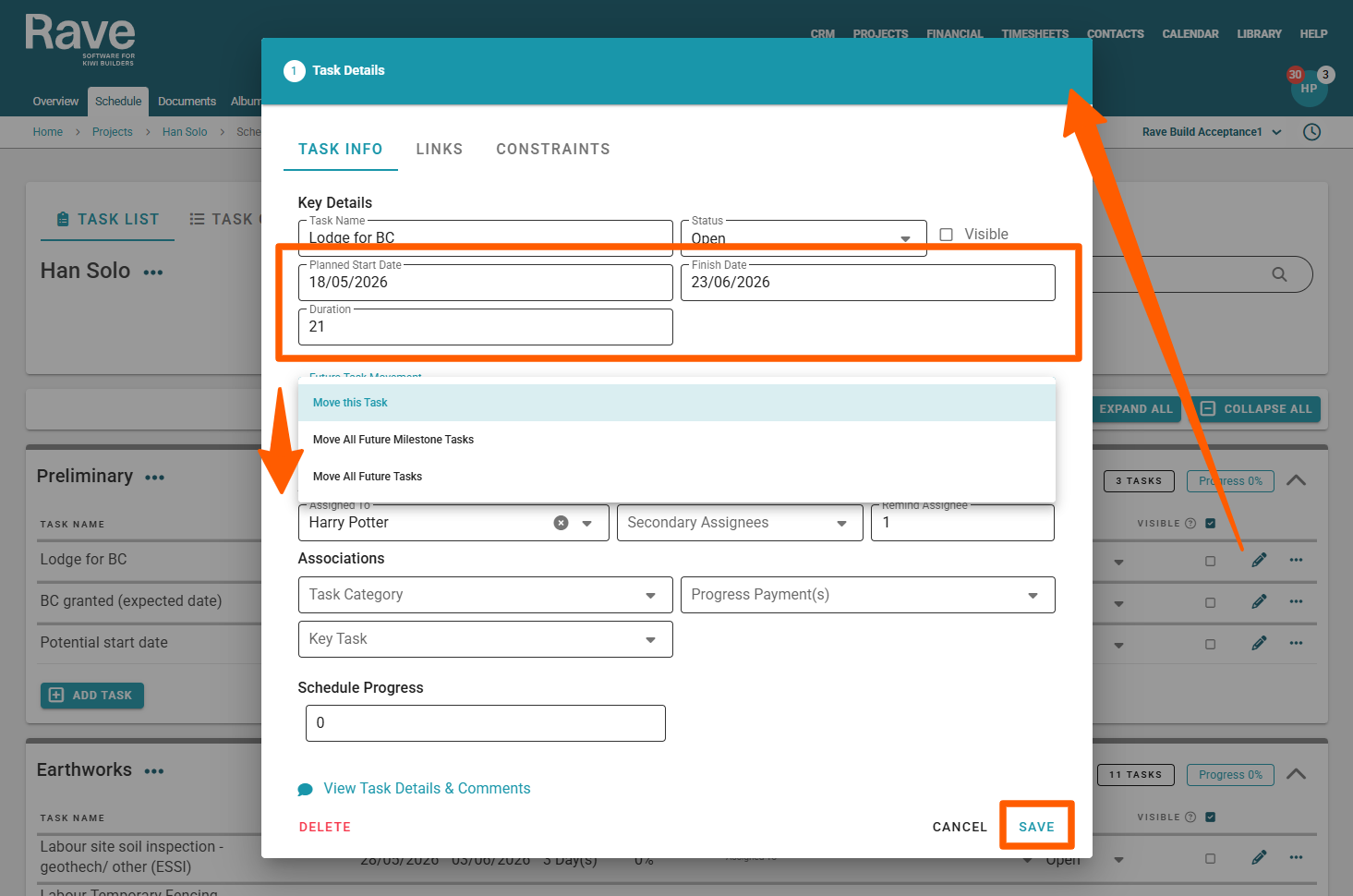
You can now update future tasks, like the classic scheduling options in 'Enterprise' scheduling mode, via the task gantt view, Task Details modal by editing the task's start date, end date, or duration:
- Double-click on the task description or gantt task block via the Task Gantt view, to open the task's task modal
- From here, you can edit the task's start date, end date, or duration
- This will reveal a 'Future Task Movement' field with three options to choose from:
- Move Only this Task - will leave the rest of the schedule where it is and just move this particular task to its new start date*
- Move All Future Milestone Tasks - will move all of the tasks due to start today and onwards (for this milestone only) and move those remaining milestone tasks forward/back that number of working days*
- Move All Future Tasks - will move all of the tasks due to start today* and onwards (for the rest of the schedule) and move those tasks forward/back that number of working days*
IMPORTANT NOTE: Rave does not consider the time of day when selecting 'All Future Tasks' - this means that ALL other tasks starting on this day (even tasks earlier in the Milestone, or in previous milestones) will also move. - And finally, click the 'Save' button to confirm
IMPORTANT NOTE: Any subsequent linked tasks will move based on their existing links' lags, and constraints.
Task Gantt View - Updating the Schedule with Future Task Movement Options
- Via the Click and Drag Options
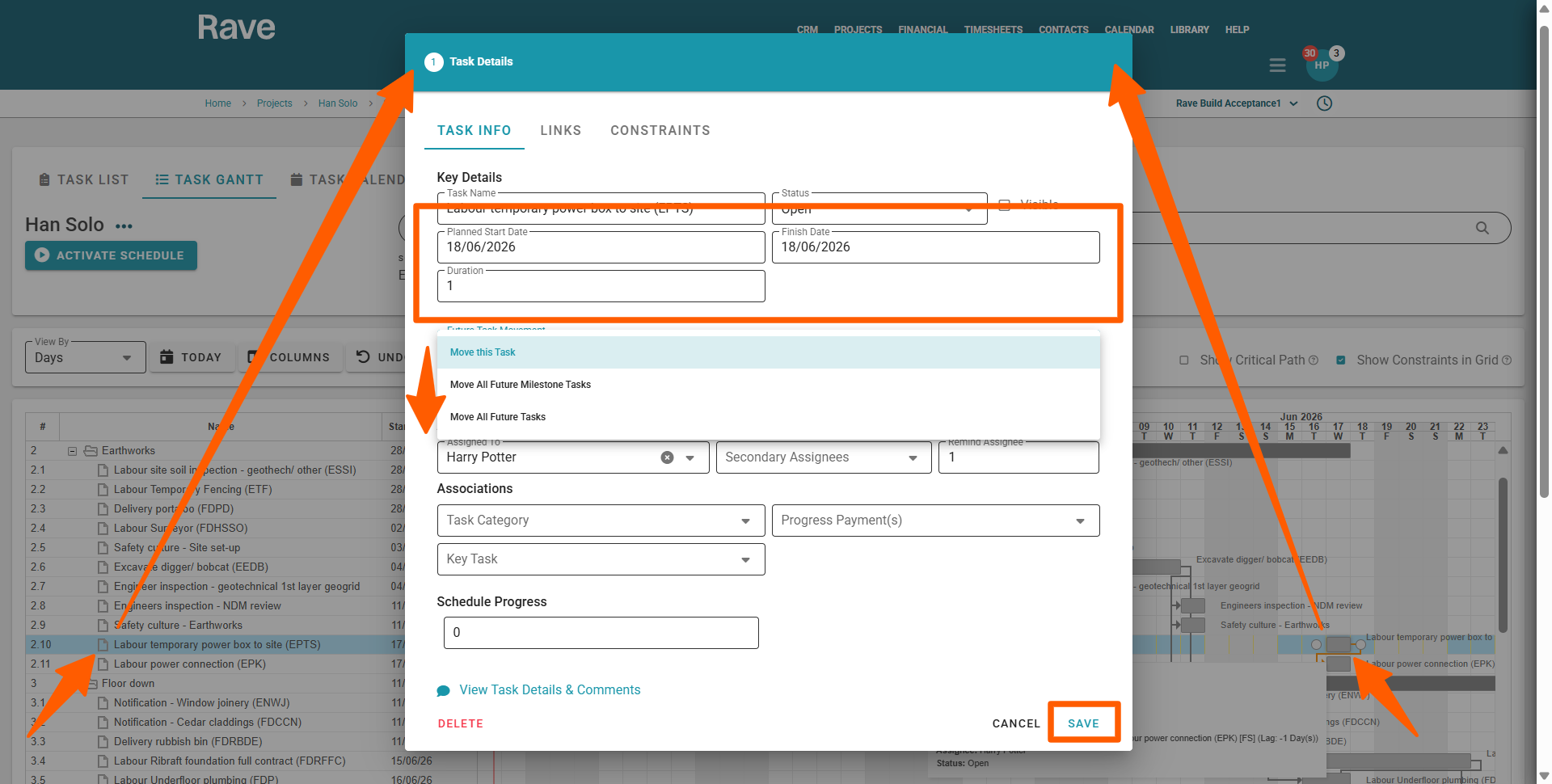
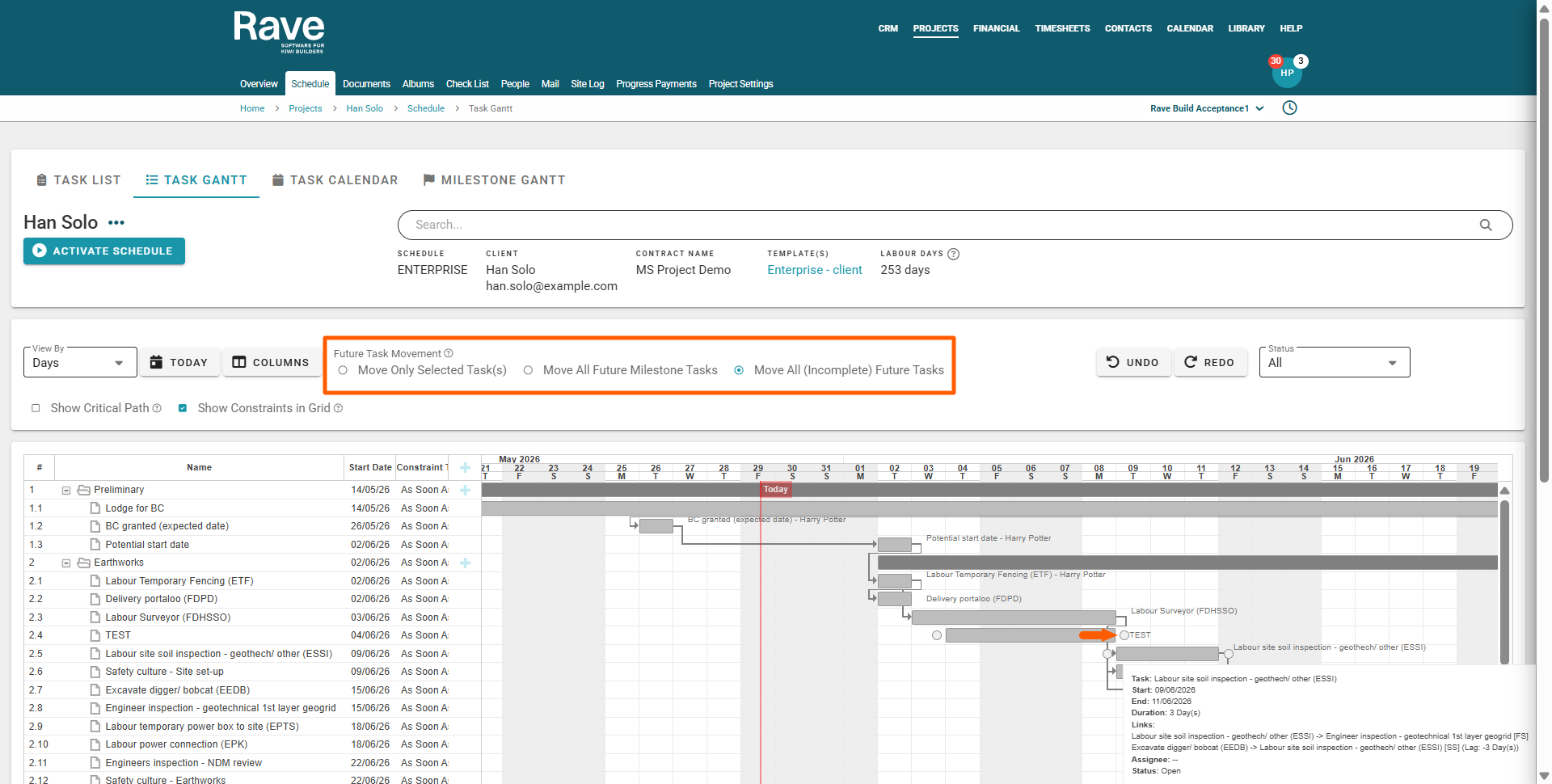
You can now update future tasks, like the classic scheduling options in 'Enterprise' scheduling mode, via the task gantt view, by clicking and dragging a task to a new start/finish date, and by extending the task duration:
- Before you make your change, select the appropriate 'Future Task Movement' option to:
- Move Only this Task - will leave the rest of the schedule where it is and just move this particular task to its new start date*
- Move All Future Milestone Tasks - will move all of the tasks due to start today and onwards (for this milestone only) and move those remaining milestone tasks forward/back that number of working days*
- Move All Future Tasks - will move all of the tasks due to start today* and onwards (for the rest of the schedule) and move those tasks forward/back that number of working days* - Then, using your mouse, you can click and drag the task to a new start/finish date, or the right edge of the task to extend the end date to change the task duration
This will move the task, and refresh the screen to update any subsequent tasks as well.
IMPORTANT NOTE: Rave does not consider the time of day when selecting 'All Future Tasks' - this means that ALL other tasks starting on this day (even tasks earlier in the Milestone, or in previous milestones) will also move.
IMPORTANT NOTE: Any subsequent linked tasks will move based on their existing links' lags, and constraints.
Was this article helpful?
That’s Great!
Thank you for your feedback
Sorry! We couldn't be helpful
Thank you for your feedback
Feedback sent
We appreciate your effort and will try to fix the article