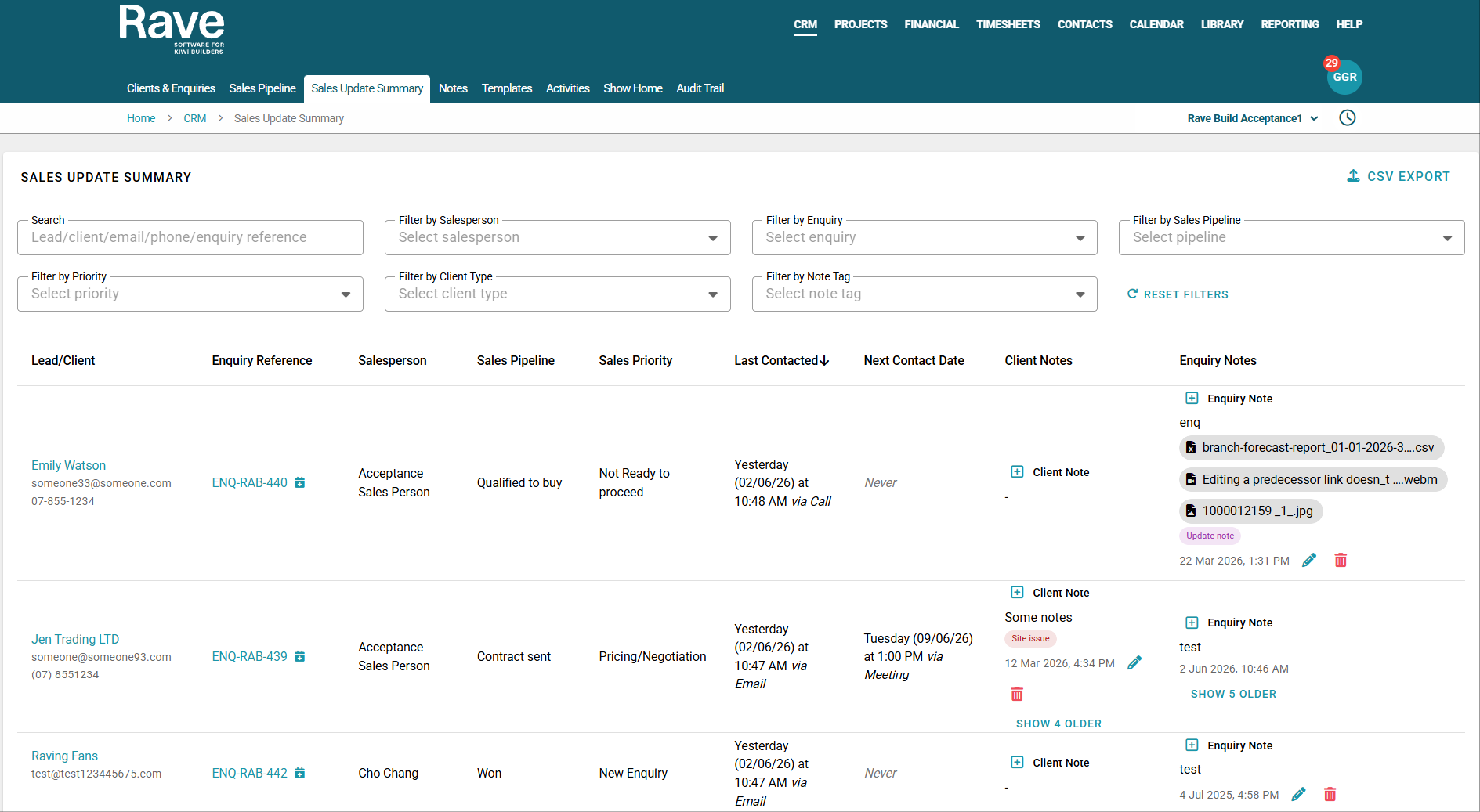
The Sales Update Summary Report is located under the CRM main tab.
Navigate to CRM, then Sales Update Summary to access the report.
Overview
The Sales Update Summary Report is ideal for internal sales update meetings, team check-ins, and quick status reviews across multiple enquiries/clients. It enables the entire team to view and discuss the latest notes in a clear, easy-to-use format. With the most recent Client notes and/or Enquiry notes as the key focus.
Tips for Use
- Regularly update notes to keep information current for all users
- Use clear, concise language in notes for team visibility
- Ensure to tag notes so they are easy to filter
- Check this report before meetings to stay up to date
Report Layout
The Report is organised first by Client Name, then by Enquiry Reference, Sales Person, Sales Pipeline, Sales Priority, Date last contacted, Next Contact Date, Client Notes and Enquiry Notes.
Search and Filters
Use the search function to find Enquiry reference, Client Name, email and phone.
Use the filters to refine results by:
- Salesperson
- Enquiry Reference
- Sales Pipeline
- Priority
- Client Type
- Note Tag
You can sort the Last Contacted column from oldest to newest or in reverse using the little arrow beside the header.
Add a new Activity
If you would like to add a new activity from this page, either a meeting or a task (depending on your profile default setting). Click the Calendar icon next to the Enquiry reference and the activity model will pop up for you to complete.

Add New Notes
Use the handy + Client Note or + Enquiry Note button to add a note directly from the report.
Or click the Show older button to read all Notes for a full history.

Export to CSV
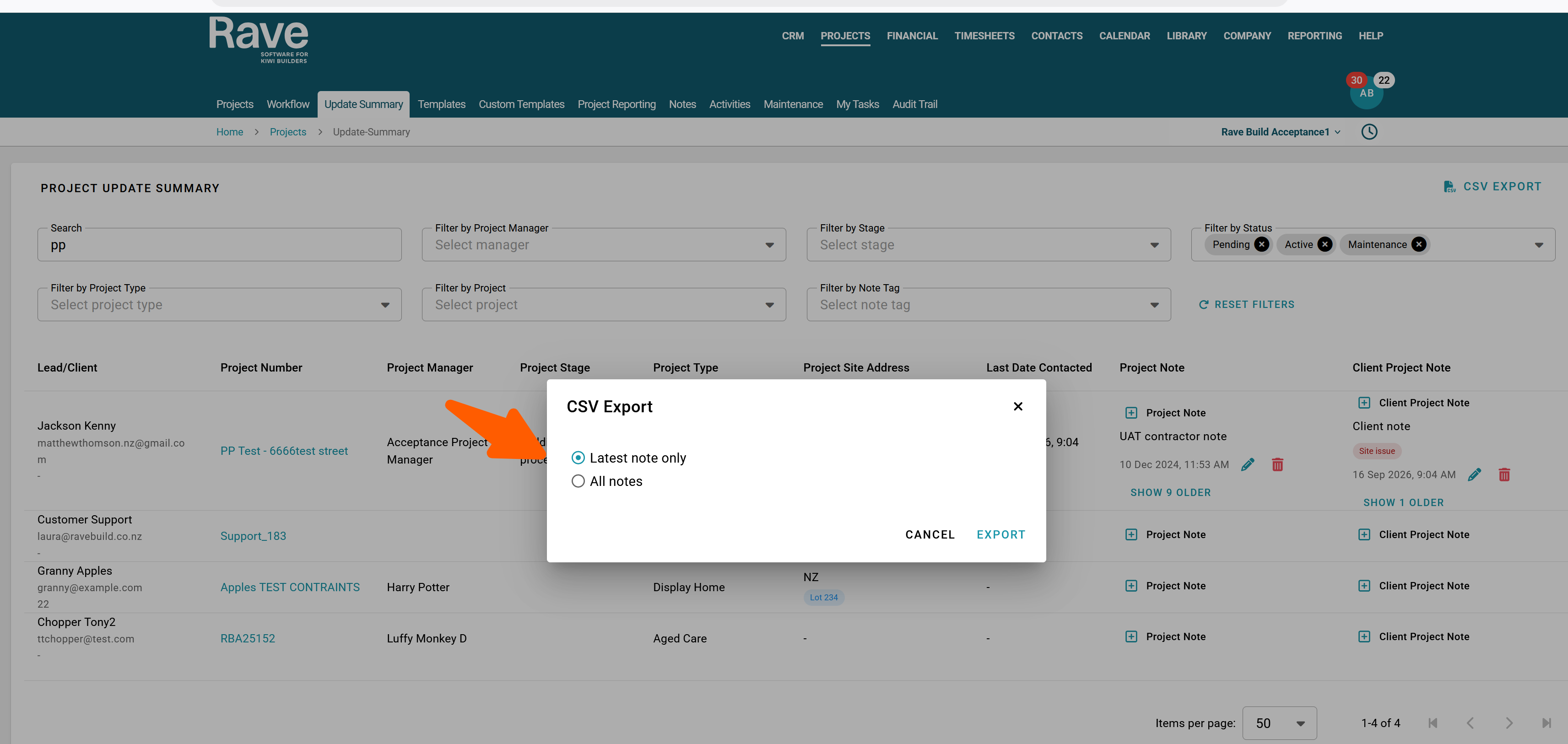
Export the report using the CSV export button located at the top right and choose to export with all notes or only latest notes.
Was this article helpful?
That’s Great!
Thank you for your feedback
Sorry! We couldn't be helpful
Thank you for your feedback
Feedback sent
We appreciate your effort and will try to fix the article