Rave has a range of user preferences available via your profile drop-down (top right-hand corner of the page), select Profile Settings and then User Preferences 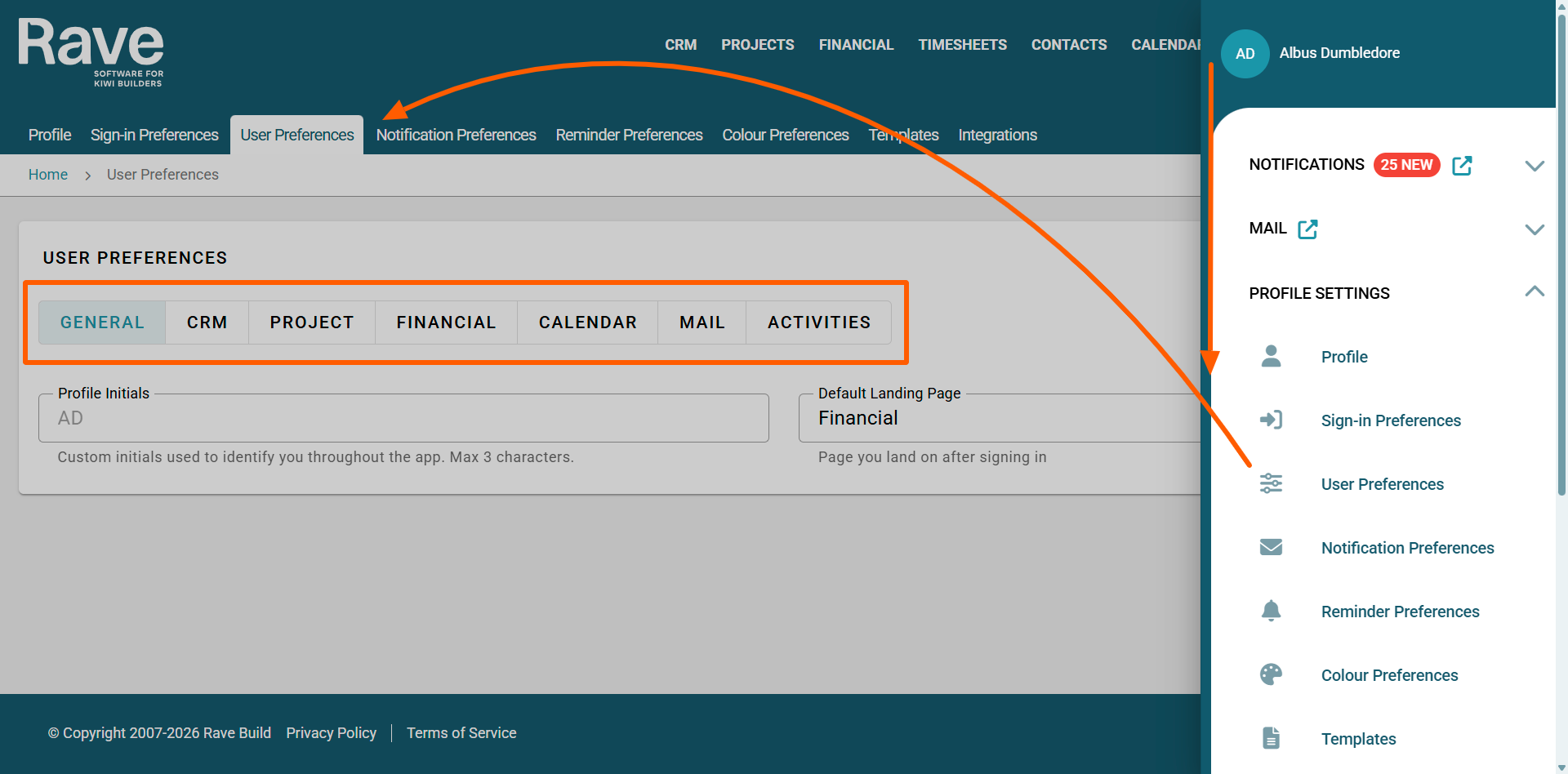
GENERAL
- Profile Initials
Rave automatically creates your CRM initials using the first and last name in your profile.
In some cases, your initials may be the same as another salesperson’s, which can cause confusion. You can now customise the initials used in the CRM salesperson sections.
This will also update the initials shown in your profile circle at the top right of your screen.
- Default Landing Page
When you log into Rave, your default landing page will open on whichever tab you have selected.
For salespeople, this would be CRM, Project Team Projects Tab, Financial Team Financial Dashboard. You can pick any of the drop-down options, including Calendar, Timesheets and Mail.
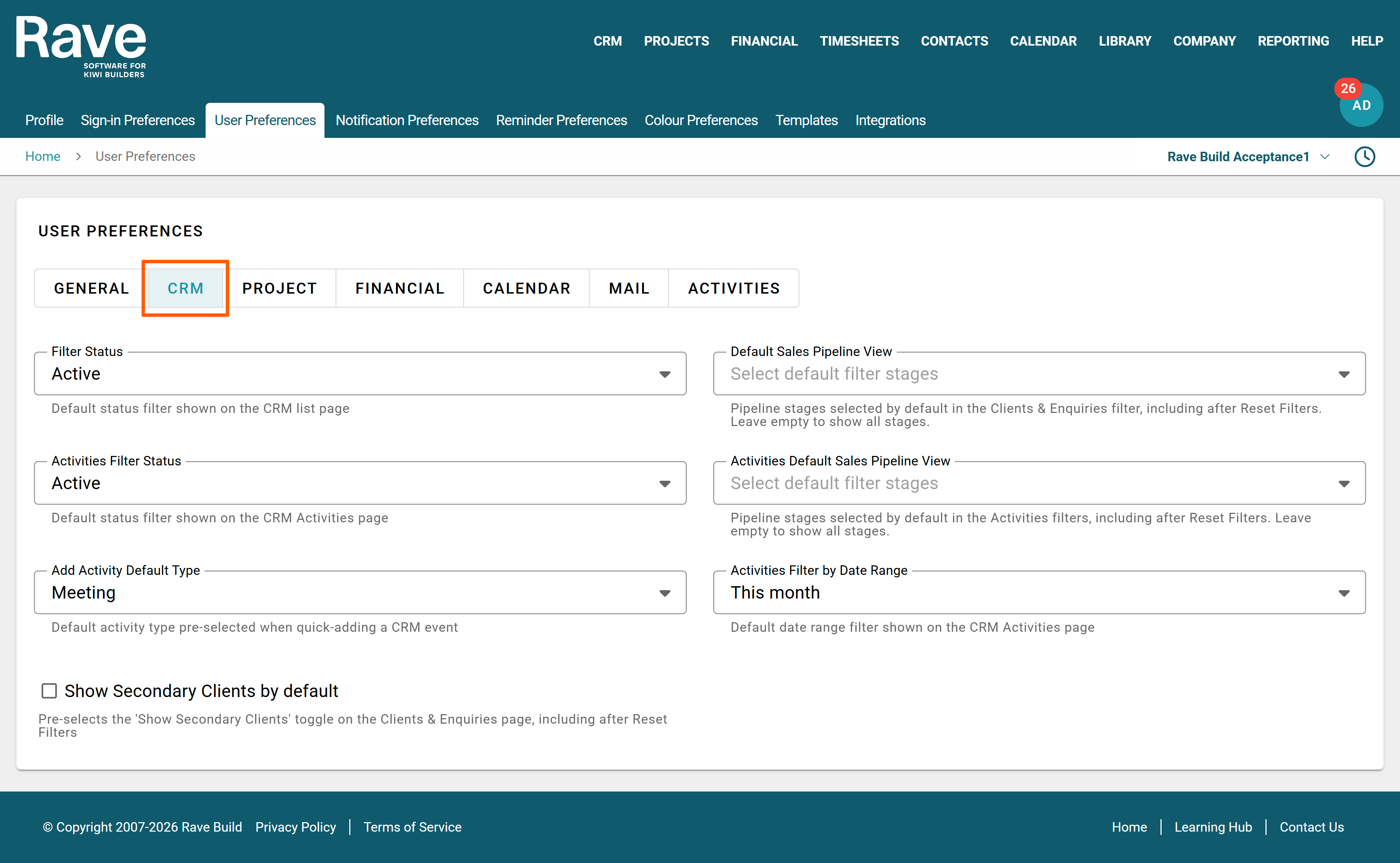
CRM
- Filter Status
When opening the CRM Clients and Enquiries Tab, the default view is set to Active Clients, but users can select any other option from the list to customise what they see. Whatever default type you pick will show every time, even after resetting filters; it will return to this status.
- Default Sales Pipeline View
When opening CRM Clients and Enquiries Tab, the Pipeline stages default view is set to All, by selecting which stages you want your default view to be here you can filter out ones you dont need. Even after pressing Reset Filters, your default choices will stay. Leave empty to show all stages. (This can be used to filter out Won enquiries that still have an active project)
- Activities Filter Status.
Allows you to set your default Activities Filter Status for the CRM Activities report.
- Activities Default Sales Pipeline View
Allows you to set your default Pipeline stages for the Sales Pipeline report. You can leave this selection empty to show all stages by default.
- Add Activity Default Type.
Users can choose either Meeting or Task as their default, so when they click the activity calendar shortcut, it opens their selected option.
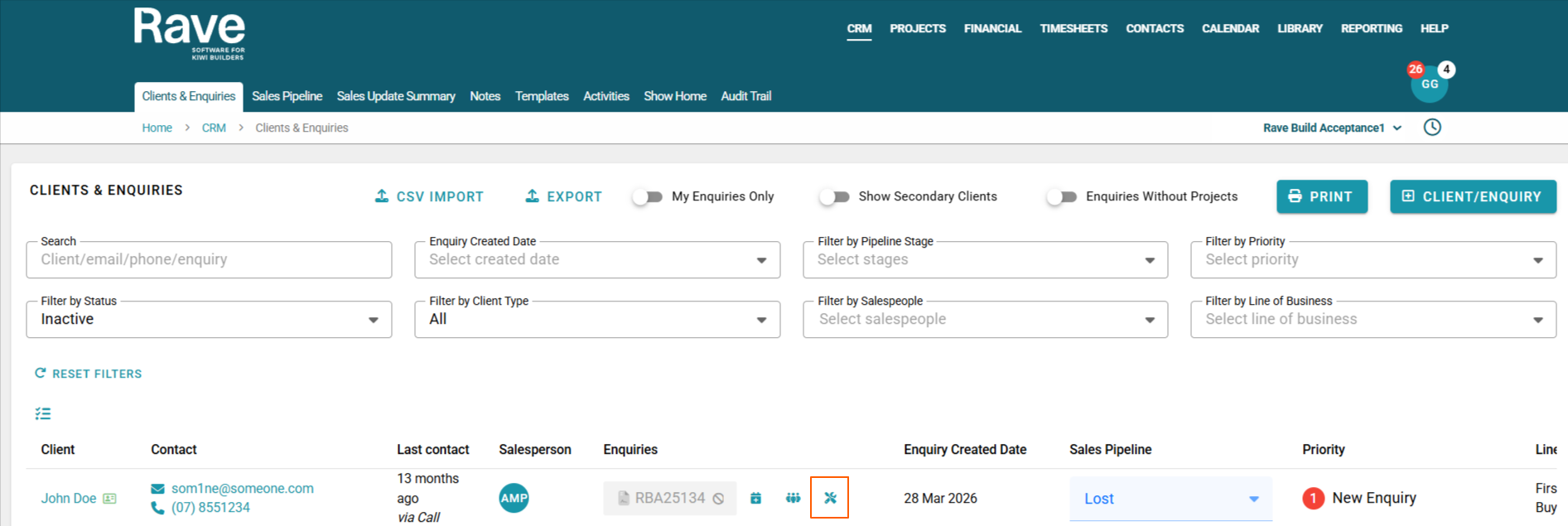
Clicking this activity icon anywhere in Rave will bring up the default type you select above
- Activities Filter by Date Range (CRM)
Select the default date range you wish your CRM Activities page to show. I.E today, this month, this week etc.
- Show Secondary Clients by Default – When enabled, secondary clients will automatically be displayed on the CRM Clients and Enquiries pages, so you won’t need to toggle the Show Secondary Clients slider on each time.
PROJECT
- Overview Default.
Users can choose which section of the Project Overview opens first when clicking on a project link.
Either Overview, Project Notes, Client Project Notes or Activities. Clicking on this Project icon below anywhere in Rave will bring up the default overview view that you selected above.
- Activities Filter by Date Range (Projects)
Select the default date range you wish your Project Activities page to show. I.e this month, this week etc.
FINANCIAL

- Financial Default Tab
Select the default financial tab you wish to land on when you select the budget tab. Note only tabs you have access to can be chosen.
- Financial Menu Default Tab
Set the default page shown when clicking Financial in the main menu
- Dashboard Filter
Set the default status filter shown on the Financial Dashboard
CALENDAR
- Calendar Filter by Date Range
Select the default date range you wish your Rave My Calendar to show, and if you have permission to view the Branch calendar. I.e this month, this week etc.

- Mail Visibility.
When selected, this will make all mail visible to others with permission to view others' mail, so you don't have to check the box each time
- Custom Greeting
When sending a new mail, you can set your default custom Greeting and Sign-off. Pick from our pre-populated choices or enter your own custom greeting/sign off.


ACTIVITIES
- Activities
When on the desktop version of Rave, you can uncheck these boxes to prevent the pop-up from asking you to select an application to call, sms or email from.

- Add Client Name to all tasks
- Add enquiry Reference to CRM tasks
- Add Project Reference to Project Tasks
When enabled, Rave will prepend the information to the task created in Rave Activities
Example of creating project tasks with the Project Reference slider enabled

Calendar Sync
When enabled, your default synced calendar is selected automatically when you add a new activity. You can still pick a calendar yourself on any activity.

Was this article helpful?
That’s Great!
Thank you for your feedback
Sorry! We couldn't be helpful
Thank you for your feedback
Feedback sent
We appreciate your effort and will try to fix the article