Merging an enquiry usually arises when duplicate enquiries have been created, whether accidentally, through a client submitting multiple requests, or from uploading a CSV file that includes repeated entries for the same client.
It is now easy to merge these into a single enquiry, allowing you to select and retain the most relevant information from each record.
To locate your enquiries, first select CRM from the main navigation.
From the Client and Enquiries screen, search for or click on the enquiry you want to merge.
Note: If a project has been created, you cannot merge the enquiry associated with that project; the enquiry needs to be from a non-project enquiry.
Once you’ve found it, click the three-dot (ellipsis) menu.
If you have the correct permissions, you will see the option “Merge Enquiry.” Click this option.
If you do not see this option, you need to ask your branch owner or Rave Support for Permission to be enabled.
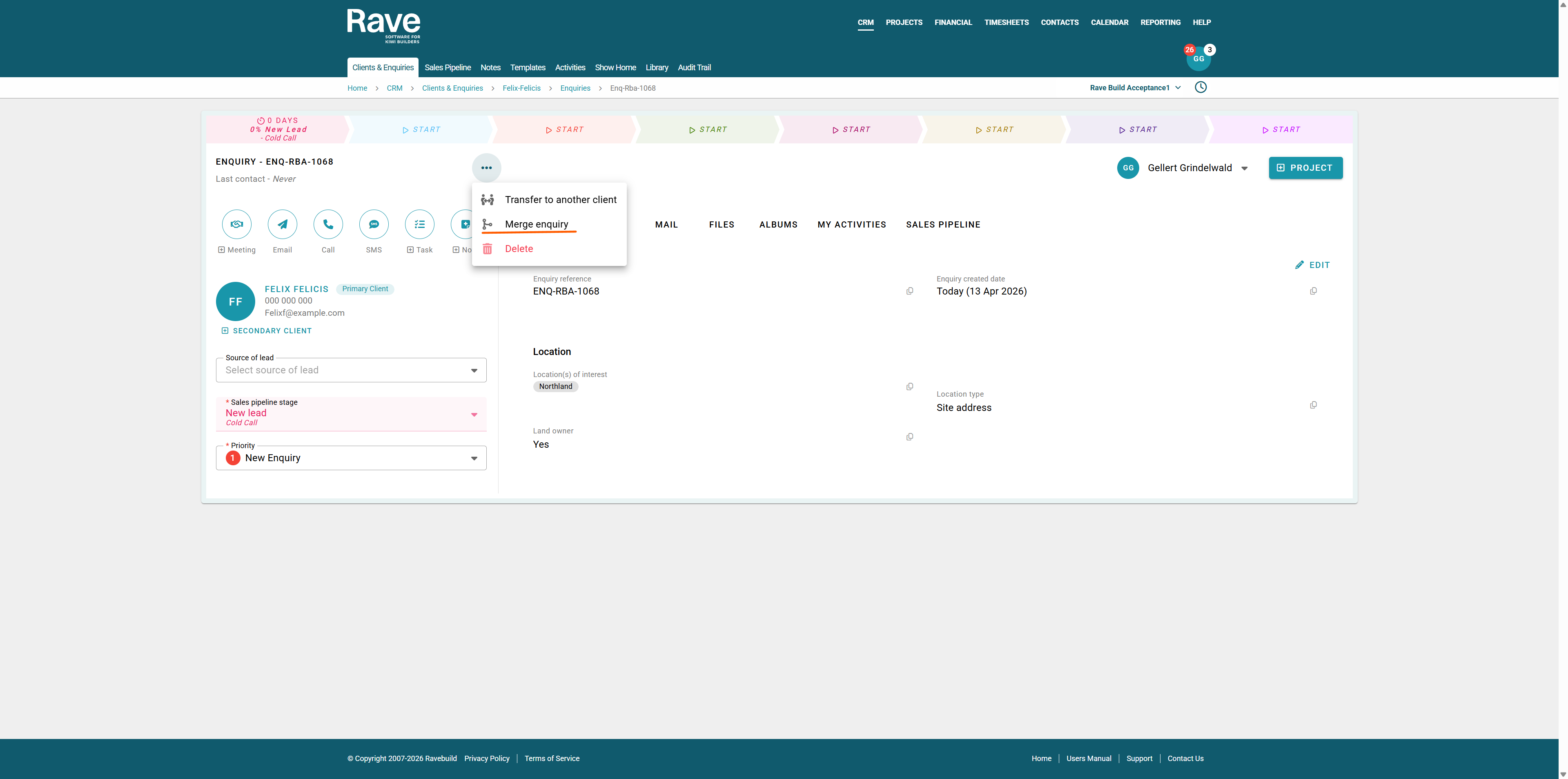
Next, choose the enquiry you want to merge from the provided list.
Note: You can only merge enquiries within the same client. If the enquiry needs to be merged into a different client, you must first transfer it to the correct client before merging. These instructions are at the bottom of this article.
After selecting the target enquiry, a pop-up will appear asking you to choose which data to keep. For each field, select either the source data or the target data.
You can choose to keep some data from the source enquiry and some from the target enquiry.
Once you’ve made your selections for each field, tick the confirmation box and click Merge.
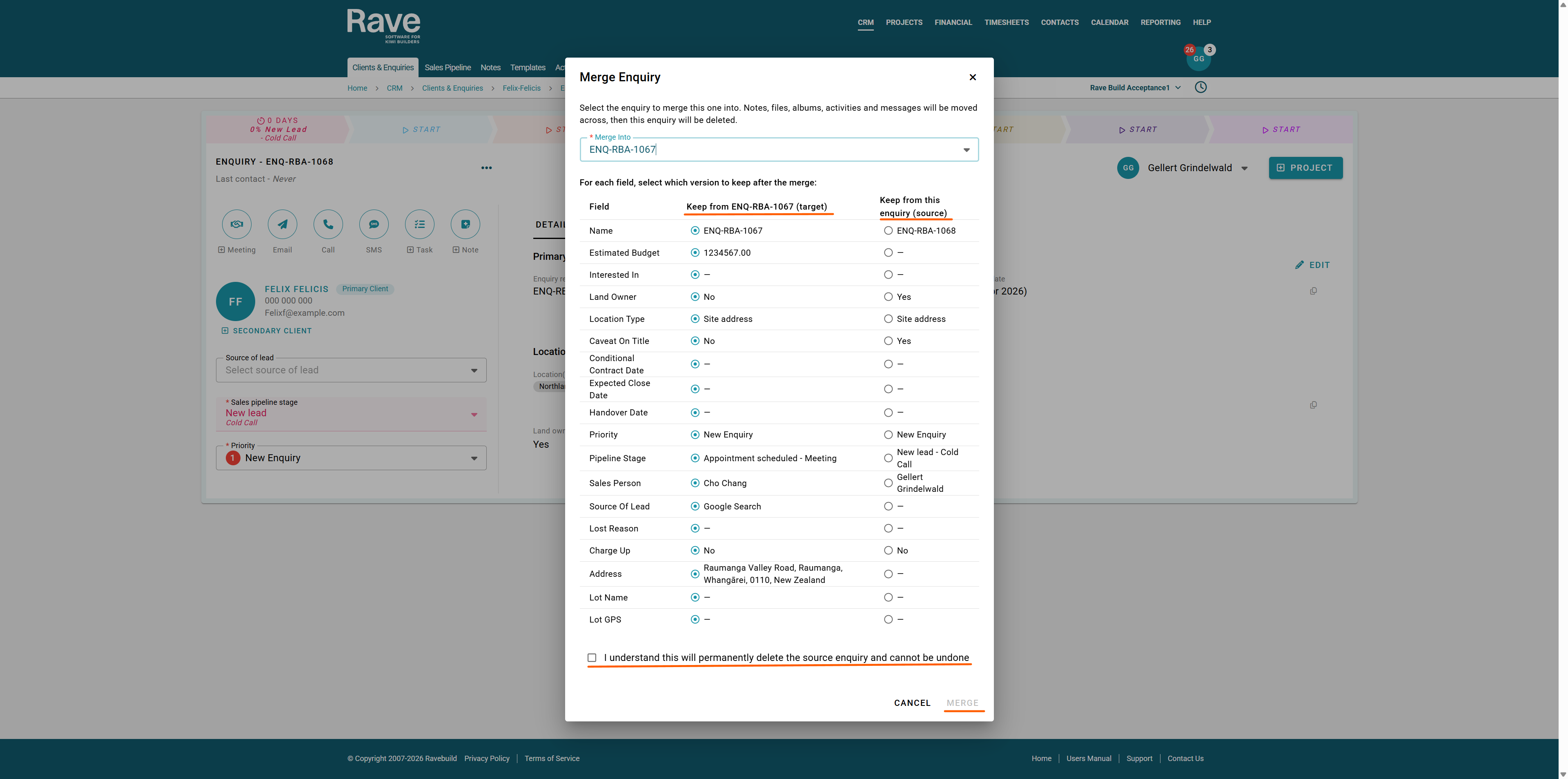
All selected data will transfer to the target enquiry, and the source enquiry will be deleted.
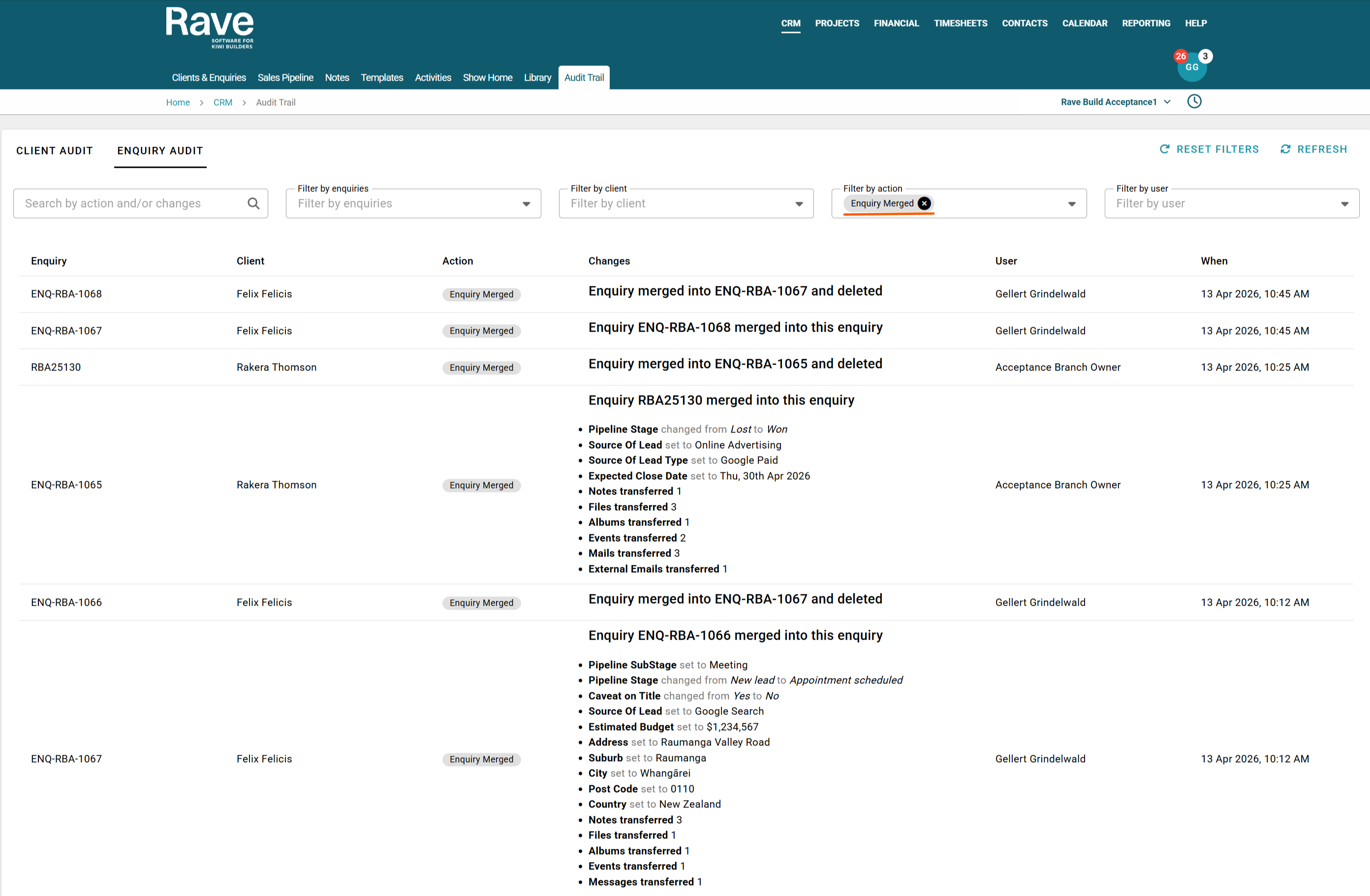
Important: This action is irreversible and is fully audit-trailed.
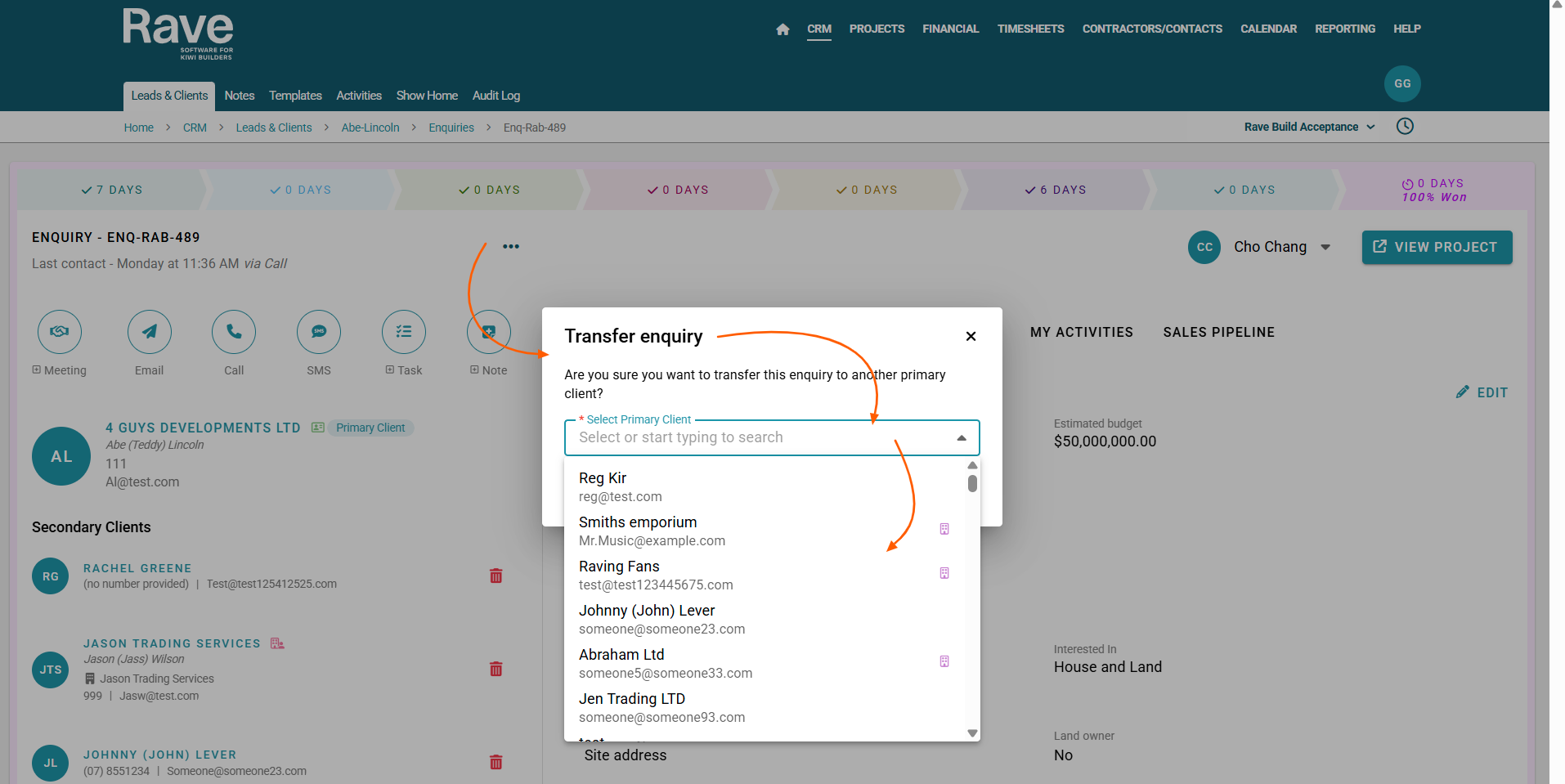
To transfer an Enquiry to a different Client,
From the Client and Enquiries screen, search for or click on the enquiry you want to transfer.
Once you’ve found it, click the three-dot (ellipsis) menu.
If you have the correct permissions, you will see the option “Transfer Enquiry.”
Click this option. Select the correct client from the list and press Transfer.
If the enquiry is attached to a project, it will transfer both the enquiry and the project to the new client.
You can always transfer an enquiry back this action is not irreversable.
Was this article helpful?
That’s Great!
Thank you for your feedback
Sorry! We couldn't be helpful
Thank you for your feedback
Feedback sent
We appreciate your effort and will try to fix the article