The following is the recorded version of the audit trail overview covering the article below and more i.e. the client, project, project financial, Xero, timesheet, branch, and integration audit trails.
The CRM Audit Log allows you to view changes made to client records and enquiries, including who made the change and when it occurred.
To access the Audit Log, go to CRM > Audit Log.
There are two tabs available: Client Audit and Enquiry Audit.
Client Audit
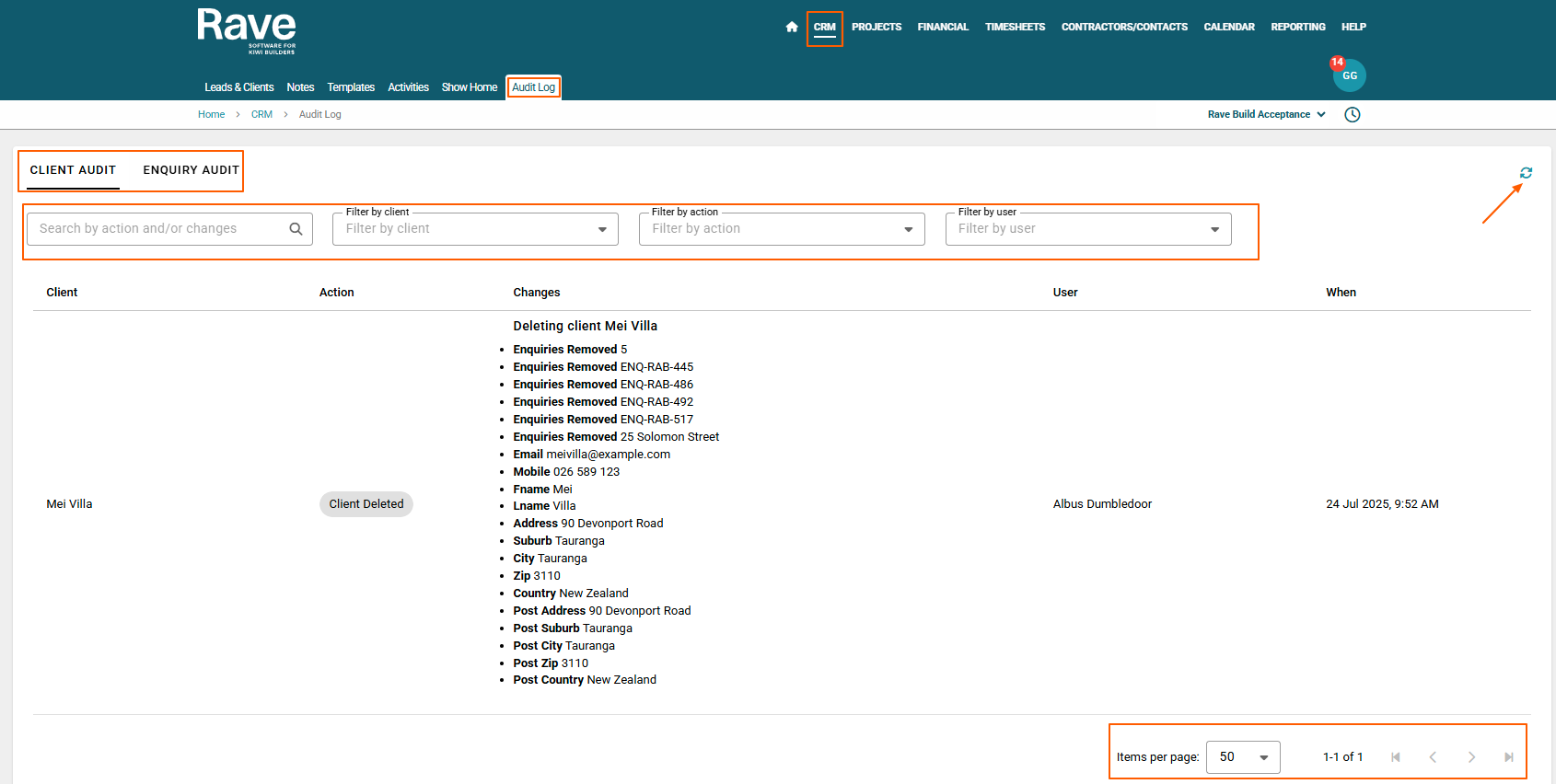
The Client Audit tab displays a history of changes made to client records.
You can search for specific changes using the search bar or narrow down the results using the available filters:
Filter by client – Search for a specific client.
Filter by action – Filter by the type of action performed.
Filter by user – View changes made by a particular user.
The audit log displays the client, action performed, details of the changes, the user who made the change and the date and time it occurred.
Enquiry Audit
The Enquiry Audit tab displays a history of changes made to enquiries.
You can search for specific changes using the search bar or narrow down the results using the available filters:
Filter by enquiries – Search for a specific enquiry.
Filter by client – Search by the client associated with the enquiry.
Filter by action – Filter by the type of action performed.
Filter by user – View changes made by a particular user.
The audit log displays the enquiry, associated client, action performed, details of the changes, the user who made the change and the date and time it occurred.
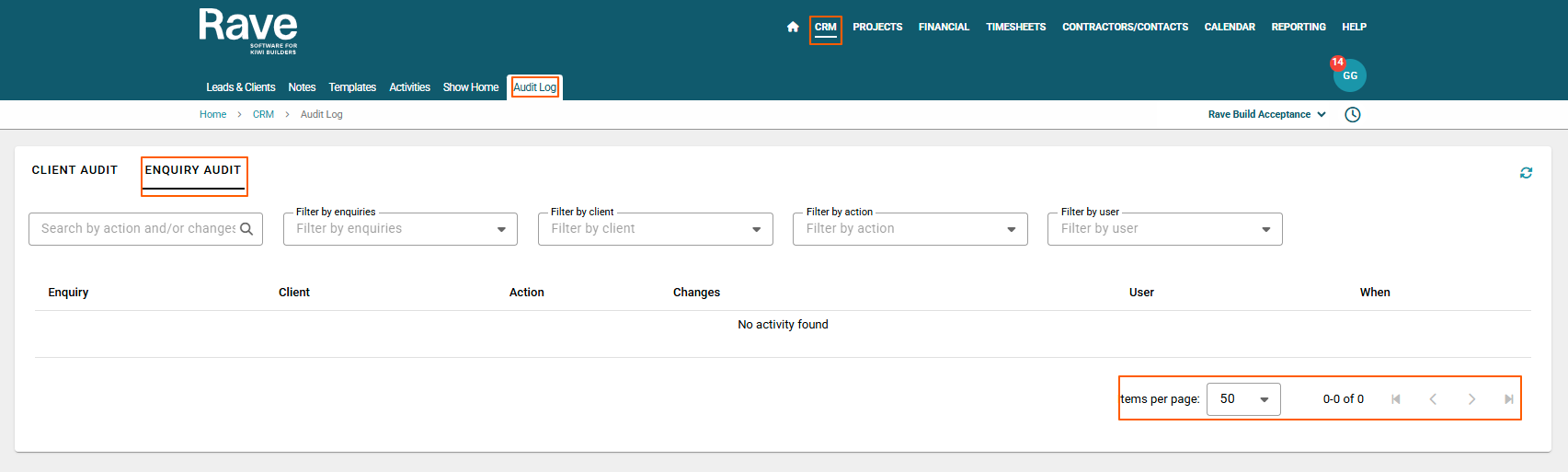
You can use the refresh icon in the top-right corner to refresh the audit log. The number of entries displayed per page can also be changed using the pagination controls at the bottom of the screen.
To read about Project audits, click here.
To read about timesheet audits, click here.
To read about financial management audits, click here.
To read about branch-level audits, click here.
Was this article helpful?
That’s Great!
Thank you for your feedback
Sorry! We couldn't be helpful
Thank you for your feedback
Feedback sent
We appreciate your effort and will try to fix the article