RAVE’s financial management system is designed to help you manage all the financial aspects of your projects, including budgeting, bills, and invoices, with ease.
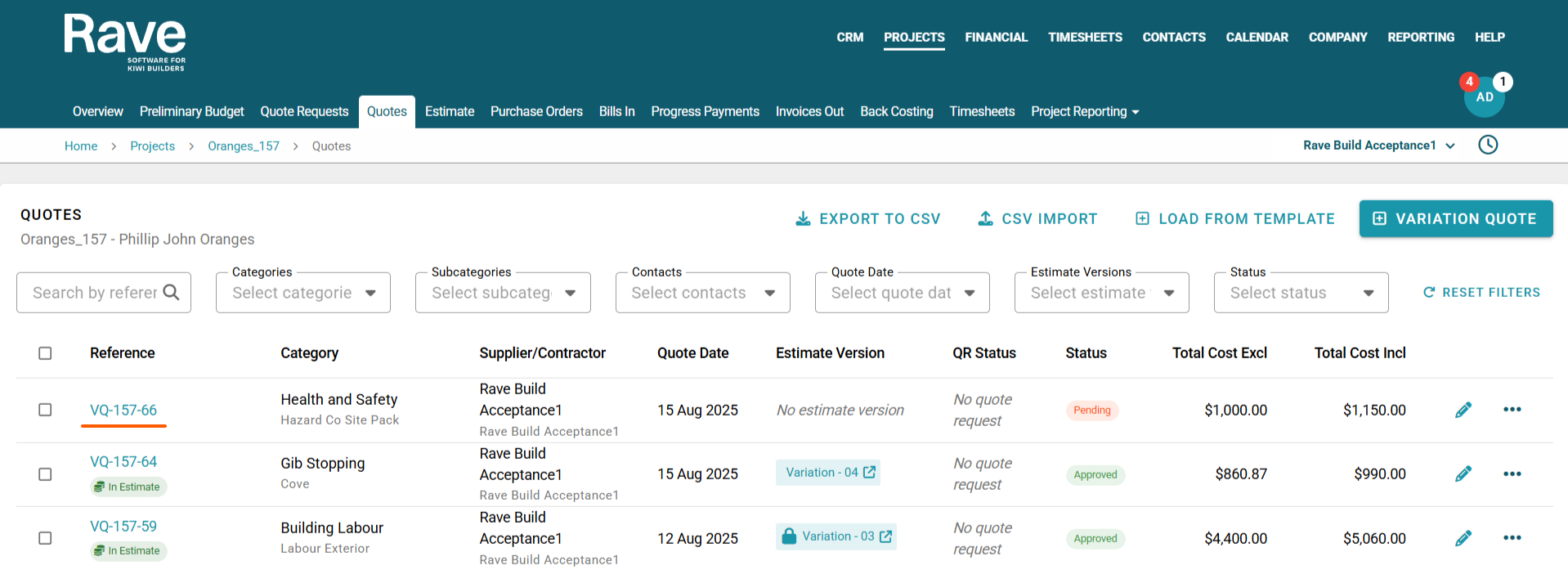
You can access your Project’s financial workflows from either the Financial button or the Project button's Project list, clicking on the project’s reference number, and finally selecting the Budget sub-tab, then Quotes.
From the Quotes page, you can click into any quote or variation quote by clicking on the reference hyperlink. This will open the quote in View mode.
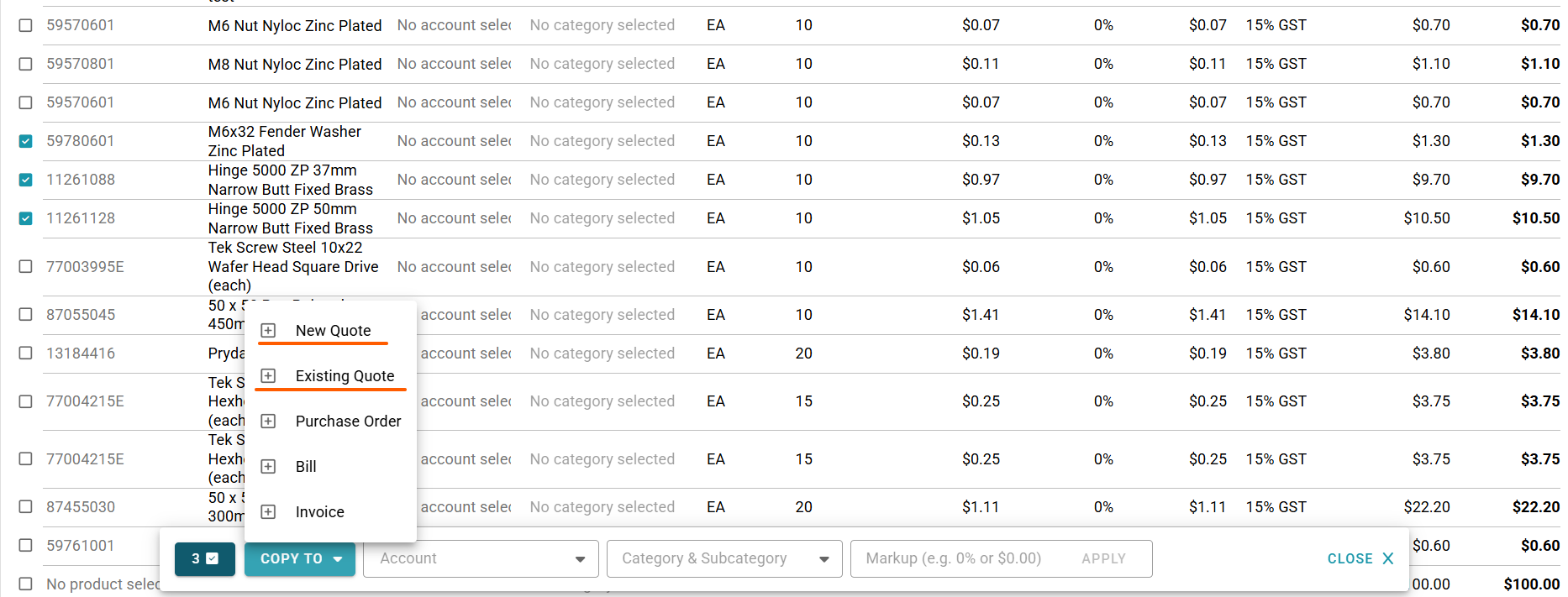
You can now select multiple line items and click Copy to. This will allow the model to decide where to copy these line items. In this case, it's either a new quote or an add-on to an existing quote.
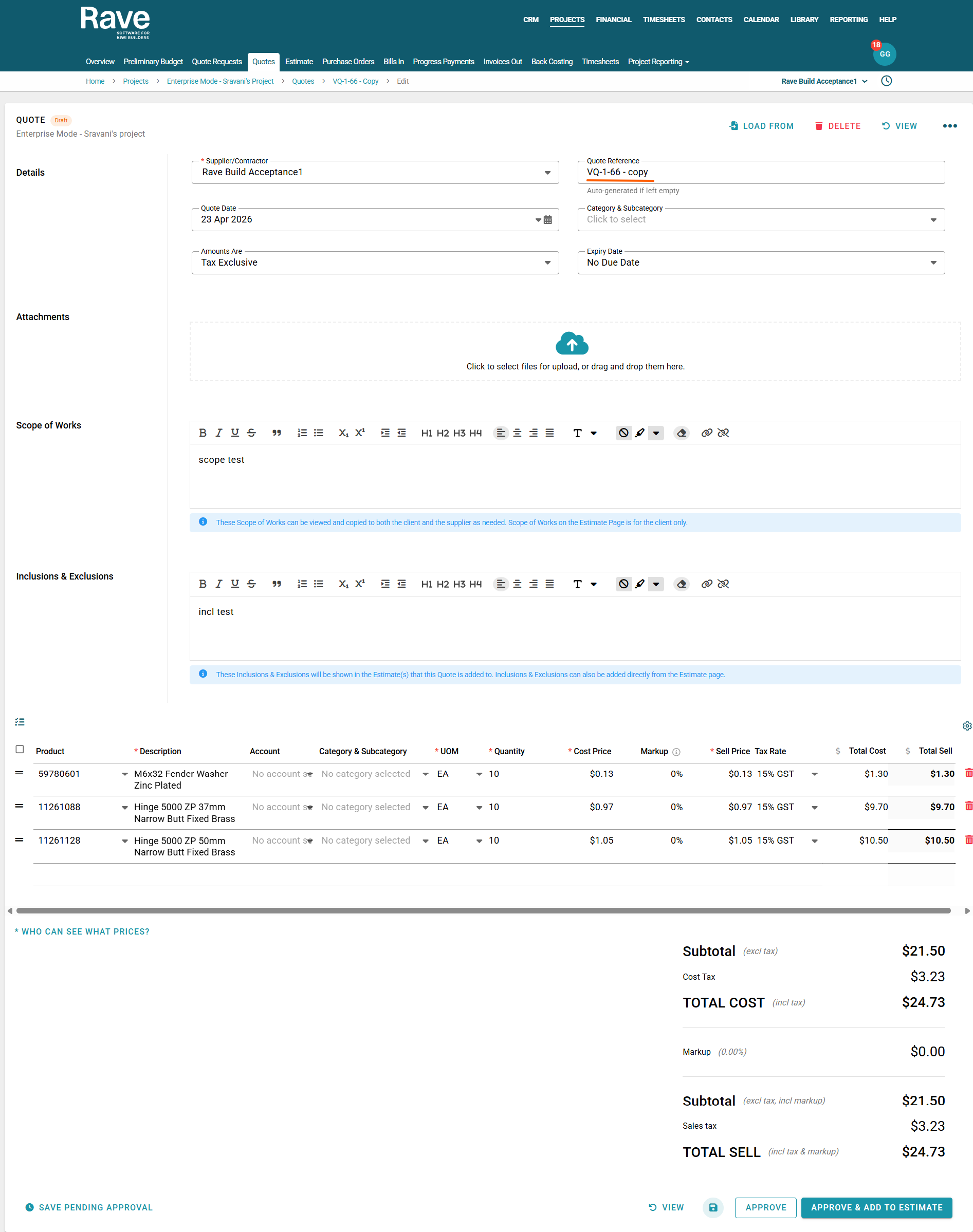
If you select a new quote, you'll be taken to the Quote Creation page, where a duplicate of the original quote is created with the selected line items.
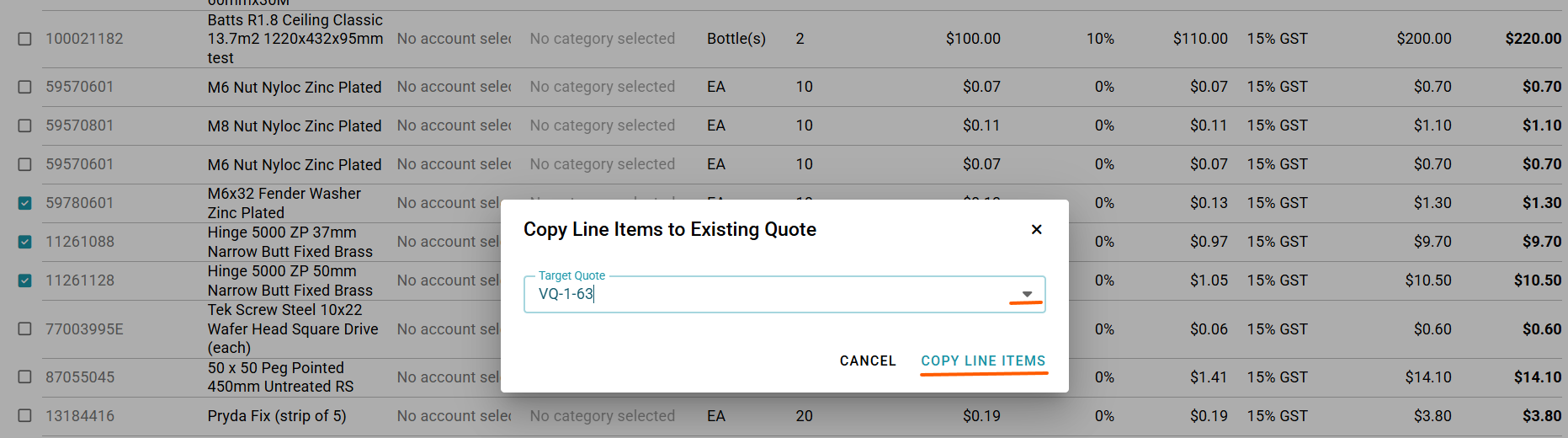
If you select Existing Quote, a box will pop up asking you to choose which quote and then press copy line Items. You cannot copy to a locked quote that is in an estimate or variation only an accepted or pending quote
This feature makes it much faster to duplicate quote items when you need only some line items, not all.
The new quote will be named the same as the original, with “Copy” appended to the reference, and will include only the items you selected.
Copy to Existing Quote
Copy to New Quote
Was this article helpful?
That’s Great!
Thank you for your feedback
Sorry! We couldn't be helpful
Thank you for your feedback
Feedback sent
We appreciate your effort and will try to fix the article