RAVE’s financial management system is designed to help you manage all the financial aspects of your projects, including budgeting, bills, and invoices, with ease.
You can access your Project’s financial workflows from either the Financial button or the Project button's Project list, clicking on the project’s reference number, and finally selecting the Budget sub-tab, then Quotes.
To learn how to create a quote from either a Quote Request or manually, click here.
To learn how to create a quote from a CSV file, click here.
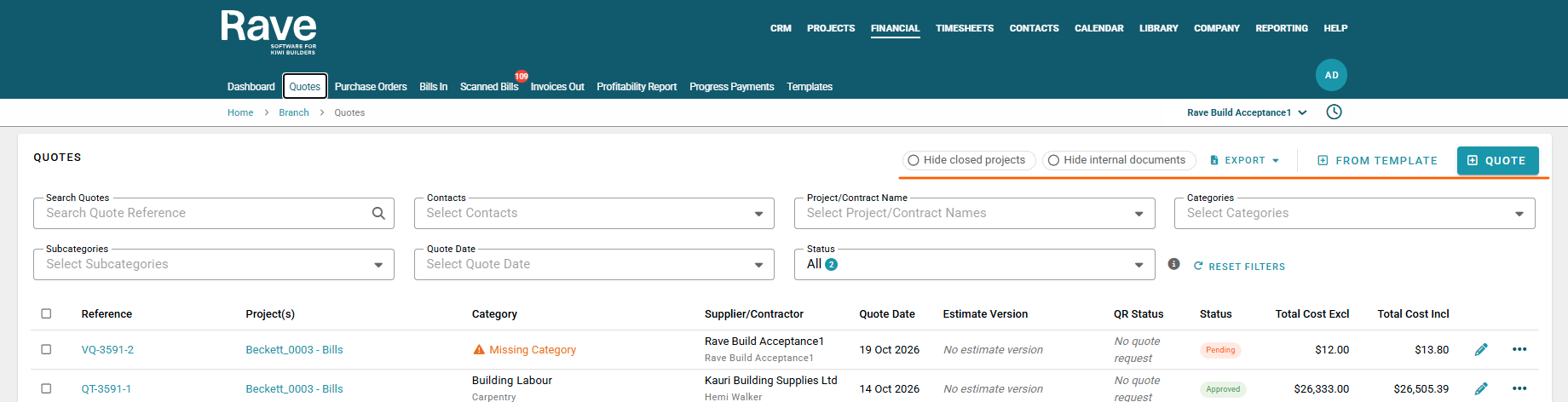
This page displays all Quotes and Variation Quotes for the project you have selected.
You can use the Search box to search the Quote or the Variation Quote Reference.
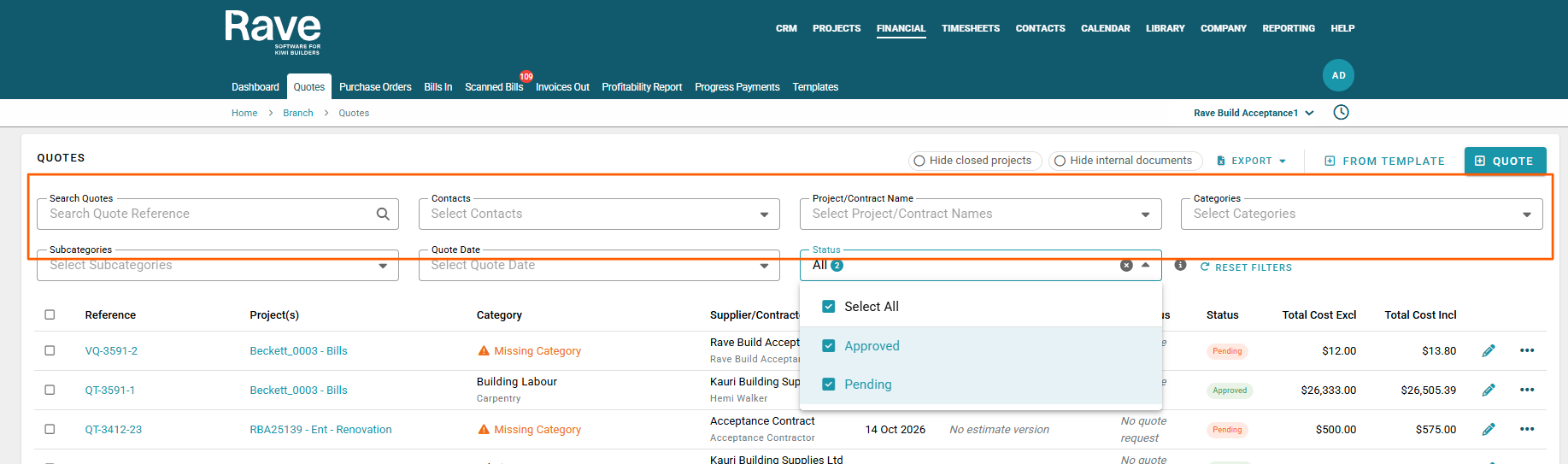
Filters along the top allow filtering by Quote, Contact, Project/Contract Name, Category, Sub Category, Quote Order Date, Document status.
You can also Hide Closed Projects and Hide Internal Documents
Note: If you have existing Quotes, you can use the Export to CSV file to export the quote list to make changes and then re-upload via the CSV import.
Alternatively, if you have nothing loaded yet you can use the CSV import option to download the sample file and create your quotes via CSV.
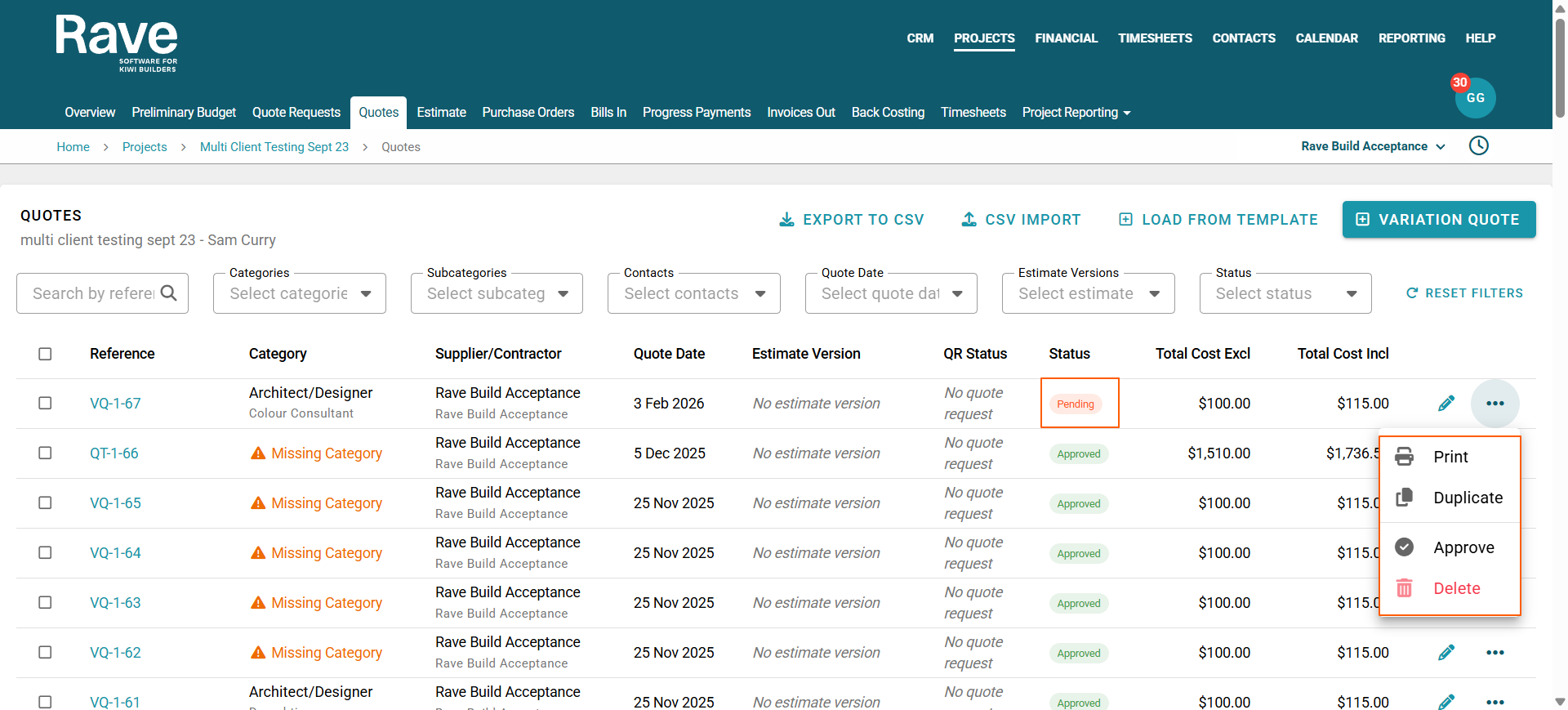
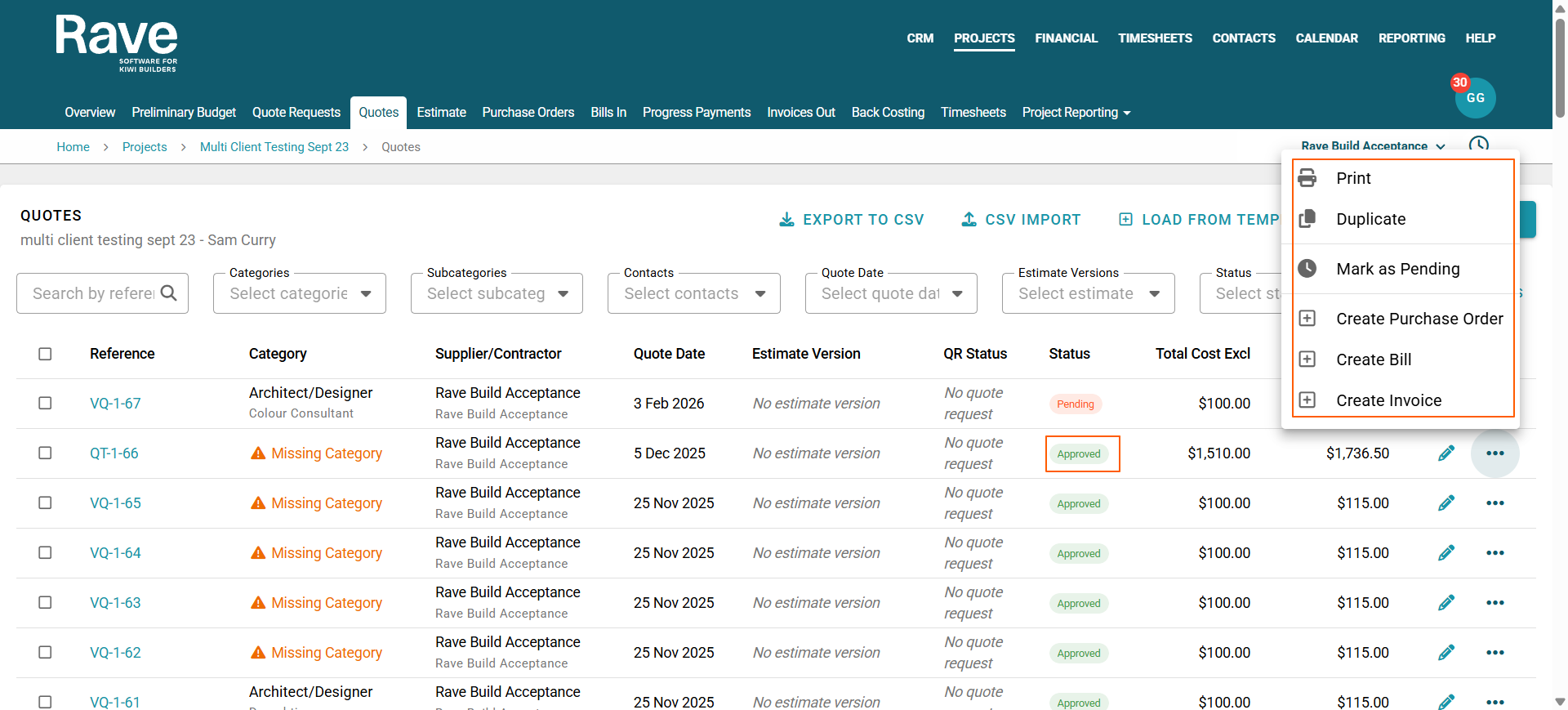
The three-dot ellipse beside each document allows you to:
Print the Quote or Variation Quote
Duplicate the Quote or Variation Quote (you can also choose to duplicate only specific line items from inside the quote here)
Approve if pending only
Delete if Pending only
Mark as Pending if approved only
+Create Purchase Order if approved only
+Create Bill if approved only
+Create Invoice if approved only
Pending Options
Approved Options
Bulk Action Items
- When bulk/Multi-selecting Quotes or Variation Quotes in Draft status, you can approve or delete from the bulk action bar.
- When bulk/Multi-selecting Quotes or Variation Quotes in Approved status, you can mark as pending, add to estimate/remove from estimate, Create a Purchase order, Bill or Invoice.
- When bulk/Multi-select any documents in any status, you can update the Account Code, Category and Subcategory or Markup
Branch Financial Quotes Sub-Tab
When working in the Financial Quotes Sub-tab you now have the ability to Export Attachments as a ZIP. This feature is available also at a Project level.
Bulk Select the Quotes
Select Download as Zip
OR Export Attachments as a Zip
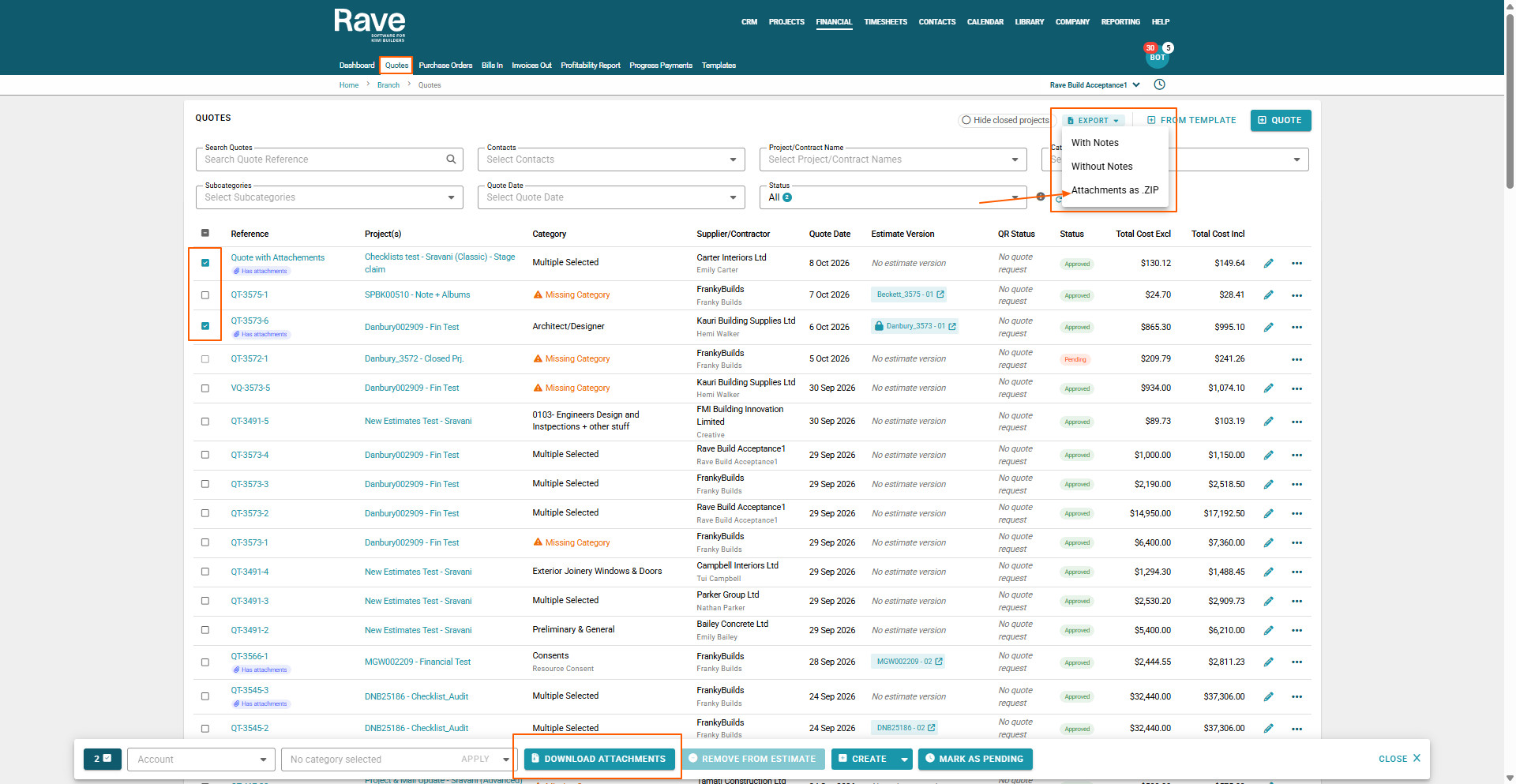
If you choose to download the zip will appear in your downloads
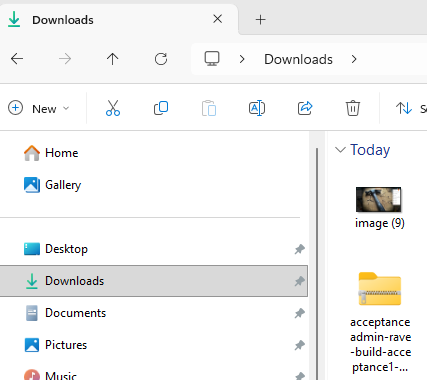
If exported as a Zip File the Zip will export and email it to the user who performed the action.
Was this article helpful?
That’s Great!
Thank you for your feedback
Sorry! We couldn't be helpful
Thank you for your feedback
Feedback sent
We appreciate your effort and will try to fix the article