As part of the Financial Management Quote Request process, you can allow Contractors to upload their quotes directly into Rave for your review and approval.
To learn how a Contractor responds to a Quote Request and uploads their quote through Rave, please click here to read the article.
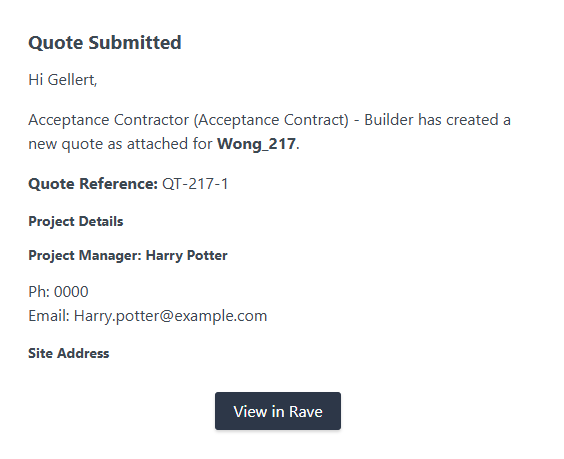
Once a contractor submits a quote for approval, you will receive an email notification advising:
Which contractor has submitted the quote
The project the quote relates to
A link to view the quote in Rave
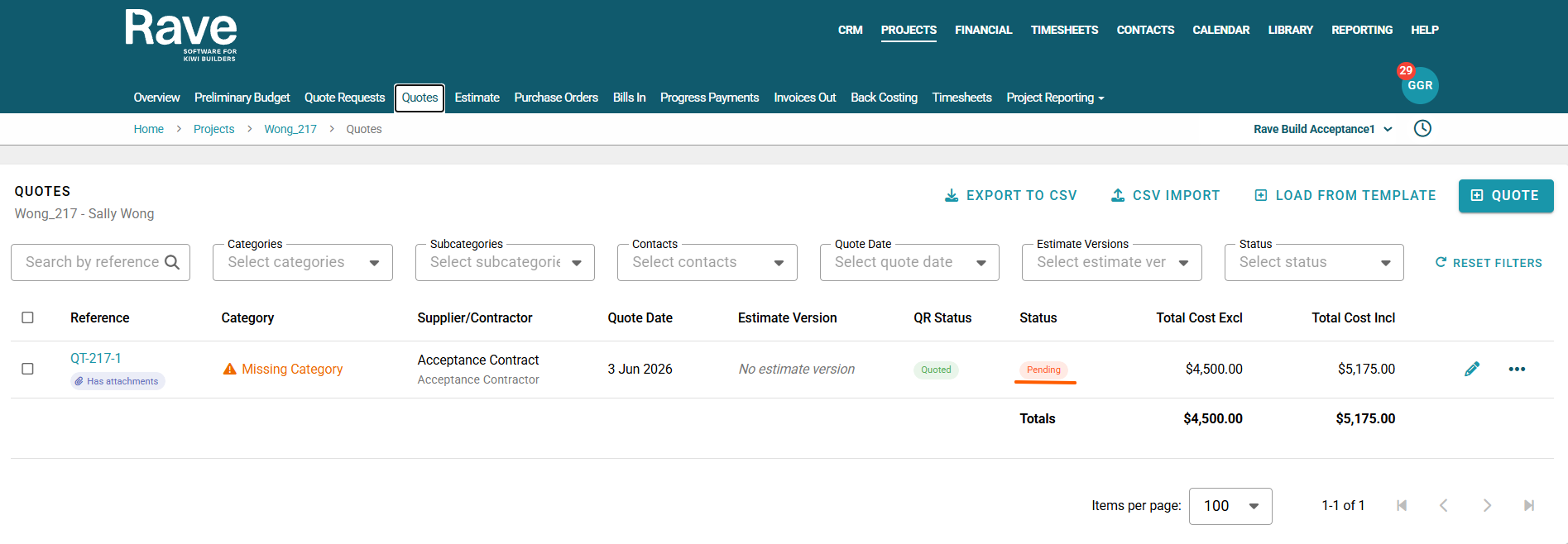
You can then click on the link in the email or manually locate the quote on your Project quote list page. The quote will display a Status of Pending and a Quote Request (QR) Status of Quoted.
From here, you can choose to:
Accept the quote
Leave the quote in a Pending status for further review
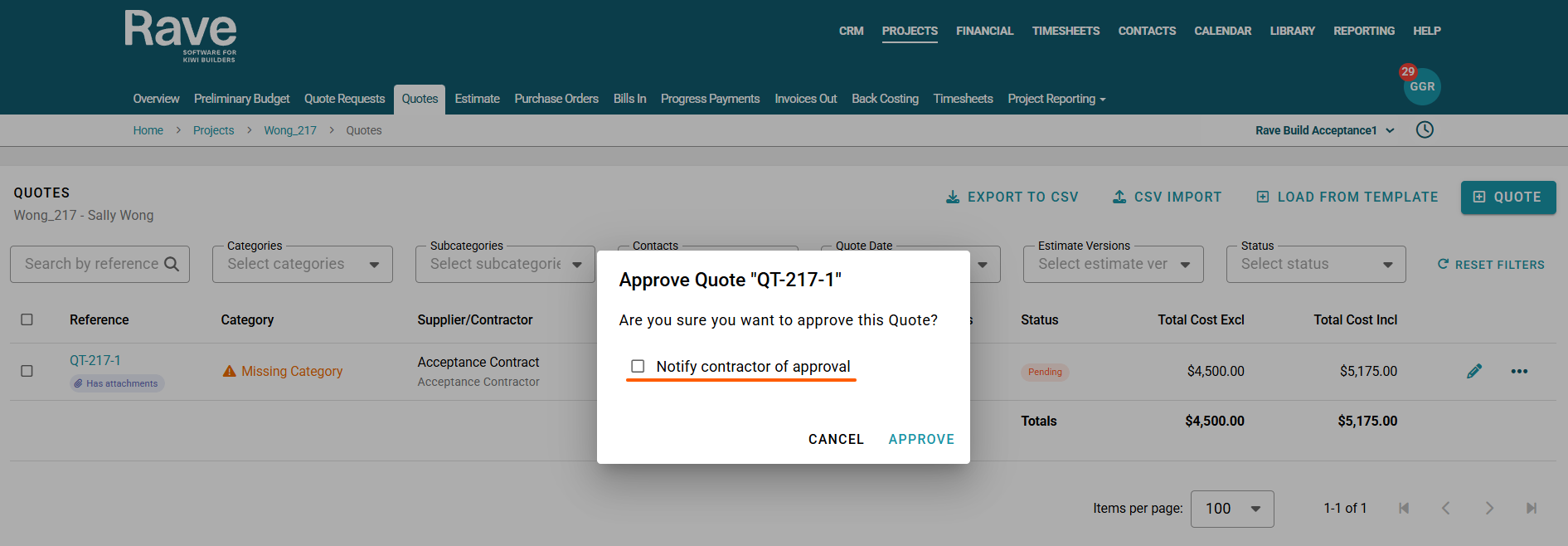
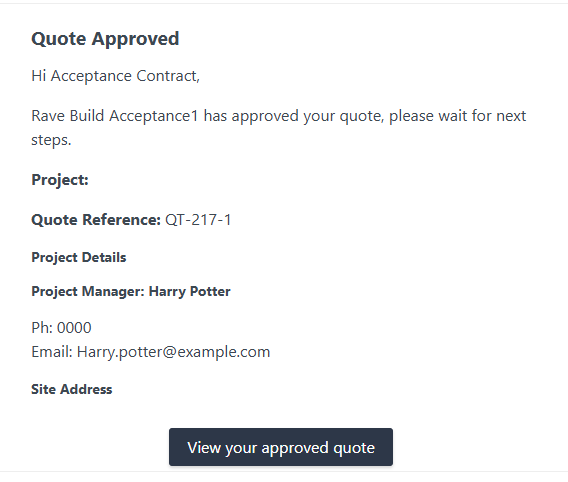
When accepting a quote, a pop-up window will ask whether you would like to notify the contractor of the approval. If selected, an email will be sent to the contractor advising that their quote has been approved and that they should await further instructions or next steps.
Example of an email when Contractor Submits a quote to you
Example of an email to Contractor when you approve the Quote.
Was this article helpful?
That’s Great!
Thank you for your feedback
Sorry! We couldn't be helpful
Thank you for your feedback
Feedback sent
We appreciate your effort and will try to fix the article