You can access your Project Settings (with the appropriate permissions) from within your project by clicking the Project Settings sub-tab and then navigating to the General, Notifications, Schedule, or Financial tab.
The Project General and Notification settings help article is available here.
The Project Schedule Settings help article is available here.
The Branch Settings Financial Defaults help article is here
The permissions required to see this tab are under Project - Manage Project Settings. You can then choose which project settings you wish the user to have access to. The options are no access, view-only, or full add/edit access.
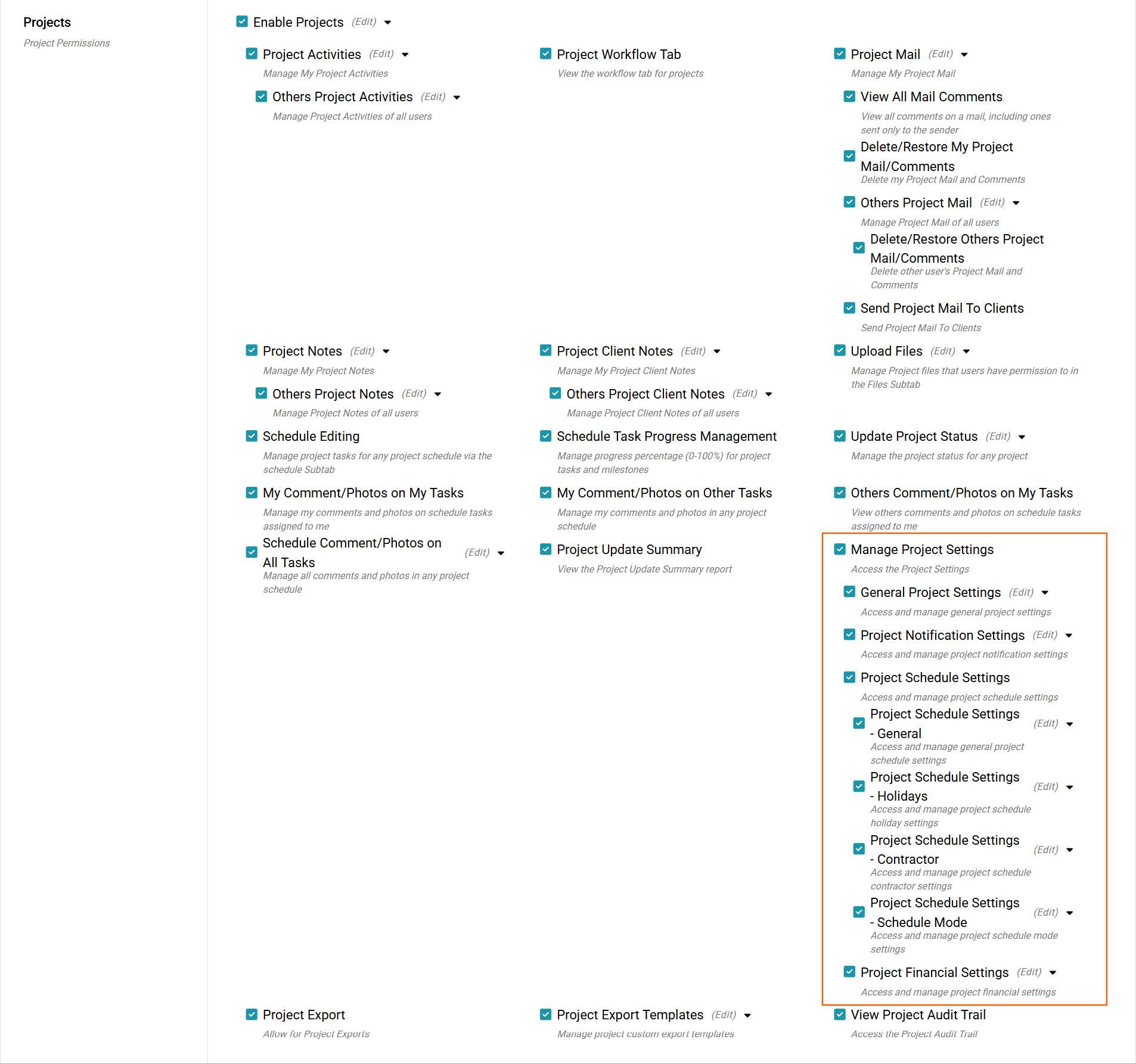
Project Financial Settings
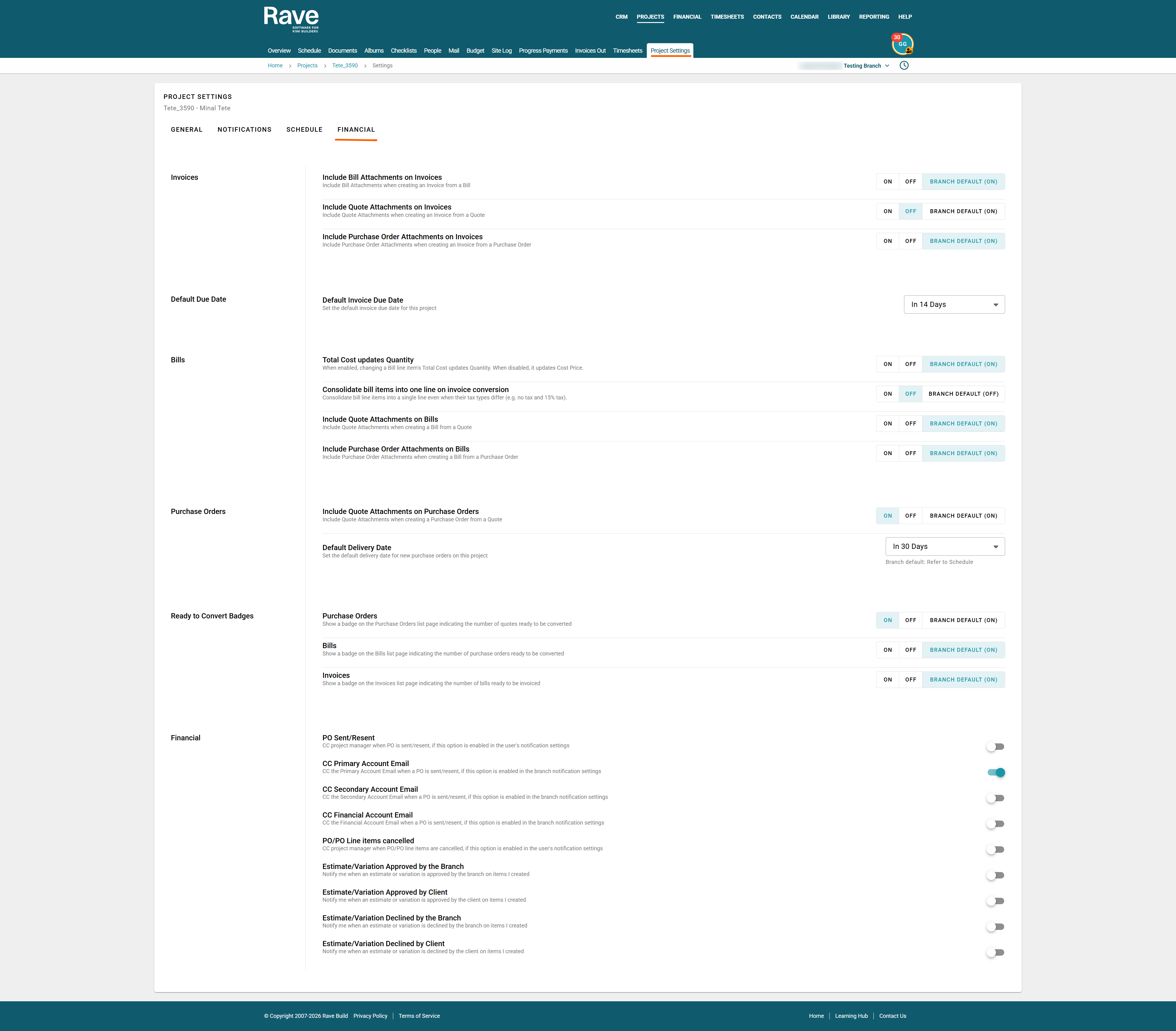
Invoices
- Include Bill attachments on Invoices - When enabled, these will copy the attachments from the bills/credit notes to the client invoices/credit notes
- Include Quote attachments on Invoices - When enabled, these will copy the attachments from the quotes to the client invoices/credit notes
- Include Purchase Order attachments on Invoices - When enabled, these will copy the attachments from the purchase orders to the client invoices/credit notes
- Default Invoice Due Date - Set the default Invoice due date for this project from the drop-down menu.
Bills
Total Cost updates Quantity - When enabled, changing a Bill line item's Total Cost updates Quantity. When disabled, it updates Cost Price. As this is a branch-level setting, you can either leave the default Branch setting as it is or choose to override this to either enable or disable for this project only.
Consolidate bill items into one line on invoice conversion - When enabled, bill line items will be consolidated into a single line even when their tax types differ (e.g. no tax and 15% tax)
Include Quote Attachments on Bills - When enabled, these will copy the attachments from the quotes to the supplier bills/credit notes.Include Purchase Order Attachments on Bills - When enabled, these will copy the attachments from the purchase orders to the supplier bills/credit notes.

- Purchase Orders
Include Quote Attachments on Purchase Orders - When enabled, this will copy the attachments from a quote to a purchase order. - Default Delivery Date - This is a branch-level setting that can be overridden here by selecting the default date from the drop-down.

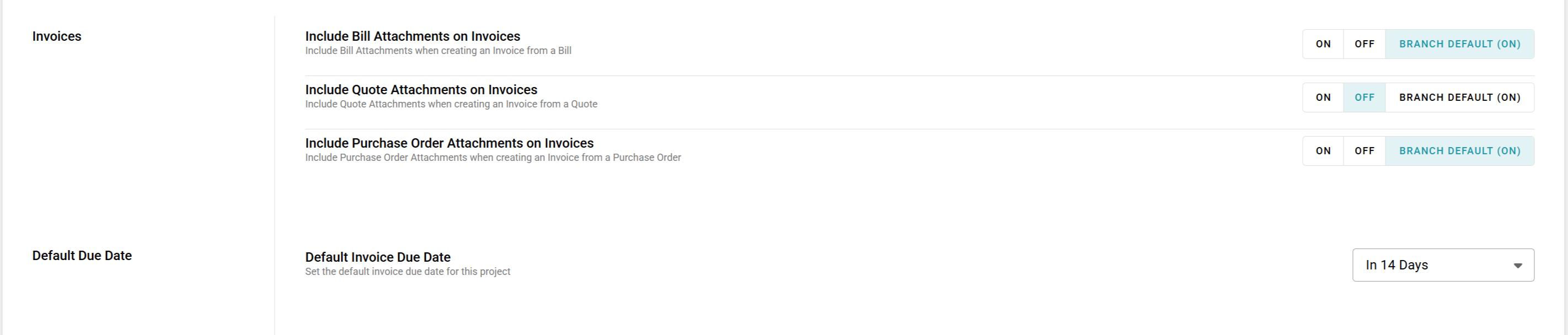
Ready to convert Badges
When enabled, this will show the red ready-to-convert circle with the number of documents waiting to be converted into either Purchase Orders, Bills or Invoices. As this is a branch-level setting, you can either leave the default Branch setting as it is or choose to override this to either enable or disable for this project only.
This is an example of the setting Enabled

This is an example of the setting Disabled
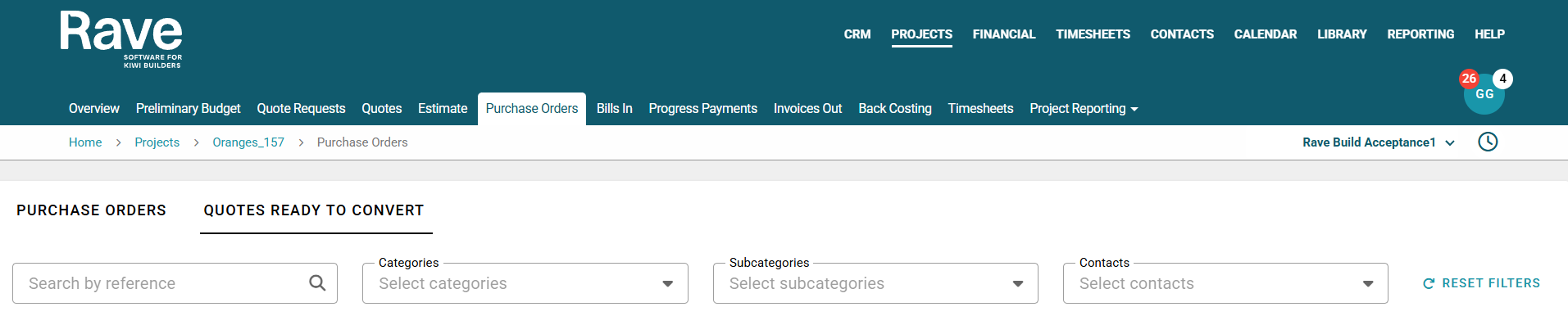
Financial
PO Sent/Resent - CC project manager when PO is sent/resent, if this option is enabled in the user's notification settings
CC Primary Account Email - CC the Primary Account Email when a PO is sent/resent, if this option is enabled in the branch
CC Secondary Account Email - CC the Secondary Account Email when a PO is sent/resent, if this option is enabled in the branch notification settings
CC Financial Account Email - CC the Financial Account Email when a PO is sent/resent, if this option is enabled in the branch notification settings
PO/PO Line items cancelled - CC project manager when PO/PO line items are cancelled, if this option is enabled in the user's notification settings
Estimate/Variation Approved by Branch - Notify me when an estimate or variation is approved by the branch on items I created
Estimate/Variation Approved by Client - Notify me when an estimate or variation is approved by the client on items I created
Estimate/Variation Declined by Branch - Notify me when an estimate or variation is declined by the branch on items I created
Estimate/Variation Declined by Client - Notify me when an estimate or variation is declined by the client on items I created
Was this article helpful?
That’s Great!
Thank you for your feedback
Sorry! We couldn't be helpful
Thank you for your feedback
Feedback sent
We appreciate your effort and will try to fix the article