Rave provides you with three ways to measure your project/schedule duration - Working Days, Calendar Days, and Labour Days. Explanations for each are available via tool tips within Rave; you'll also find an explanation for each, below.
Labour Days
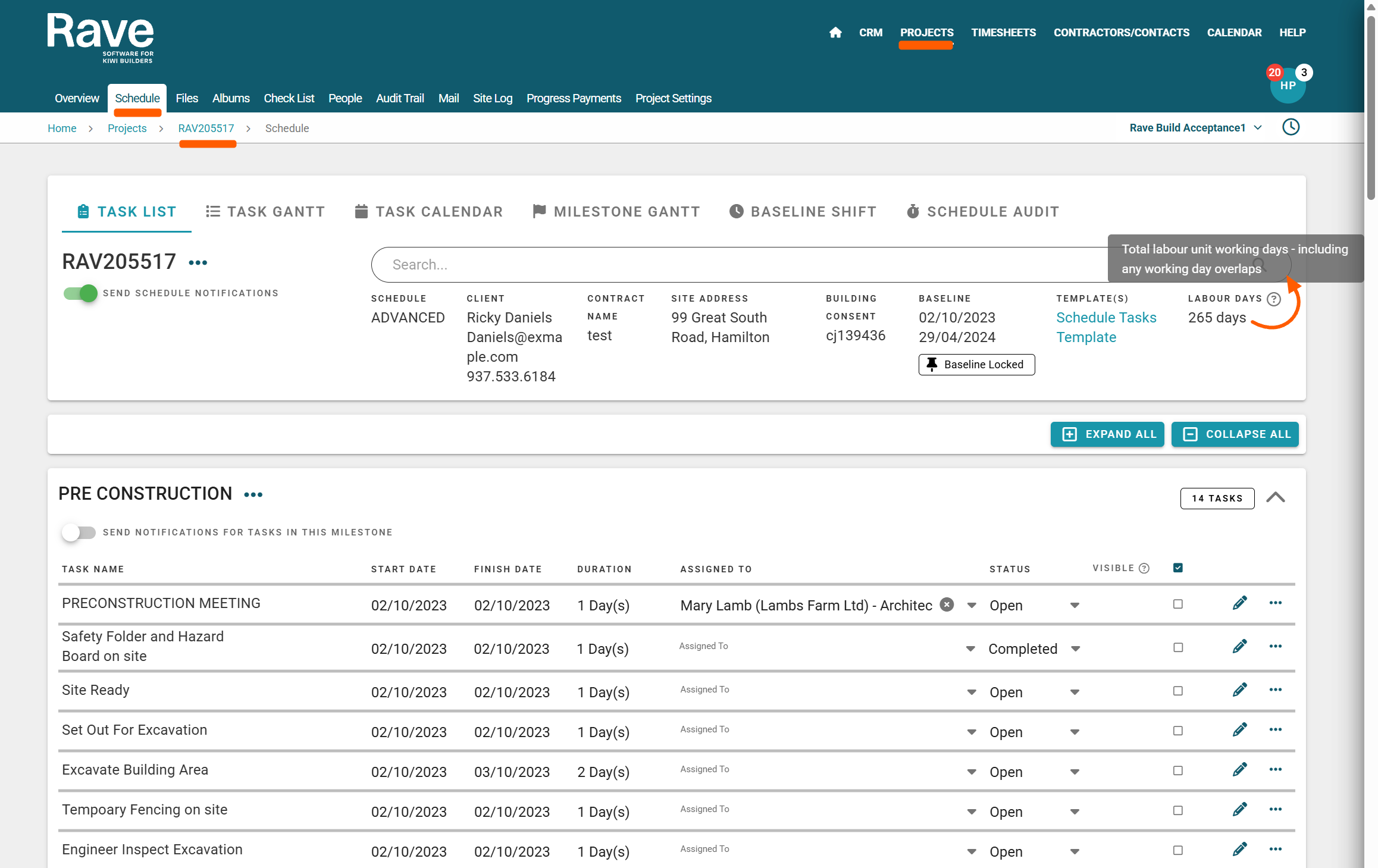
The Labour Days metric is available via the project's schedule sub-tab. Labour Days total the number of labour unit working days on a job, including any working day overlaps i.e. if a schedule has a 10-day duration, and there are 3 team members or contractors, each with a 5-day duration task, the Labour Days total is 15 days.
Working and Calendar Days
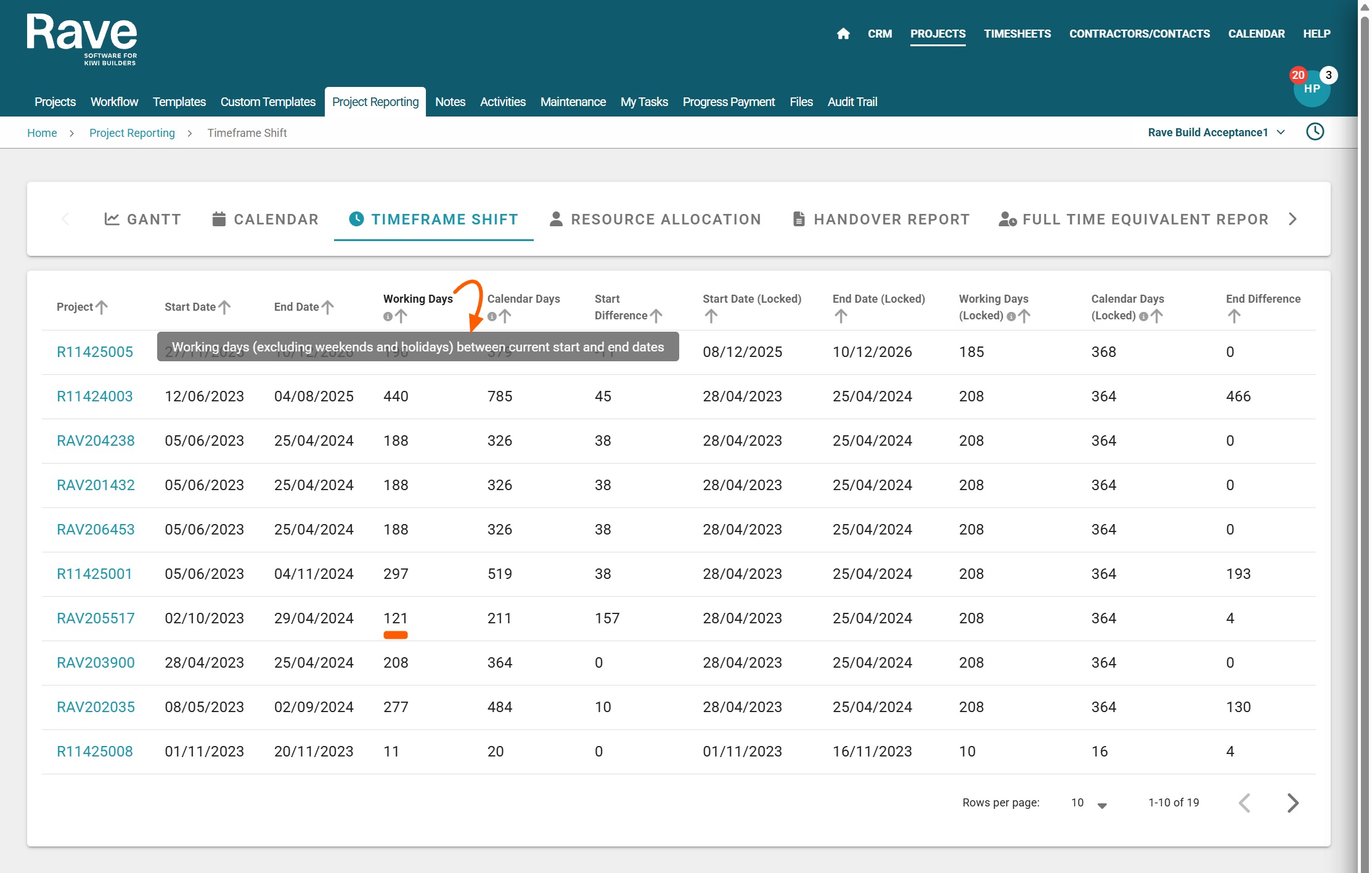
The Working Days and Calendar Days metrics are available via the branch's projects / project reporting / timeframe shift report - for any project that has had its schedule baseline locked.
Working Days totals the number of working days in a schedule, excluding task overlaps, weekends, public holidays, and any other non-working days - like your xmas shut down period.
Calendar Days totals the number of calendar days on a job, it excludes task overlaps, but includes weekends, public holidays, and any other non-working days in your schedule - like your xmas shut down period. 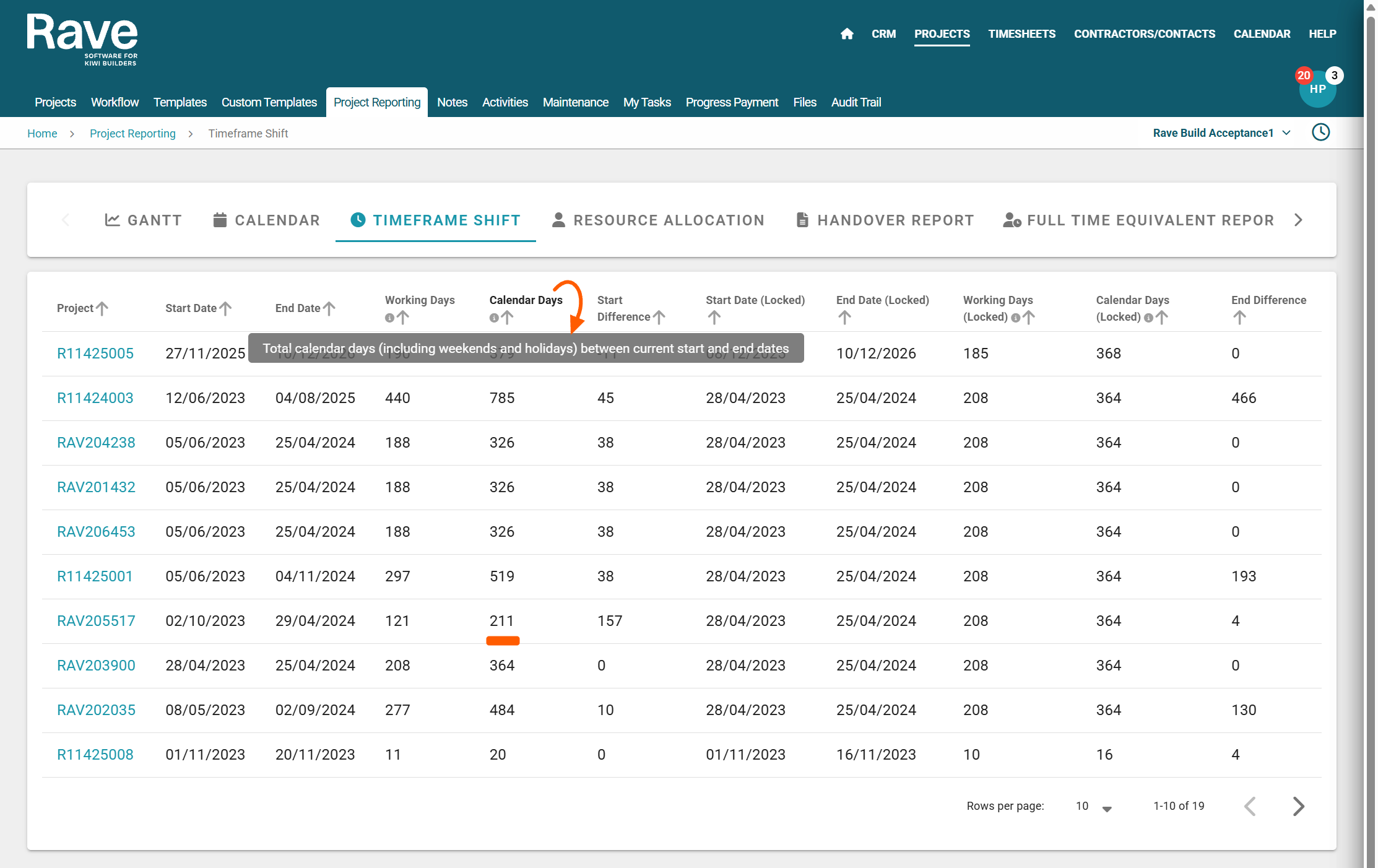
For the project RAVE205517 screenshoted above, the actual metrics are:
Working Days: 121 days
Calendar Days: 211 days
Labour Days: 265 days
Was this article helpful?
That’s Great!
Thank you for your feedback
Sorry! We couldn't be helpful
Thank you for your feedback
Feedback sent
We appreciate your effort and will try to fix the article