We have added a new 'On Hold/Delayed' task status to Rave Scheduling, which allows project managers, and those with schedule editing permissions, to inform their team, and anyone with access to the task, that the task is on hold or delayed.
Changing the task status can be done:
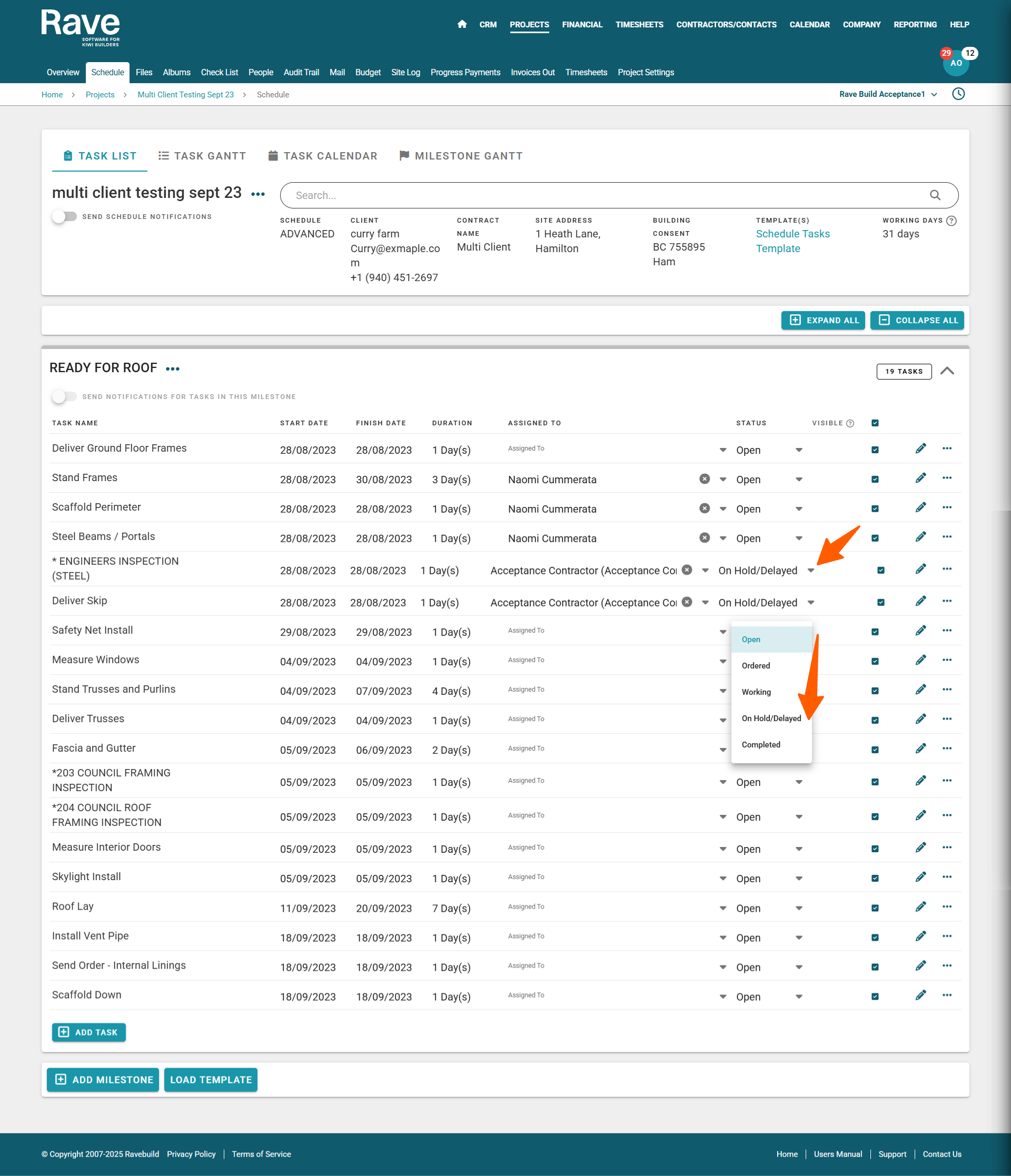
- via the task list view - by clicking on the task's status dropdown, or opening the task edit modal via the pencil edit icon
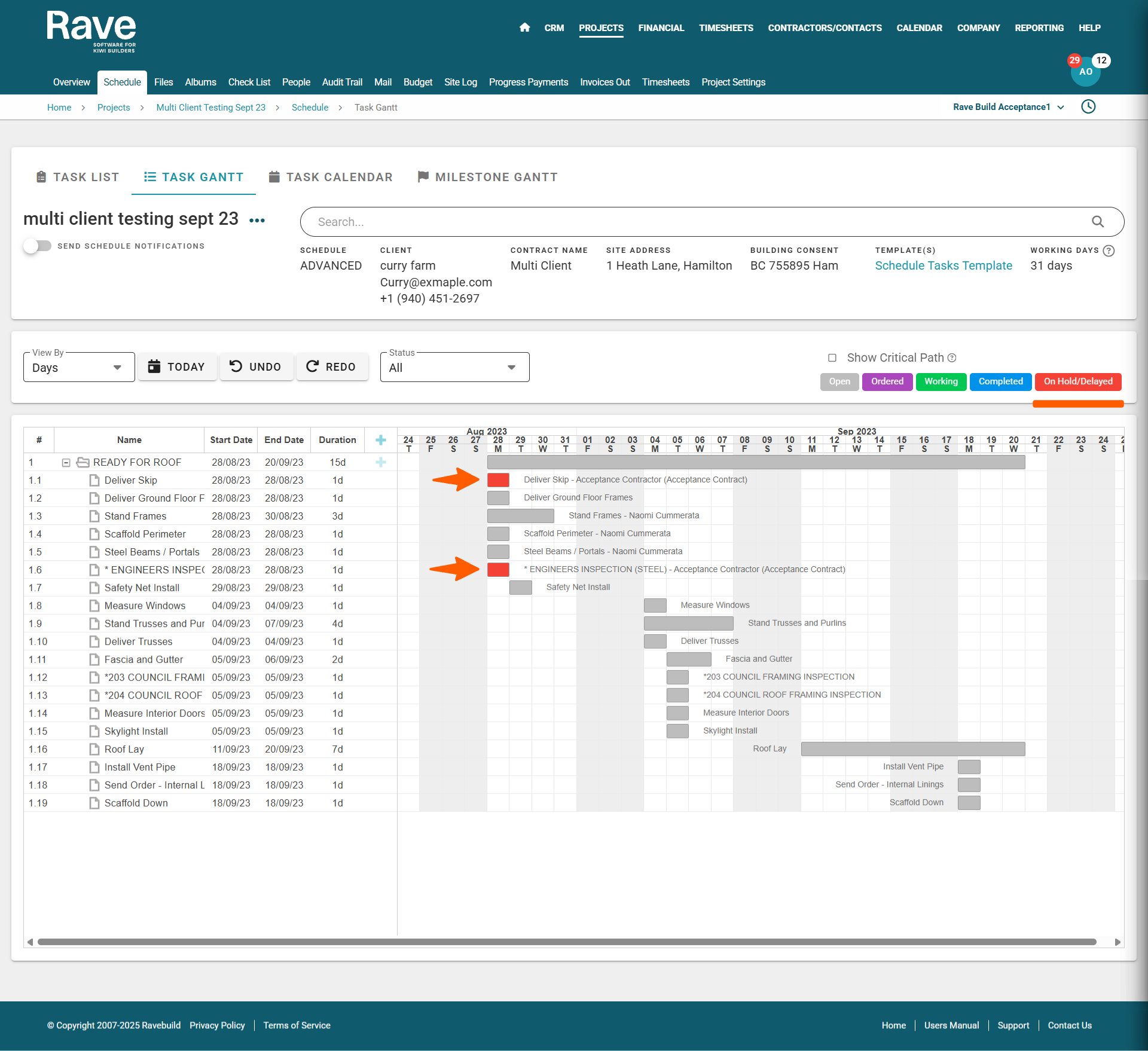
- and via the task gantt view - by double clicking the task description or task block, to open the task edit modal
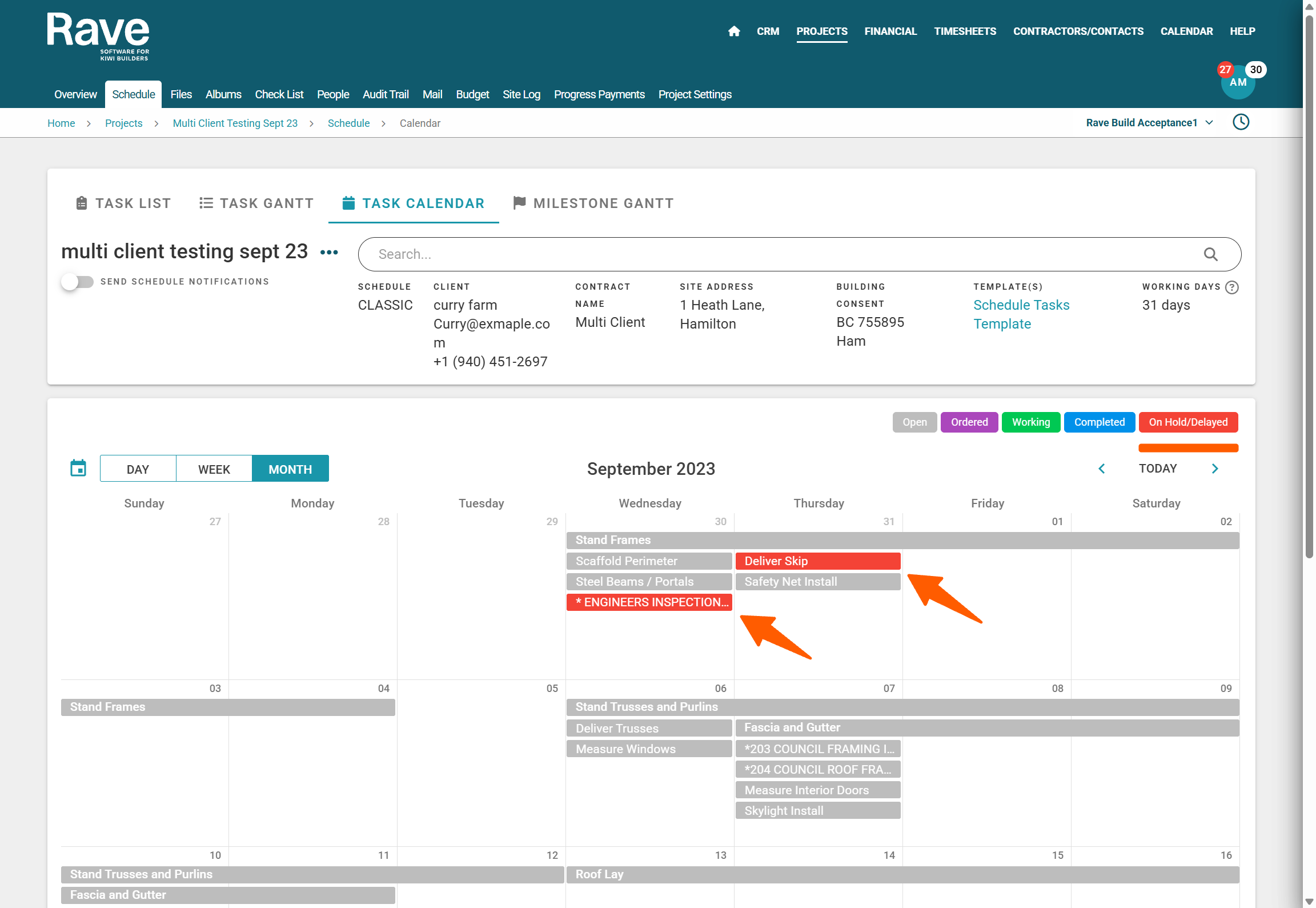
These tasks will be labelled as 'On Hold/Delayed' via the task list view, and highlighted in red via the task gantt, and task calendar views.
All five task states, colours, and meaning are:
- Open - Grey - This is awaiting work to start
- Ordered - Purple - Product/Service has been ordered and/or we are awaiting delivery
- Working - Green - Work has started on this task, but it is not yet complete
- On Hold/Delayed - Red - This task is on hold, and/or has been delayed
- Completed - Blue - This task has been signed off by the PM, or a team member with permissions, as being completed
 Examples of how the 'On Hold/Delayed' tasks are displayed in the various schedule task views
Was this article helpful?
That’s Great!
Thank you for your feedback
Sorry! We couldn't be helpful
Thank you for your feedback
Feedback sent
We appreciate your effort and will try to fix the article