
From the Projects main navigation, select Custom Templates, then select People.
With the correct permission, you can view only or add/edit/delete Project Level export templates.
To manage template permissions, you will need access to manage users. You will need to choose
Enable Projects - Edit for this feature.
Contractor People Templates
These templates would allow branches to create reusable groups of contractors that can be quickly applied to a project via the People tab. This would make it much easier to bulk-load contractors for tasks such as Quote Requests, rather than adding contractors individually each time.
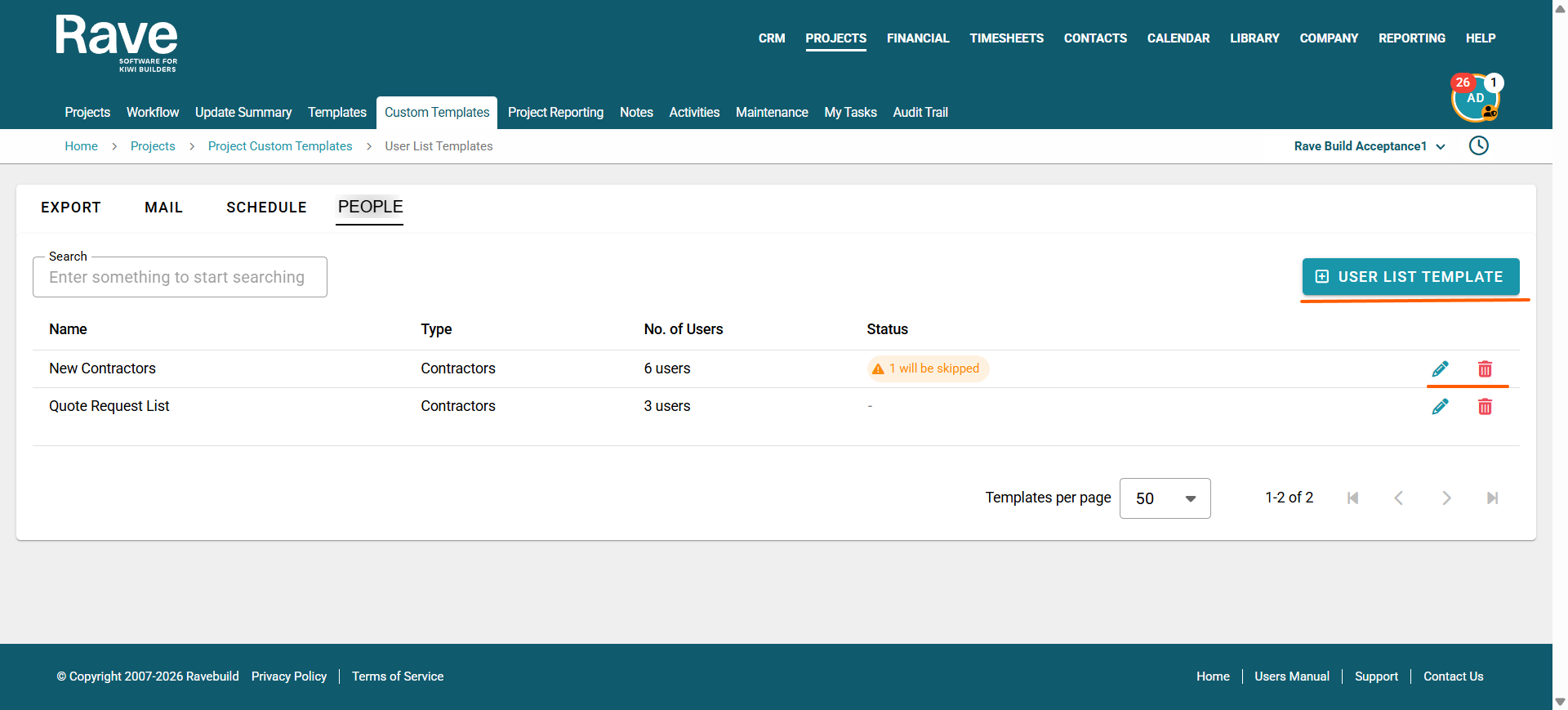
Template Management
Users with the appropriate permissions can:
Create a User listTemplate
Add contractors to a template
Edit an existing template
Delete a template
Apply a template to a project
If a contractor is removed from the branch, they will automatically be removed from any People Templates they belong to.
All template creation, edits, deletions and applications will be recorded in the audit trail.
Adding a new Template
Click the + User List template button and name your template
Using the drop-down, select the contractors you wish to be on this template and press + Add to template. You can do this individually or in bulk.
Once you are finished, you can exit the template menu and apply the template on your projects People tab.
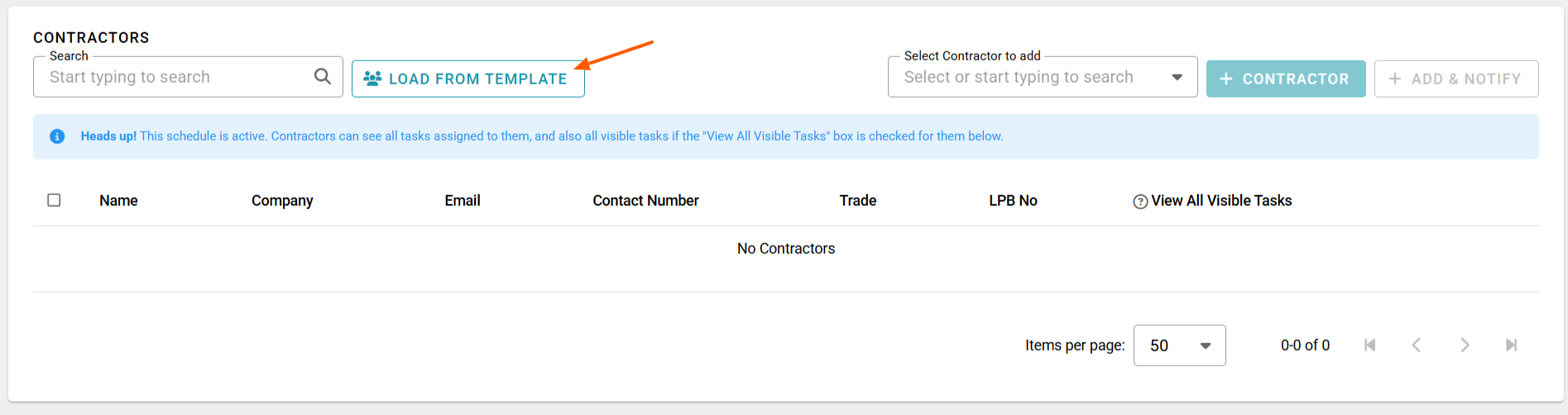
Editing a Template
Click on the pencil icon to open edit mode.
Here you can rename your template.
Delete people off the template or add new people to the template.
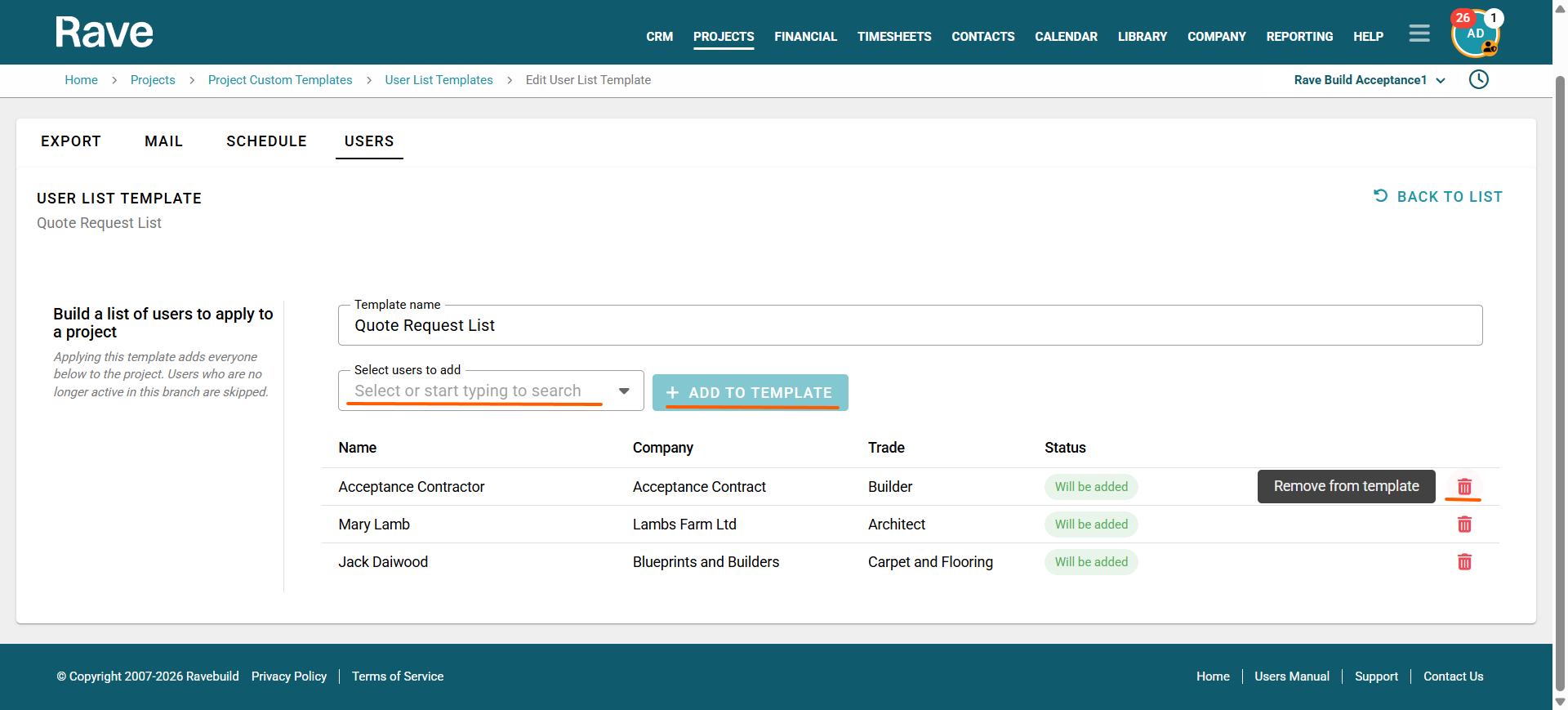
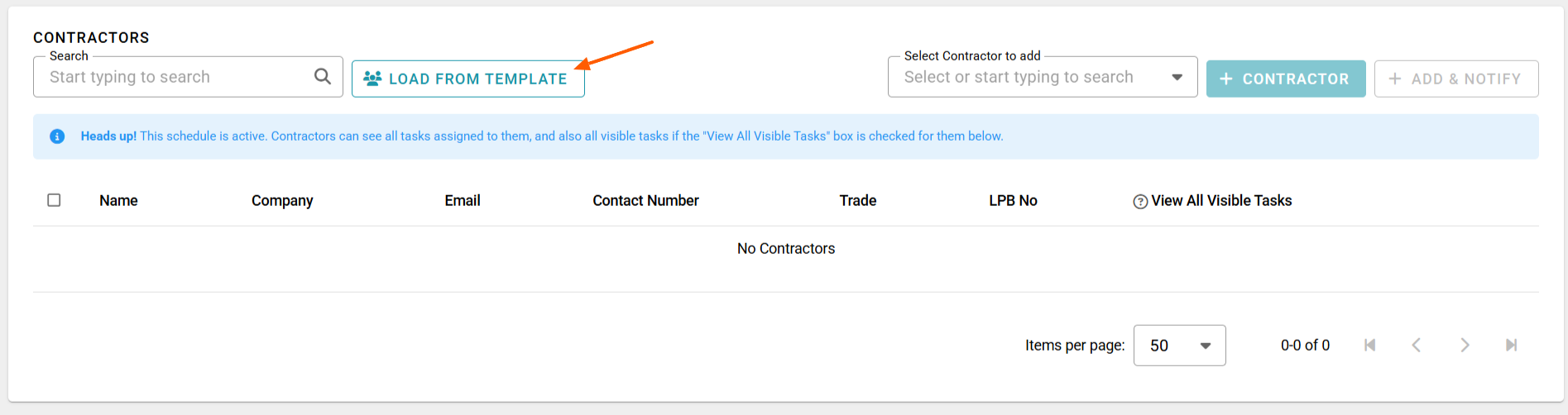
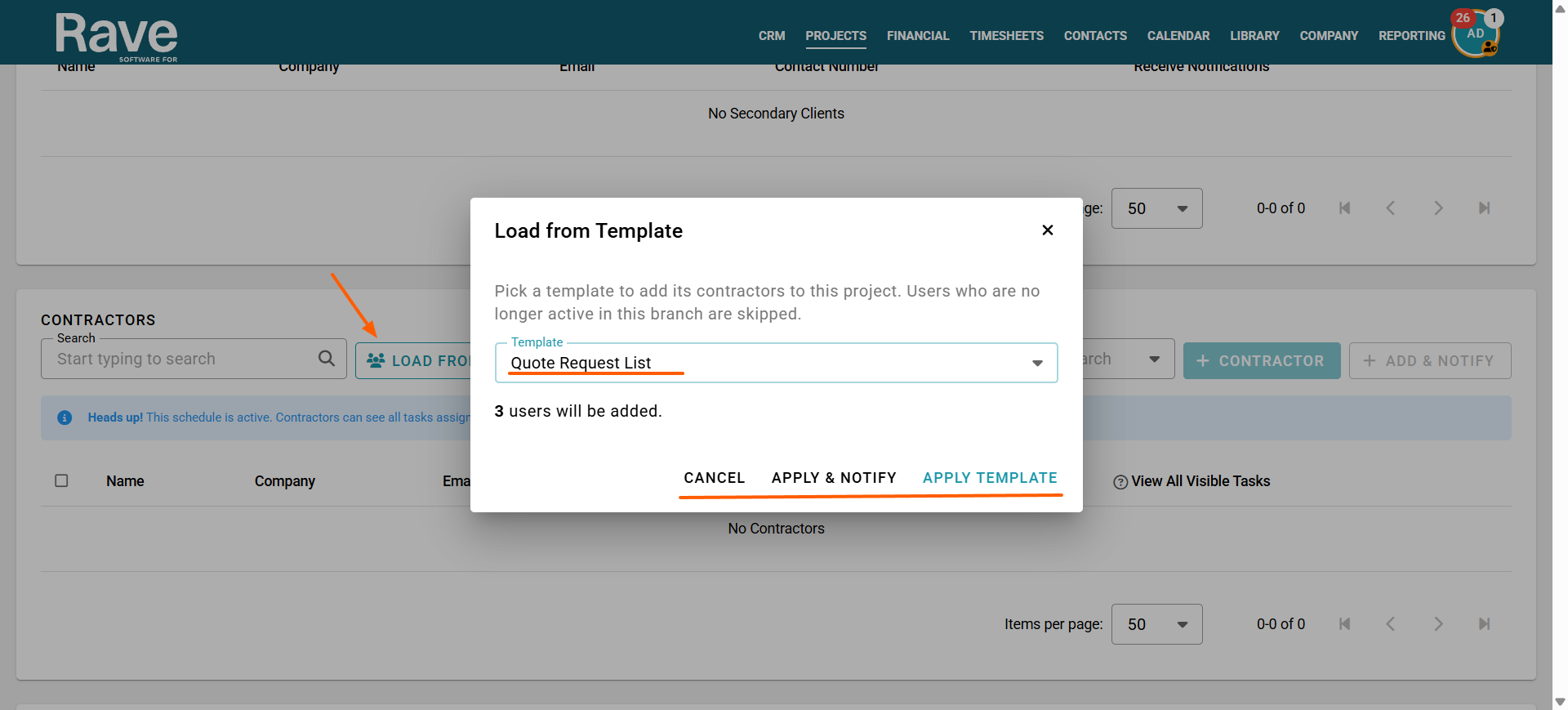
Applying a Template inside a project on the People Tab
When applying a People Template to a project, provide two options:
Apply Template & Notify – adds the contractors to the project and sends the relevant contractor notifications.
Apply Template Only – adds the contractors to the project without sending notifications.
This gives users control over whether contractors are being added for administrative purposes or whether they should immediately be notified of their involvement in the project.
Was this article helpful?
That’s Great!
Thank you for your feedback
Sorry! We couldn't be helpful
Thank you for your feedback
Feedback sent
We appreciate your effort and will try to fix the article