If you are looking for the help article on the Library, click here to read it.
If you are looking for the help article on Branch Folders and Trash, click here to read it.
If you are looking for the help article on Branch Folders, Tags, & Notifications, click here to read it.
If you are looking for the help article on Project Documents, click here to read it.
If you are looking for the help article on Document Notifications, click here to read it.
With the introduction of the Document Library, Branch Folders, and the enhanced Project Folder structure, Rave now includes additional permissions to help ensure the right people have access to the right information.
Accessing Document Permissions
To manage a user's document permissions:
Click your profile initials (the circle in the top-right corner of the screen).
Select Branch Settings.
Click Manage Users.
Select the user you want to edit.
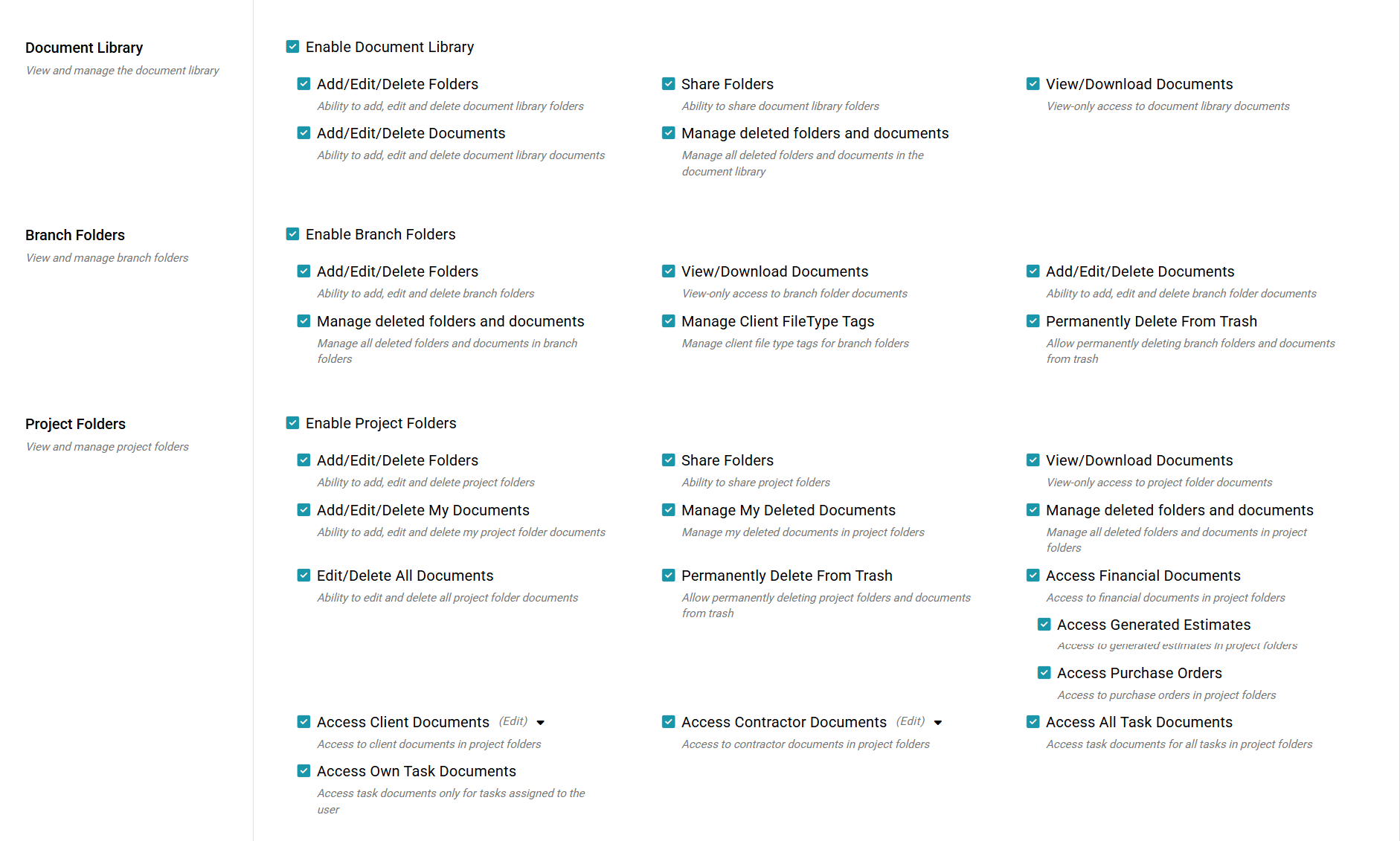
Scroll down to the Document Permissions section.
Here you'll find three permission sets:
Document Library Permissions – Controls access to your branch's shared document library.
Branch Folder Permissions – Controls access to folders and documents within your Branch Folders.
Project Folder Permissions – Controls access to project documents and folders.
These permissions allow you to tailor each user's level of access, ensuring they can only view and manage the documents relevant to their role within your business.
Default Permission Levels
By default, Branch Owners are the only user group with full access to all document permissions.
All other user groups are assigned a set of default permissions based on their role. Depending on the user group, you can enable additional optional permissions to provide more access where required.
Some user groups have limited or no configurable permission options. This is intentional and helps ensure users only have access to the features and documents appropriate for their role.
We recommend only enabling additional permissions where they are genuinely required, following the principle of giving users the minimum level of access needed to perform their job.
Note: If you are an existing Rave user, your current Project document permissions will be carried over automatically. No changes will be made to your existing access levels during this update. Any new features like the document library and branch folders will be auto-applied based on your user groups' default access.
Was this article helpful?
That’s Great!
Thank you for your feedback
Sorry! We couldn't be helpful
Thank you for your feedback
Feedback sent
We appreciate your effort and will try to fix the article