To view all Rave User Group Options and their Default and Optional Permission screenshots, please click here for the Article
At Rave Build, we know you like to have options—so we offer different user group types to suit a variety of roles within your business. These user groups give you the flexibility to control access across your team, ensuring the right people have the right tools at the right time.
In the following article, we’ll explain each user group in as much detail as possible, with the caveat that Rave is constantly improving and evolving. We add new permissions almost monthly to enhance your user experience.
Permissions are broken down into either:
The default permissions assigned to each group or the optional permissions you can enable based on your needs.
The Branch Sales user group is designed for team members who manage the sales process within the business, with access to CRM, client and enquiry information, along with supporting project and contact information.
Recommended For;
- Sales Consultants
- Sales Managers
- New Home Consultants
- Business Development Managers
- Team members responsible for managing leads, enquiries and sales opportunities
Important: Branch Sales is a Tier 1 user group. Access is focused on sales and CRM, with additional project and contact permissions enabled by default. Some permissions are only available where the relevant Rave module or feature is enabled.
How to View Your Branch Sales Permissions
To view and manage your users:
1. Click the Profile dropdown in the top-right corner of the screen.
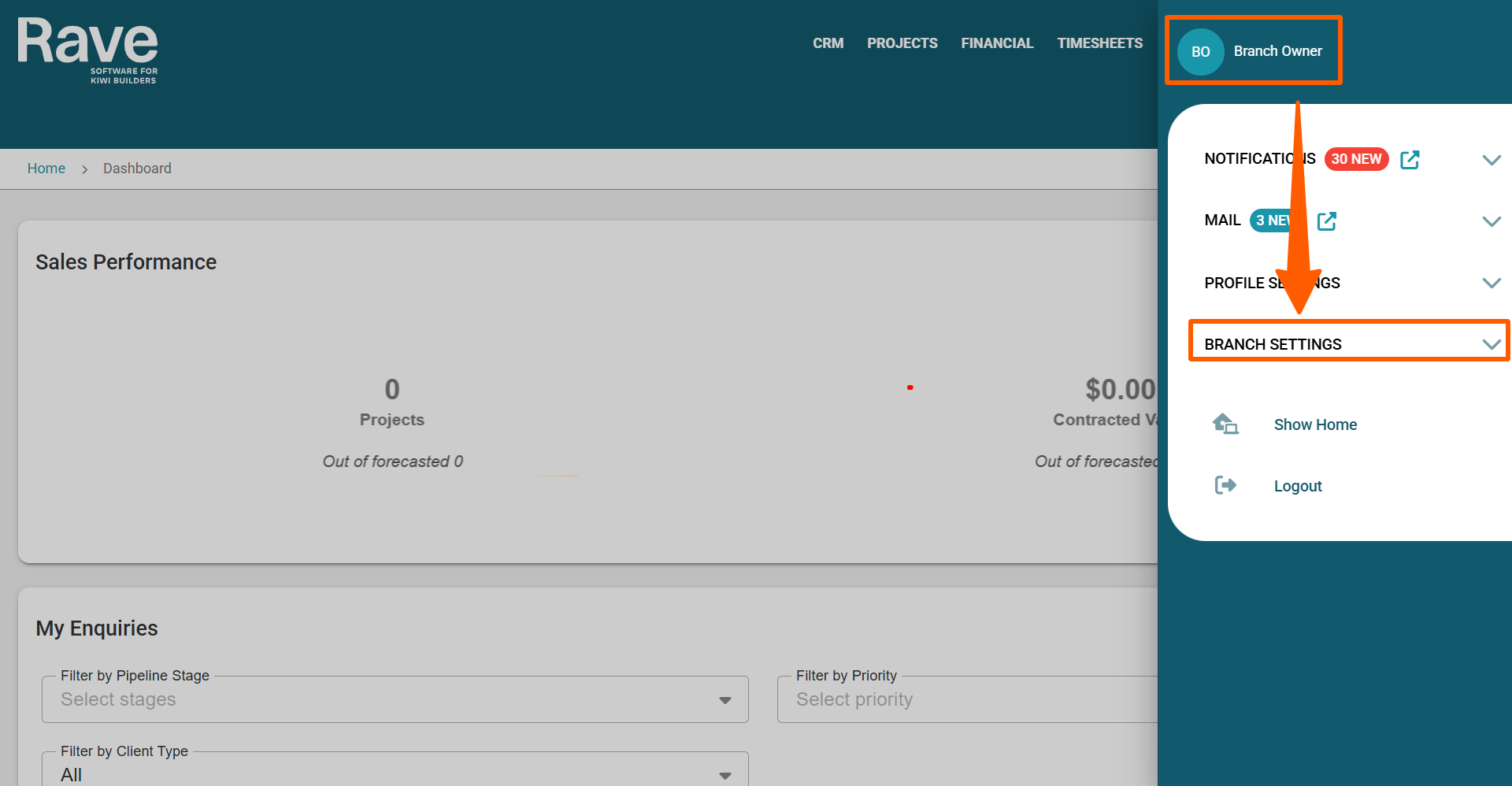
2. Scroll to the Branch Settings section, then select Manage Users. 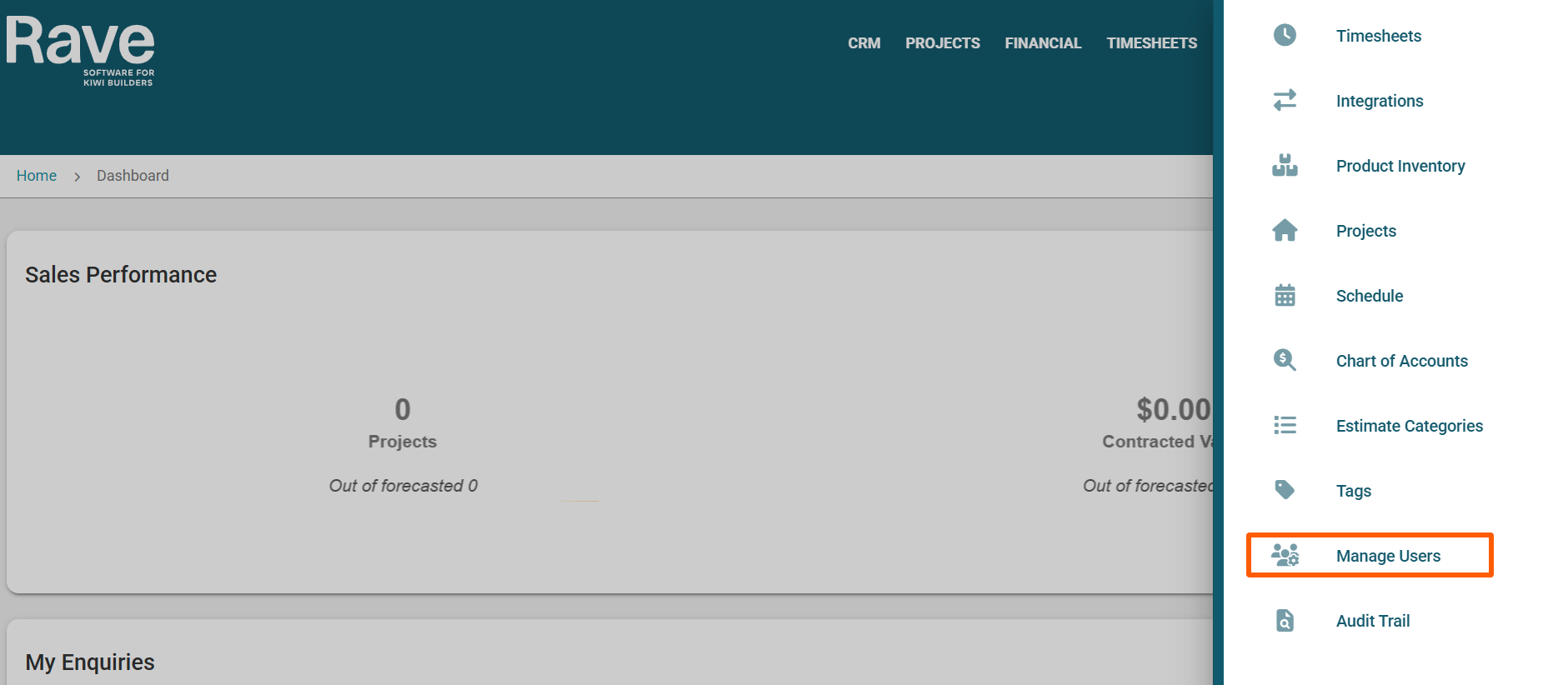
3. Select the user whose permissions you want to view, then click Edit in the top-right corner of the page.
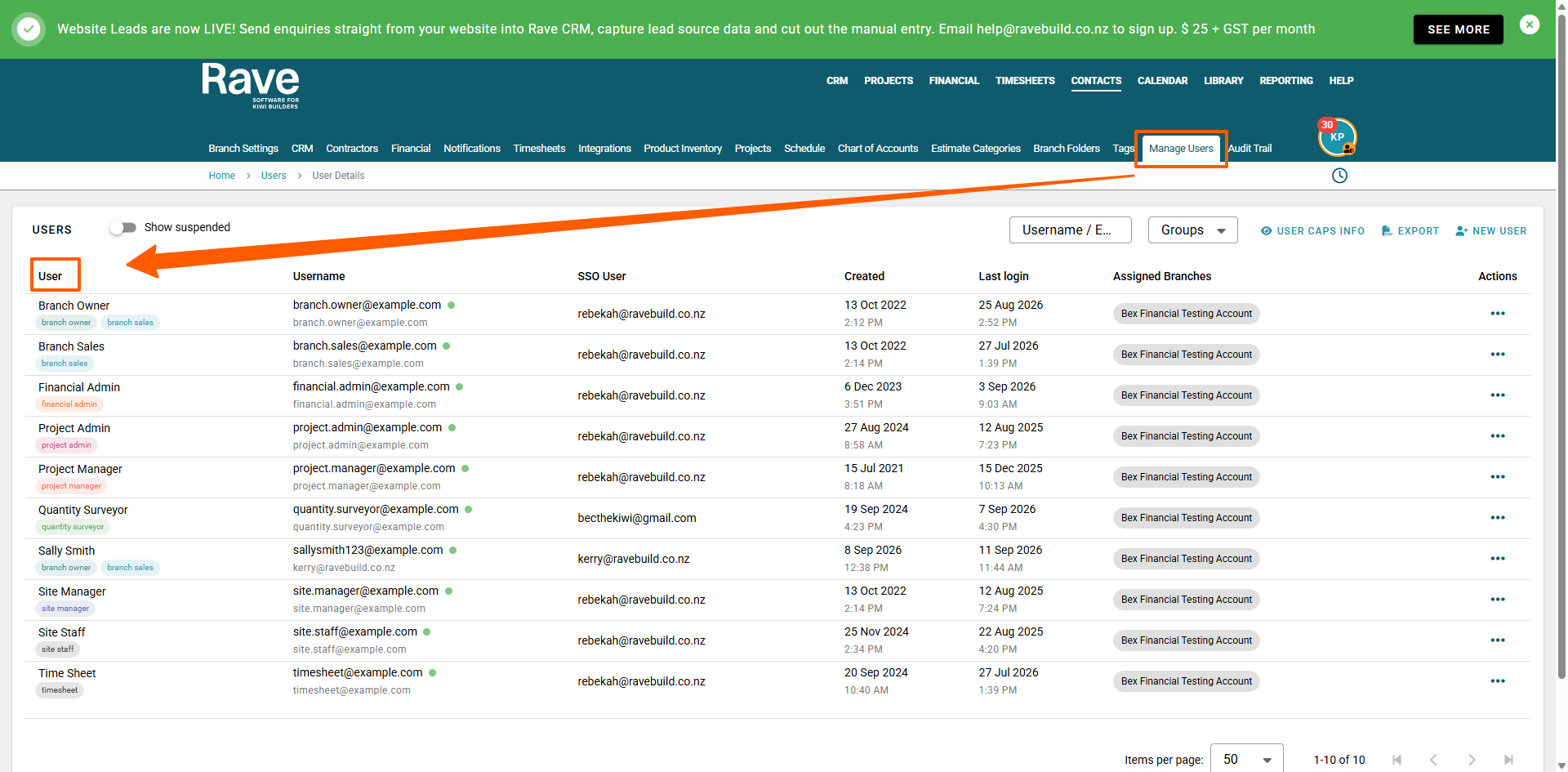
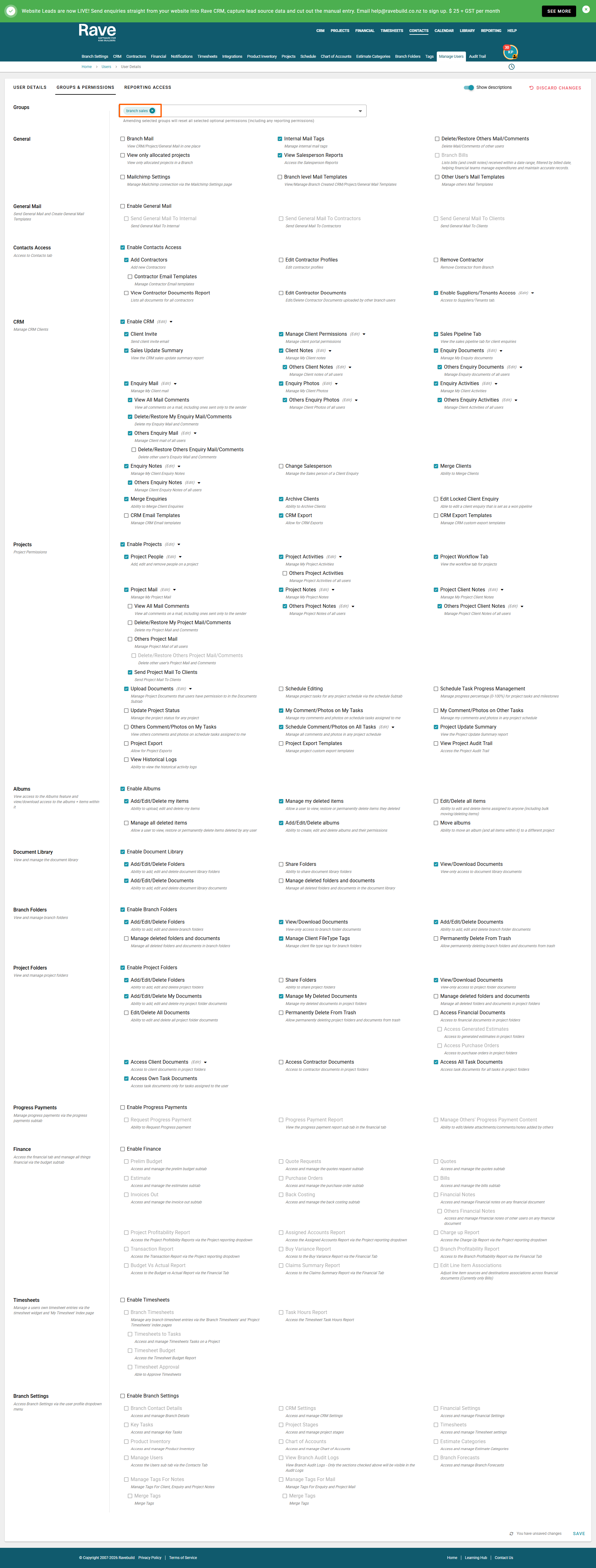
4. Select the Groups & Permissions tab. Under Groups, ensure Branch Sales is selected to view the permissions. 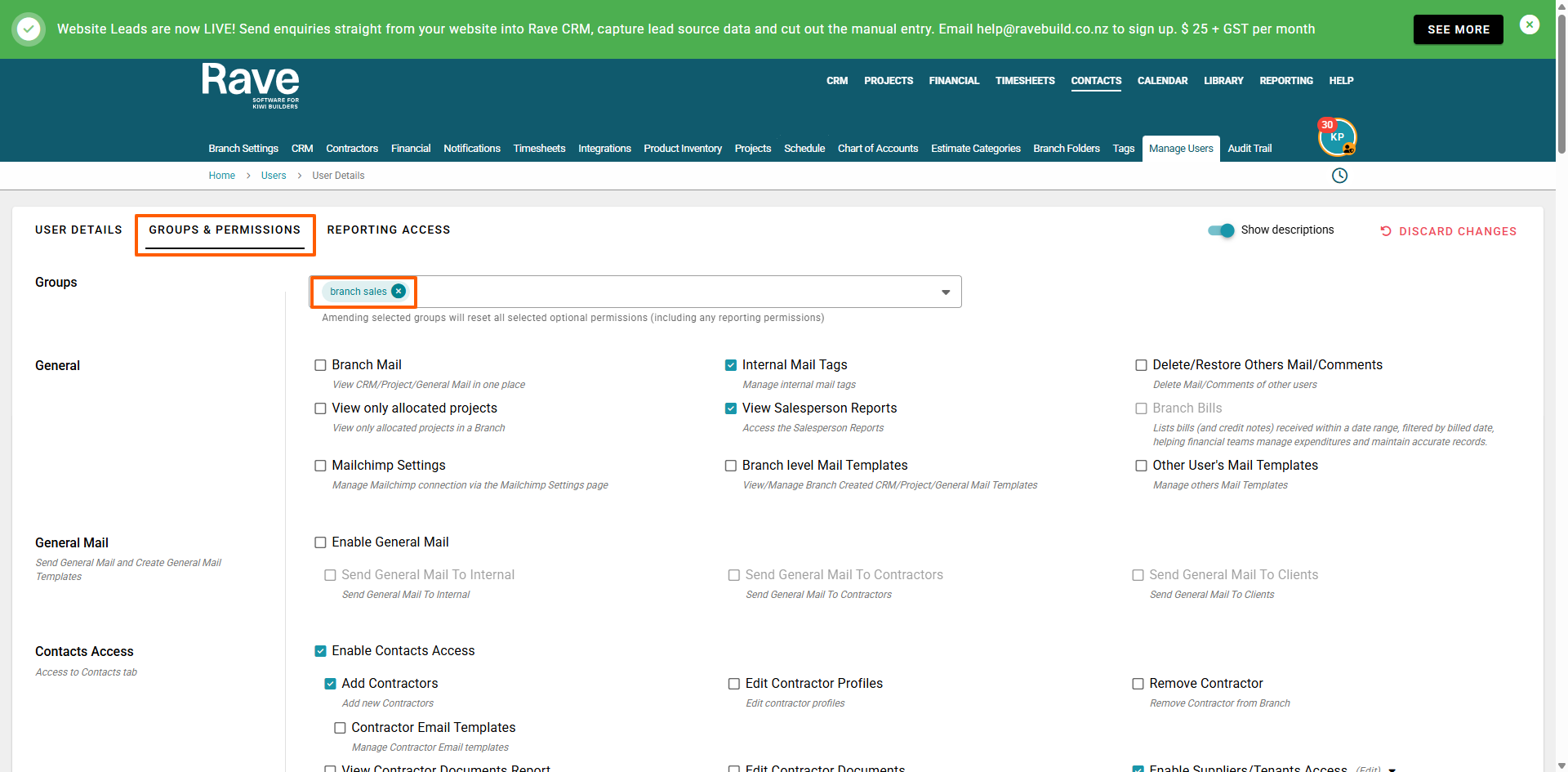
Default Access
Branch Sales users have access to a range of sales, CRM, contact and project features, including:
- General – Internal Mail Tags and Salesperson Reports.
- Contractors & Contacts – Access to Contacts, adding Contractors and Suppliers/Tenants.
- CRM – Broad access to Clients, Leads and Enquiries, including client permissions, sales pipeline, enquiry communication, notes, activities, photos and managing client records,Show Home Portal
- Projects – Access to Projects, project people, activities, workflow, project mail and notes, document uploads, task comments/photos, project settings and project reporting.
- Albums – Access to Albums, including managing their own Album items and deleted items, and managing Albums.
- Document Library – Access to the Document Library, including managing folders and documents and viewing/downloading documents.
- Branch Folders – Access to Branch Folders, including managing folders and documents and viewing/downloading documents.
- Project Folders – Access to Project Folders, including managing folders and their own documents, viewing/downloading documents and accessing relevant project documents.
- Progress Payments – No access by default.
- Finance – No access by default.
- Timesheets – No access by default.
- Branch Settings – No access by default.
Optional Permissions
Enable additional permissions as needed for the user's responsibilities. These include further access to:
- General – Additional mail and notification permissions.
- Contractors & Contacts – Additional contractor and contact management permissions.
- CRM – Additional permissions for changing Salespeople, editing locked enquiries, merging or archiving clients, CRM exports and templates, and other advanced CRM functions.
- Projects – Additional project, schedule, communication, document and reporting permissions.
- Albums – Additional Album and content management permissions.
- Document Library, Branch Folders & Project Folders – Additional document management, sharing and deletion permissions.
- Progress Payments – Progress Payment access and management.
- Finance – Financial Management access.
- Timesheets – Timesheet access and management.
- Branch Settings – Additional branch administration and configuration permissions.
Some permissions are only available when the relevant Rave module or subscription feature is enabled.
Reporting Access
Reporting Access is managed separately from the Groups & Permissions settings.
Branch Sales users have access to Salesperson Reports by default. You can enable additional reporting permissions when broader reporting access is required.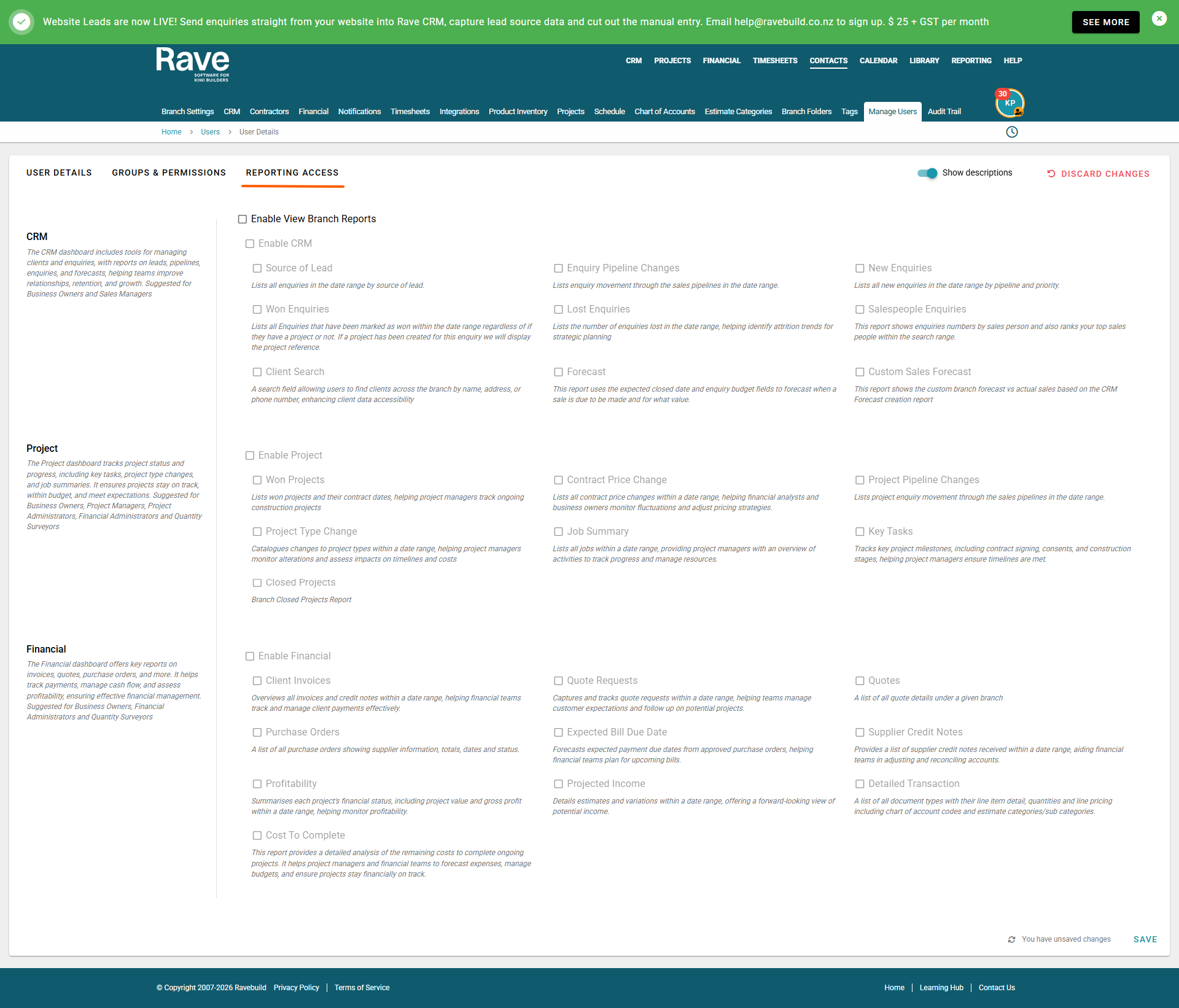
Was this article helpful?
That’s Great!
Thank you for your feedback
Sorry! We couldn't be helpful
Thank you for your feedback
Feedback sent
We appreciate your effort and will try to fix the article