How to report an issue with the Document Scanning help article is here.
Rave's AI Document Scanning Has Arrived
Say goodbye to hours of manual data entry. Rave's new AI Document Scanning feature allows you to email your supplier bills and credit notes directly to a dedicated Rave email address.
Our AI then automatically scans the document, extracts the key information and intelligently matches it to the correct Quote, Purchase Order or Project.
Using smart colour-coded matching, Rave highlights which documents are a perfect match and which require your attention, making it easy to review exceptions while confidently approving the rest.
Even if you don't use Quotes or Purchase Orders, you can still take advantage of AI scanning. Rave will extract the supplier details, totals, GST and individual line items, creating the bill for you.
Simply review, approve and send it through to Xero, no manual retyping required.
Benefits
✔ Automatically scan supplier bills and credit notes using AI
✔ Match documents to Quotes, Purchase Orders or Projects
✔ Smart colour coding instantly highlights perfect matches and exceptions
✔ Extract line items, GST and supplier information automatically
✔ Reduce manual data entry and costly errors
✔ Approve and send directly to Xero
✔ Save hours of administration every week so you can focus on running your business instead of processing paperwork.
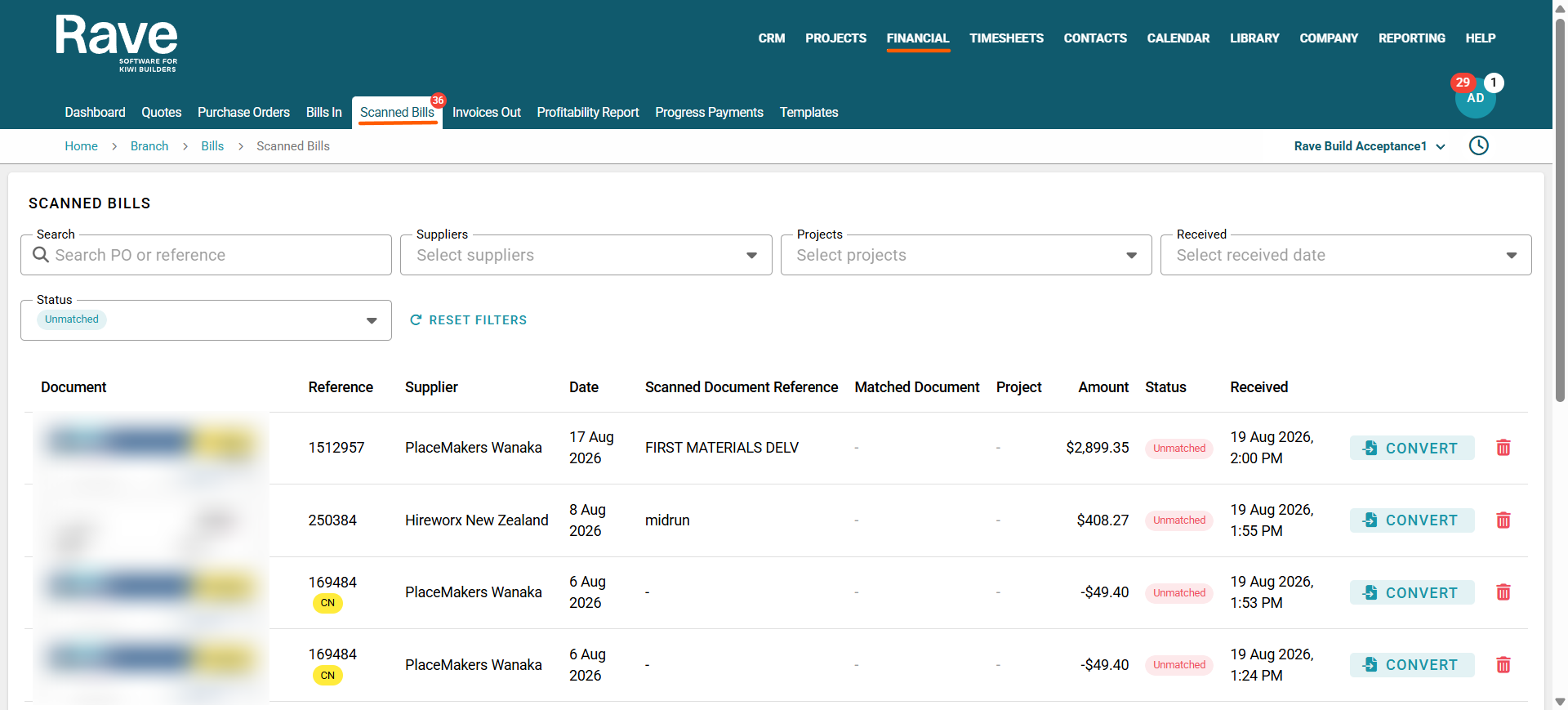
From the Financial tab on the top navigation bar, select Scanned Bills.
This will open the Document Scanning home page, where you can view, review and manage all scanned supplier bills and credit notes.
Filters along the top allow you to narrow the results by Supplier, Project, Received Date, and Status. You can also use the Reference search box to quickly find a specific record.
Can't see the Scanned Bills option?
If the menu item isn't available, it may be because:
You don't have permission to access Document Scanning, or
Your business hasn't subscribed to the Document Scanning add-on module.
If you believe you should have access, please contact your Branch Owner or Rave Support.
Notes:
You can choose one or more Purchase Orders to match the single bill to.
You can choose quotes to match the bill to from the drop-down if there is no PO.
You can skip PO and Quote and just match the bill to the correct project.
You can match multiple PO lines to multiple bill lines, or one-to-one.
From within a scanned bill, you can choose to Convert and then review the next, or Convert as Draft

From the Scanned Bills page, you can bulk select any bills to auto-convert and save as draft OR auto-convert and approve.
This should only be done if you are confident the system is 100% correctly matched
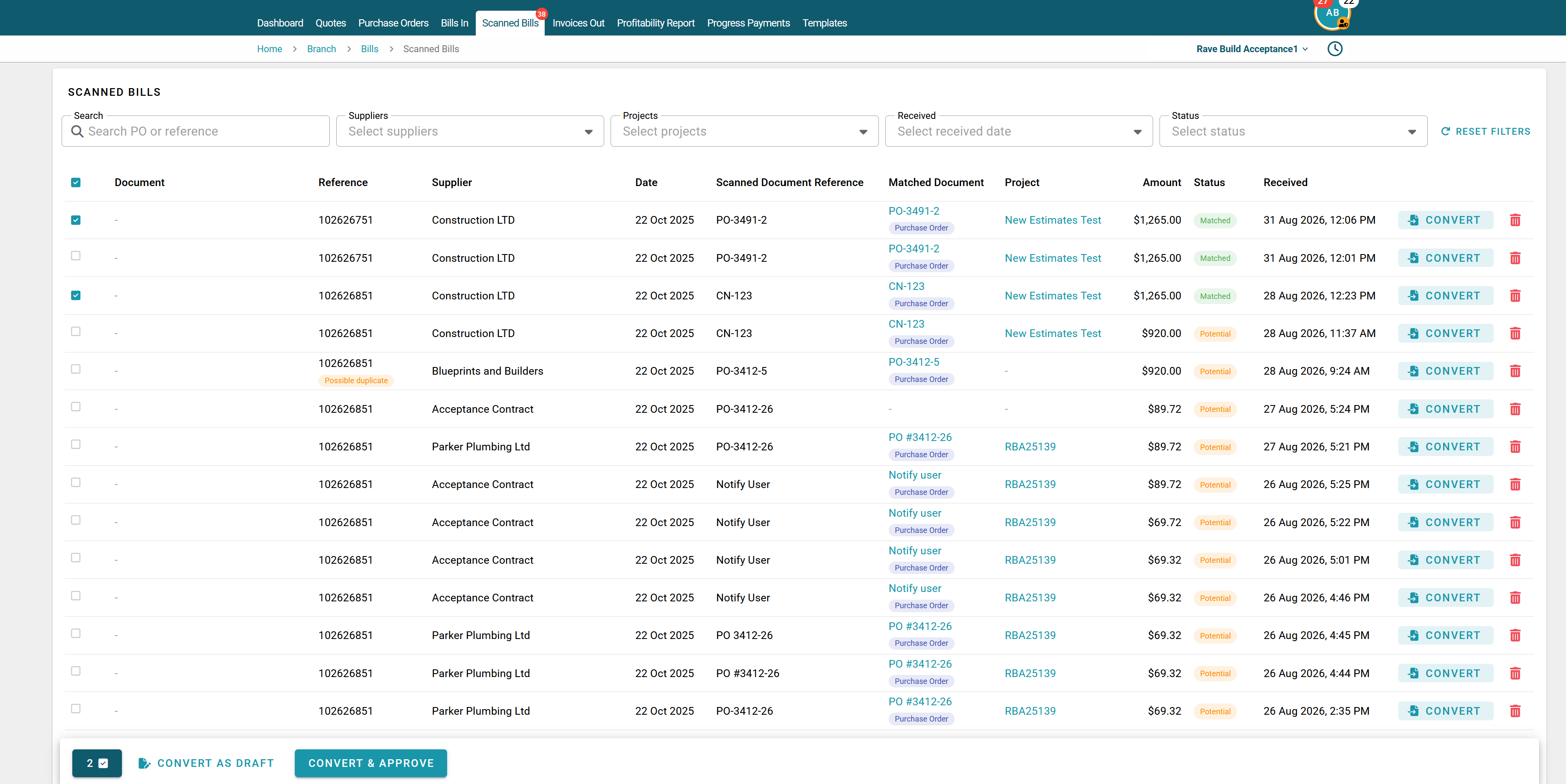
Select your first bill by clicking Convert. This will open the bill so you can review the scanned information and match the line items.
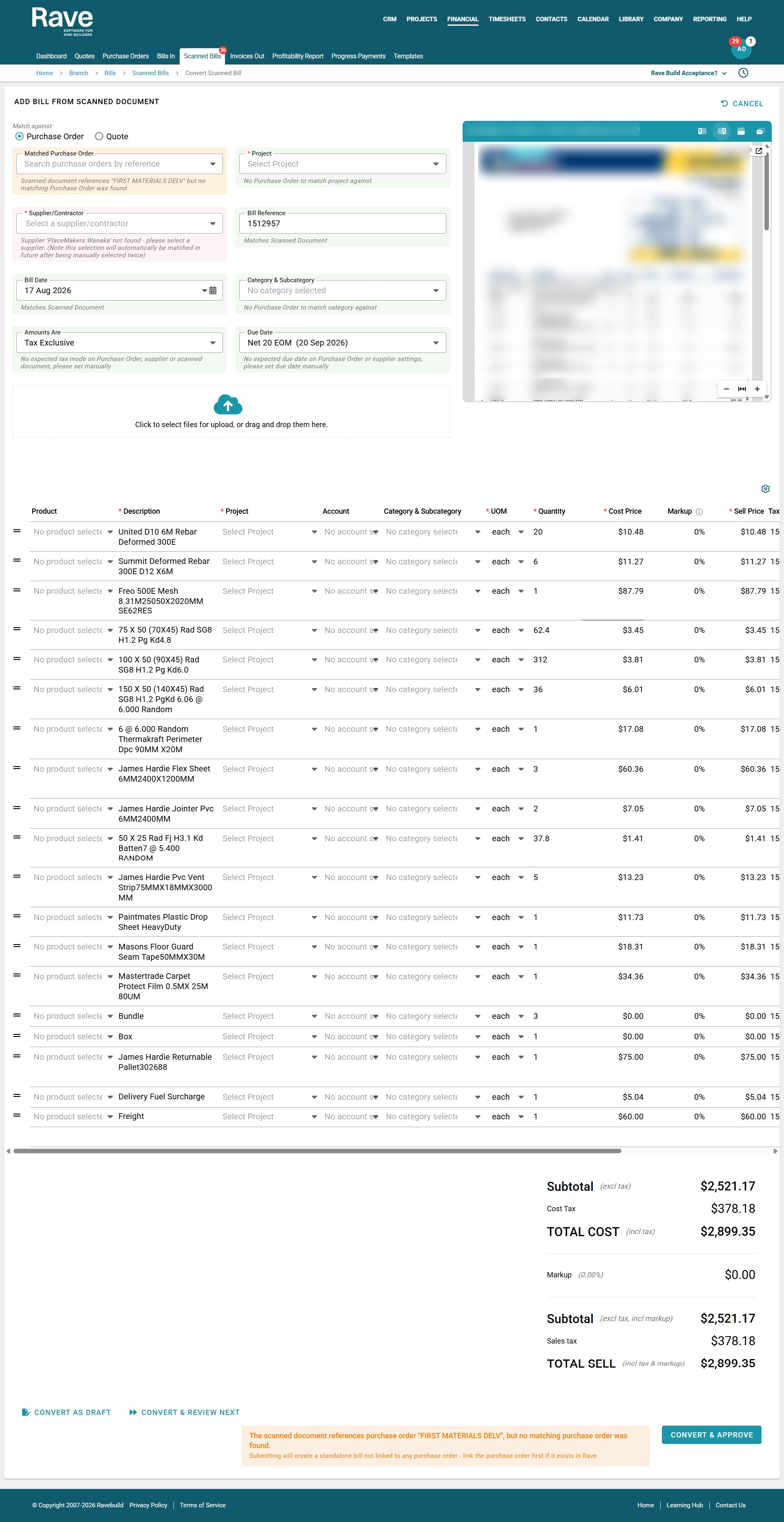
If the supplier document does not have a matching Quote or Purchase Order (PO) reference, you can manually select a Quote or PO from the dropdown.
If there is more than one relevant Quote or PO, you can select as many as required. If there is no Quote or PO to match the document to, click the Project box and select the appropriate project instead.
Once a supplier has been manually matched two or more times, Rave Build will begin automatically identifying the correct supplier from the dropdown when there is no Quote or PO reference available.
Before continuing, check the billing information carefully, including the invoice date, amounts and due date. Then scroll down to review the line item information.
If the scanned line items have not automatically matched, which can often be the case, you have several options. You can Bulk Assign All Lines to a single Quote or PO line, match each line individually, or use a combination of both methods.
To match an individual line, click No Associated Line Item to the left of the item description and select the correct Quote or PO line.
To assign all lines at once, select Bulk Assign All Lines and choose the Quote or PO line you want them associated with.
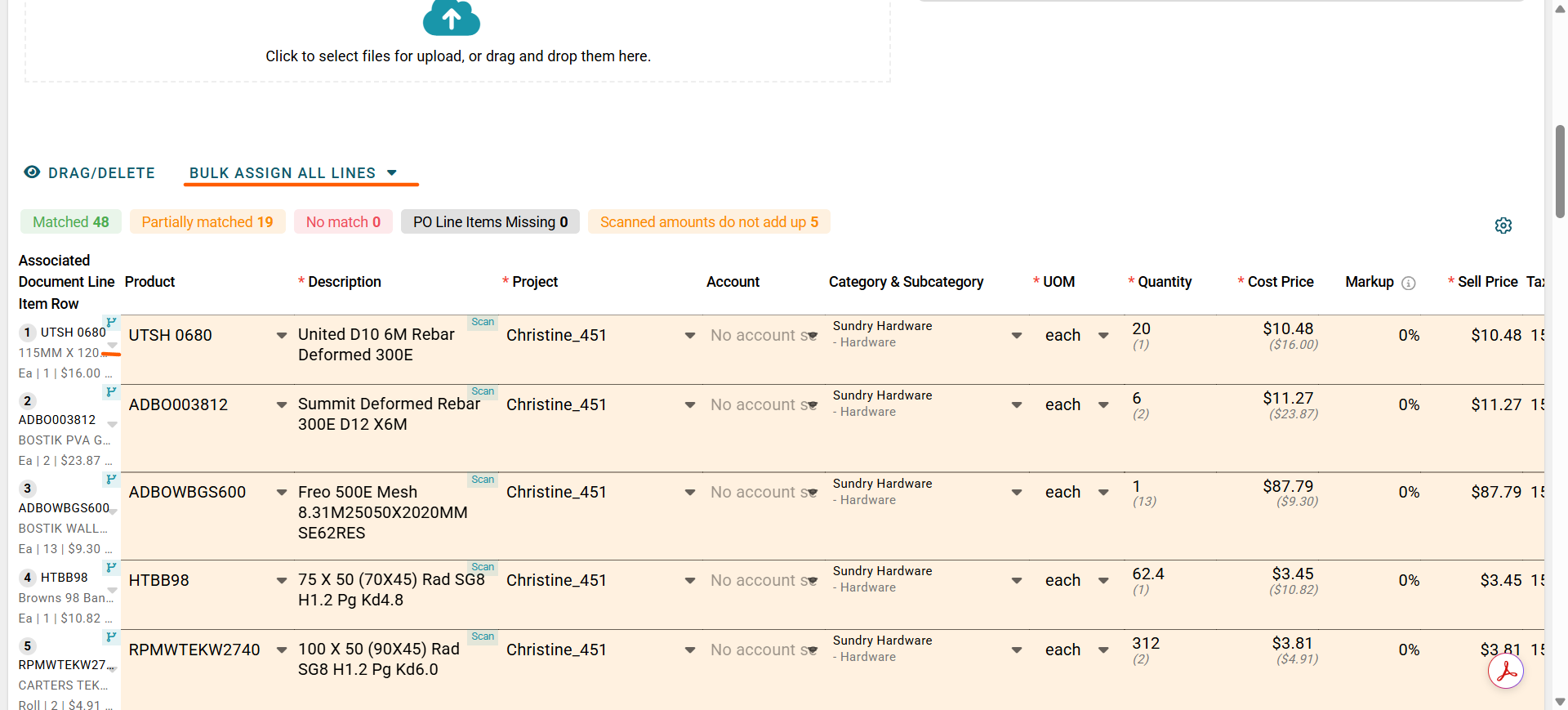
You can also select Click/Drag/Delete to enter reordering and editing mode. From here, you can move, delete or reorganise the scanned line items as required. Once finished, click the same button again to return to entry mode.
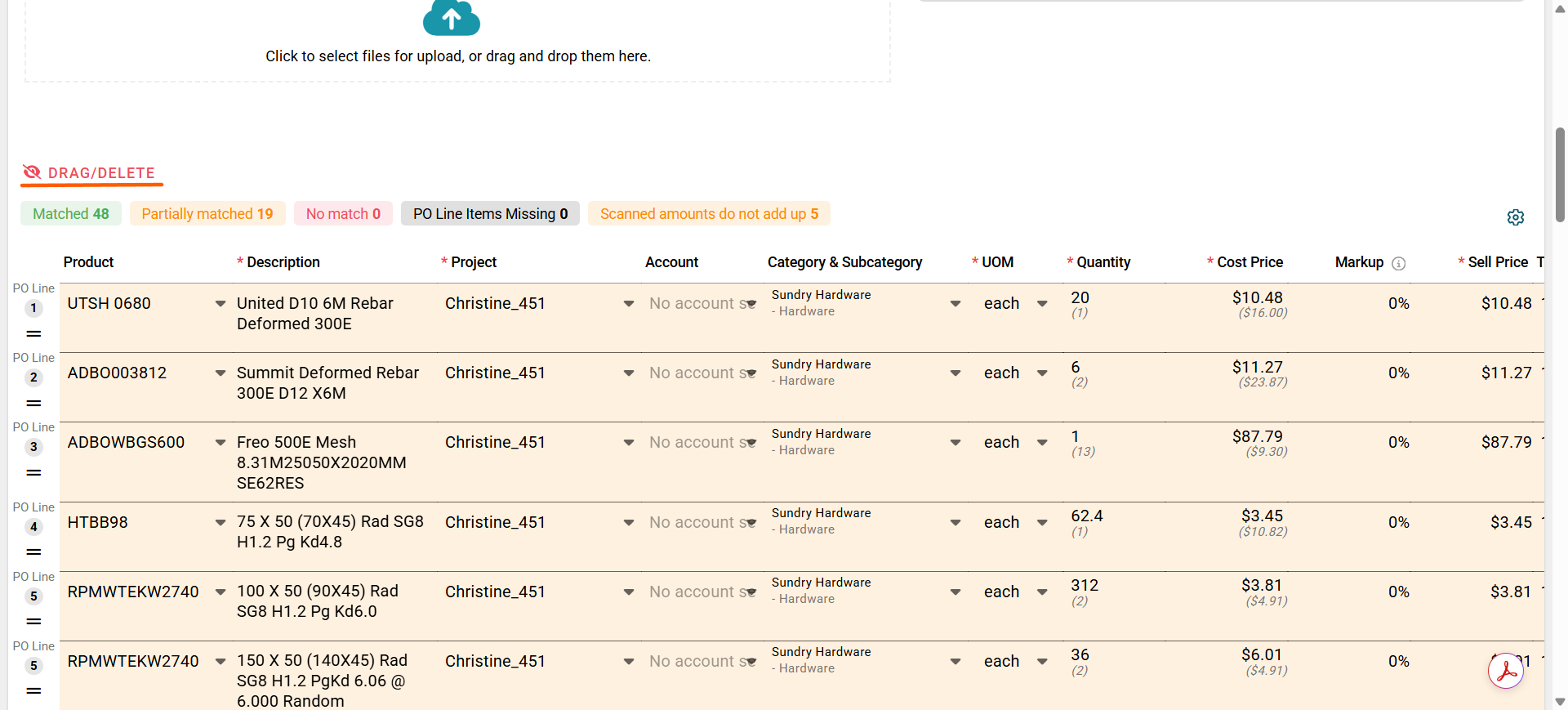
Once all line items have been assigned, you can choose whether to display the PO description or the scanned bill description.
Click the small PO/SCAN icon beside the product name to switch between the two descriptions.
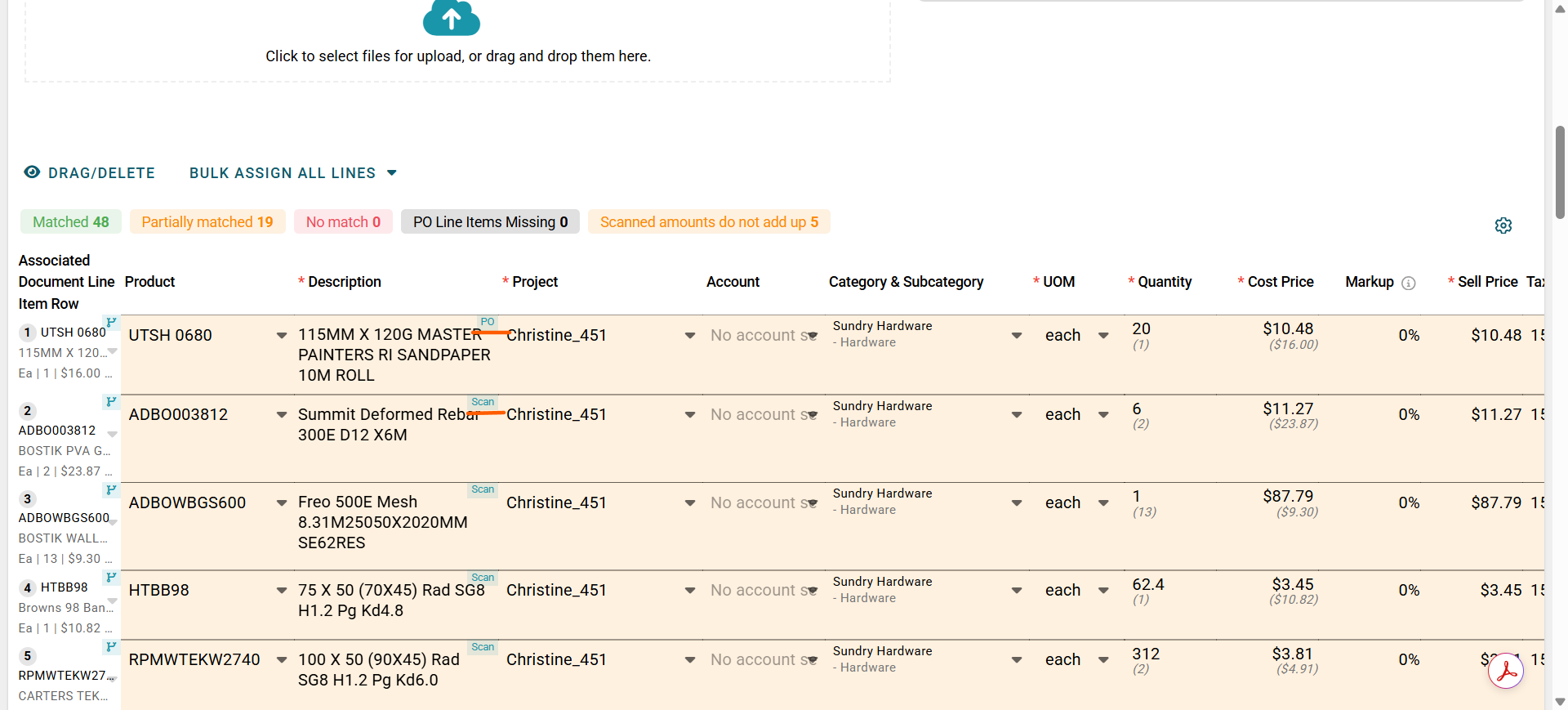
Carefully review all information before completing the bill or credit note. Make sure the line items are correct and that the totals match the original supplier document.
Once you are happy everything is correct, you can choose from the following options:
Convert & Review Next – Approves the bill or credit note, sends it to Xero, and automatically opens the next scanned document for review.
Convert & Approve – Approves and sends the current document to Xero, then returns you to the Bills page.
Convert as Draft – Saves the document as a draft so another user can review, approve and send it to Xero later.
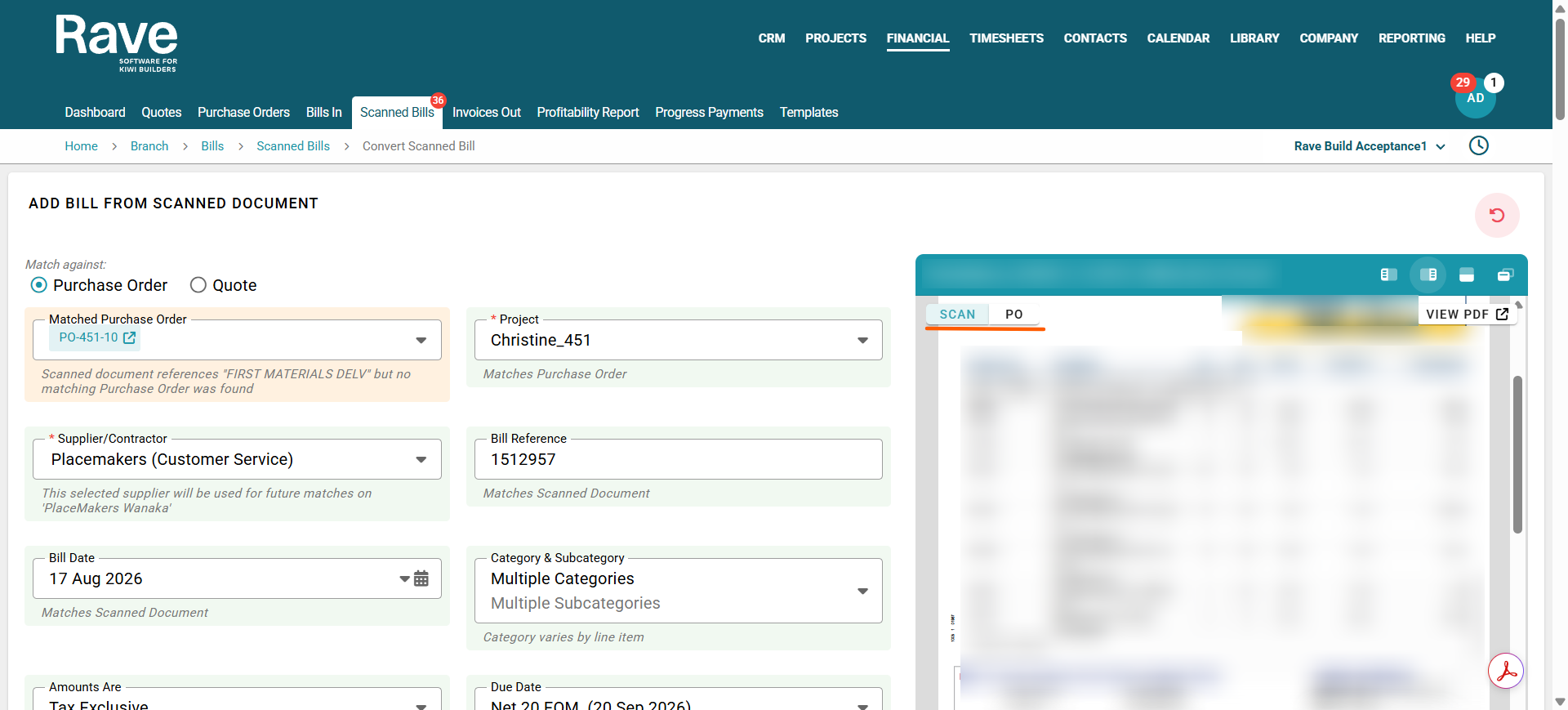
At any time during the review process, you can view the original Purchase Order document by clicking the SCAN/PO button in the top-right corner beside the attachment.
Click the button again to switch between the scanned supplier document and the Purchase Order.
Example Scenarios
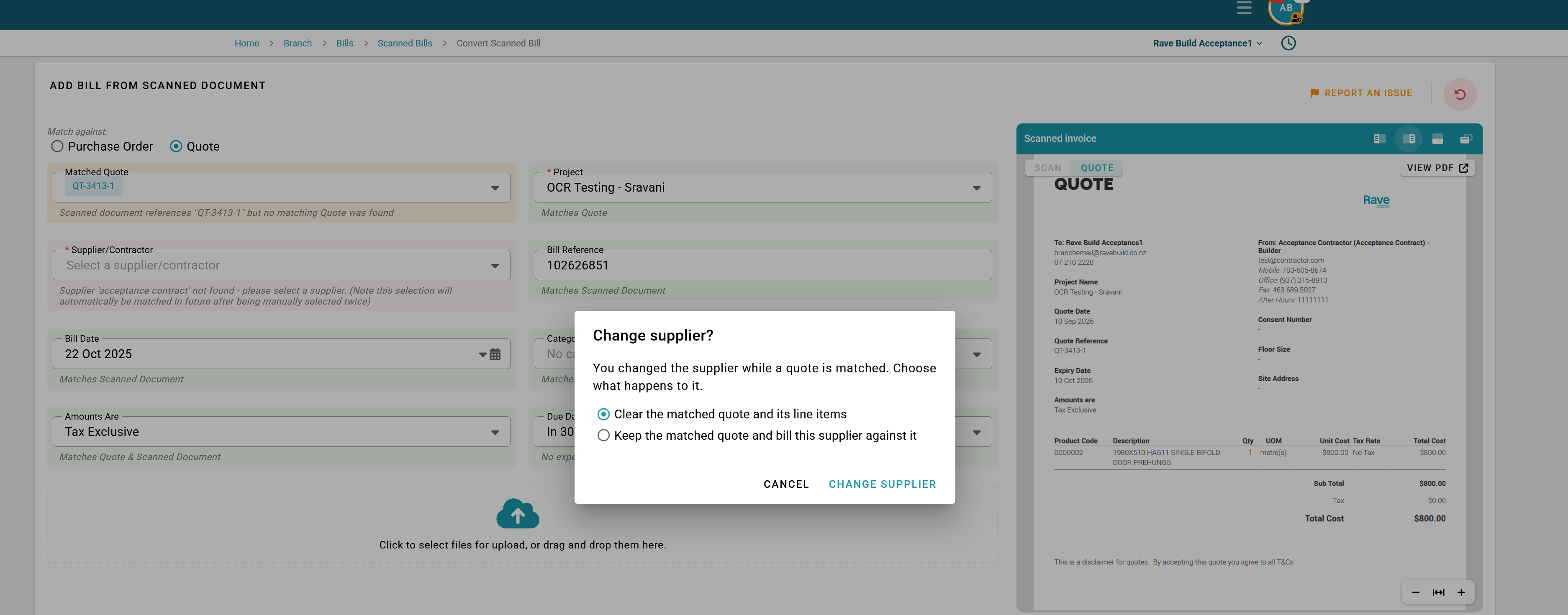
What happens if I want to change supplier of a Matched Bill?
You can change the suppleir and a prompt will confirm your actions as per below.
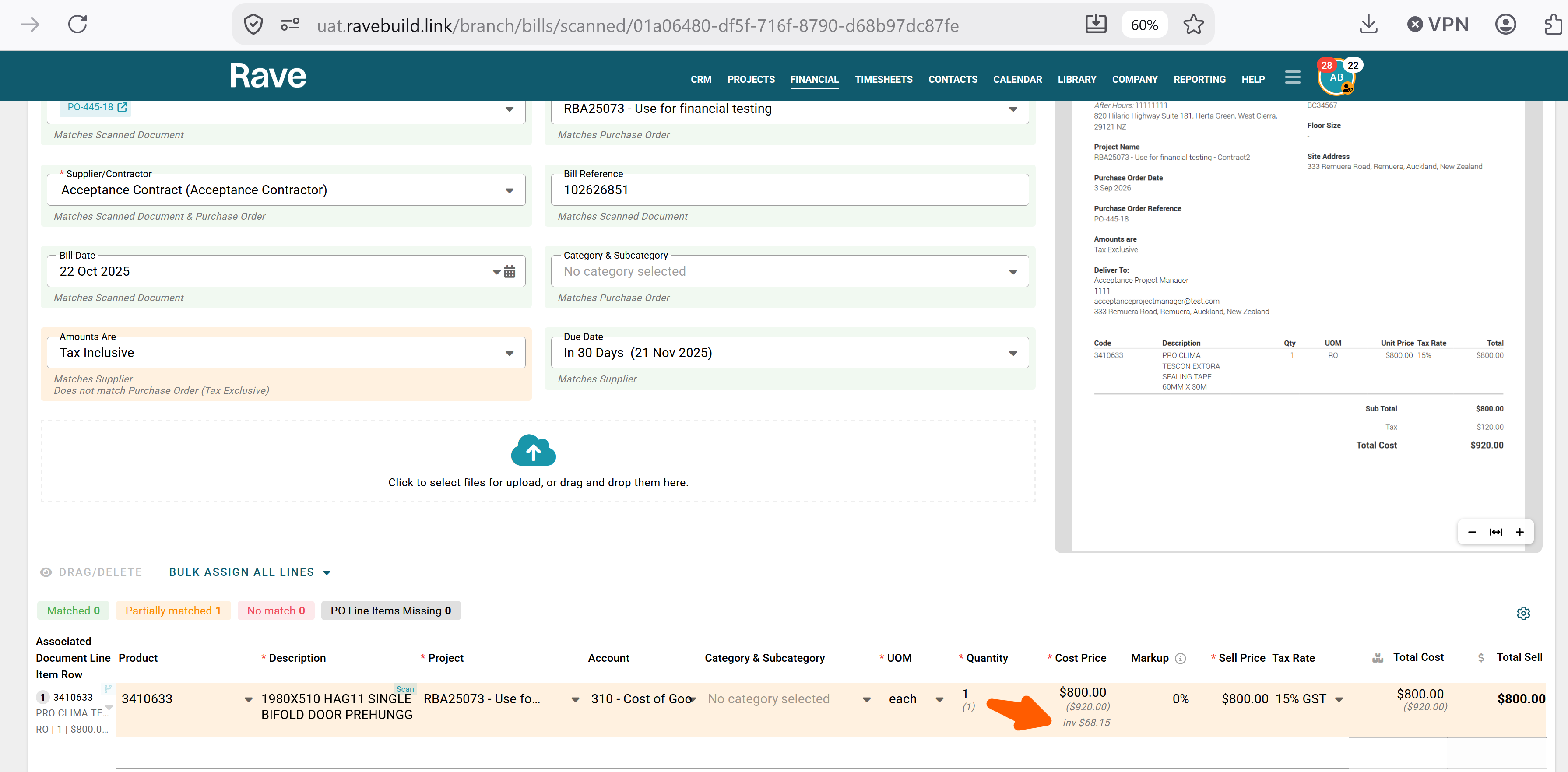
When the price is different on the bill to the PO, how do i know my current inventory price?
If your bill line has been matched to a PO or Quote that is using product inventory saved in Rave the bottom figure will be the current inventory price amount so you can ensure the amount match what is expected.
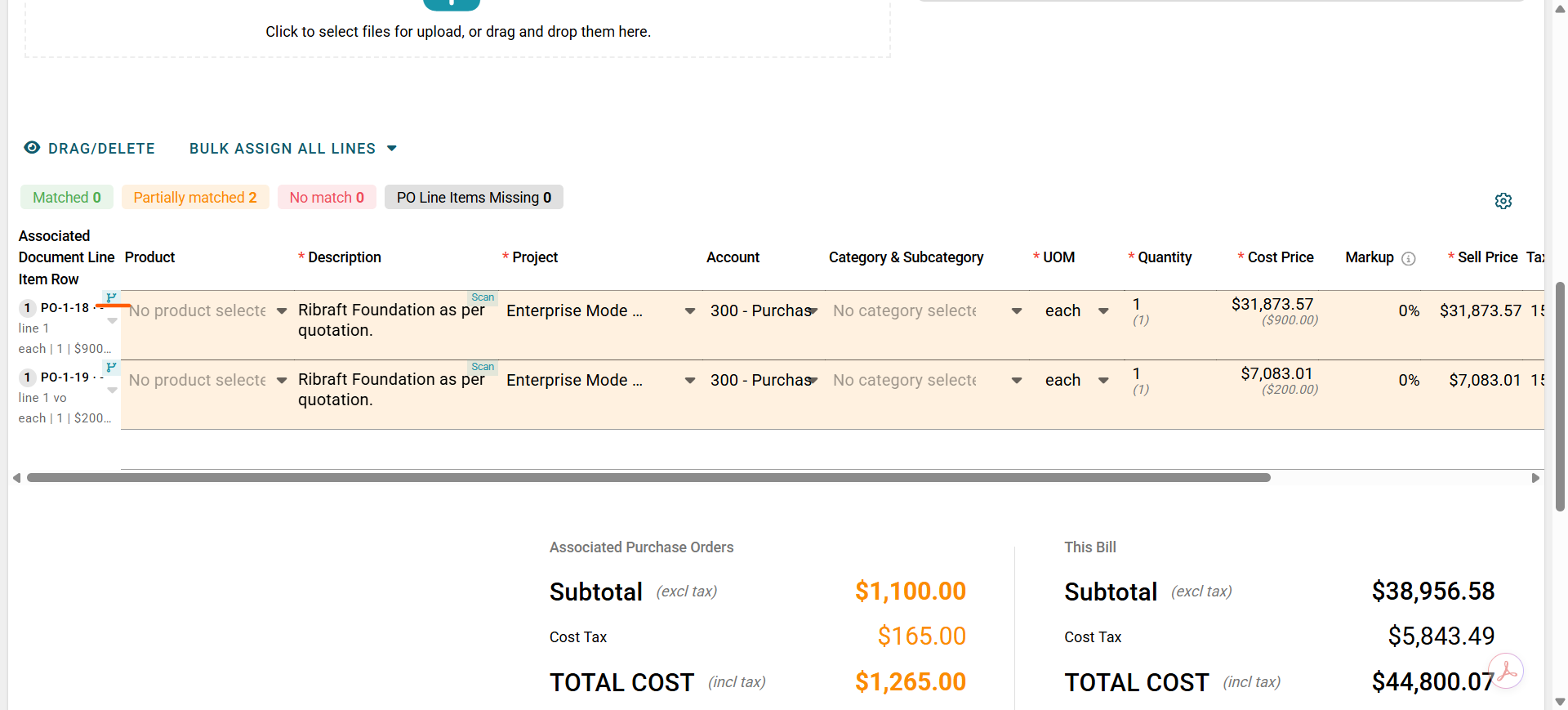
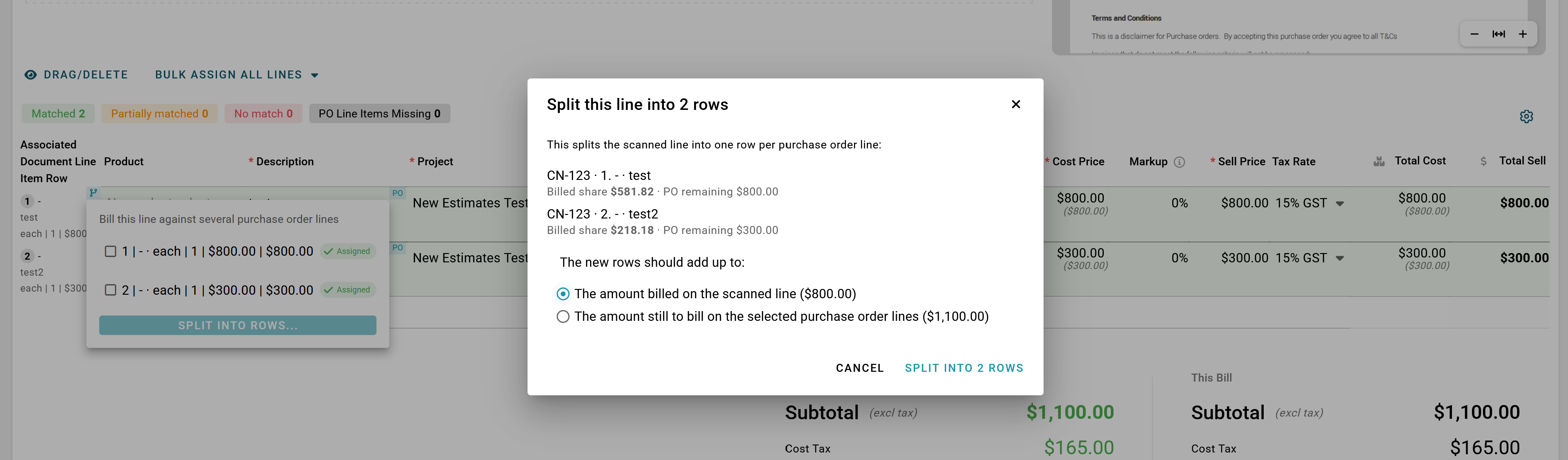
What do we do if the supplier combines a couple of lines into one? I had one where there were 2x PO lines for the same product that the supplier combined to one. I ended up just manually separating them, but not sure this is the right way?
Choose the Purchase Order(s) you wish to link to the bill.
On the left-hand side of the item description, click the Split into Multiple Rows icon. This will allow you to split the bill line across multiple Purchase Orders or PO line items.
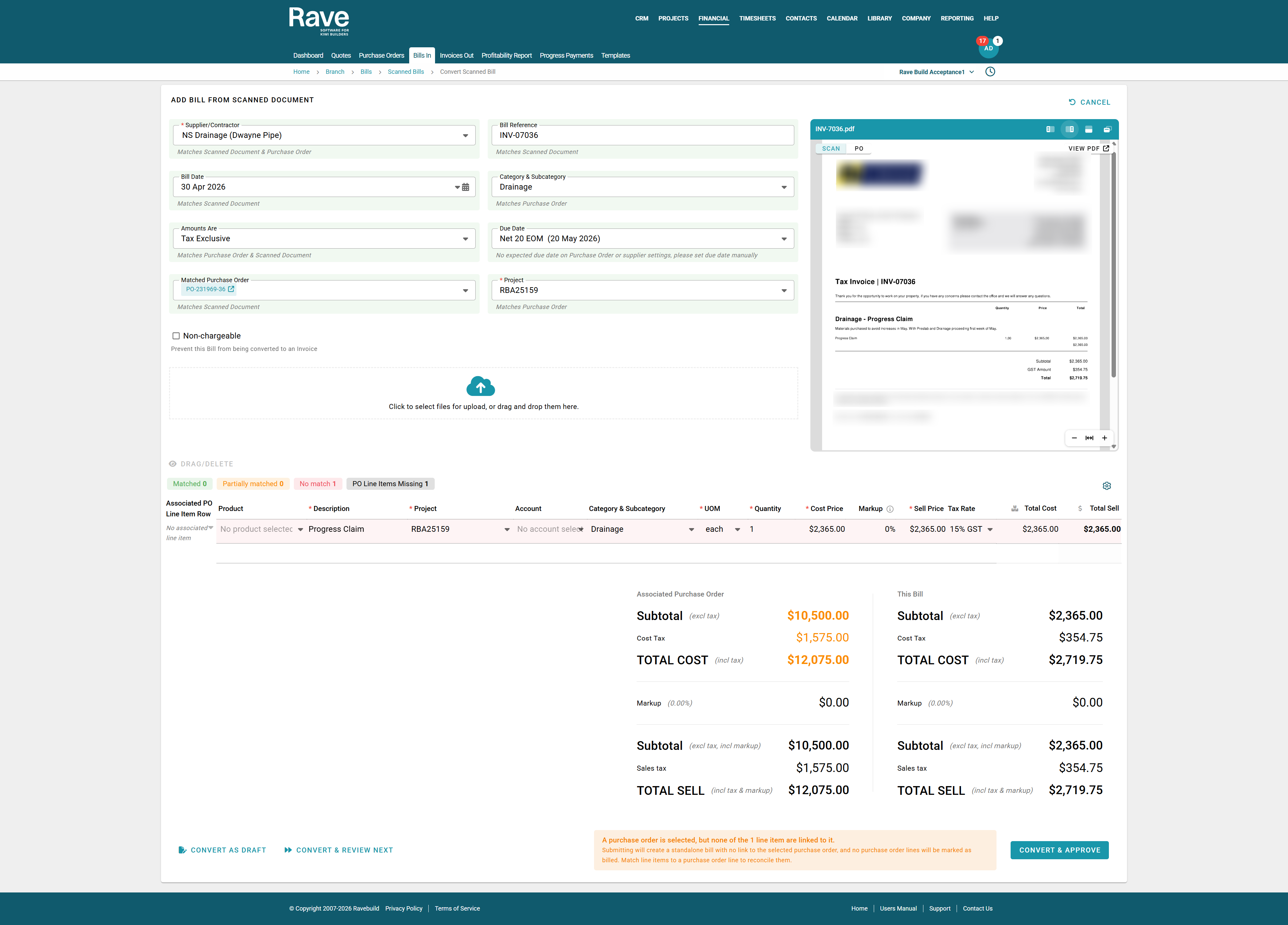
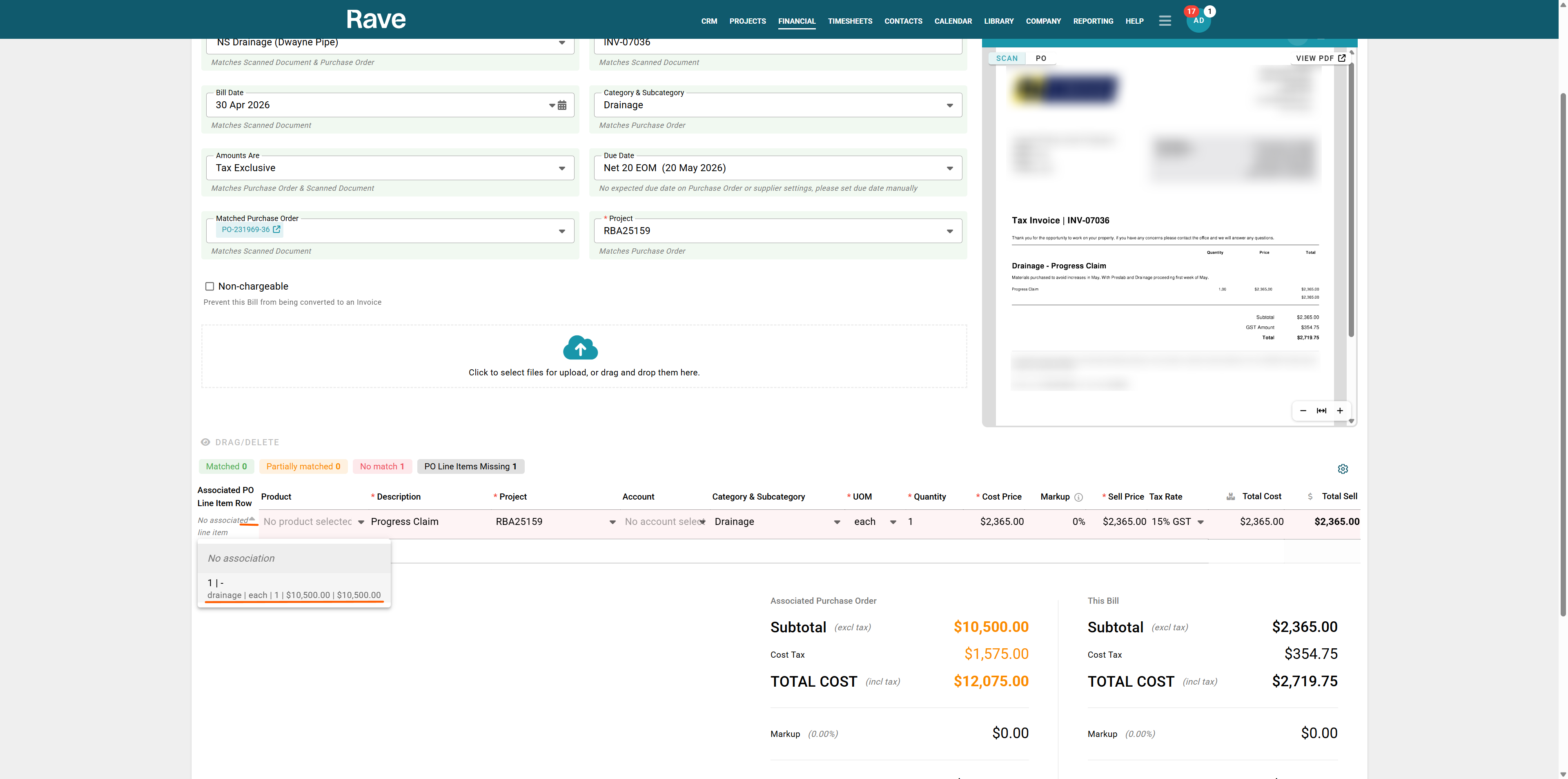
Click into the first scanned bill from NS Drainage.
The scanner has detected a Purchase Order, but it hasn't found a complete match.
On the left-hand side of the screen, select Associated Row Line to locate the matching Purchase Order line item and link it to the bill. If there are multiple lines, you can bulk select to match or single-select.
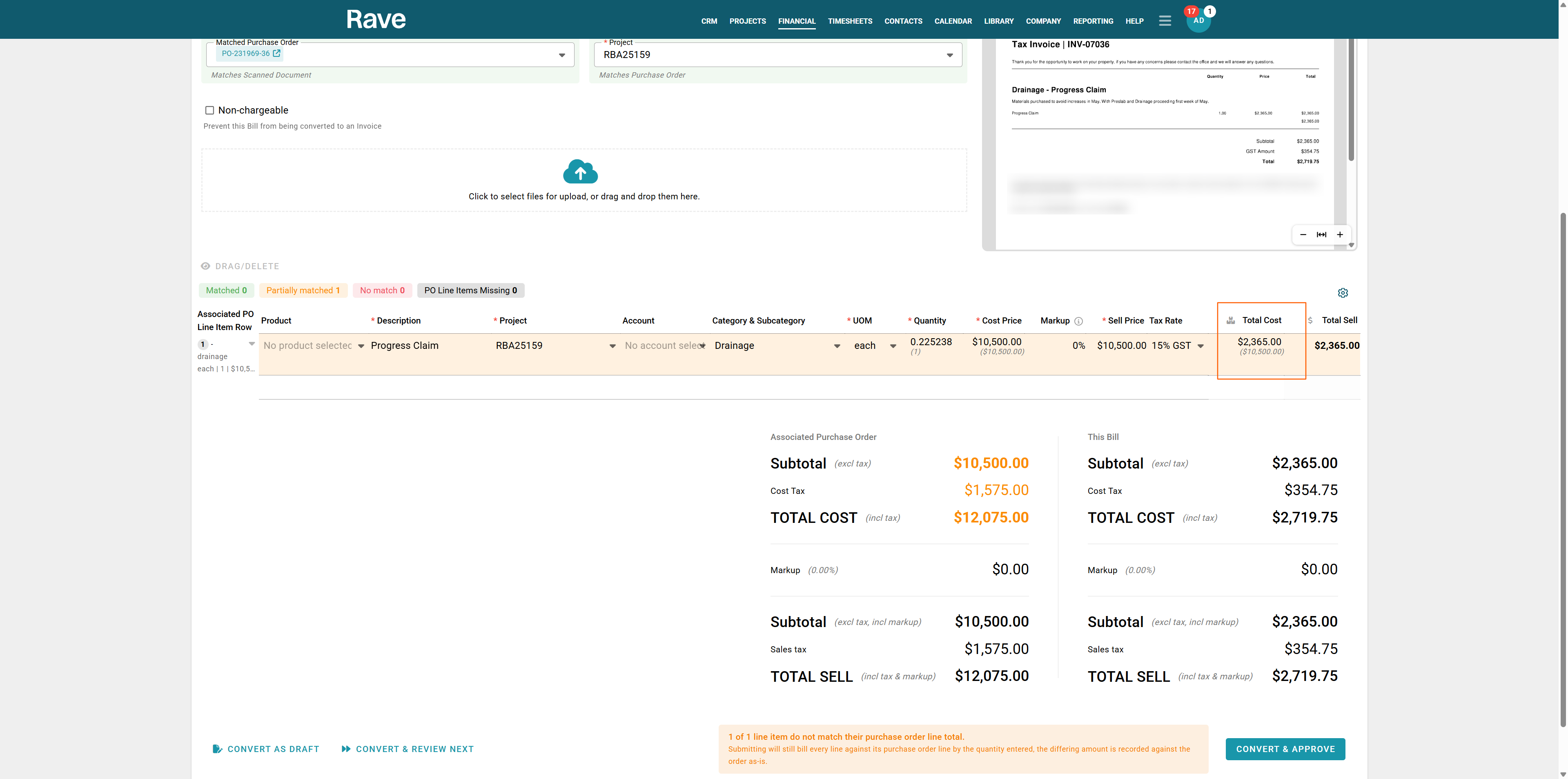
You'll notice this bill is a progress claim, not for the full Purchase Order amount. In the Total Cost column, enter the billed amount of $2,365.00. Rave will automatically calculate the billed percentage as 0.225238 (22.5238%) and apply this against the Purchase Order.
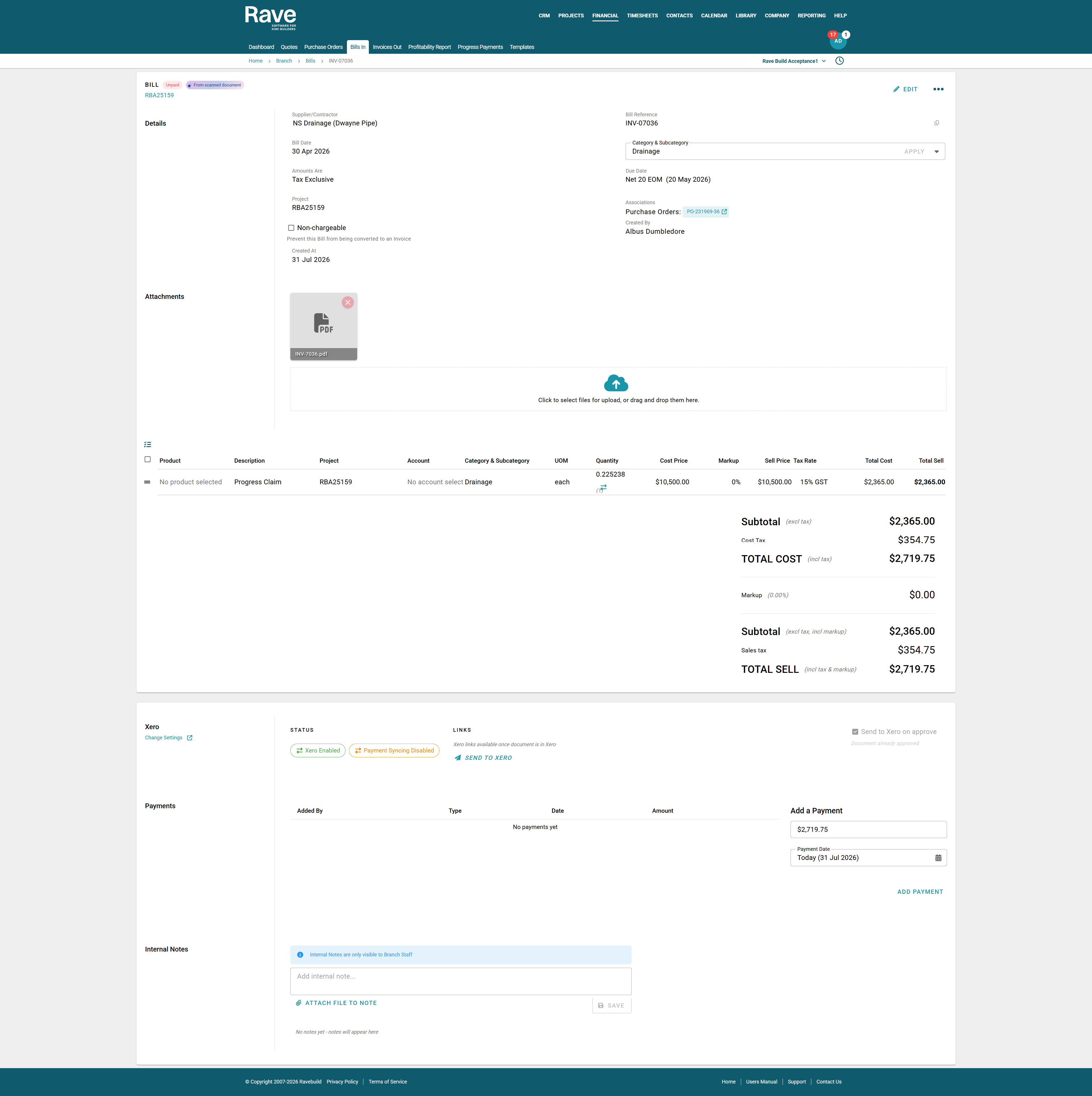
Review the remaining bill details to ensure everything is correct, then click Convert & Approve.
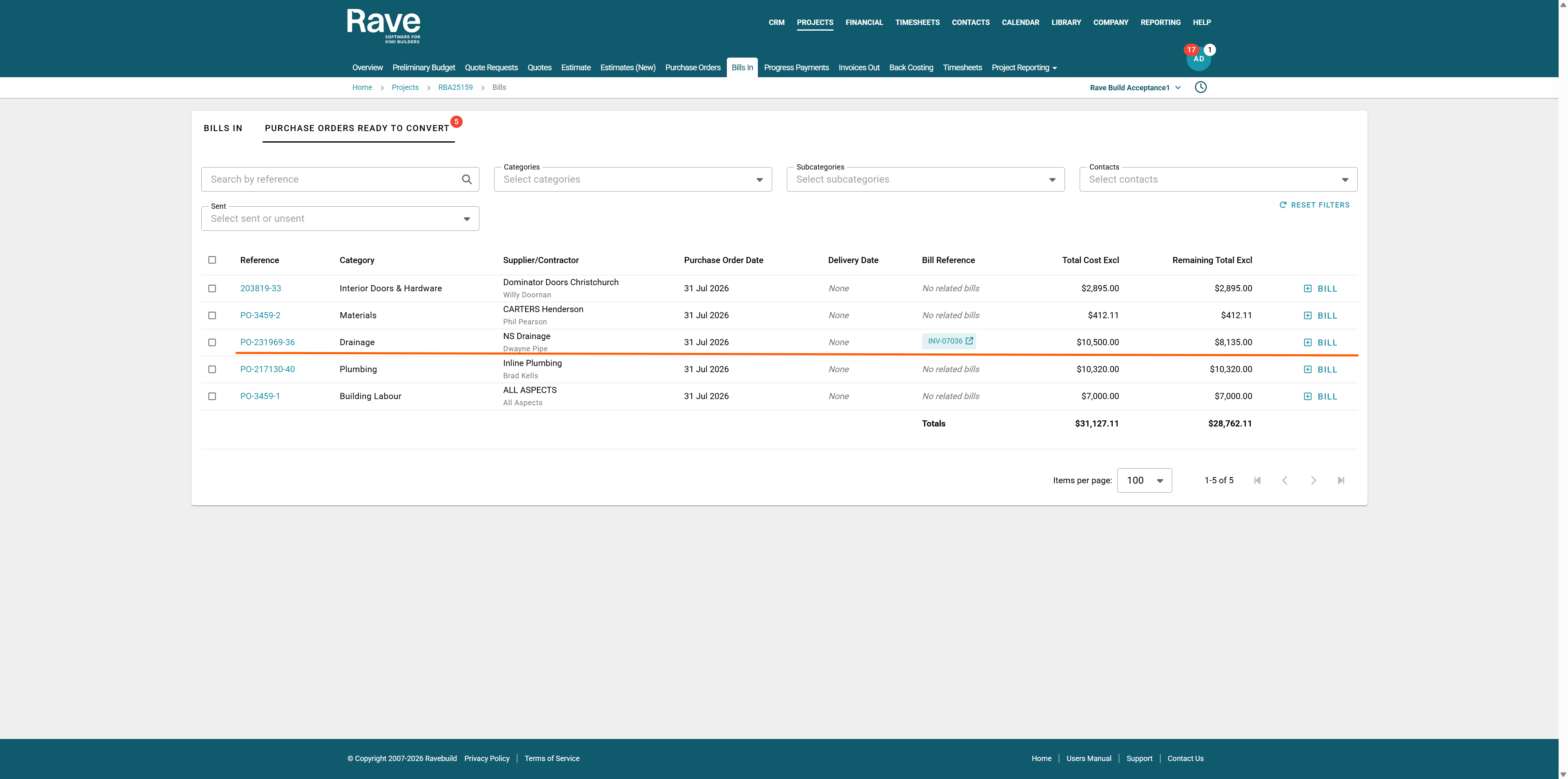
When you return to the Purchase Order Ready to Convert Page, you'll see the Remaining to Bill value has reduced to $8,135.00, accurately reflecting the progress claim against the original Purchase Order.
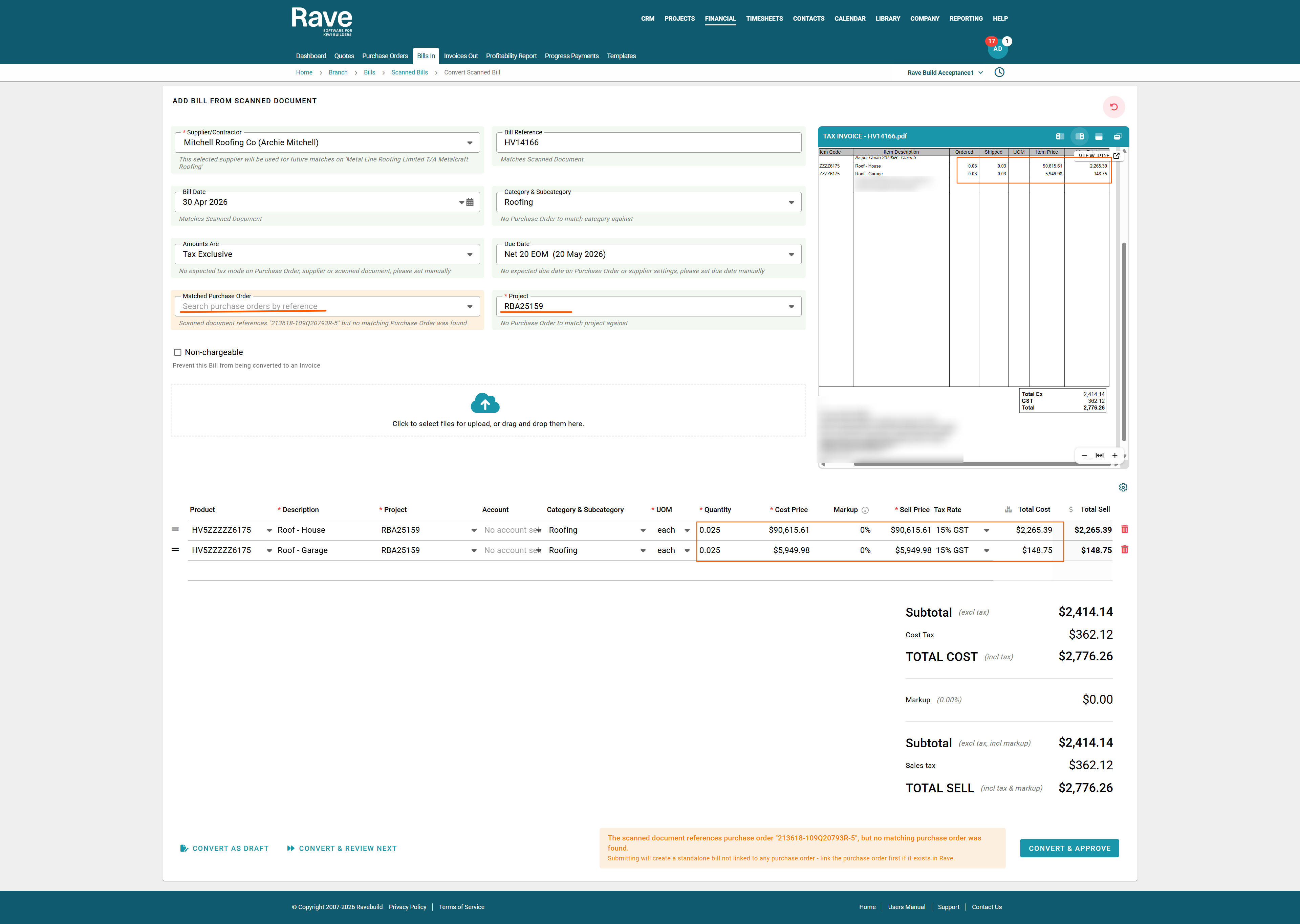
The second scenario demonstrates a supplier bill for a stage claim, where the supplier has invoiced 0.03 of each line item.
Rave has successfully scanned the bill and identified that the supplier has rounded the quantity up. Based on the stage claim, the correct quantity should be 0.025, so we've updated the quantity to reflect the actual billed amount.
In this example, there is no Purchase Order associated with the bill. However, Rave has detected the Project ID on the supplier invoice and automatically matched the bill to the correct project.
Once you've confirmed the quantities, pricing and coding are correct, click Convert & Approve to create the supplier bill in Rave.
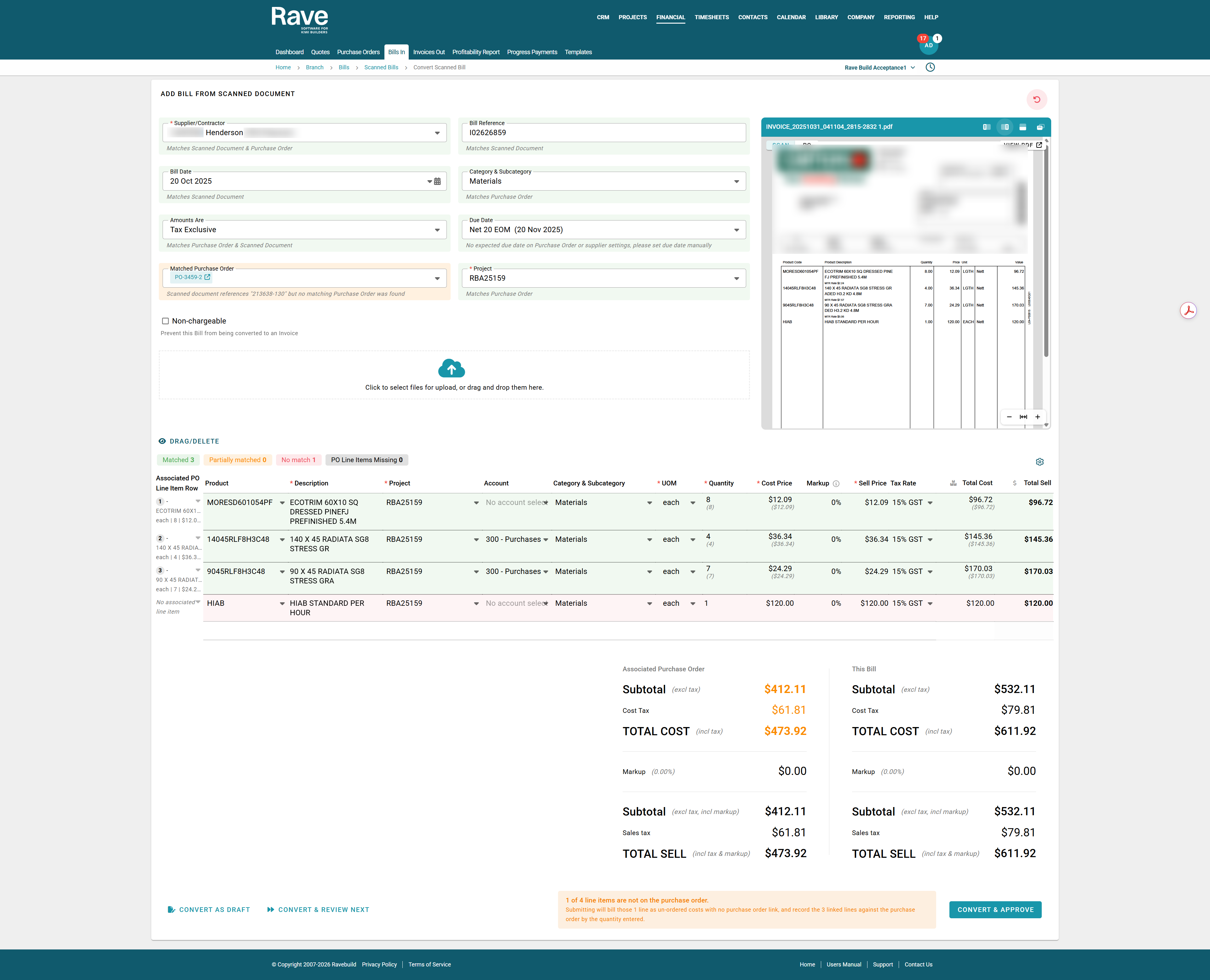
In this example, the supplier did not include the Purchase Order number on their bill, so Rave was unable to automatically match it.
Using the Match Purchase Order field, we've searched for the correct Purchase Order/s. Rave has found it and automatically matched three line items as perfect matches.
You'll notice the freight charge is highlighted in red. This is because the freight wasn't included on the original Purchase Order but has been charged on the supplier bill.
After reviewing the bill and confirming the additional freight charge is valid, click Convert & Approve. The matched line items will be linked to the Purchase Order, while the freight charge will be added as an additional bill line item.
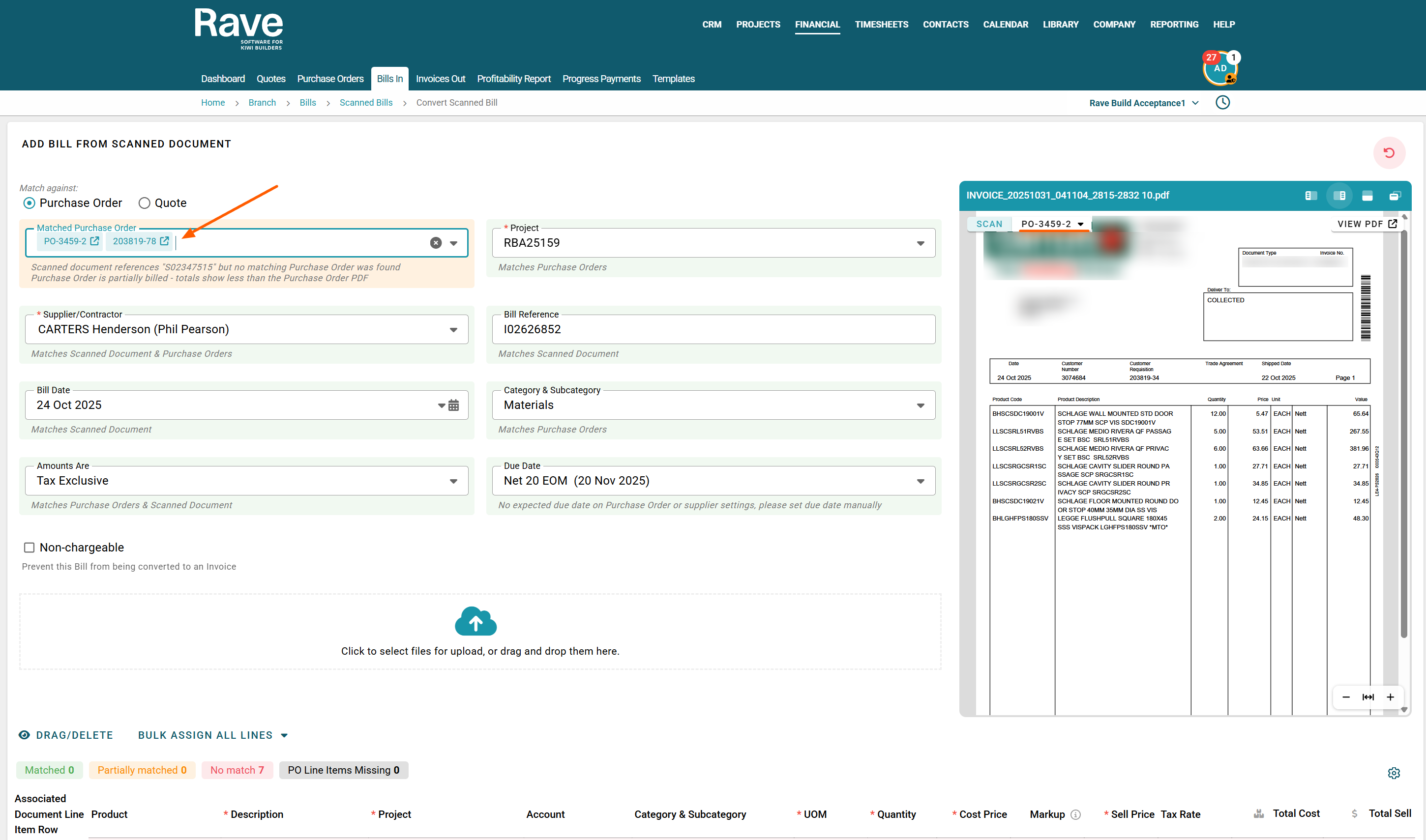
When matching a scanned bill, you can select more than one Purchase Order from the same supplier.
Click the Matched Purchase Order box and select all of the Purchase Orders you need to match the bill against.
Then, work through the bill line by line and select which Purchase Order each item should be matched to.
This is useful when a supplier sends one bill that covers items from multiple Purchase Orders.
AI Document Scanning Plans
A one-off $200 + GST setup fee applies to all plans. This covers configuring the AI scanning service and preparing your documents for processing.
All plans are billed monthly. Scan allowances reset each month.
See What Rave Document Scanning Could Save Your Business
Manually processing supplier documents takes time. At an average of 8 minutes per document, the admin hours and labour costs quickly add up.
With Rave Document Scanning, much of that manual data entry is automated, helping your team spend less time processing paperwork and more time running projects.
| Documents per Month | Manual Admin Time | Estimated Manual Cost | Rave Scanning Cost + GST per month | Estimated Monthly Saving |
|---|---|---|---|---|
| 70 | 9.3 hrs | $252 | $55 | $197 |
| 200 | 26.7 hrs | $720 | $148 | $572 |
| 500 | 66.7 hrs | $1,800 | $330 | $1,470 |
| 1,000 | 133.3 hrs | $3,600 | $590 | $3,010 |
| 1,500 | 200 hrs | $5,400 | $860 | $4,540 |
The potential impact
At 70 documents per month, Rave Document Scanning can save you approximately $197 and 10 hours of manual labour per month and $2,364 per year.
For larger volumes, 1,000 documents per month, Rave Document Scanning could help avoid around 133 hours of manual processing and save approximately $3,010 per month or $36,120 per year.
Less data entry. Less admin cost. More time for your team to focus on the job.
Figures are indicative and based on manual processing taking 8 minutes per document at a labour cost of $27 per hour. Actual savings will vary depending on your workflow and document review requirements.
| Plan | Monthly Scans | Monthly Price |
|---|---|---|
| Starter | Up to 70 scans | $55 + GST |
| Bronze | Up to 200 scans | $148 + GST |
| Silver | Up to 500 scans | $260 + GST |
| Gold | Up to 1,000 scans | $590 + GST |
| Gold Plus | Up to 1,500 scans | $860 + GST |
Was this article helpful?
That’s Great!
Thank you for your feedback
Sorry! We couldn't be helpful
Thank you for your feedback
Feedback sent
We appreciate your effort and will try to fix the article