AI Document Scanning (Bill/Supplier Invoice Automation) setup article is here.
If something hasn't been scanned or processed correctly, report the issue directly to the Document Scanning team.
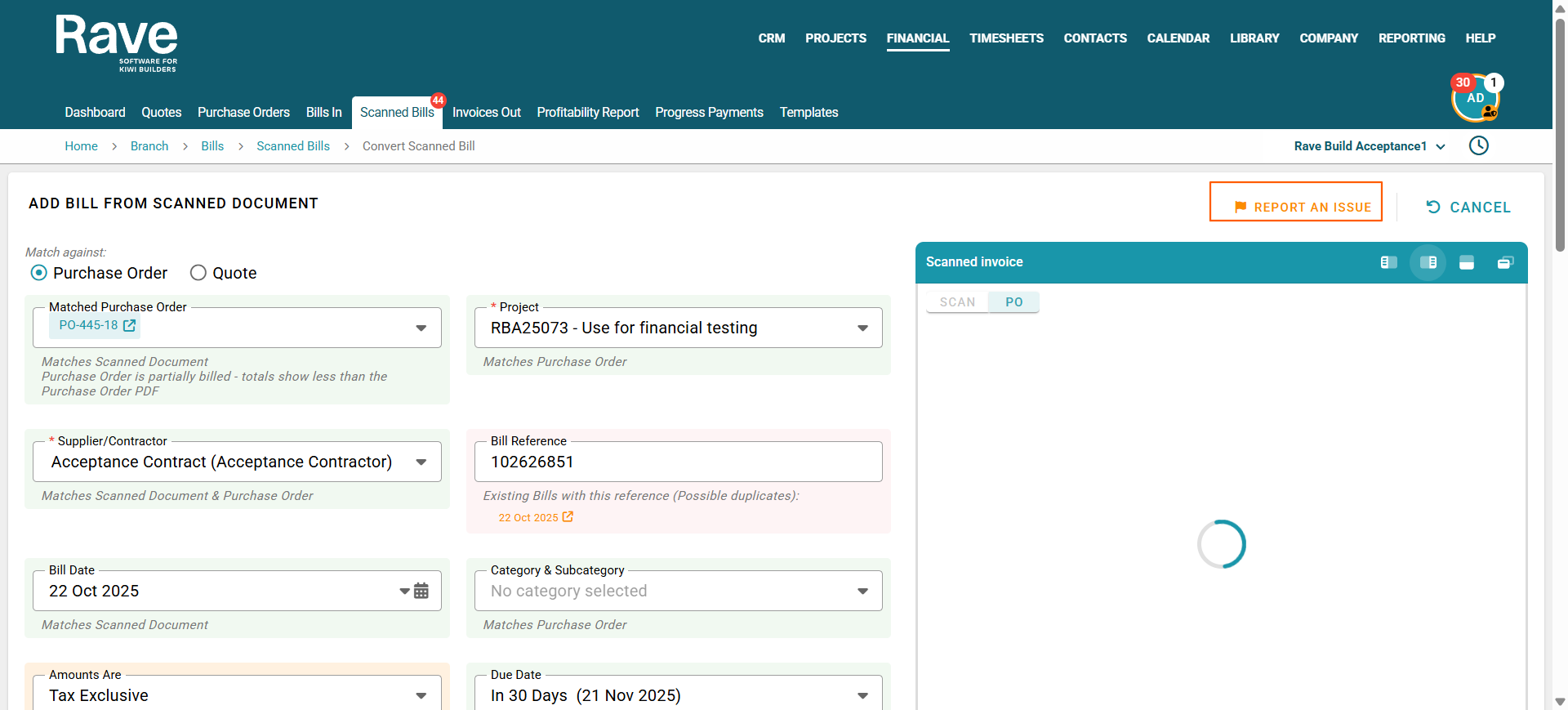
Click the Report an Issue icon located at the top right of the page.
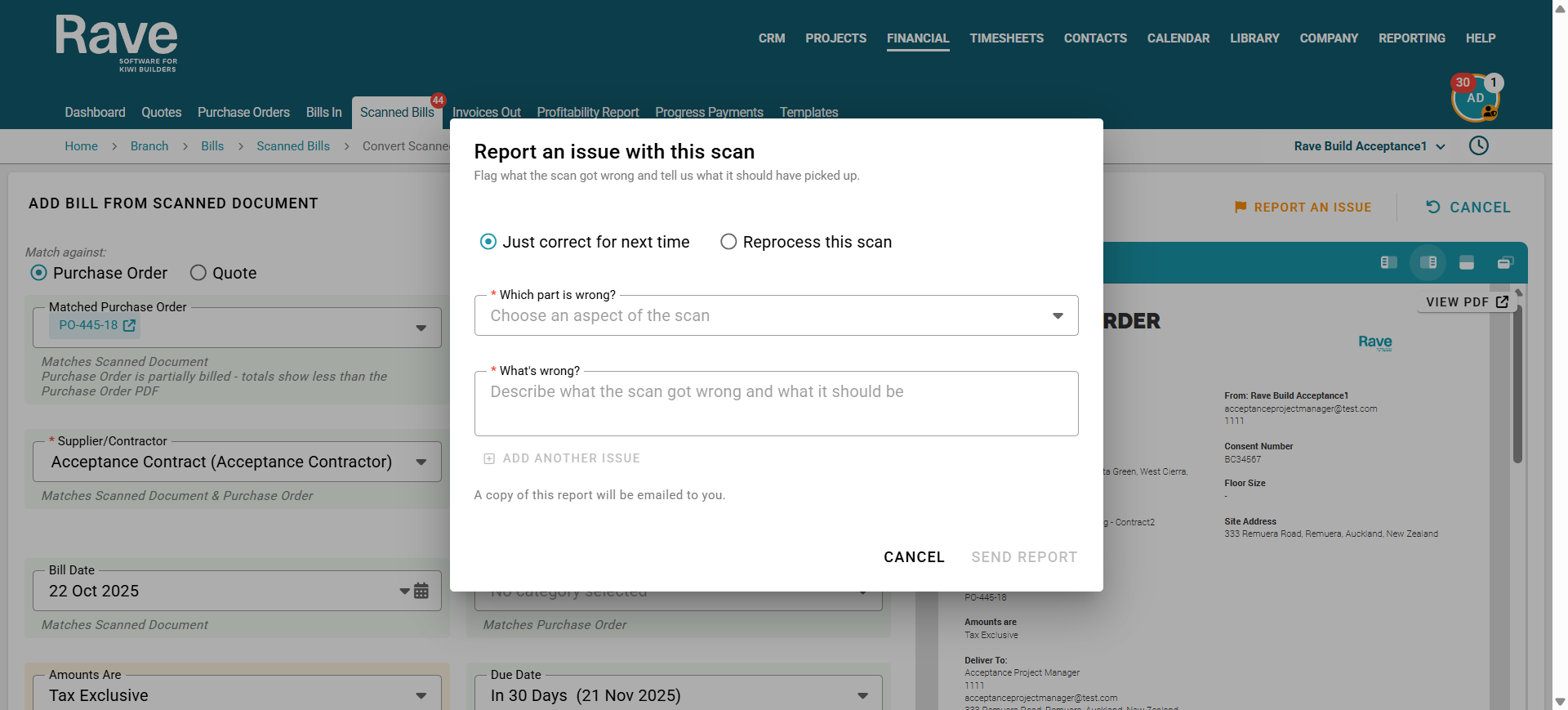
Choose how you would like the issue handled:
Correct for next time – Use this option if you want the team to review the issue and improve how similar documents are processed in the future.
Reprocess this scan – Use this option if you would like us to scan and process the document again. If you select this option, you will need to delete the existing scanned document so we can reprocess it.
Select the part of the scan that is incorrect and provide as clear and detailed instructions as possible about what is wrong and what the correct information should be.
You can add multiple issues to the same report, so please include as many problems as you have identified before submitting it.
Once you have finished, click Send Report.
A copy of your submitted report will also be emailed to you for your reference.
Example:
Bill Number/Reference
Whats Wrong?
The bill reference has come thoguh with the wrong numbering. it looks to have pickedup a random reference number
Was this article helpful?
That’s Great!
Thank you for your feedback
Sorry! We couldn't be helpful
Thank you for your feedback
Feedback sent
We appreciate your effort and will try to fix the article