If you are looking for the help article Signing into Rave with Single Sign On, click here to read.
If you are looking for the help article User Preferences for Single Sign In , click here to read.
If you are looking for the help article Controls for Single Sign-On (SSO) and Two-Factor Authentication (2FA), click here to read.
If you are looking for the help article on Sharing a Rave Build Login (Contractors and Clients only), click here to read.
If you have multiple Rave accounts (for example, you're a contractor, a client, or have access to multiple companies), Single Sign-On (SSO) lets you use one login to access them all. You can easily switch between accounts without having to remember multiple usernames and passwords.
To set up Single Sign-On:
Email the Rave Support team at help@ravebuild.co.nz with:
Subject Line: Single Sign-on Invite
List all of the usernames (email addresses) you currently use to sign in to Rave and if they are client, contractor or paid Rave users
Ask us to invite those usernames to Single Sign-On using an email address (provide us the email address)
Once you've accepted the invitation and completed the setup, you'll be able to sign in using one set of login credentials.
What can I access with a single login?
Once SSO has been configured, you can use the same login to switch between any Rave accounts you have access to, including:
Contractor accounts
Paid Rave user accounts
Client portal accounts
Multiple companies or branches (where you have access)
This means you only need to remember one username and password, making it quicker and easier to access all of your Rave accounts.
Accepting your Single Sign-On invitation
Once Rave has sent your invitation, you'll receive an email similar to the example below.
Select the Accept Invite link in the email to begin the setup process.
You will then be prompted to choose your preferred sign-in method. Rave supports several sign-in options, including Google, Microsoft, Facebook, and Email OTP
For more information on each sign-in method and how to set it up, please refer to the Sign-In Options help article here.
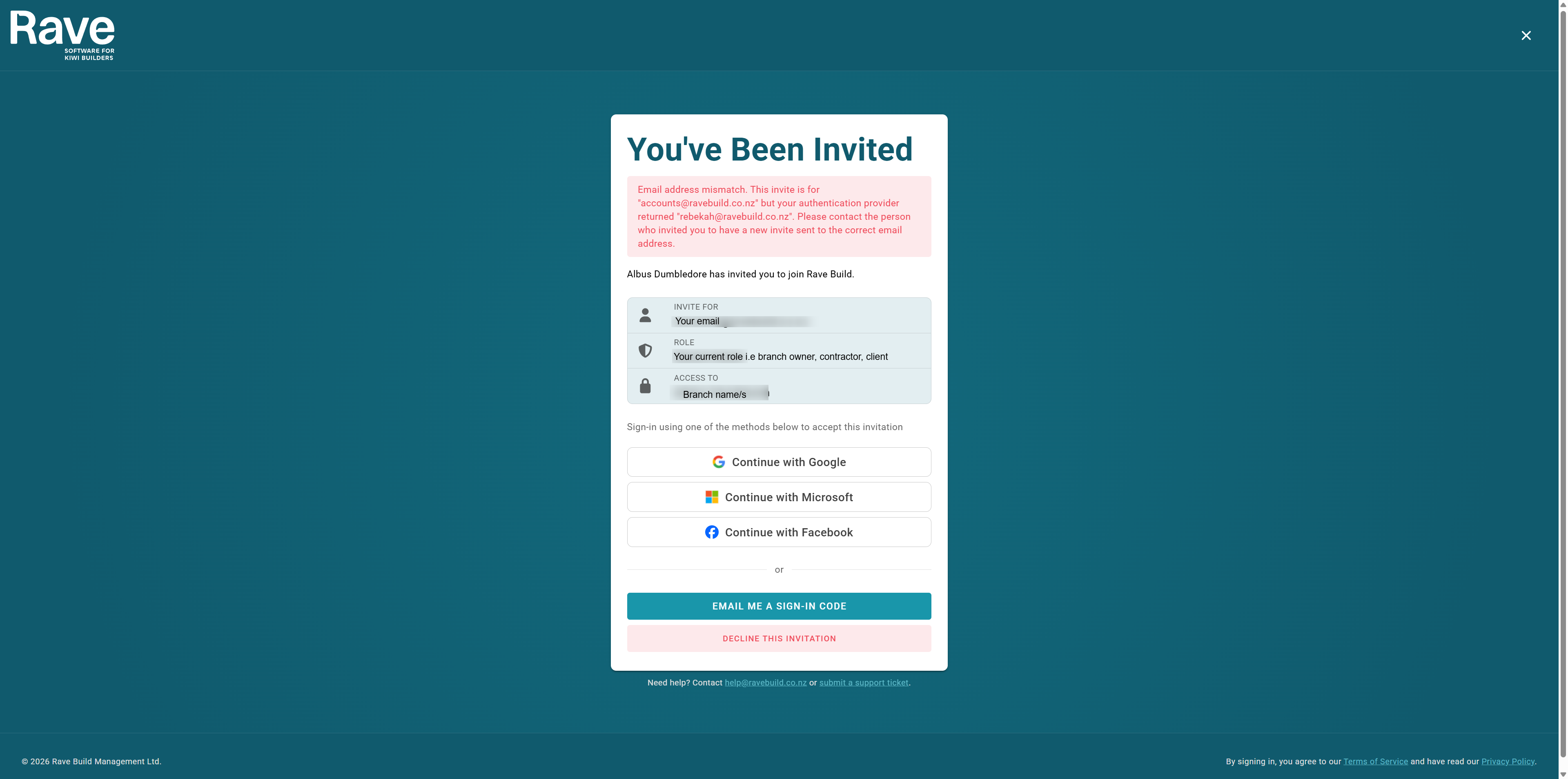
Invitation email doesn't match
If you see a message like the one below, it means you're trying to sign in with an email address that doesn't match the one the invitation was sent to.
For security reasons, you must complete the Single Sign-On setup using the same email address that received the invitation.
If you need to use a different email address, please contact the Rave Support team so we can update your invitation before you continue.
Was this article helpful?
That’s Great!
Thank you for your feedback
Sorry! We couldn't be helpful
Thank you for your feedback
Feedback sent
We appreciate your effort and will try to fix the article