To enable creating a project directly from the Projects page without first creating an enquiry, you must enable Direct Project Creation in Branch Settings > Projects.
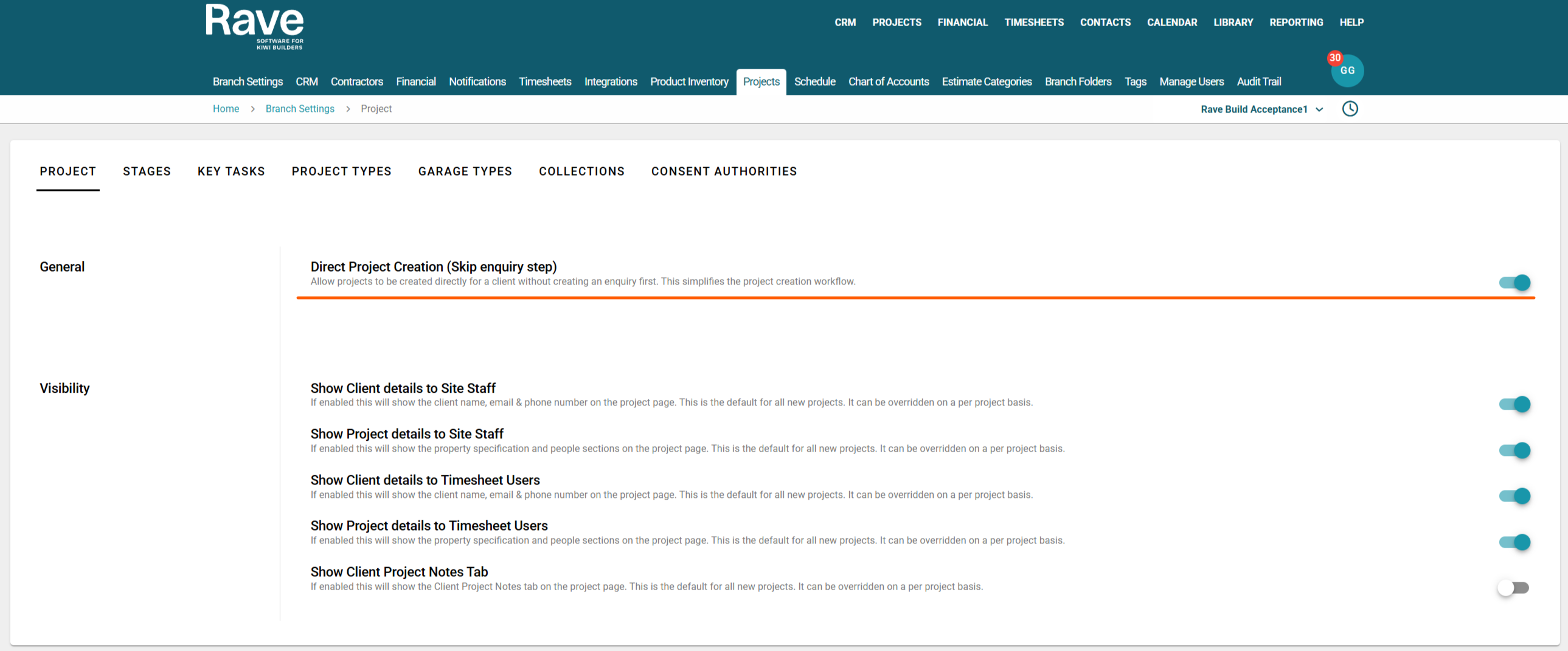
Once this setting is enabled, a + Project button will appear in the top-right corner of the Projects tab.
Clicking + Project opens a form where you can:
- Select an existing client from the dropdown list, or
- Click + New Client to create a new client.
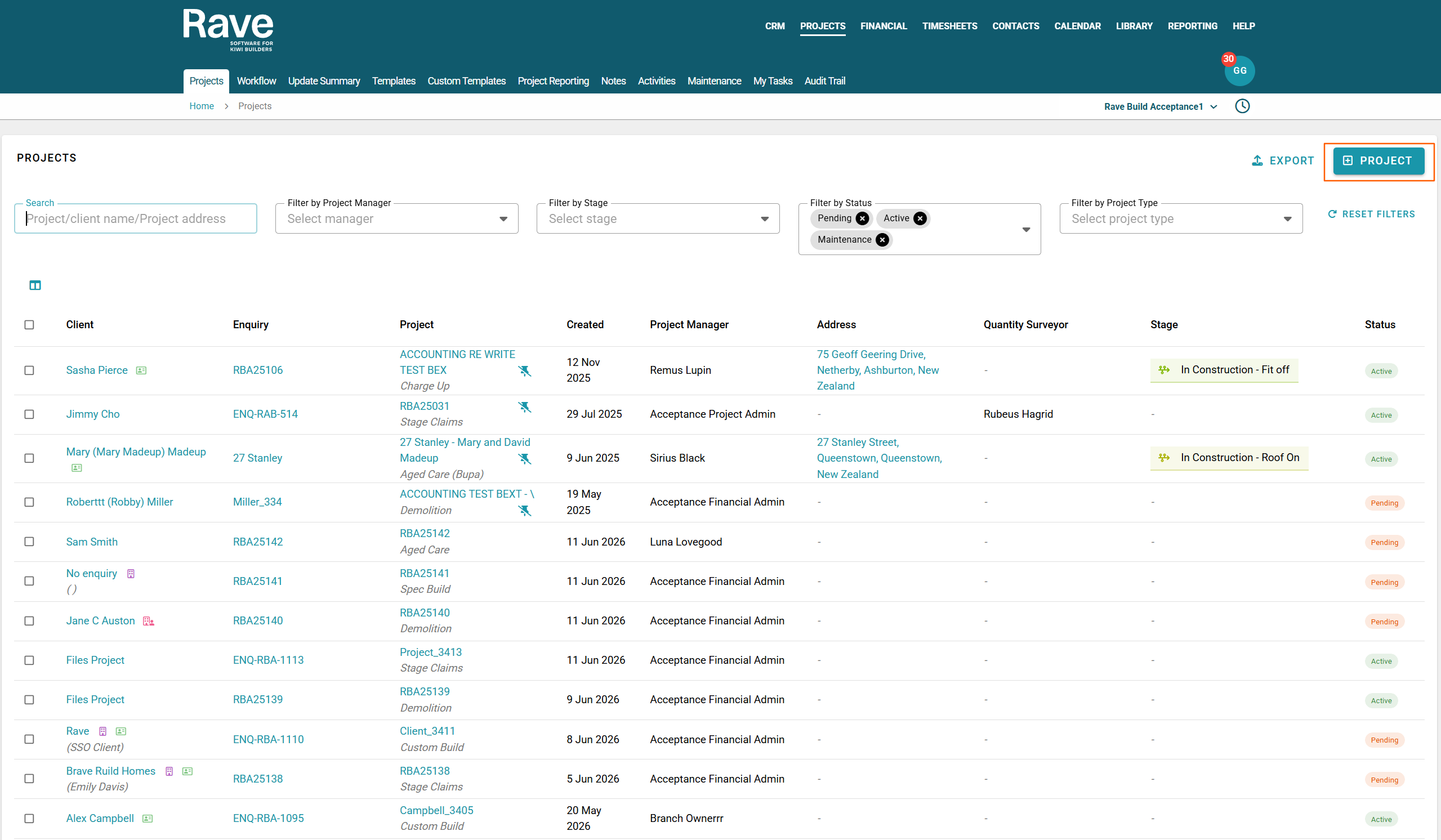
The following project fields are mandatory and must be completed:
- Prioirity (if made mandatory in branch settings)
- Sales person
- Project Status
- Project Manager
- Project Type
All remaining project fields are optional and can be completed as required.
After entering the required information, click create, this will create a project directly without having to enter Enquiry information. Rave will create an enquiry for you should you wish to use it but it can be skipped.
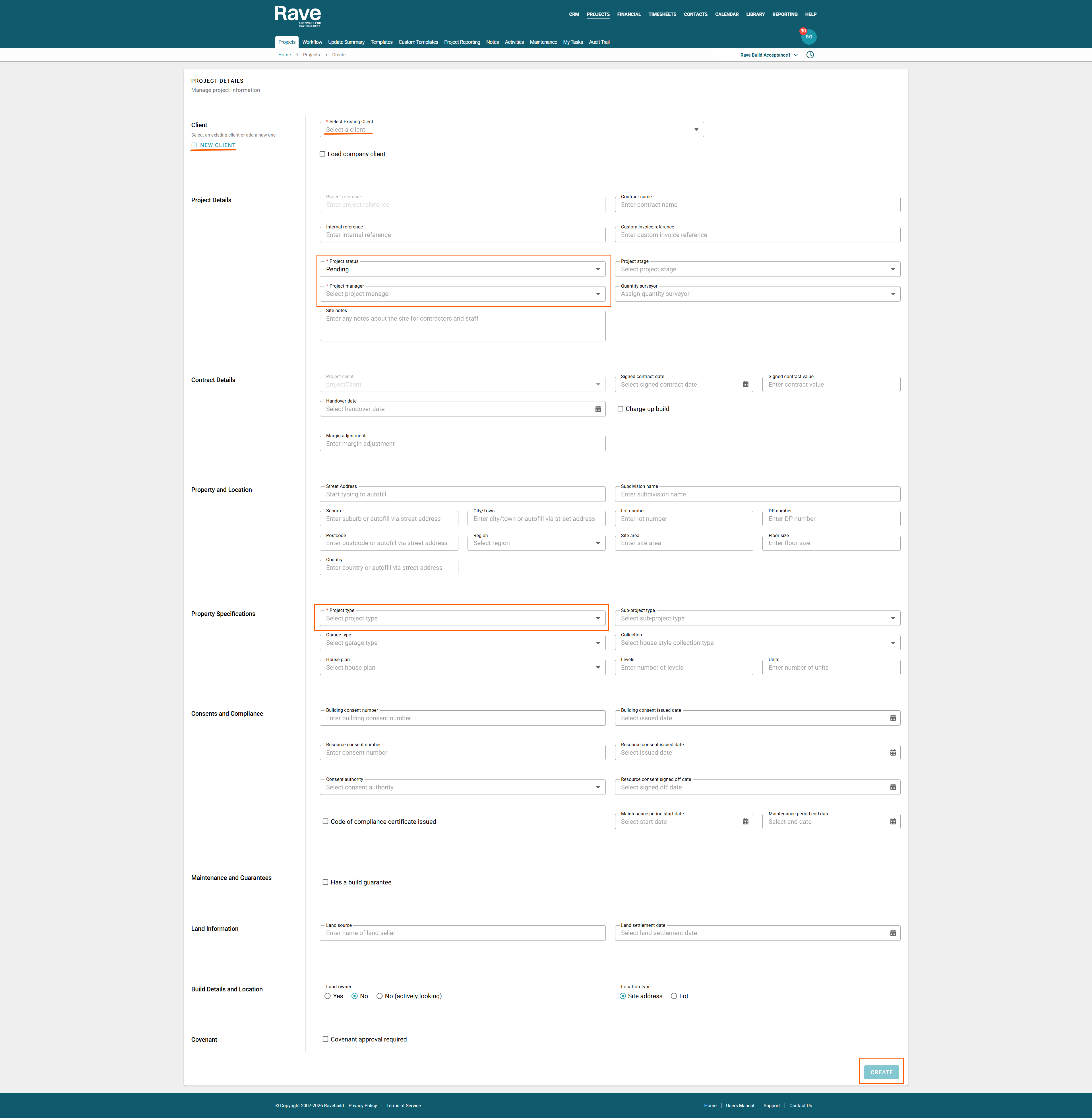
If you don't have a client yet and you click + New Client, the model will pop up for you to enter the mandatory client information needed to then proceed with the project. Once you complete these steps, press add Client. The page will return to the add project screen.
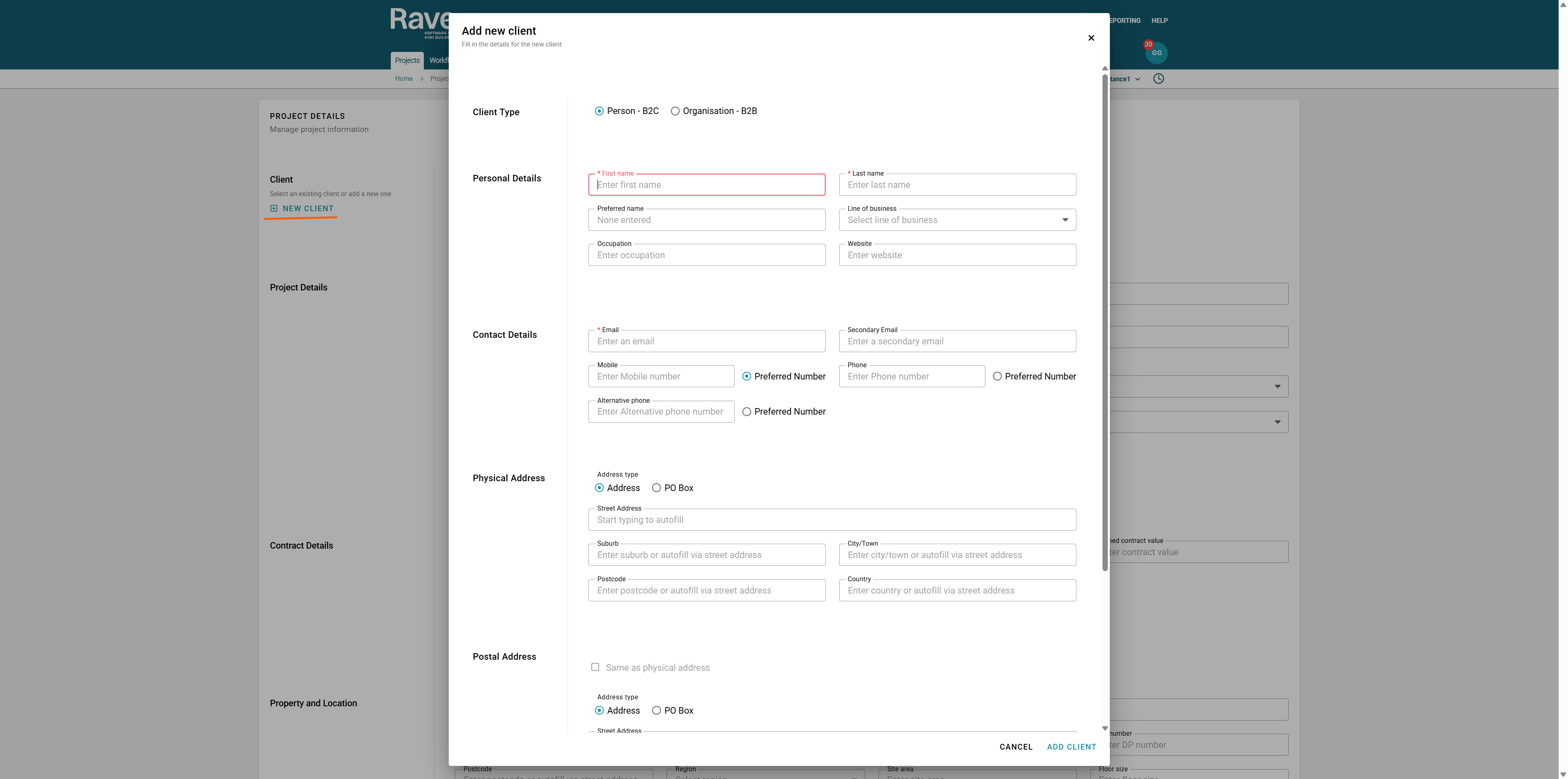
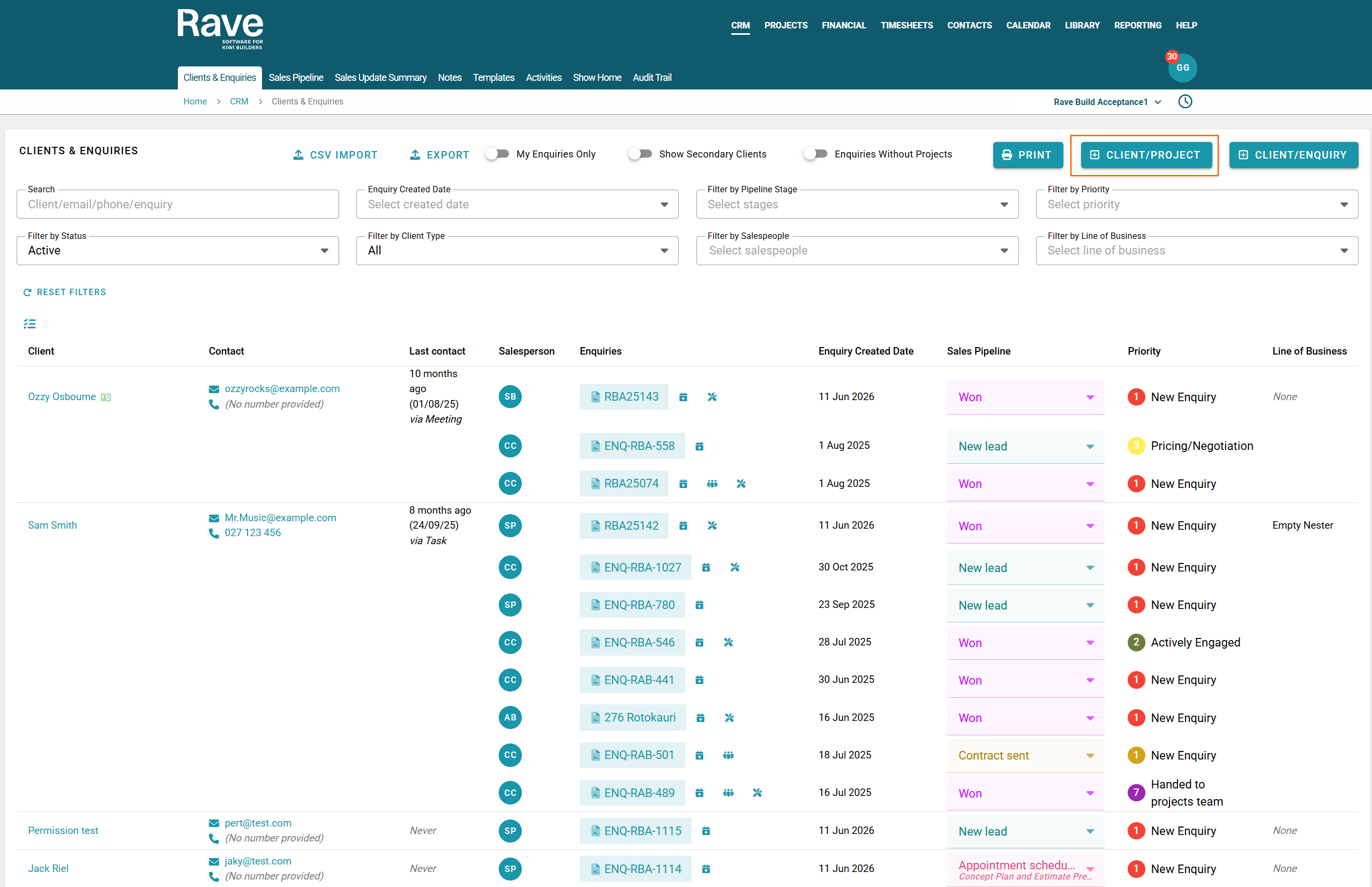
You can also complete the exact same steps from the CRM > Clients& Enquiries tab by selecting +Client/Project instead of +Client/Enquiry
Once the project has been created, you can still mark it as won by editing the project and entering a signed contract date and value or selecting charge up with the signed date. Or you can always go into the enquiry and mark it as won there. The enquiry will default to New Lead when you create the project and skip the enquiry process.
Was this article helpful?
That’s Great!
Thank you for your feedback
Sorry! We couldn't be helpful
Thank you for your feedback
Feedback sent
We appreciate your effort and will try to fix the article