The sales process is important for ensuring that both salespeople and clients stay aligned on the process. For this reason, we have introduced the ability to lock the sales pipeline at specific stages so important steps cannot be skipped.
In Branch Settings > CRM > Enquiry, those with permission can click the padlock icon on a pipeline stage to make it mandatory. This prevents that stage from being skipped.
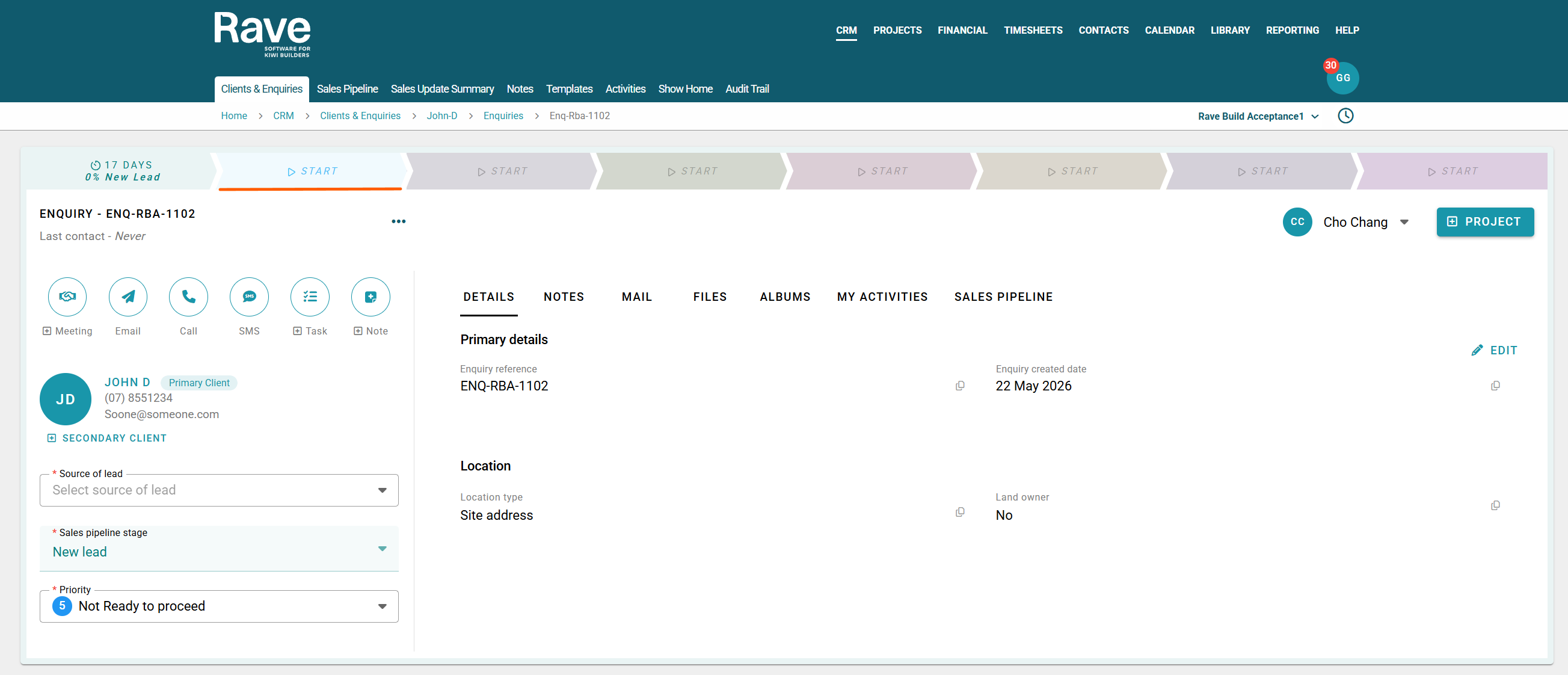
The sales team will see the locked pipeline stage greyed out until the required step has been completed. As soon as the mandatory step is completed the rest of the pipeline will open up for the sales process to continue.
This setting works hand in hand with the Mandatory Pipeline Start setting, which requires all new leads to enter the sales process at the first pipeline stage. By ensuring every lead follows the same journey from the beginning, reporting remains accurate and provides a true reflection of sales activity, conversion rates, and pipeline performance. Together, these settings help maintain process consistency and improve the quality of CRM reporting.
For Salespeople, this process is a great way to ensure clients are tracked correctly throughout the entire sales journey. If you notice that a pipeline stage is greyed out, it means there is a mandatory stage that must be completed before you can progress to the next step.
Simply move the client through each stage of the pipeline in order, ensuring you update notes, record interactions, and book meetings as required along the way. Following the process consistently helps keep client information up to date, improves team visibility, and ensures reporting remains accurate.
Branch Owners and Managers with permission to edit CRM settings, you can find instructions here.
Was this article helpful?
That’s Great!
Thank you for your feedback
Sorry! We couldn't be helpful
Thank you for your feedback
Feedback sent
We appreciate your effort and will try to fix the article