A new User permission is available that allows users to edit CRM pipeline stages.
This permission is only available to:
Head Office Admin (enabled by default)
Branch Owner where there is no head office (on by default)
If you would like this permission disabled or enabled for your account, please contact the Rave Build Support team. Only authorised users will be granted access.
What does this permission allow?
Users with the Edit Pipeline Stages permission can:
Change the date and time a pipeline stage was completed.
Remove a completed pipeline stage.
When a pipeline stage is removed, it is also removed from reporting to ensure the accuracy and integrity of your pipeline reporting.
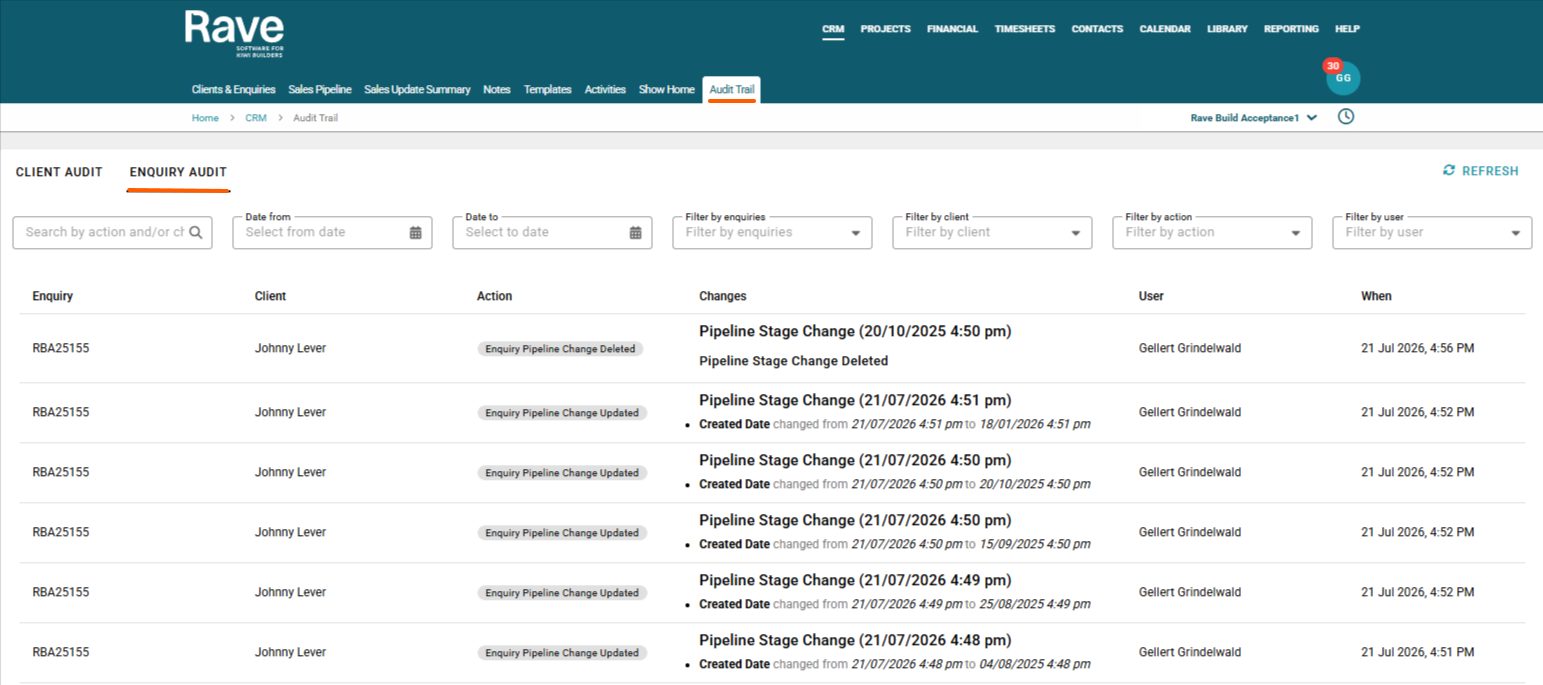
All changes made using this permission are fully recorded in the Rave Build audit trail, providing a complete history of who made the change, when it was made, and what was changed.
Editing or Deleting a Pipeline Stage
- Open the Enquiry containing the pipeline stage you want to edit or remove.
- Click Sales Pipeline.
- On the current pipeline stage, you will see a Pencil icon to edit the stage date and time.
- On previously completed pipeline stages, you will see a Pencil and Delete icon.
To delete a pipeline stage
- Click the Delete icon beside the pipeline stage you want to remove.
- Confirm the deletion when prompted.
- The pipeline stage will be removed. The deleted stage will also be removed from pipeline reporting to maintain reporting accuracy.
To edit the date or time
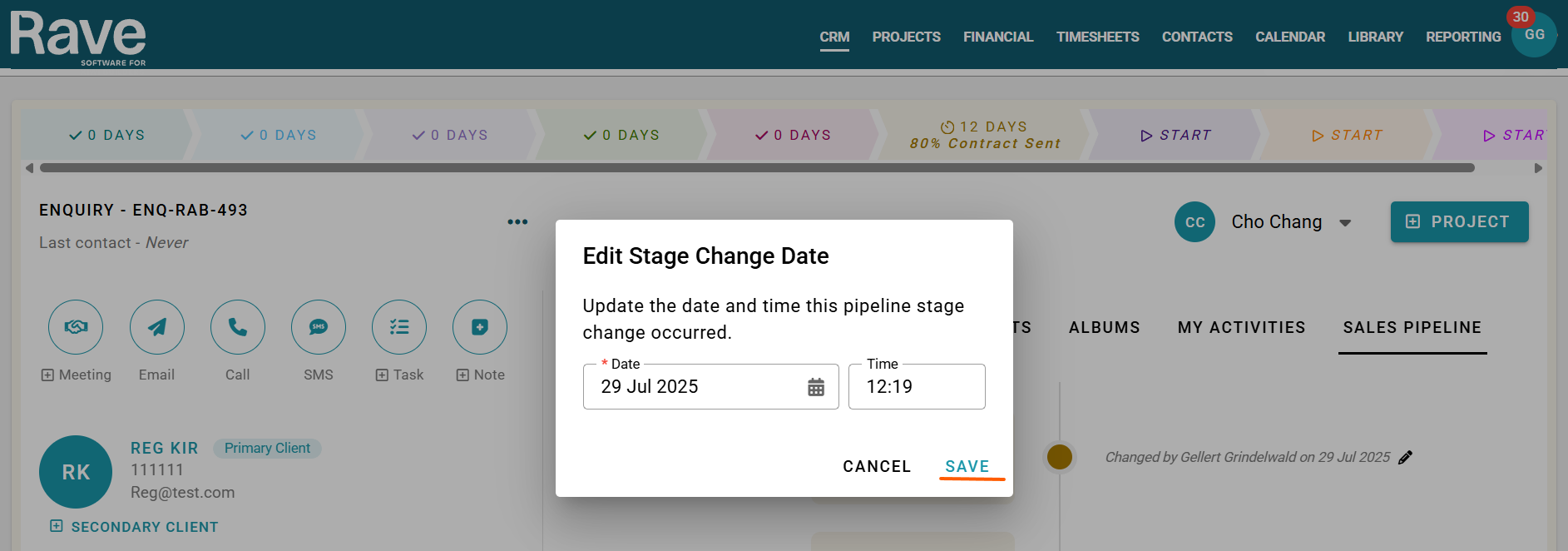
- Click the Pencil icon beside the current pipeline stage.
- Update the date and/or time as required.
- Click Save to apply your changes
Note: All edits and deletions are recorded in the Rave Build audit trail, including who made the change, what was changed, and when it occurred.
Note: A pipeline stage can only be reverted one stage at a time. You cannot move an enquiry back multiple stages in a single action. If you need to revert further, each stage must be removed individually, one at a time. This ensures the integrity and accuracy of your pipeline history and reporting.
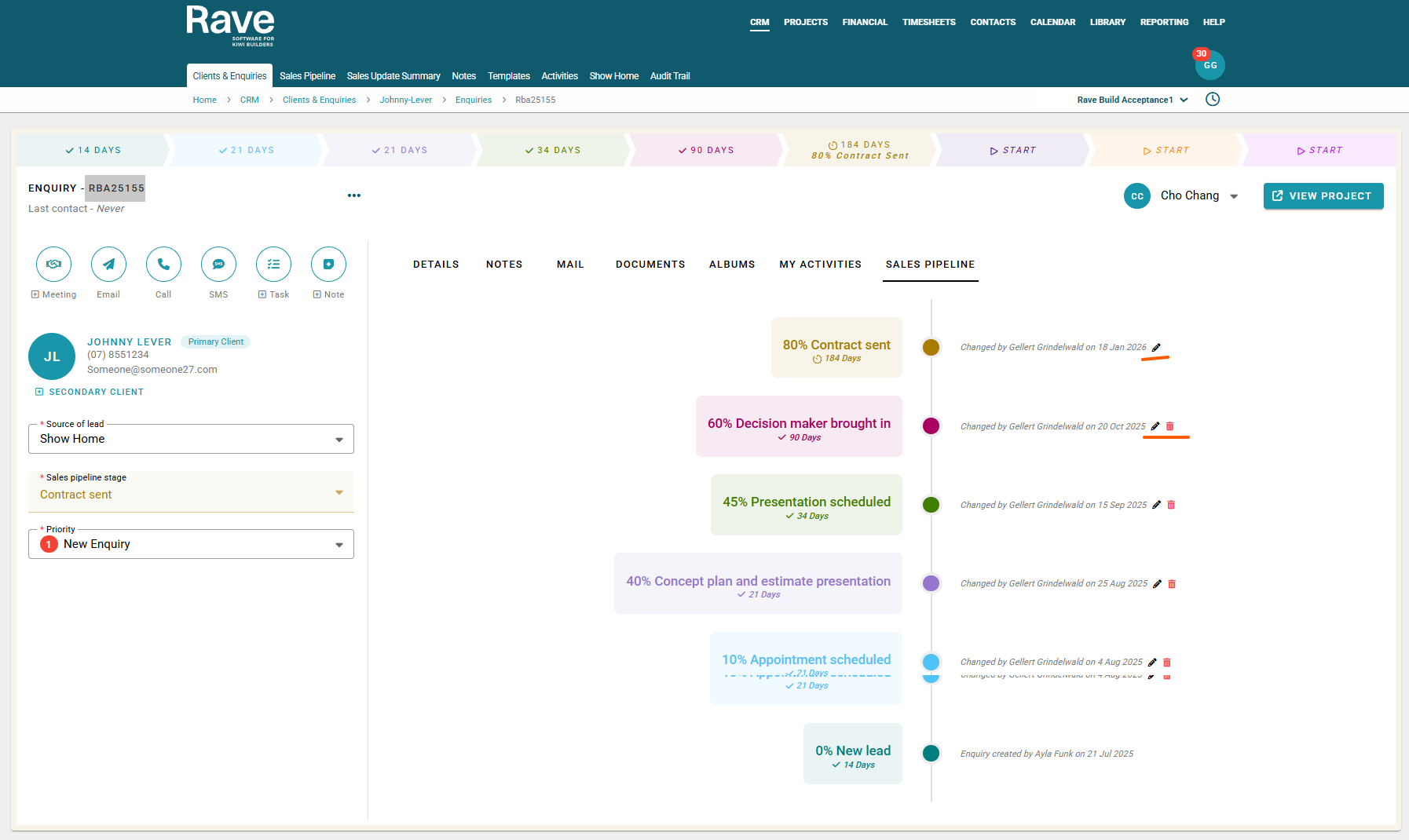
Current Reporting View

Deleted the Decision Maker Stage
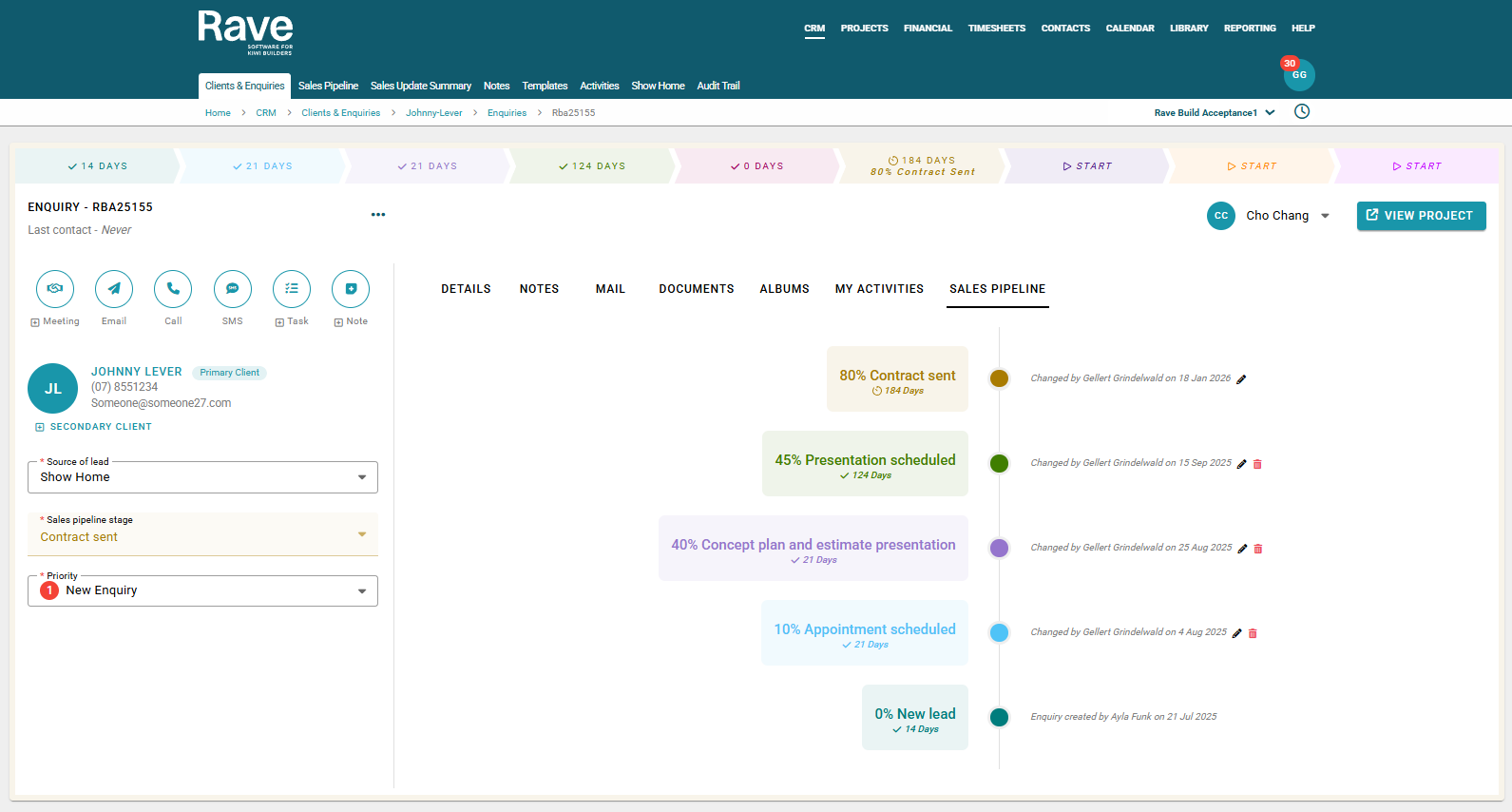
Reporting Updated to not show the Decision Maker
Audit Trail
Was this article helpful?
That’s Great!
Thank you for your feedback
Sorry! We couldn't be helpful
Thank you for your feedback
Feedback sent
We appreciate your effort and will try to fix the article