To access Contractors Welcome Templates click on Contacts tabs then the Templates Sub-Tab
If you dont see this tab you will need to ask your Branch owner or Rave support for help.
The permission is under Manage Users, Contact Access, Contractor email templates.
The options for this permission are none, view only or full add/edit/delete.

Overview
RAVE’s Contractor Welcome Templates stores your pre existing welcome message templates and allows you to view, edit, delete or create new ones with permission.
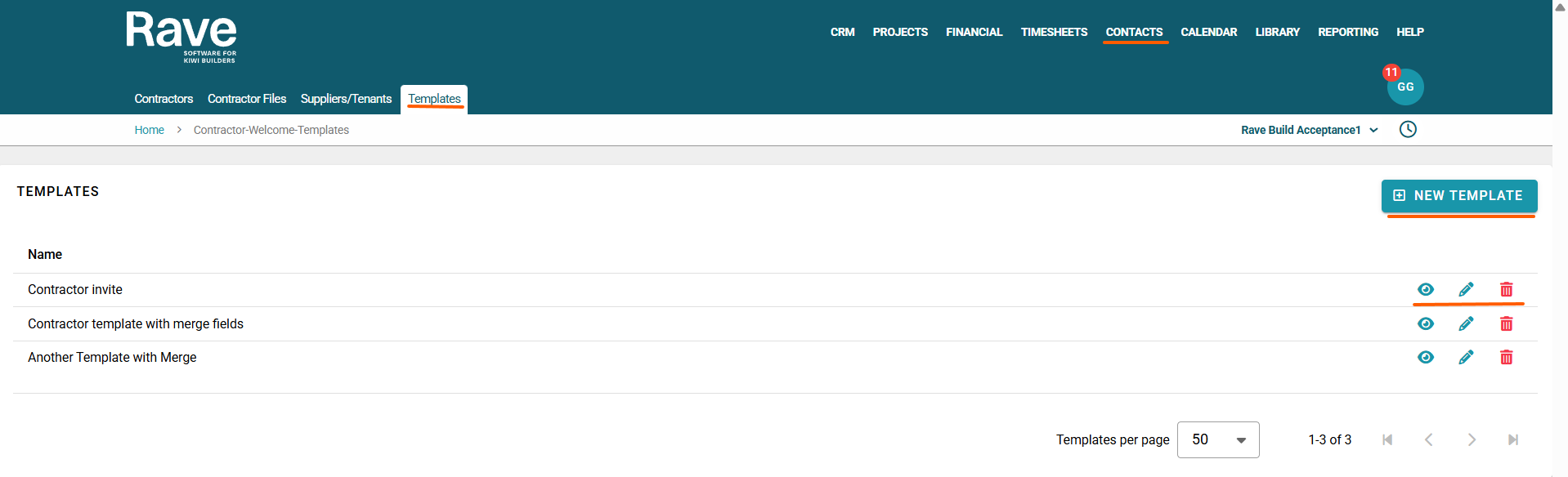
To the right of each existing template is the eye ball icon allowing you to view the current wording and layout, the edit pencil icon allowing you to make edits and the trash can icon allowing you to delete.
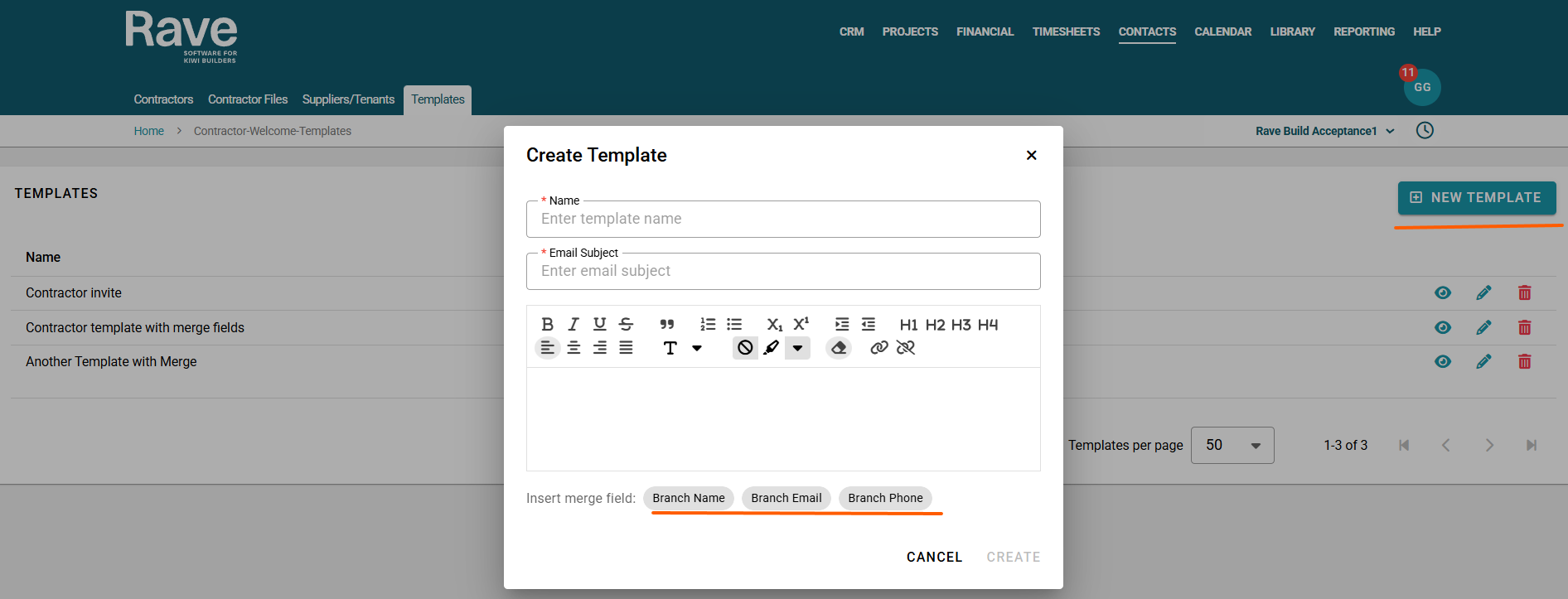
To create a new template, click + New Template
You will need to set a name for the template, and a subject line as its an email.
Then you can add your text and format as you need to.
The insert merge field buttons, when selected, will insert your Branch Name, Branch email and Branch phone. Usually, this is added at the end.
Once you are finished, press Create.
Your new template will sit on the list page
Was this article helpful?
That’s Great!
Thank you for your feedback
Sorry! We couldn't be helpful
Thank you for your feedback
Feedback sent
We appreciate your effort and will try to fix the article