The following is the recorded version of the help article outlined below.
Once logged into Rave, you will see a Circle icon to the top right with your initials.
Select this and find Branch Settings
Then click Settings
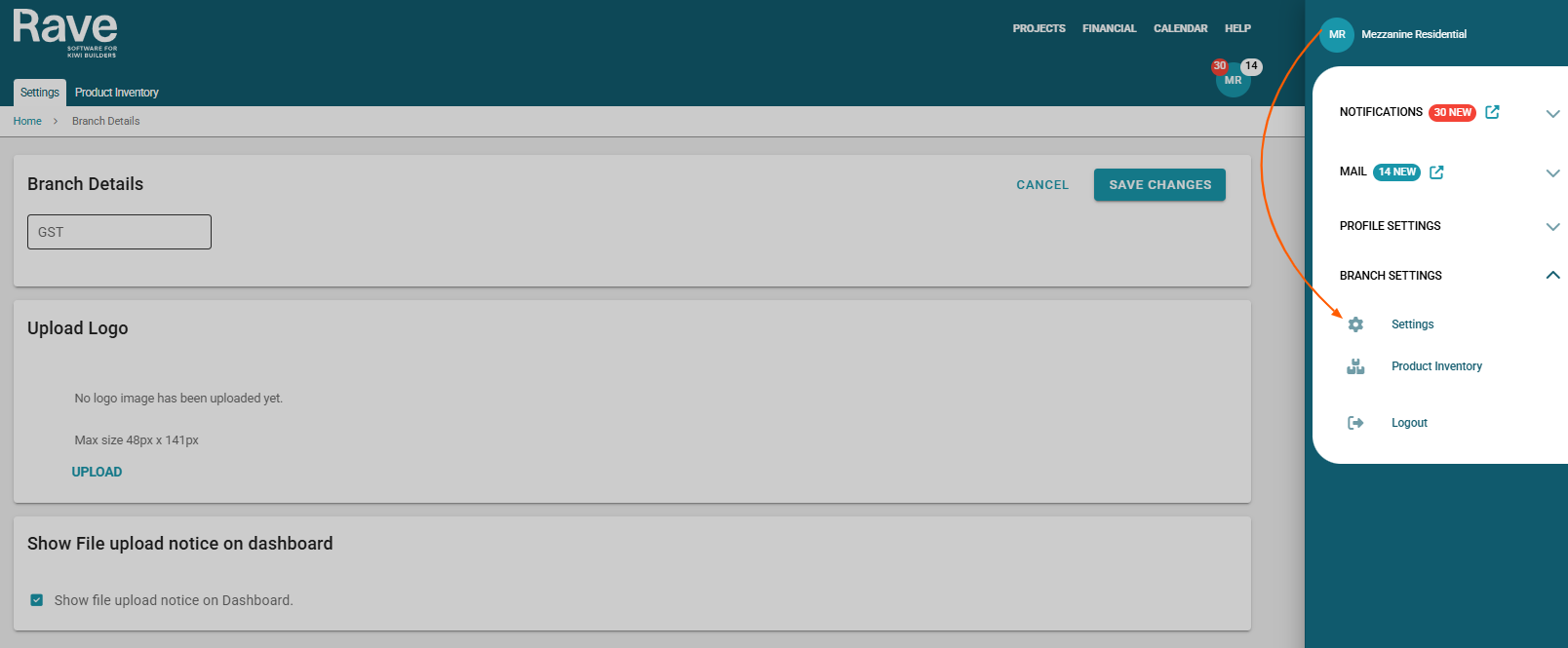
You now have the ability to update your GST number, upload your company Logo and show your file upload notice on your Dashboard.
Was this article helpful?
That’s Great!
Thank you for your feedback
Sorry! We couldn't be helpful
Thank you for your feedback
Feedback sent
We appreciate your effort and will try to fix the article