The following is the recorded version of the help article outlined below.
Your Building Partner may provide you with access to the Quote Request feature in Rave as part of this you will have a Quotes page.
You can access this feature from the Financial tab at the top of your home screen and then selecting Quotes.
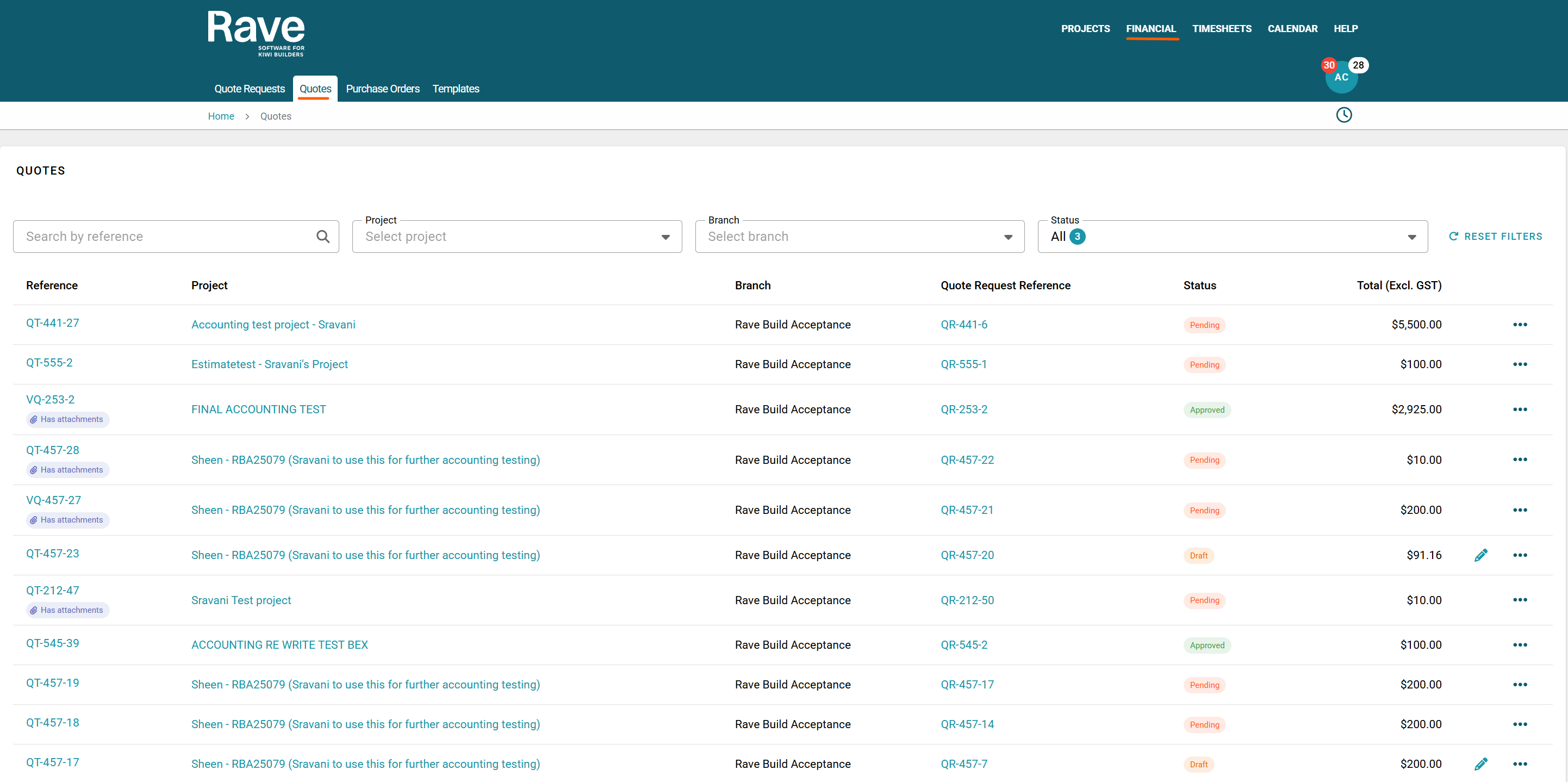
At the top of the screen we have our search box to search by quote reference,
We then have filter options to filter by Project, Building Company (Branch), Status of Quote.
- The Quote Reference - is a clickable link to take you view your quote
- The Project field - is a clickable link to take you back to the project overview
- Branch - shows you which branch the quote was for
- Quote Request Reference - is a clicable link to take you to view the Quote Request
- Status of your quote
- Total value of your quote excl GST
- If your quote is in pending you can click the 3 dot ellipsis to print the document or you can click the Reference field to view the quote and then edit and resubmit
- If your quote is Accepted you can click the 3 dot ellipsis to print the document only
- If you qutoe is in Draft you can click the edit pencil icon to edit the quote before submitting for approval or re saving as draft
Was this article helpful?
That’s Great!
Thank you for your feedback
Sorry! We couldn't be helpful
Thank you for your feedback
Feedback sent
We appreciate your effort and will try to fix the article