RAVE’s financial management system is designed to help you manage all the financial aspects of your projects, including budgeting, bills, and invoices, with ease.
You can access your Project’s financial workflows from either the Financial button or the Project button's Project list, clicking on the project’s reference number, and finally selecting the Budget sub-tab, then Estimates.
You cannot create a variation until you have at least one accepted and locked estimate. To do this, please refer to the help article here.
To create a new variation via the estimate/proposal page:
- Click on the Create New Variation button
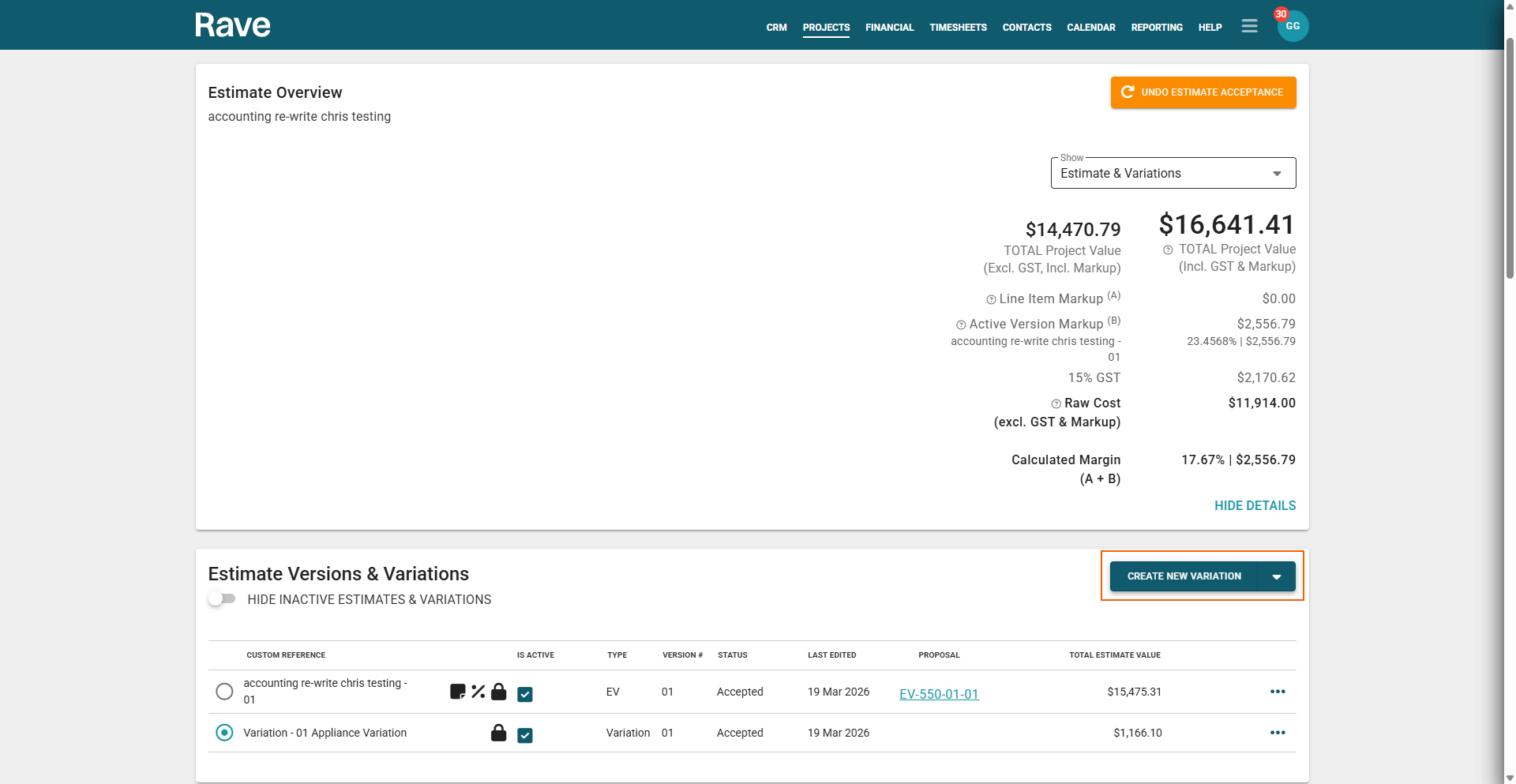
- A generic VO name will appear - you can use the pencil edit option to change the name to whatever you want the variation to be called.


- Next, you can add Variation Quotes by scrolling down to the Variation section or clicking on the 3-dot action drop-down on the right-hand side of the variation in the 'Estimate Versions and Variation' section and selecting Add a Variation Quote.
The Steps to create a quote can be found in our help article here.
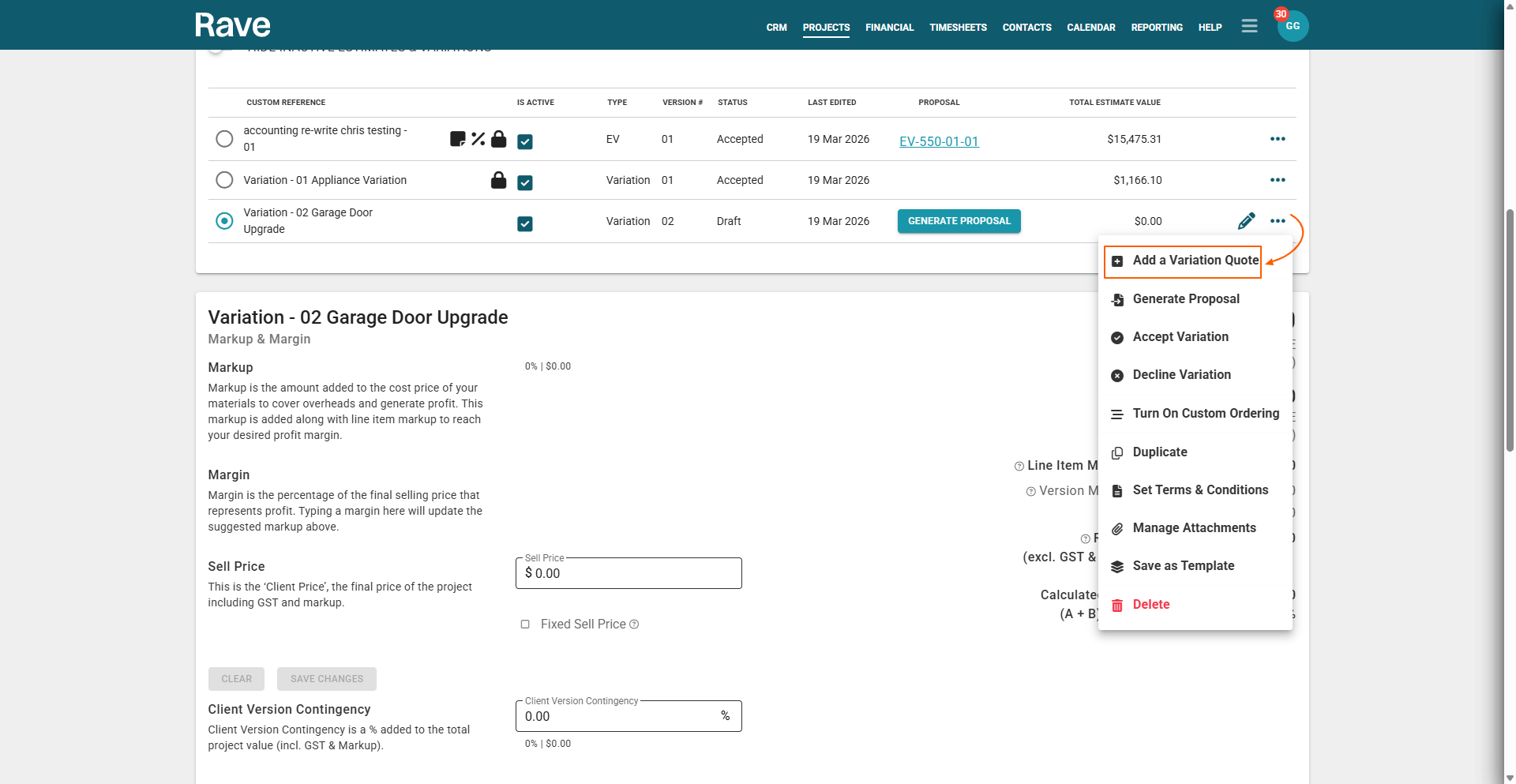
- From here, you can also set your Terms & Conditions and upload/manage attachments. RAVE will append the attachments to the client's estimate/project in the order they are added.
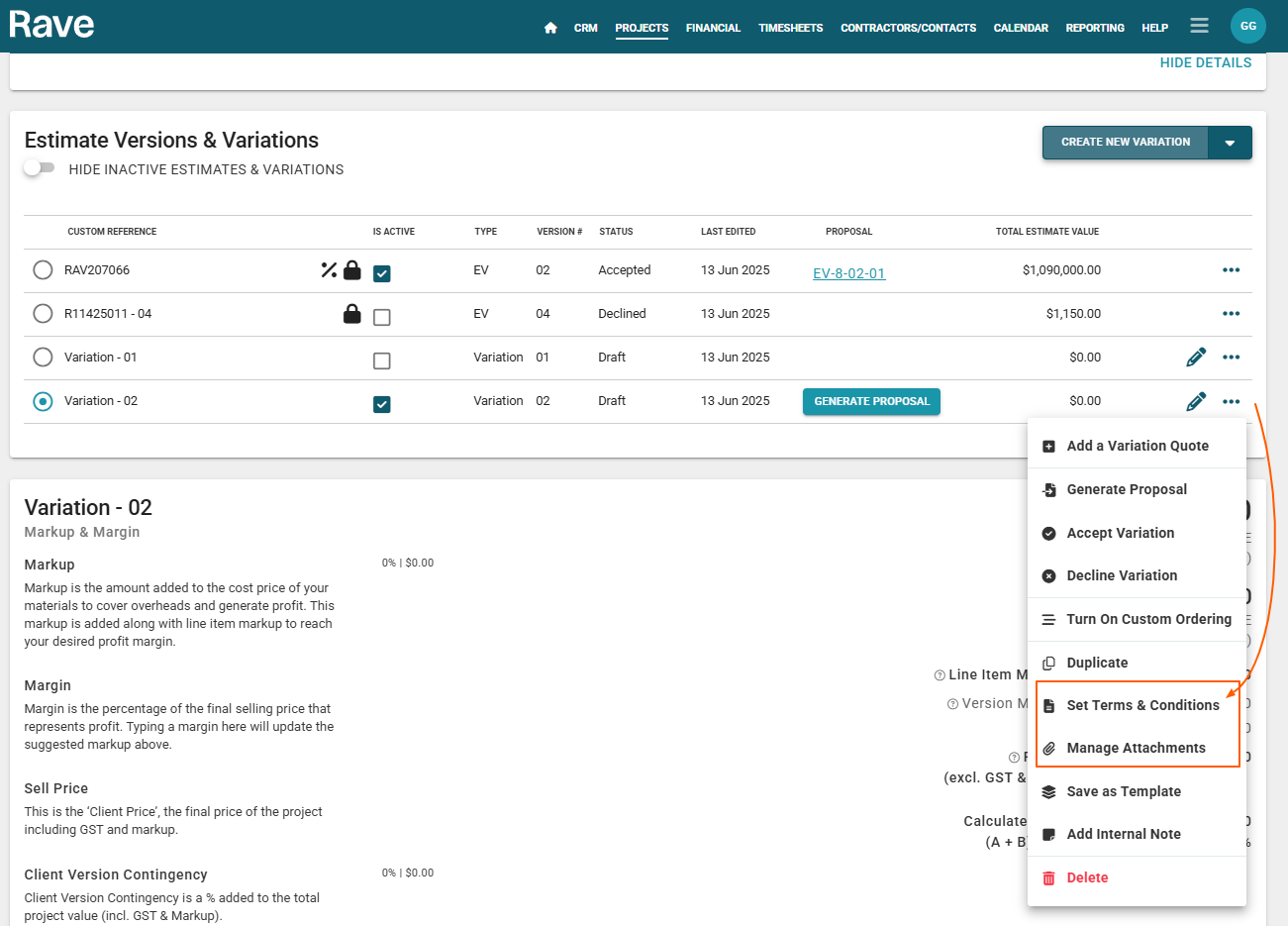
- Once you have added your Variation Quote, you have the ability to add your Client Scope as well as any Inclusions and Exclusions. To do this, scroll down to your variation section as shown below.

- Once you have added everything to your Variation, you can click on Generate Proposal.
For further information on sending a Proposal, check out our help article here.
Was this article helpful?
That’s Great!
Thank you for your feedback
Sorry! We couldn't be helpful
Thank you for your feedback
Feedback sent
We appreciate your effort and will try to fix the article