You can access your Project’s financial workflows from either the Financial button or the Project button's Project list, clicking on the project’s reference number, and finally selecting the Progress Payments Subtab.
Previously negative pending and accepted variations would be highlighted in red (e.g. -$2050) on the Progress Payment sub-tab. However, now that we have changed to invoiceables and invoices this is no longer the case. It will now display in black (e.g. $2050.00)
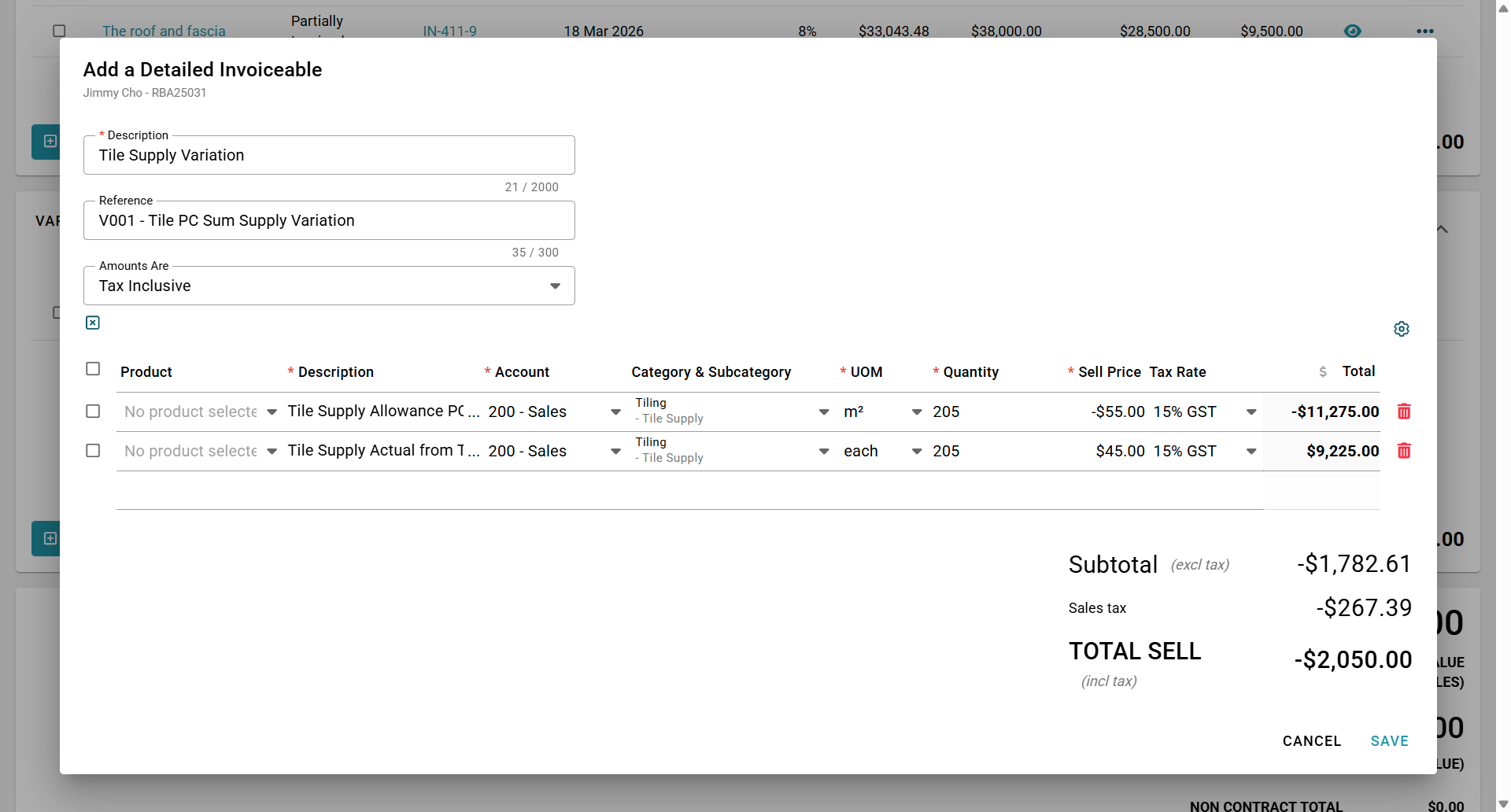
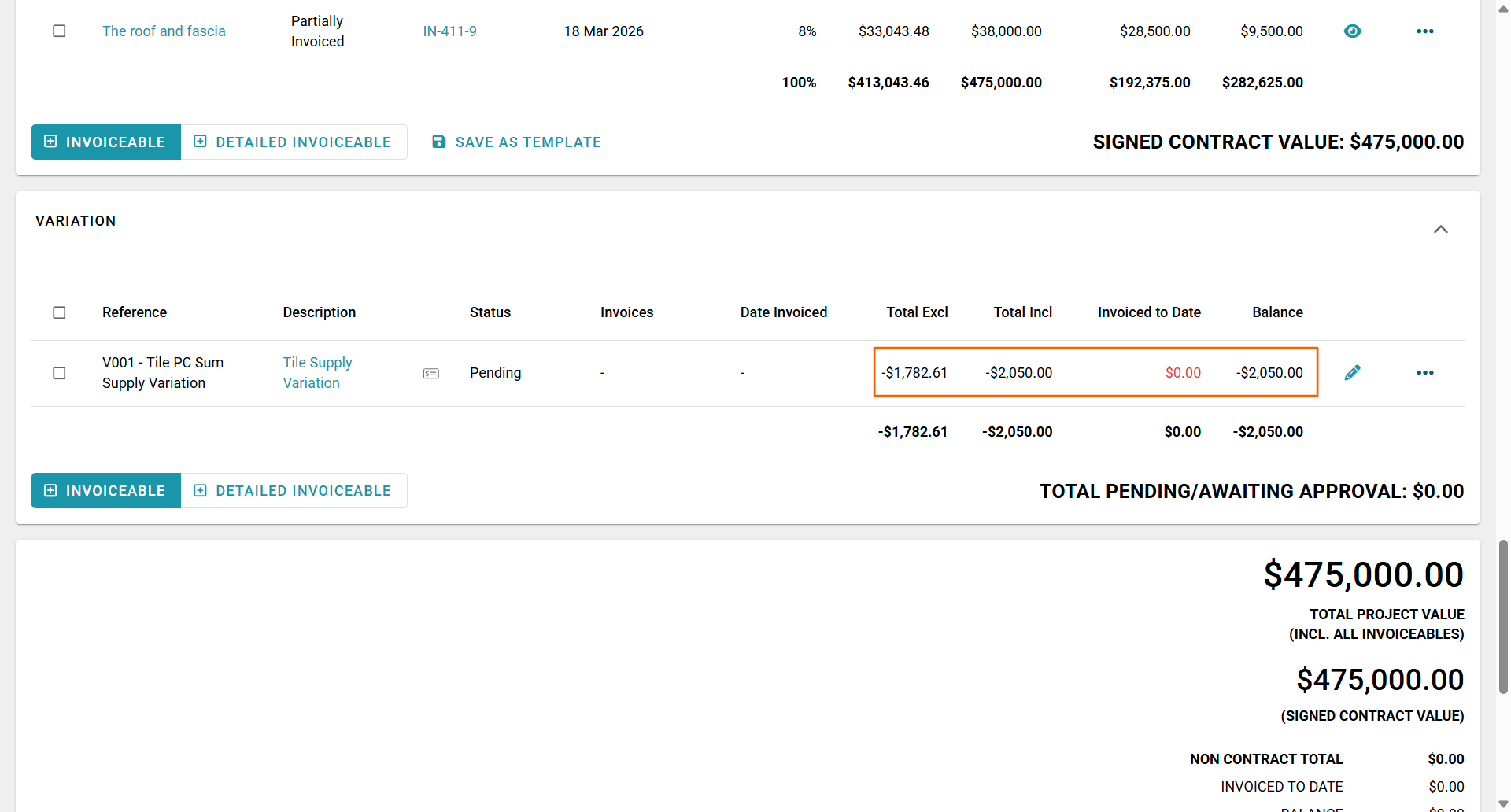
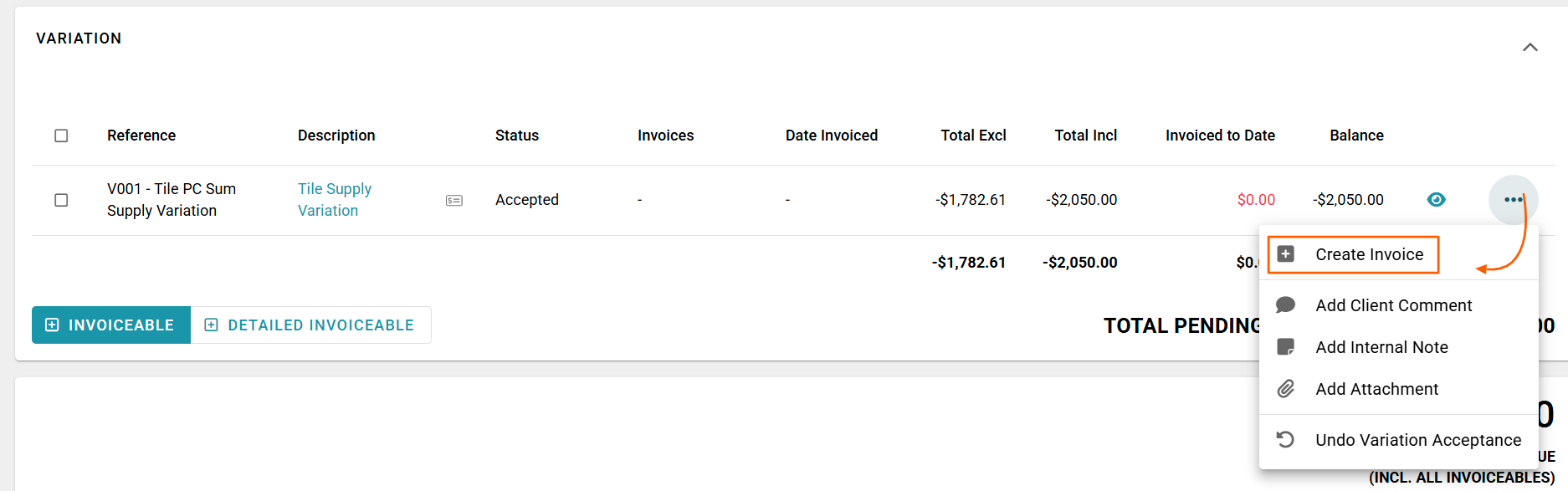
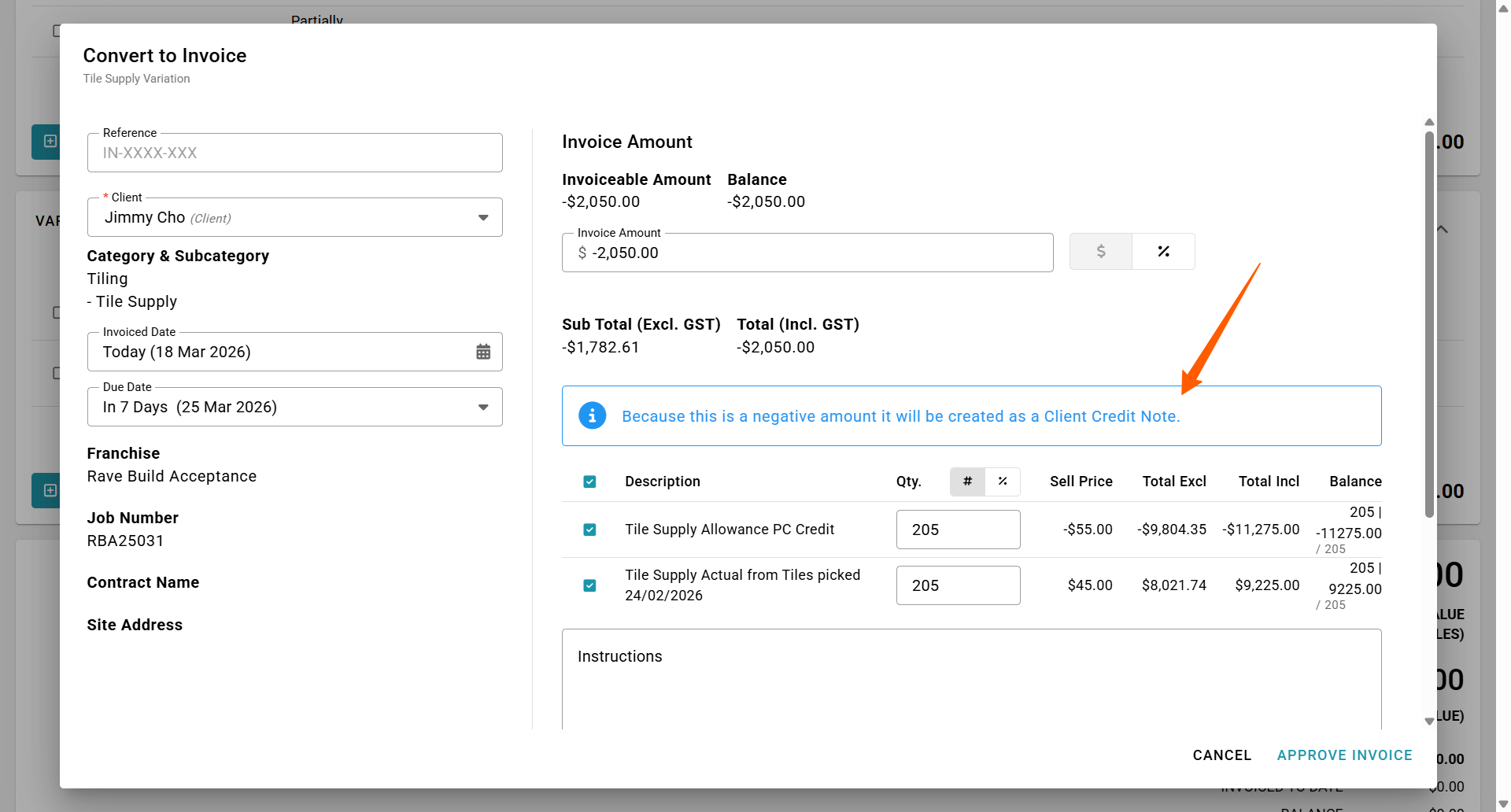
When you convert a negative variation invoiceable to a credit note, the dropdown menu option will still display as 'Create Invoice'. But the convert to invoice pop-up display will include a note 'Because this is a negative amount it will be created as a Client Credit Note.'. This is because RAVE does not identify this as a positive (charge amount) or a negative (credit amount) until the pop-up appears.
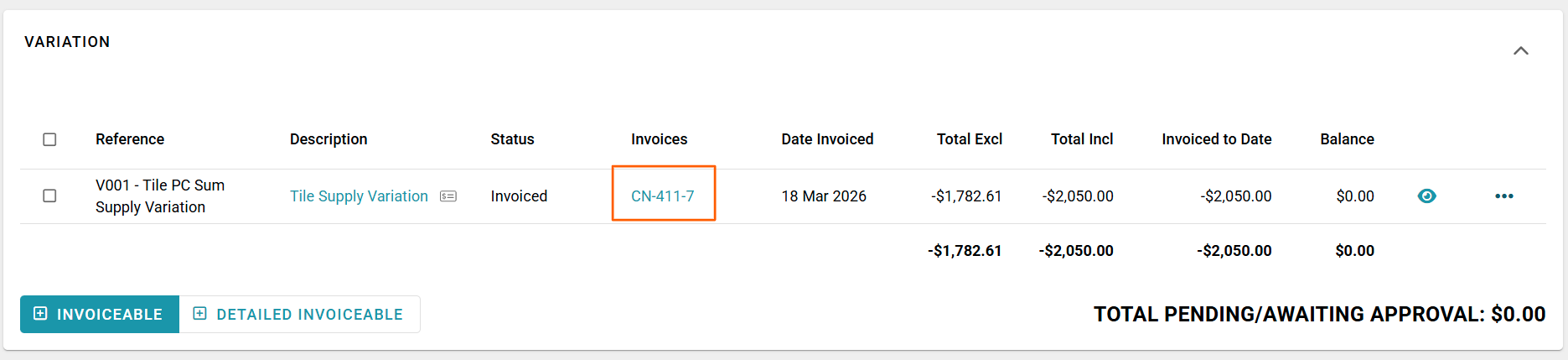
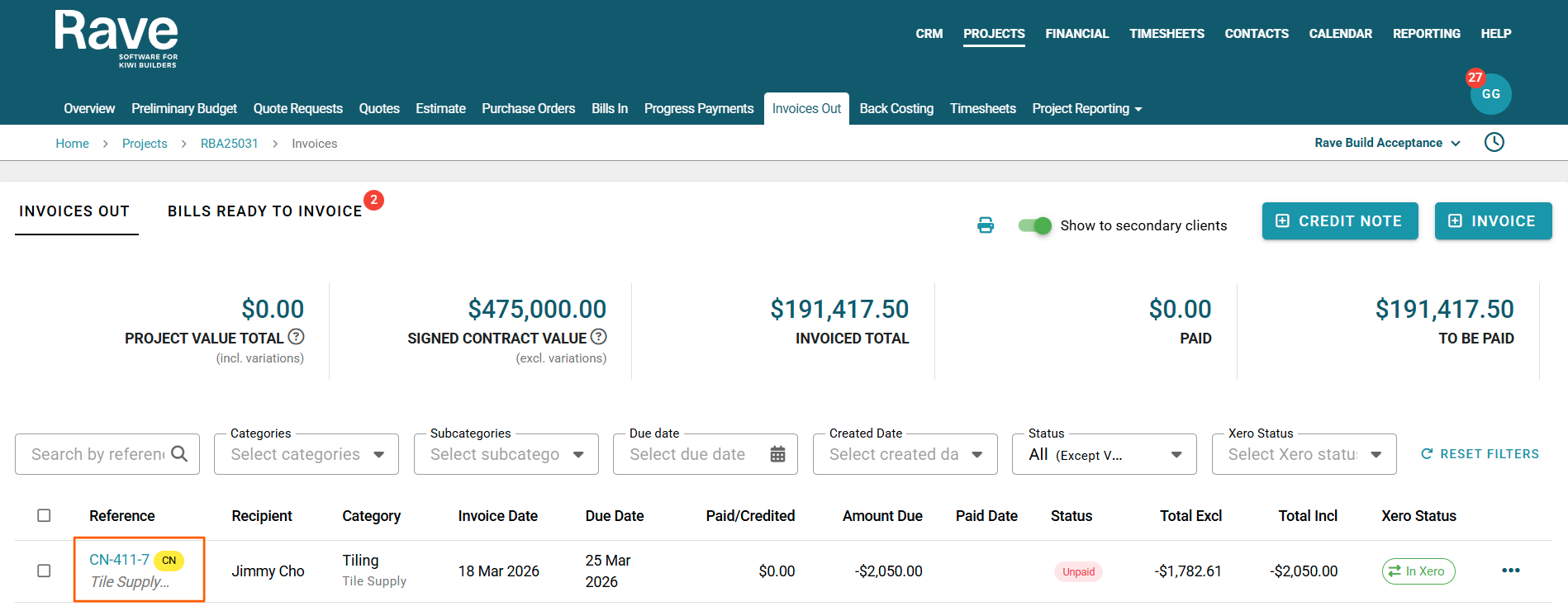
And when we take a look on our Invoices out Tab this Credit Note will now show as such.
Was this article helpful?
That’s Great!
Thank you for your feedback
Sorry! We couldn't be helpful
Thank you for your feedback
Feedback sent
We appreciate your effort and will try to fix the article