The following is the recorded version of the audit trail overview covering the article below and more i.e. the client, project, project financial, Xero, timesheet, branch, and integration audit trails.
Audit Trails Just Got a Whole Lot Smarter
Audit trails are the bread and butter of "who did what." Now we've made it easier than ever with Project Financial-level audit trails.
This feature brings you powerful new Auditing capabilities, including Quote Requests, Preliminary Budget, Quotes, Estimates, Variations, Purchase Orders, Bills, Supplier Credit Notes, Client Credit Notes, On Charge Invoices, Progress Payment, and more.
To read about CRM audits, click here.
To read about timesheet audits, click here.
To read about Project audits, click here.
To read about branch-level audits, click here.
This new feature means all activity across all projects is in one central place. No more digging through individual projects to track down changes.
How to Access the Project Finance Audit Trail:
Click on the Projects tab
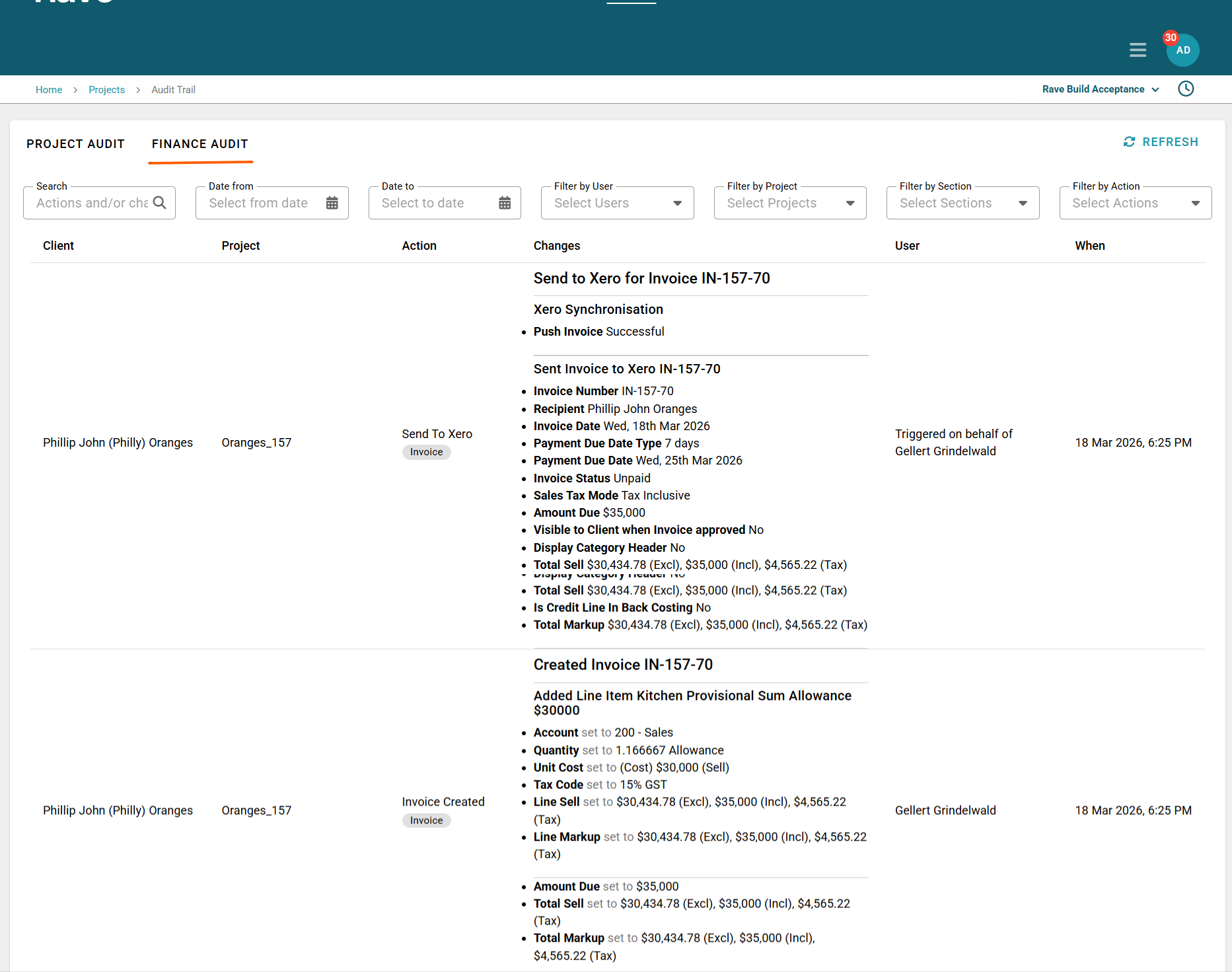
Select Audit Trail - Finance Audit
Don’t see the button? Your permissions may need updating. Please contact your account owner or reach out to Rave Support for help.
Once you're in the audit trail, you can:
Search by any action or change
Filter by date range – zero in on a specific time period
Filter by user(s) – see what a particular team member has been up to
Select specific project(s) – narrow down your scope to a specific project
Filter by section- Quotes, Purcahse Orders, Bills etc
Filter by action – e.g. adding a document, editing, removing markup, adding payments, removing payments etc. The action list is signfiicanlty more advanced than the old Per project audit.
Was this article helpful?
That’s Great!
Thank you for your feedback
Sorry! We couldn't be helpful
Thank you for your feedback
Feedback sent
We appreciate your effort and will try to fix the article