Custom CRM and Project activity colours now available in Rave!
With the latest updates to Rave’s CRM and Project Activities, you can now customise your activity views by assigning different colours to various activity types. This makes it easier than ever to visually distinguish between your tasks and activities in the Rave CRM and PROJECT activities view. This feature will also be in the new branch calendar coming soon*
To set your custom calendar colours:
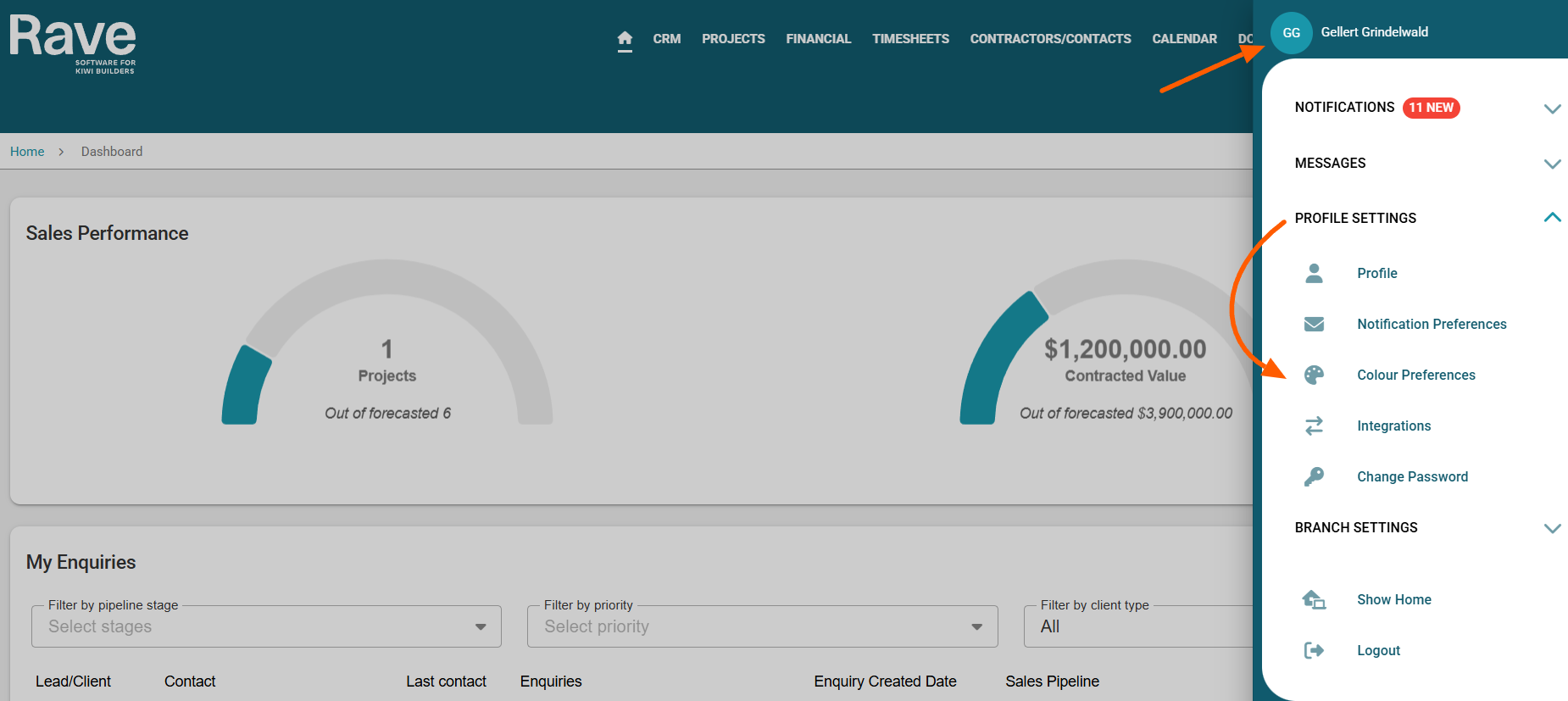
Click on your profile dropdown in the top-right corner of the Rave screen.
Select Profile Settings.
Go to Colour Preferences.
From here, you can assign colours for:
CRM Activities and Tasks
Project Activities and Tasks
Schedule Tasks - coming soon*
Branch Meetings - coming soon*
Take advantage of this new feature to personalise your workflow and improve calendar visibility!
Click on the default colour next to each option to open the colour picker. You can scroll through the base colours and then select a lighter or darker shade depending on your preferences.
Note: This is a personal profile setting, so your colour choices will only apply to your own view.
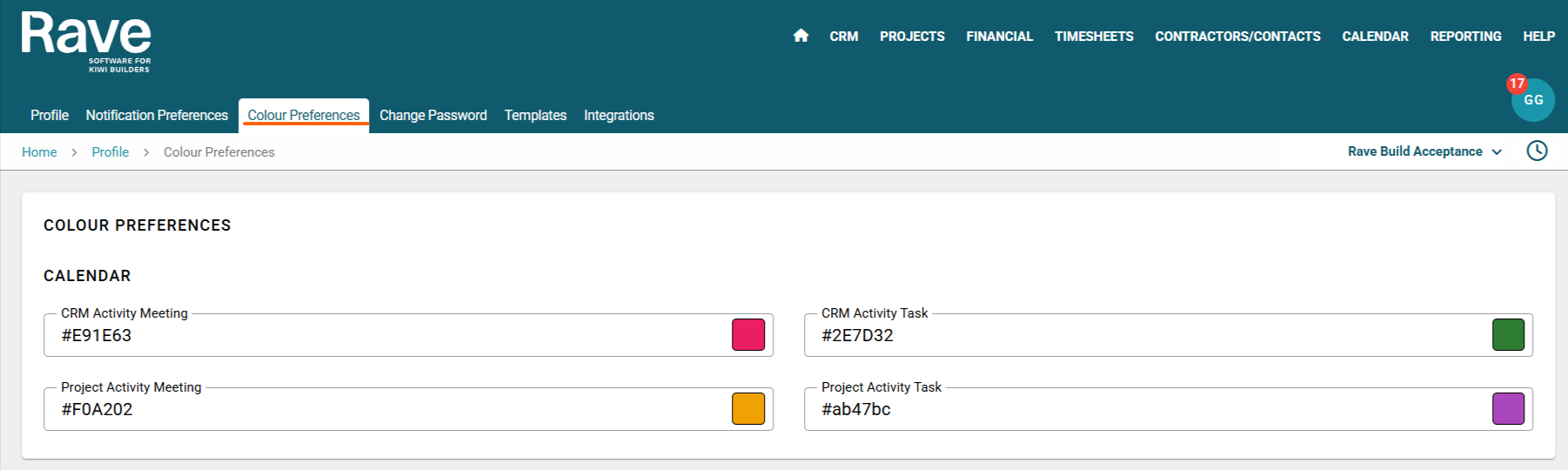
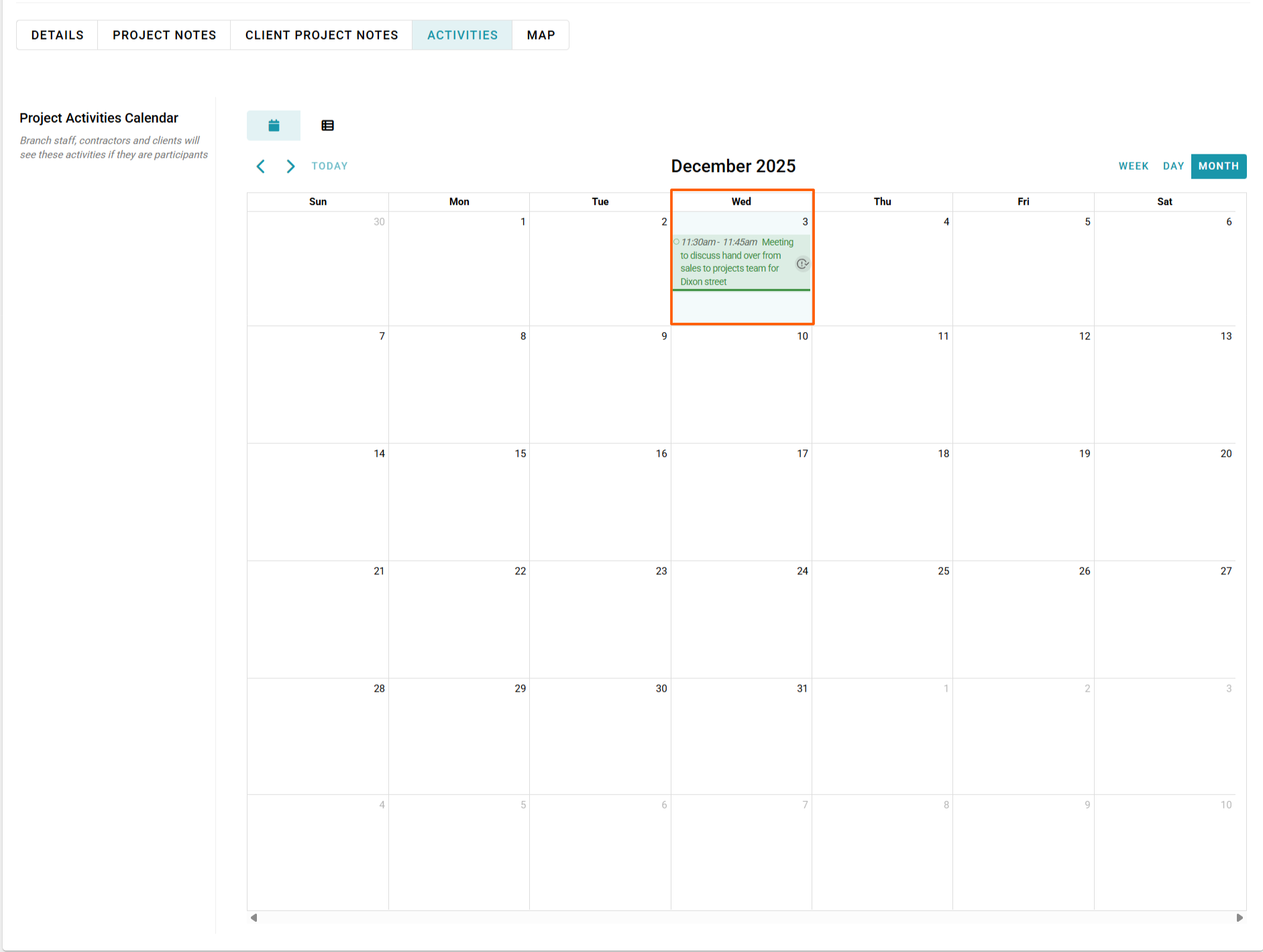
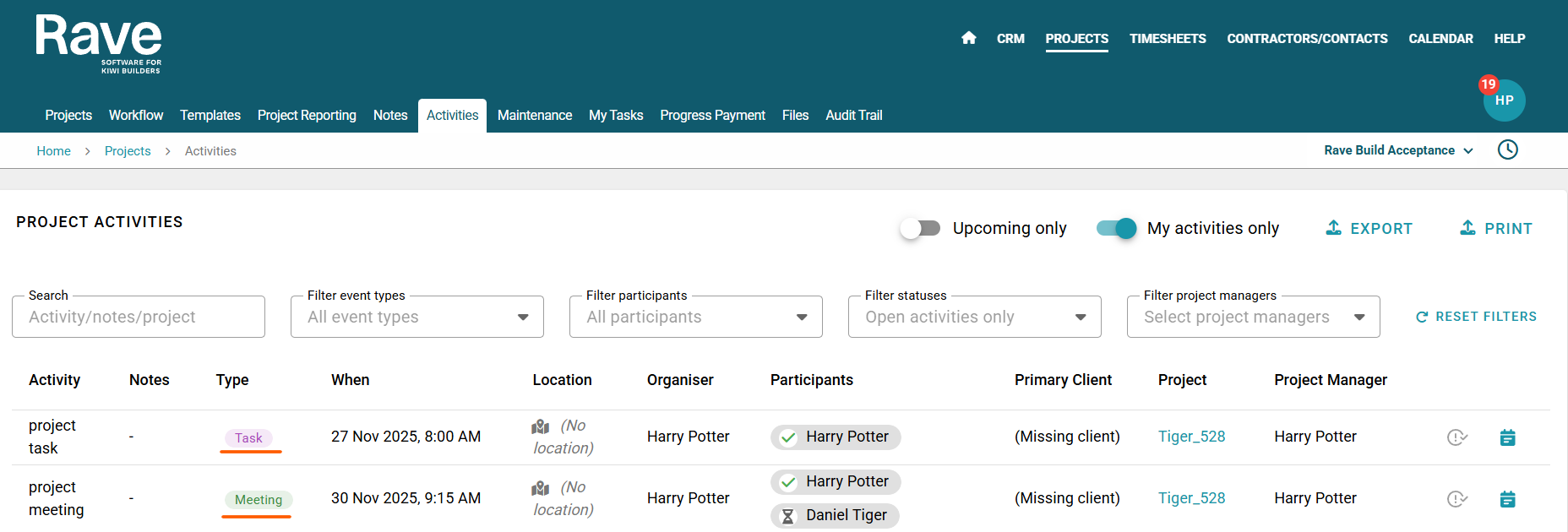
Once your colours have been selected you will be able to view them in your CRM enquiries calendar and list view screens as well as the CRM Branch activities list view. You can also do the same in Project activities calendar and list view screens and and Project Branch activities.
To learn about project activities click here for the help articles.
To learn about CRM activities click here for the help articles.
Project Activity Calendar View
Branch Project Activities List View
Was this article helpful?
That’s Great!
Thank you for your feedback
Sorry! We couldn't be helpful
Thank you for your feedback
Feedback sent
We appreciate your effort and will try to fix the article