Depending on your role and permissions, you can change your notification settings per project to turn on or off project notifications going out to your users. In order for User Profile Notifications to be sent the Project Level settings must be switched on.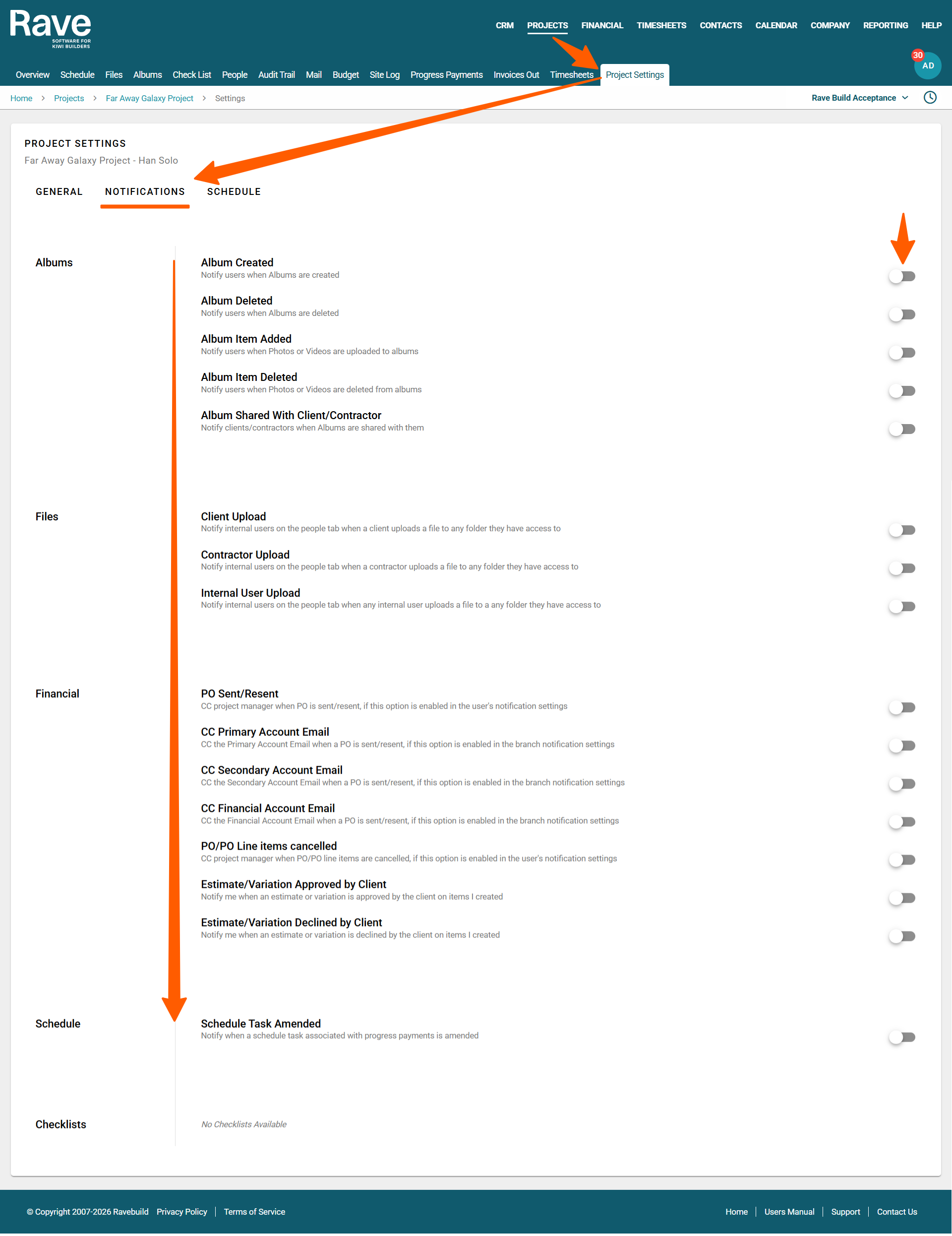
How to manage your Project Notifications
After logging into RAVE, navigate to the project management system by clicking the Project button in the top right corner of the page. Locate and open the job for which you want to manage the Project Settings.
Click on the ‘Project Settings’ sub-tab. If you do not see this sub tab you do not have permission to make any changes. You will need to speak to your Branch Owner or contact the RAVE Customer Support team.
Once inside the Project Settings sub tab you can then turn on/off Project level notifications for Albums, Files, and if you have Financial Management access Purchase Orders and Client Estimate and Variations too.
If all of the notifications are turned off then RAVE will not send any notifications to any users even if they turn the notification ON at a user level. To read more about per User Notification Control please click here.
The notifications are:
Albums
Album Created - This will allow users to be notified when an album is created in a project they have access to
Album Deleted - This will allow users to be notified when an album is deleted in a project they have access to
Album Item Added - This will allow users to be notified when a image or video is added to an album
Album Item Deleted - This will allow users to be notified when a image or video is deleted from an album
Album Shared with Client/Contractor - This will allow users to be notified when an album they have access to is shared with a Client or Contractor.
Files
Client Upload - This will allow users to be notified when clients upload files to the Client Files in a project they have access to
Contractor Upload - This will allow users to be notified when contractor upload files to the Contractor Files in a project they have access to
Internal User Upload - This will allow users to be notified when an internal user uploads files to any File Section in a project they have access to
Financial
PO Sent/Resent - CC project manager when Purchase Order is sent/resent, if this option is enabled in the user's notification settings
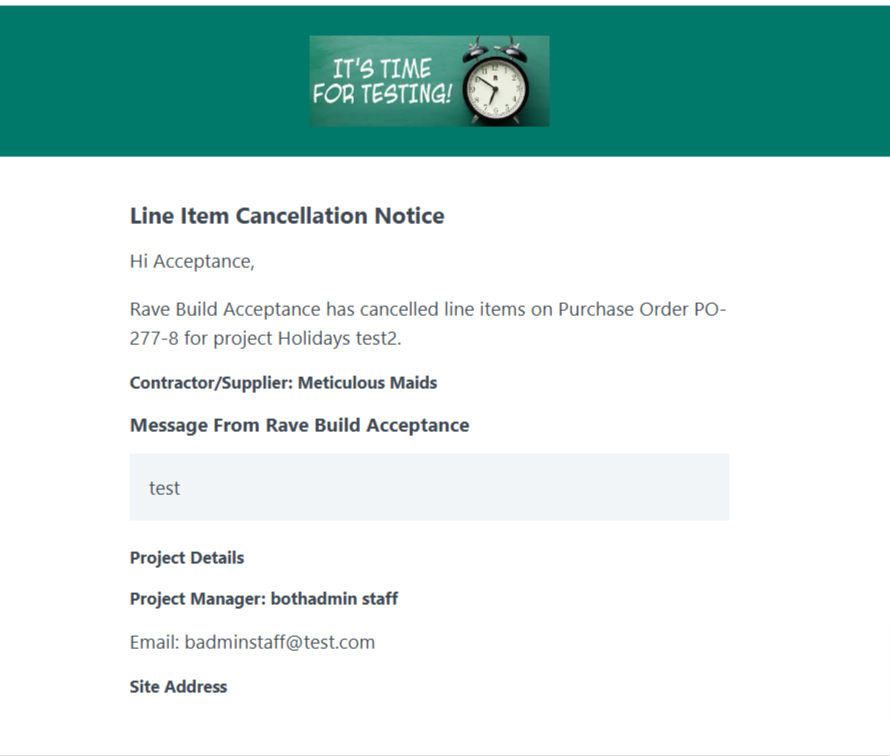
PO/PO Line items Cancelled - CC project manager when Purchase Order /Purchase Order Line items are cancelled, if this option is enabled in the user's notification settings
Estimate/Variation Approved by Client - This will notify the user when an estimate or variation is approved by the client on items the user has created
Estimate/Variation Declined by Client - This will notify the user when an estimate or variation is declined by the client on items the user has created
Schedule
Schedule Task Amended - This will notify the user when a schedule task associated with a progress payments has been amended
Line Item Cancellation Example Email
Permission Control for Project Settings
The Manage Other Users Notification Preferences permission, available from the branches' manage users, user details, groups and permissions settings, allows the user to control notifications on behalf of other people. 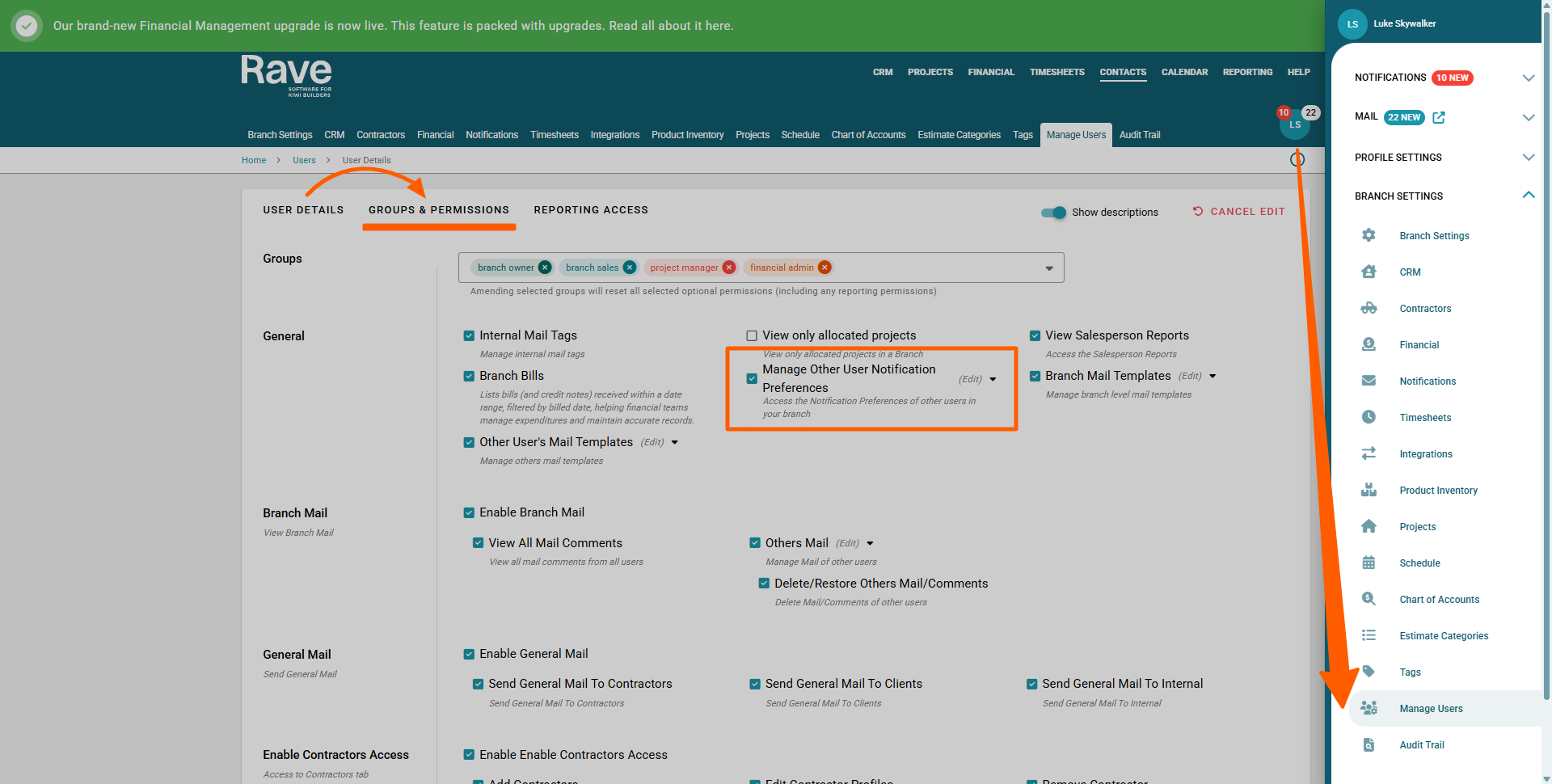
Was this article helpful?
That’s Great!
Thank you for your feedback
Sorry! We couldn't be helpful
Thank you for your feedback
Feedback sent
We appreciate your effort and will try to fix the article