RAVE's AI Document Scanning feature now includes monthly scanning quota limits, helping you monitor usage and manage how many bills and credit notes you scan each month.
To keep you informed, RAVE automatically sends email notifications as you approach or reach your monthly scanning limit.
Monthly Scanning Quota
Your monthly scanning quota is determined by your AI Document Scanning package.
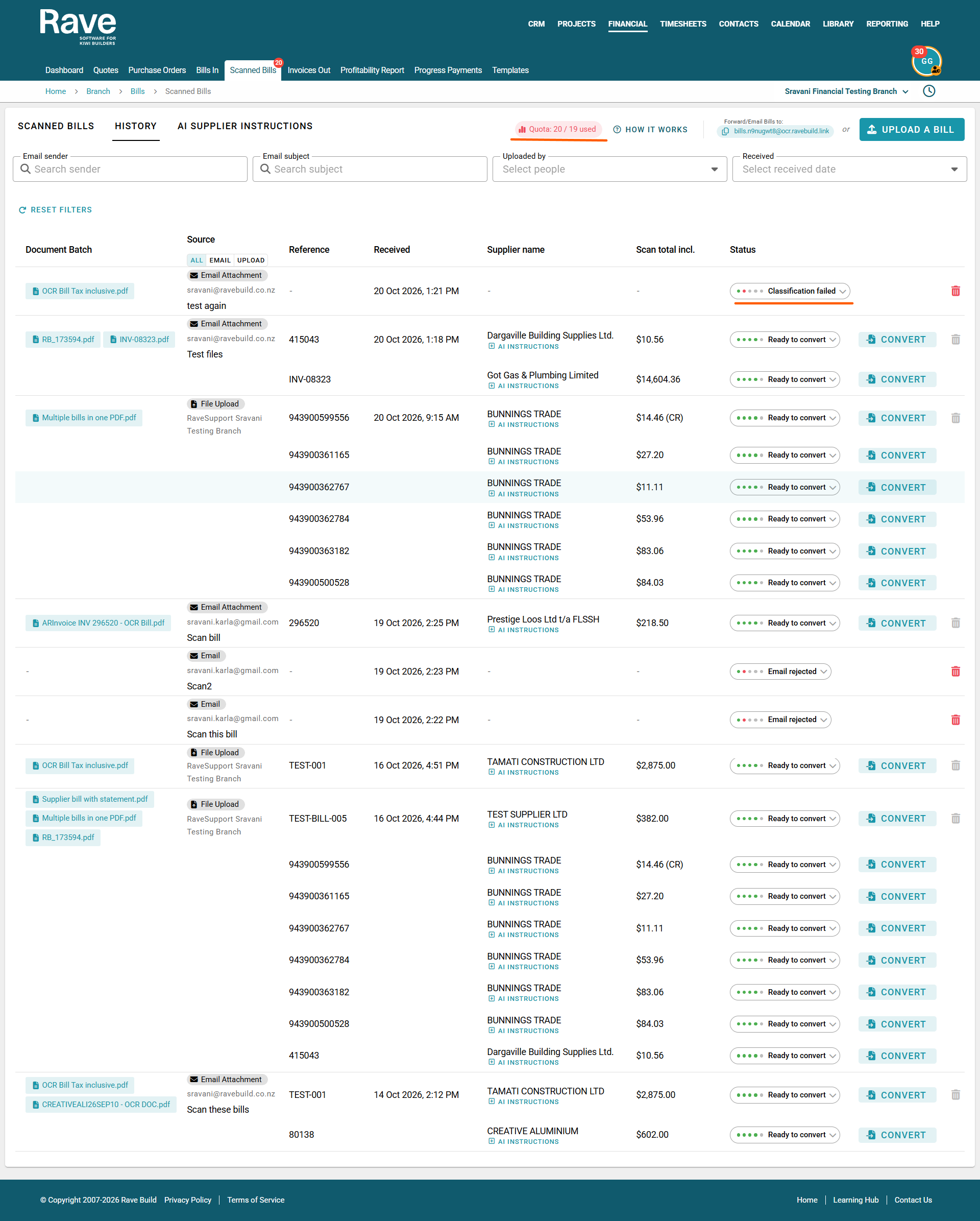
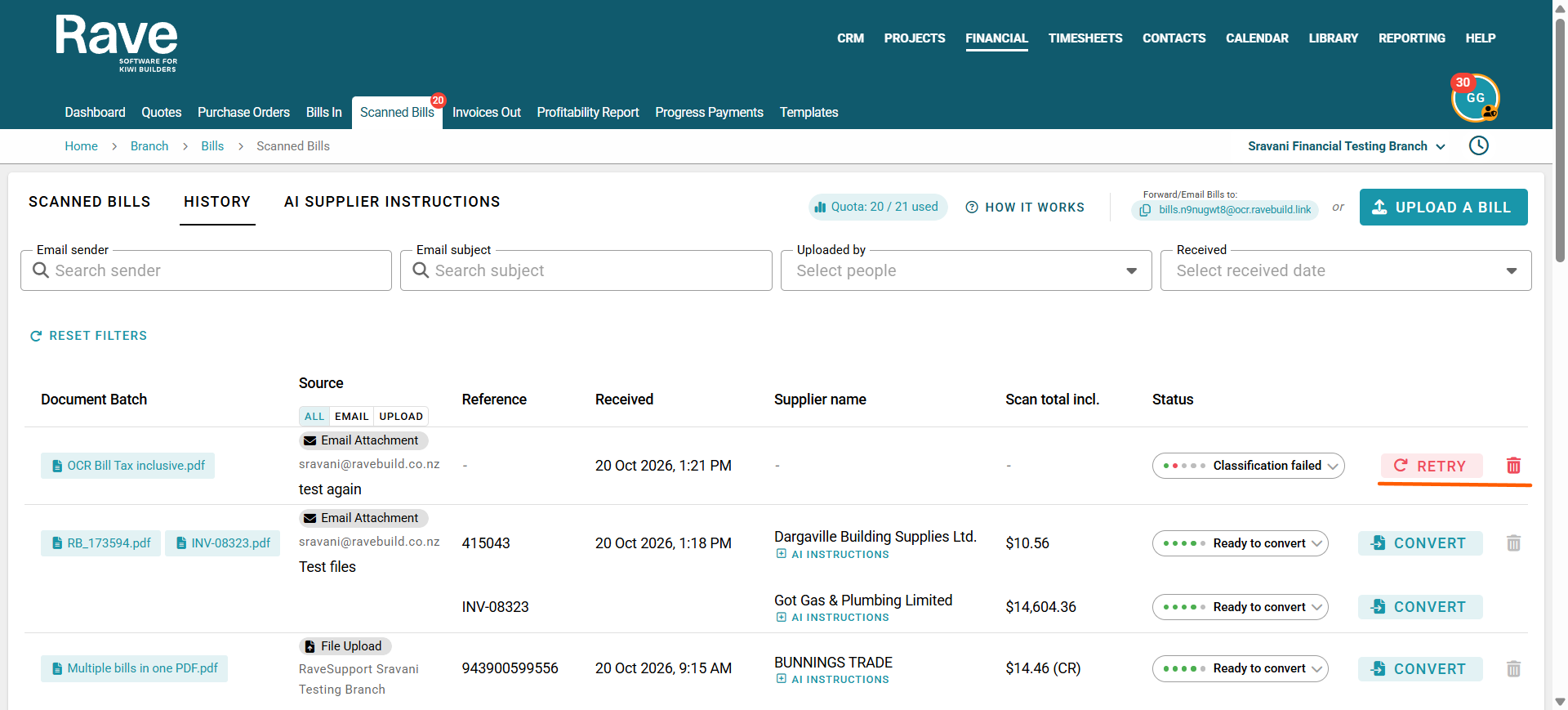
You can view your current usage at any time by navigating to Financial → Scanned Bills, where your quota is displayed at the top of the page.
This shows how many scans you have used against your monthly allowance.
Automatic Email Notifications
RAVE will automatically email both the Primary and Secondary Account email addresses associated with your branch when the following thresholds are reached:
80% of Your Monthly Quota Used
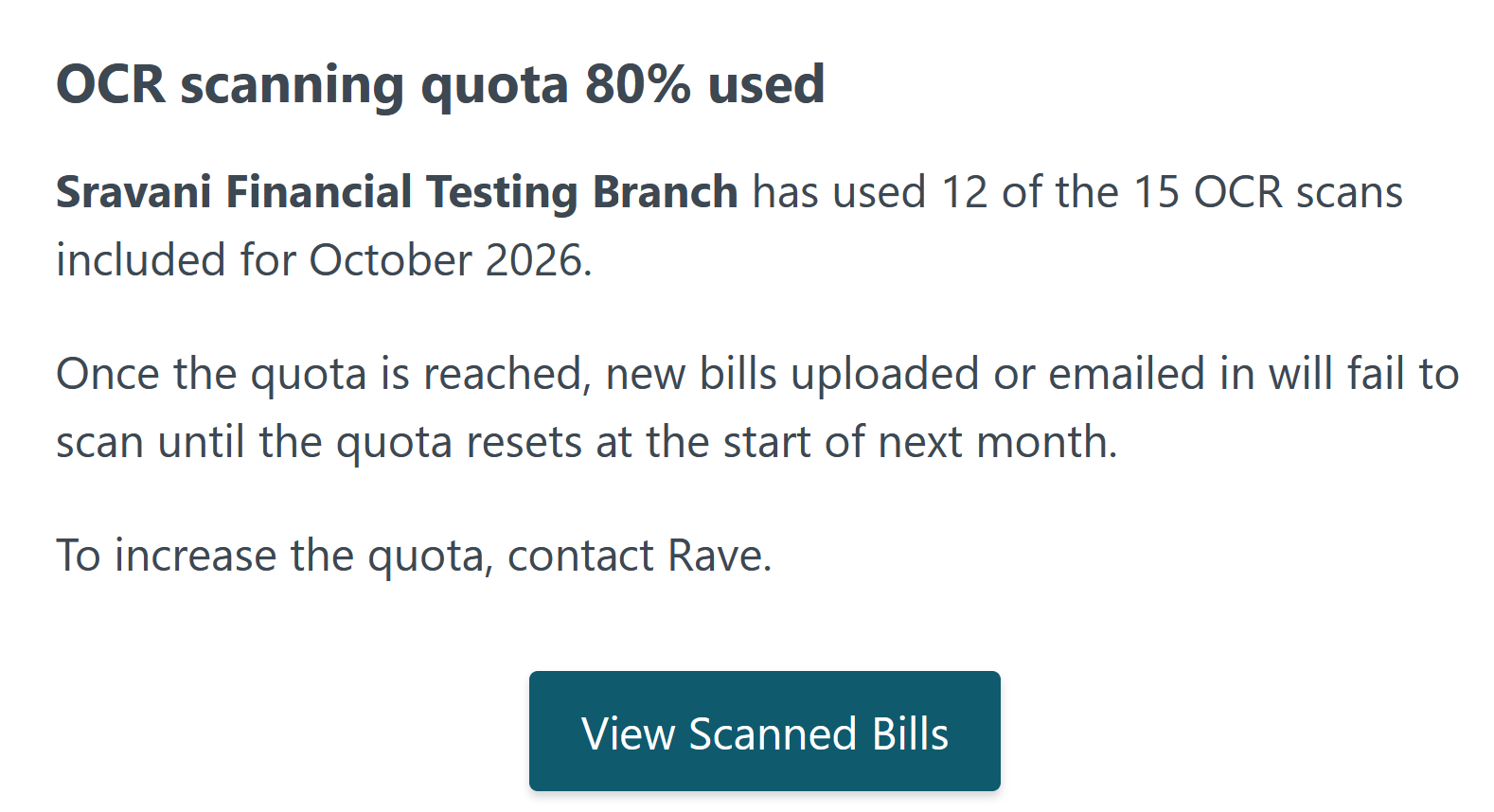
When you use 80% of your monthly scanning allowance, RAVE will email you to let you know you're approaching your limit.
The email includes:
- Your branch name.
- The number of scans used against your monthly allowance.
- A reminder that scanning will pause once you reach your quota.
- A link to view your Scanned Bills in RAVE.
You can keep scanning documents as normal until you use your full allowance.
100% of Your Monthly Quota Used
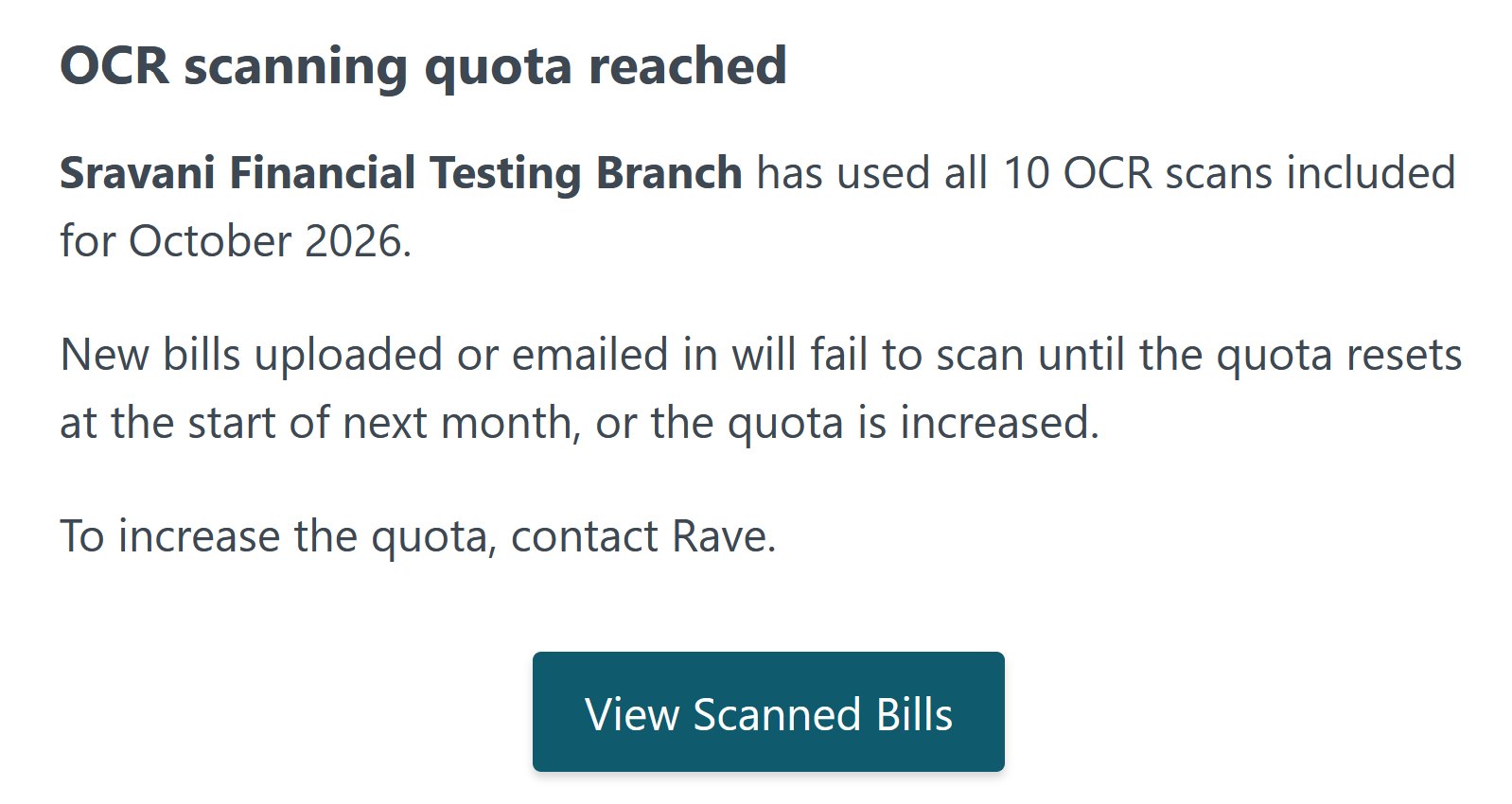
Once you reach 100% of your monthly scanning allowance, RAVE will send another email notification to both account email addresses.
At this point, all new document scanning will pause.
Any new bills or credit notes you upload or forward to your dedicated scanning email address will not be processed until your quota increases or resets at the start of the next month.
What Happens When You Reach Your Quota?
When your monthly quota has been reached:
- New documents can still appear in your Scanned Bills History.
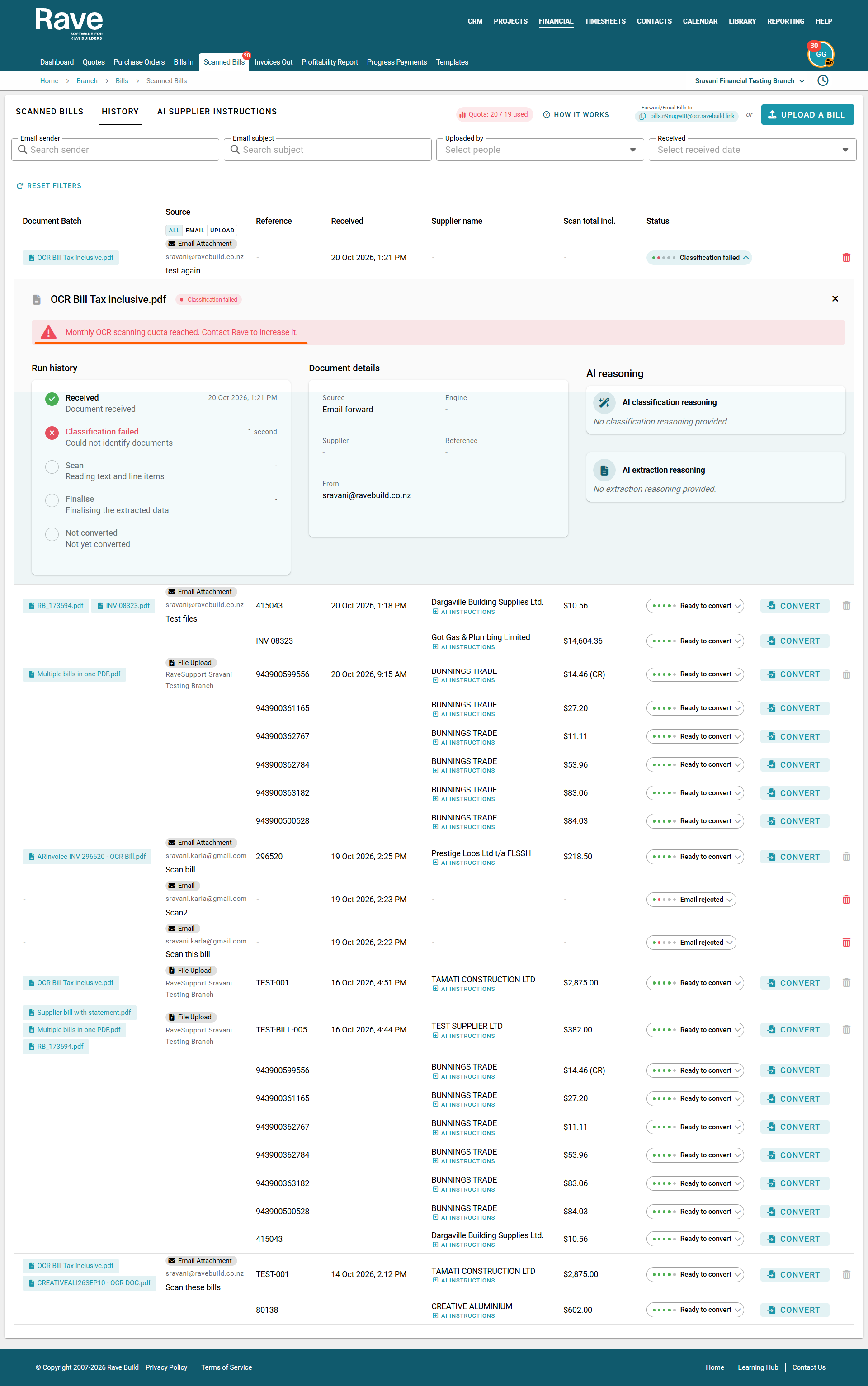
- Documents that cannot be processed because of the quota limit will show a Classification Failed status.
- Clicking the status expands the document's processing history and shows the failure reason.
- A message will advise that you've reached your monthly OCR scanning quota and need to contact RAVE to increase it.
Successfully scanned documents remain available for conversion.
How to Resume Scanning
To increase your monthly scanning allowance, please contact the RAVE Support team to discuss upgrading your package.
Once your quota has been increased by the support team:
- Navigate to Financial → Scanned Bills → History.
- Locate any documents that failed due to the quota limit.
- Click Retry beside the relevant document.
- The document status will change to Retrying while RAVE attempts to process it again.
- Once successfully processed, the document will become available for conversion.
Important: Documents that failed because your quota was exhausted must be retried once additional scans are available.
Monthly Quota Reset
Your scanning allowance resets at the beginning of each month, based on your current package.
If you regularly reach your limit, we recommend contacting RAVE Support to discuss increasing your monthly scanning allowance.
This will help avoid interruptions to your document processing throughout the month.
Was this article helpful?
That’s Great!
Thank you for your feedback
Sorry! We couldn't be helpful
Thank you for your feedback
Feedback sent
We appreciate your effort and will try to fix the article