Personal access tokens allow external applications and tools to connect to the Rave Build API using your user account.
1. Request access
- Personal access tokens must first be enabled for your branch by Rave Build.
- Contact Rave Build Support to request access before attempting to create a token.
2. Open Integrations
Log in to Rave Build and click your profile menu in the top-right corner.
Under Profile Settings, select Integrations.
Scroll down to Rave Build API Access.
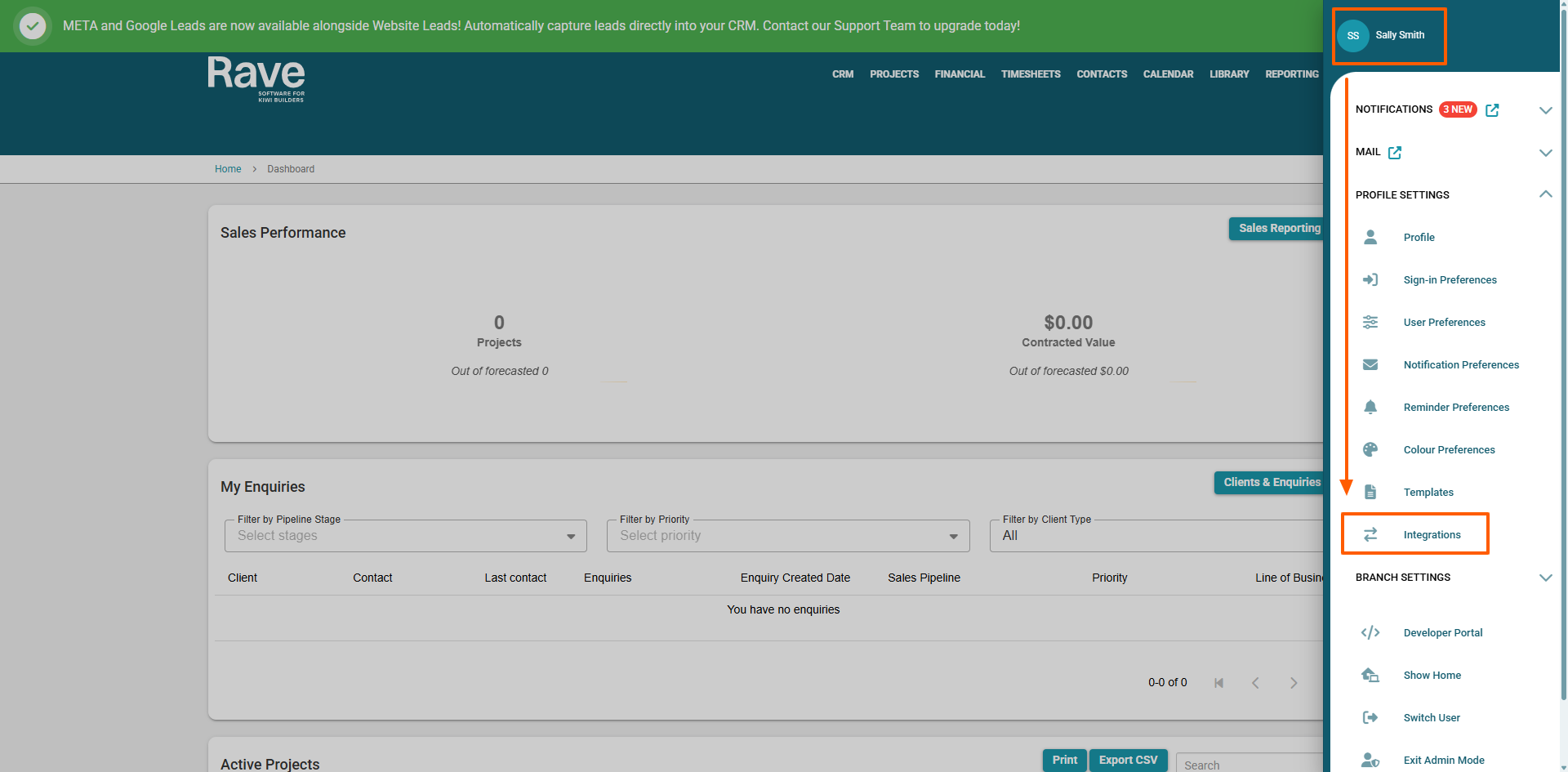
Make sure you select Integrations under your user profile, not Developer Portal under Branch Settings.
3. Create your token
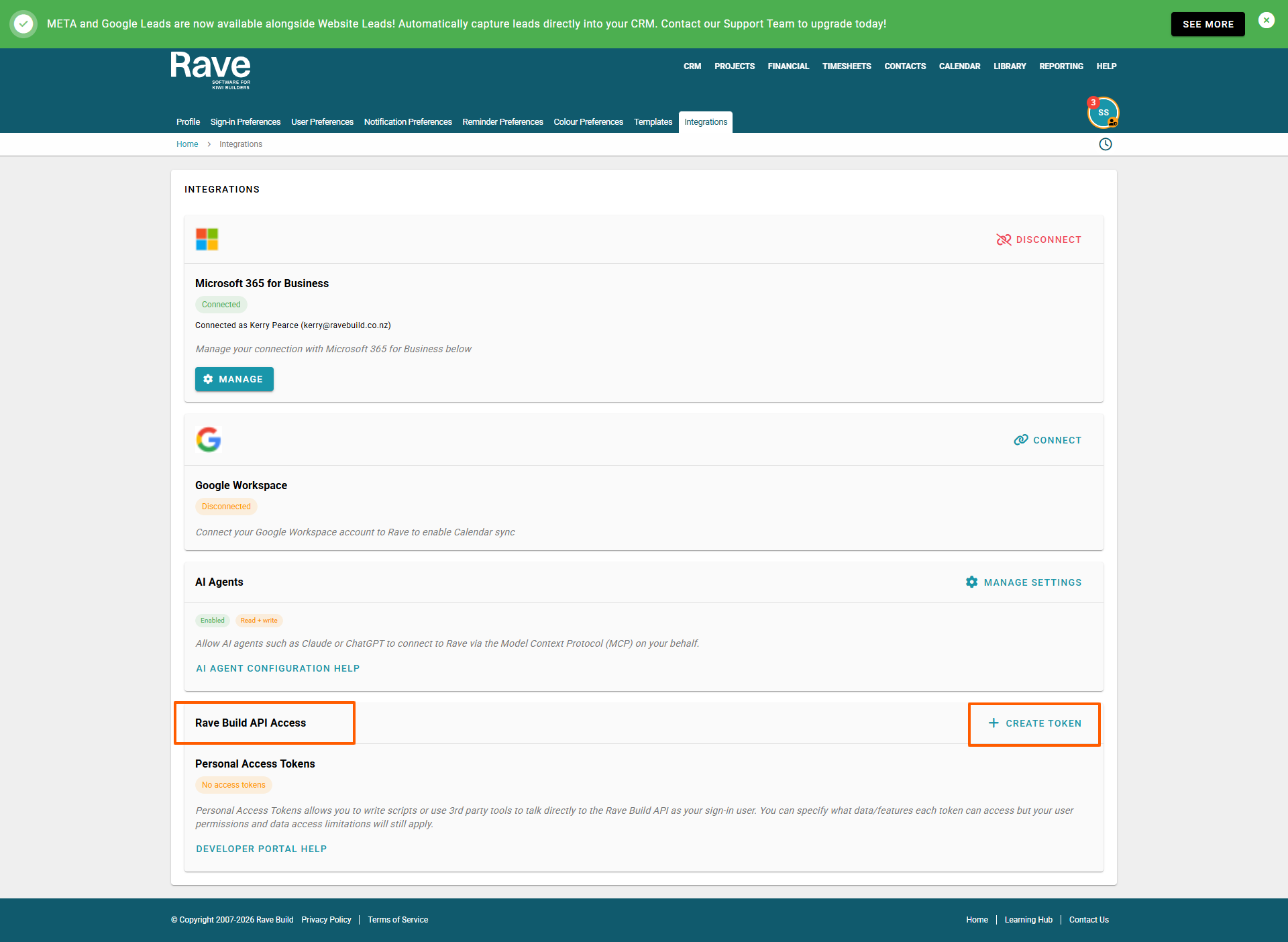
Under Personal Access Tokens, click + Create Token.
Enter a Name to identify the token and add an optional description.
Set an Expiry date (the maximum expiry is one year).
Under Scopes, select the permissions required for your integration. Only select the permissions needed. For a read-only integration, choose the relevant read scopes.
Click Create.
4. Copy and save your token
Once the token has been created, copy it and store it securely.
Important: The full token will only be shown once. If you close the dialog without saving it, you'll need to create a new token.
Your token can only access the data allowed by its selected scopes and your existing Rave user permissions.
For more information, visit the Rave Build Developer Portal.
Was this article helpful?
That’s Great!
Thank you for your feedback
Sorry! We couldn't be helpful
Thank you for your feedback
Feedback sent
We appreciate your effort and will try to fix the article