You can choose to delay or schedule sending an email within Rave. This feature is available in CRM Mail, Project Mail, My Mail or Branch Mail.
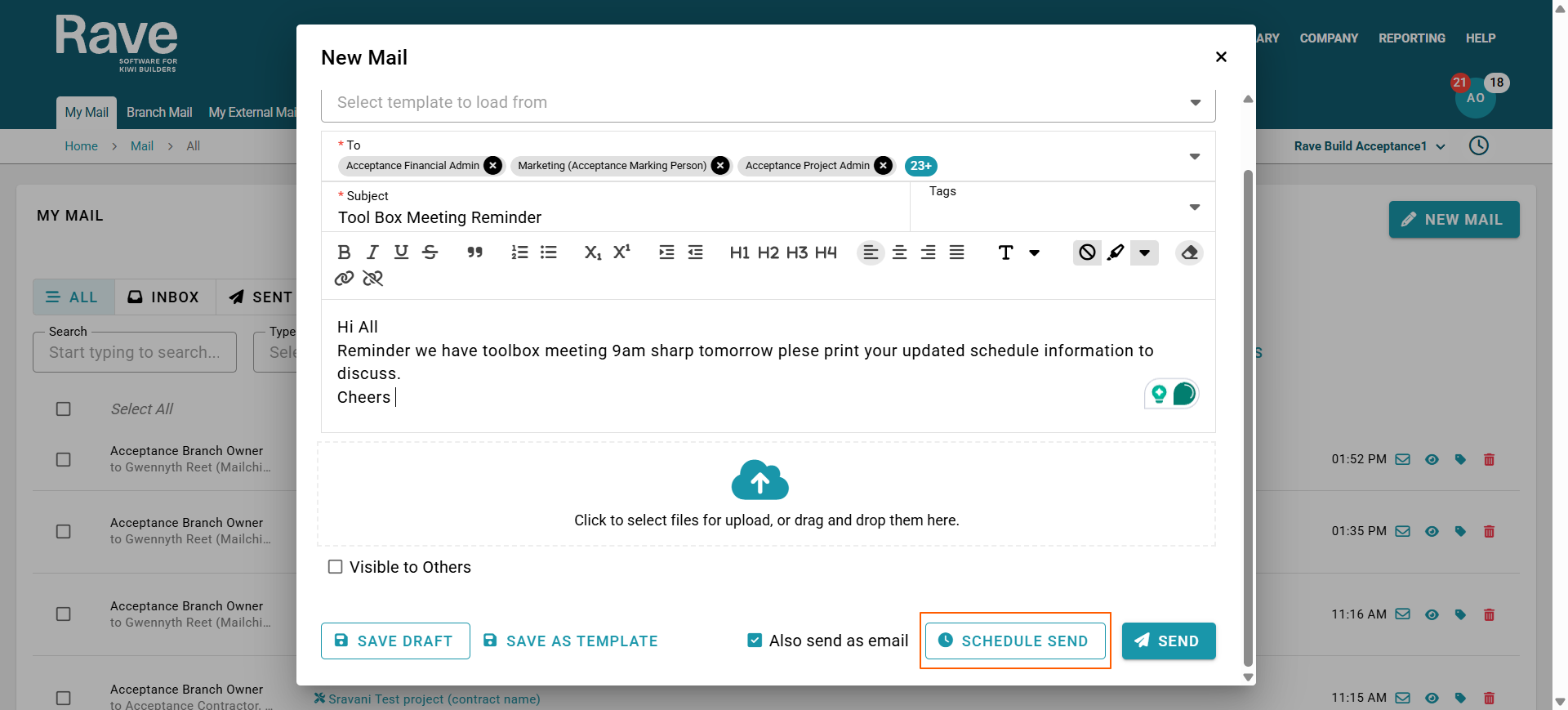
When creating a new email, you will see the Schedule Send option. Click this button.
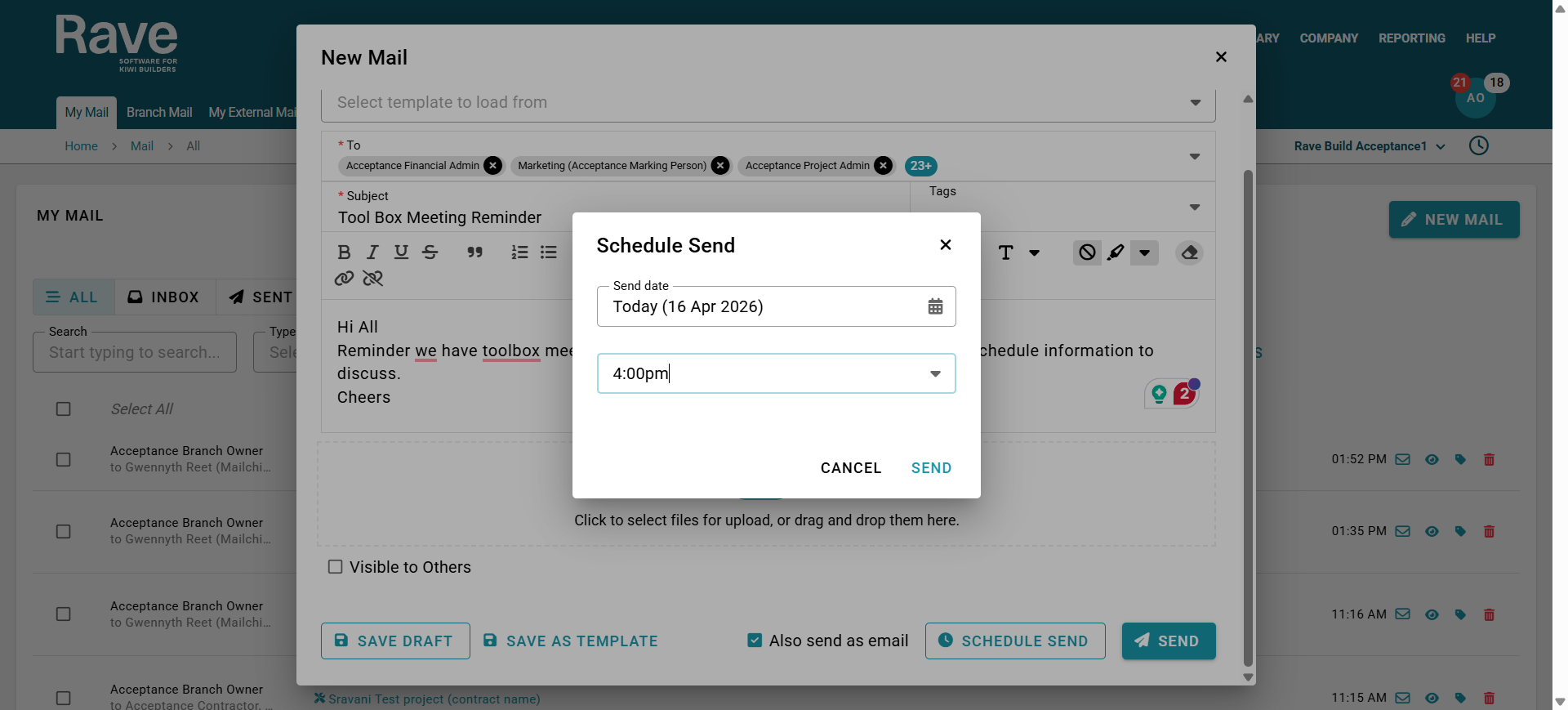
Now choose the date and time you would like the email to be sent, and press Send.
Note: you cannot schedule a day or time that has already happened.
The email will then appear as scheduled until it is sent.
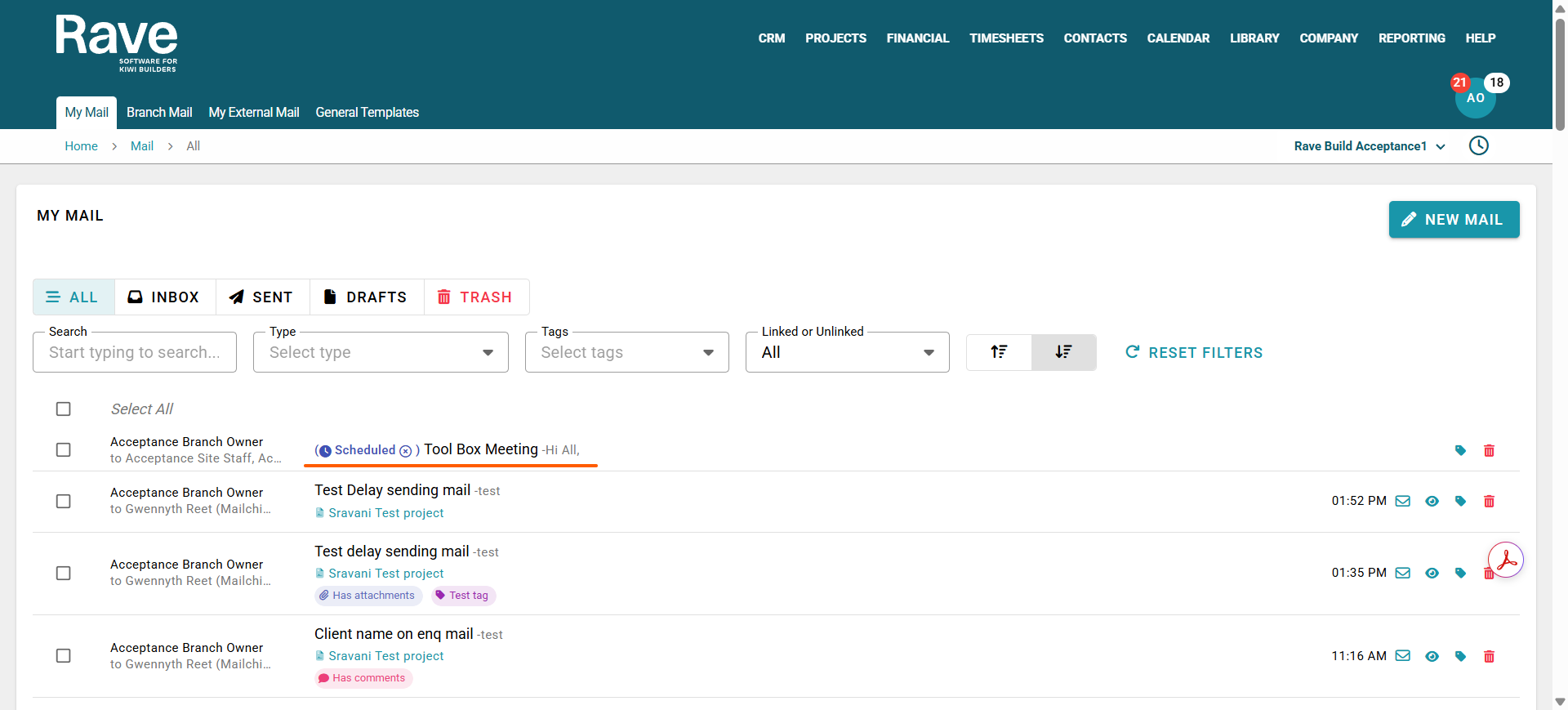
You can unschedule the email by clicking the X beside the scheduled icon.
This will revert the email to a draft, allowing you to reschedule it or send it immediately.
Was this article helpful?
That’s Great!
Thank you for your feedback
Sorry! We couldn't be helpful
Thank you for your feedback
Feedback sent
We appreciate your effort and will try to fix the article