Your Building Partner may provide you with access to the Quote Request feature in Rave, as part of this you will have the ability to create reusable Quote Templates.
From the Financial Tab select Templates.
Here we will list all of your templates by Name, number of attachments, The Default quote expiry date, Total price of the template both Excl and Incl Tax and when the template was created.
The Pencil icon will allow you to edit the tempalte and then Save again.
The thee dot ellipsis will allow you to Duplicate a quote template or delete it. 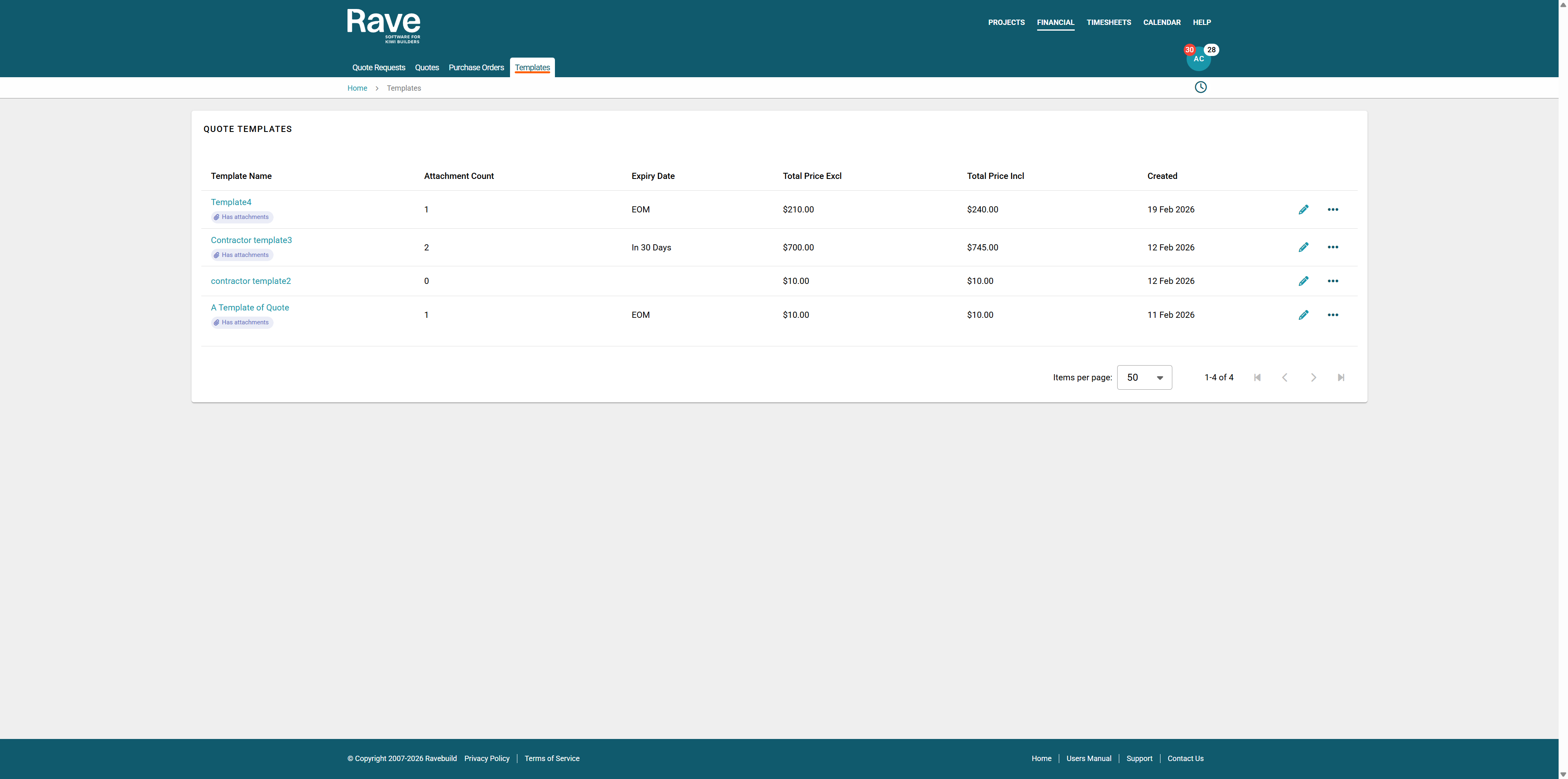
Submit a Quote via a template you have already saved.
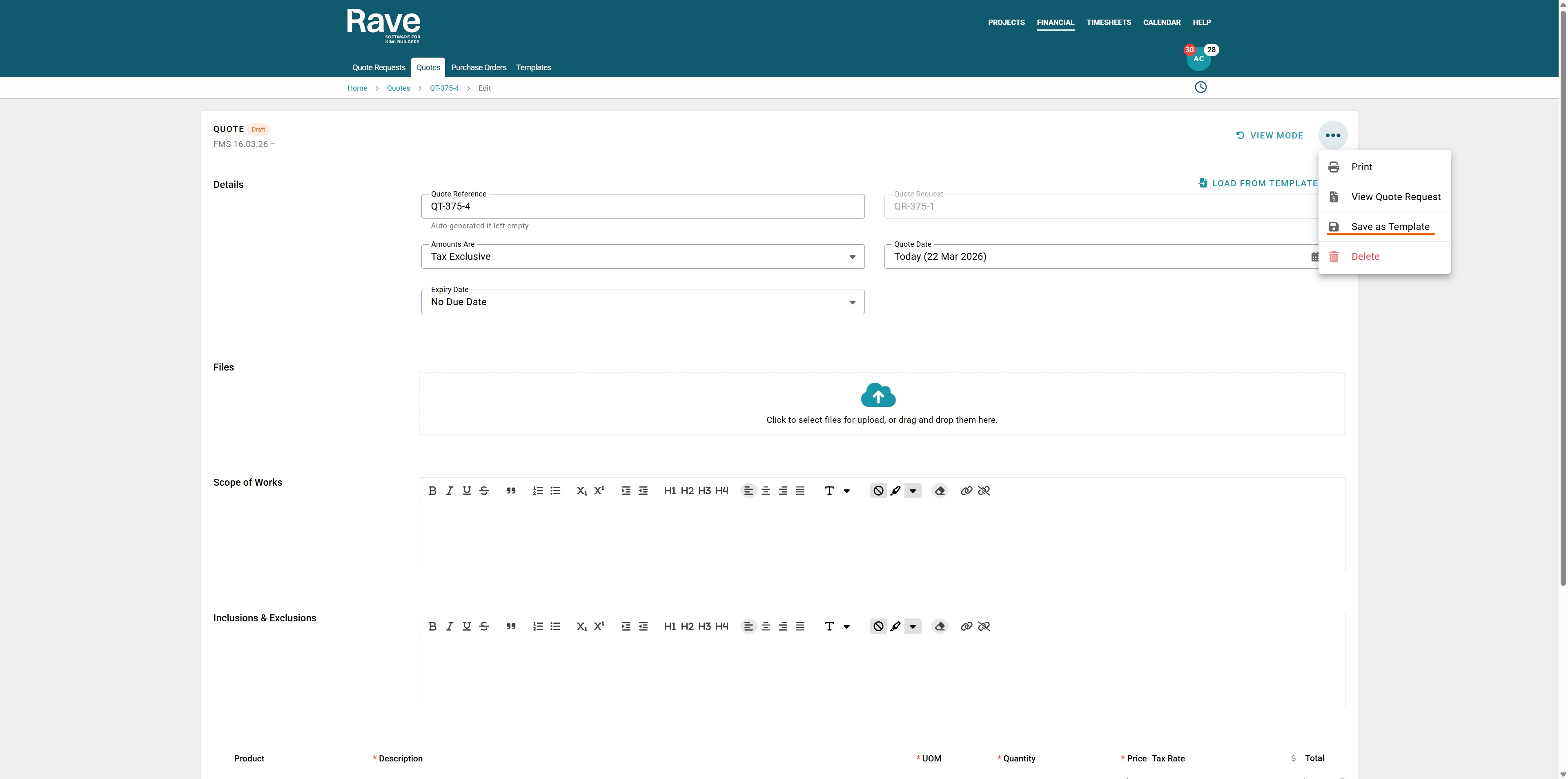
When creating a quote for the first time you have the ability to save the quote as a temmplate before submitting for approval you can click the 3 dot ellipsis and Save as Template.
Name your Template and then press Create
This will store all of the information for you to use next time.
To learn about this in more detail you can click the help article is here.
Was this article helpful?
That’s Great!
Thank you for your feedback
Sorry! We couldn't be helpful
Thank you for your feedback
Feedback sent
We appreciate your effort and will try to fix the article