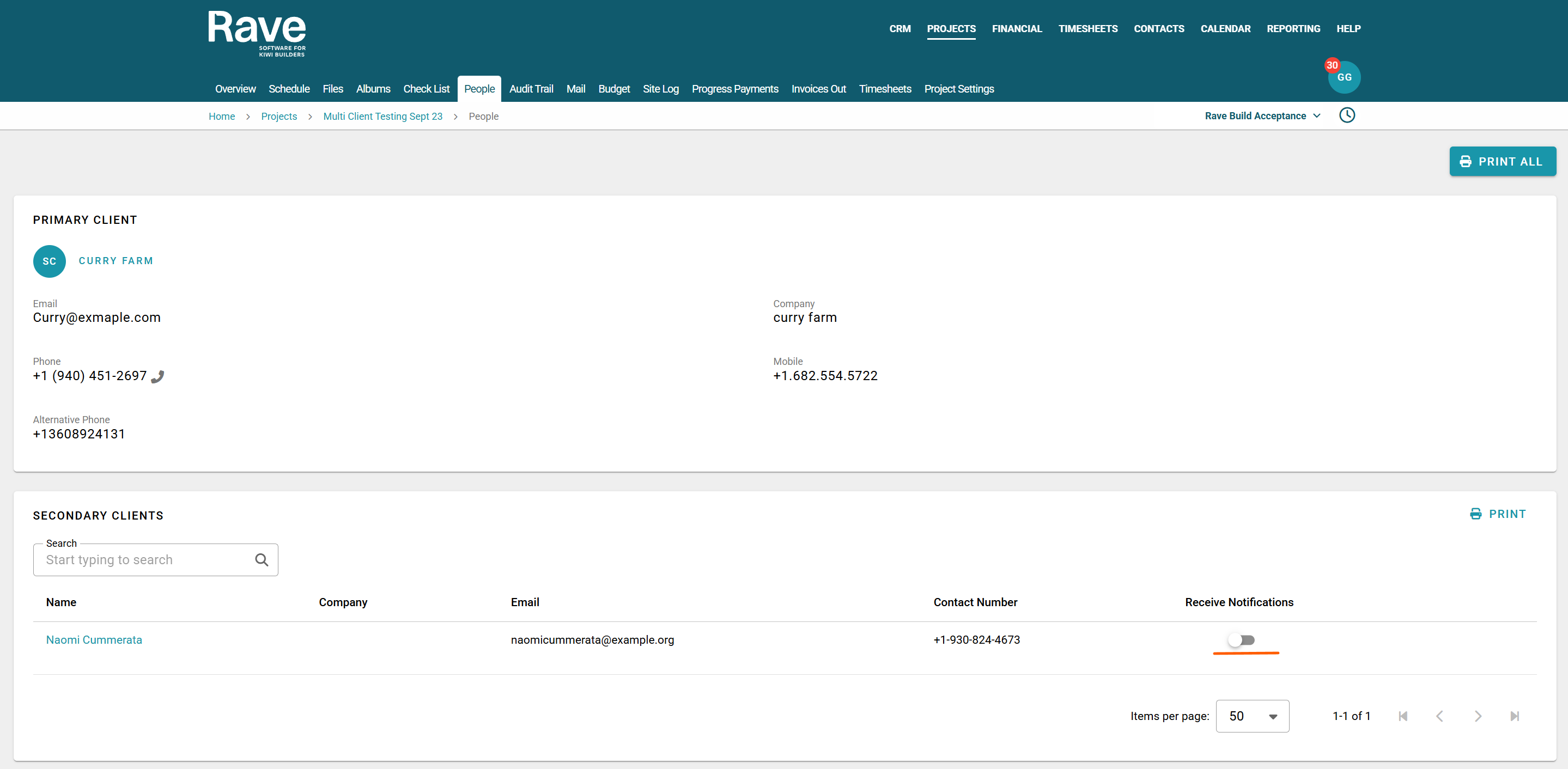
When an estimate proposal is sent via a project's Estimates Sub-Tab, an email is sent to the primary client email address. If you have additional clients and you have toggled on the Get notifications button on the people tab they will also get the proposal emails as well.
Estimate Accept/Decline Notifications - when the Client Accepts/Declines the Estimate
Upon accepting or declining an Estimate by either the primary or secondary clients, the accept/or decline email notifications are sent to:
- The businesses' RAVE Accounts email(s)
- The businesses' RAVE Finance email
- The project's Project Manager's email
- And the respective primary (and any secondary) clients' email(s)
- Rave users who send the proposals can opt into receiving these notifications from their profile Financial Notifications
Note: If the primary client accepts/declines an estimate, the secondary client (only) is notified, and vice versa
Estimate Accept/Decline Notifications - when the Business Accepts/Declines an estimate on the Client's Behalf
In cases where the business accepts/declines an estimate on behalf of the client, a pop-up screen will prompt the business user with a selection of recipients to be notified of the acceptance/declination via email - again, the options being:
- The businesses' RAVE Accounts email(s)
- The businesses' RAVE Finance email
- The project's Project Manager's email
- And the respective primary (and any secondary) clients' email(s)
Note: In the case of accepting an estimate on the client's behalf, the option to notify the primary (and any secondary) clients is turned off unless the proposal has been sent and is awaiting their sign off. In this case there is an additional Notify Client check box you can tick to notify them you have accepted on their behalf.


Was this article helpful?
That’s Great!
Thank you for your feedback
Sorry! We couldn't be helpful
Thank you for your feedback
Feedback sent
We appreciate your effort and will try to fix the article