This article explains what to do when your building company sends you an estimate, proposal, or variation via email for approval, how to view it, provide feedback, and accept or decline it.
Start by opening the email sent to you. The email will include:
- The amount to be approved
- A “Click to View” link to open it online
- A PDF attachment of the proposal or variation to view or download.
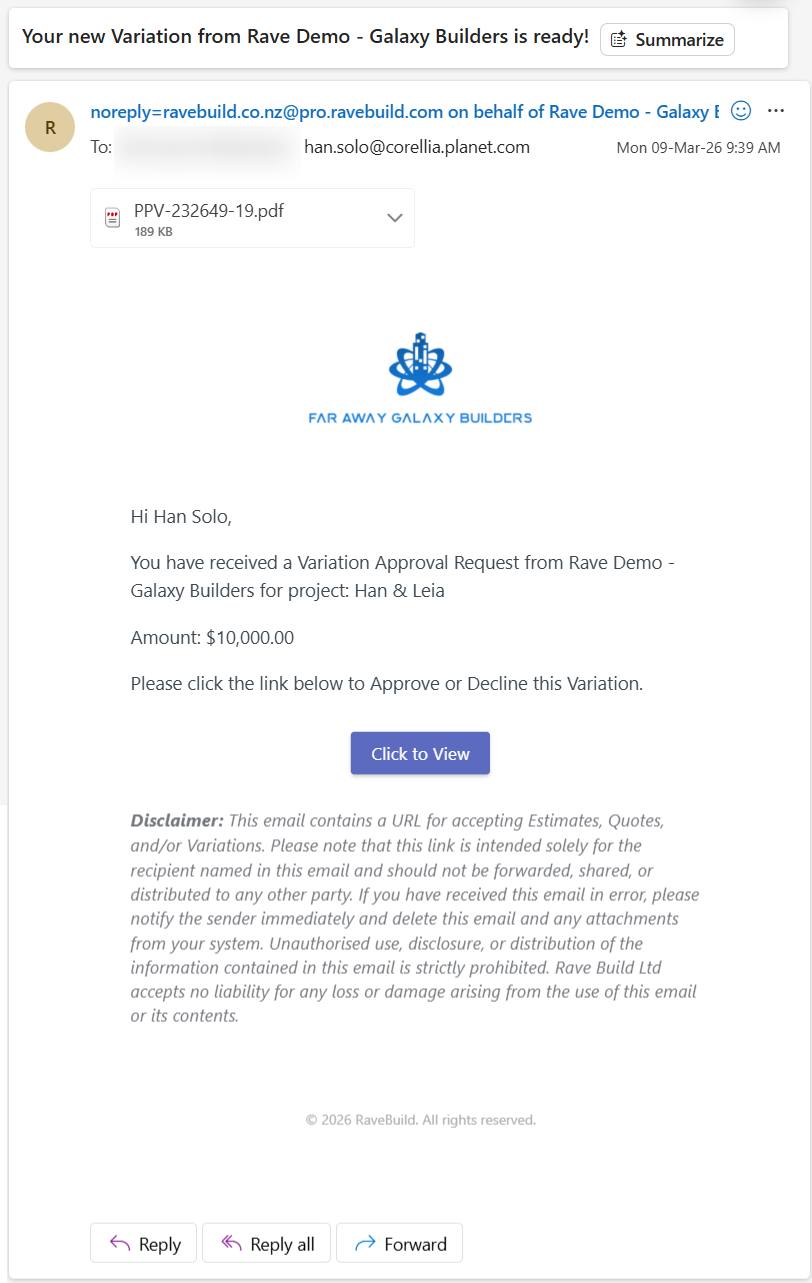
If you are happy to approve the document.
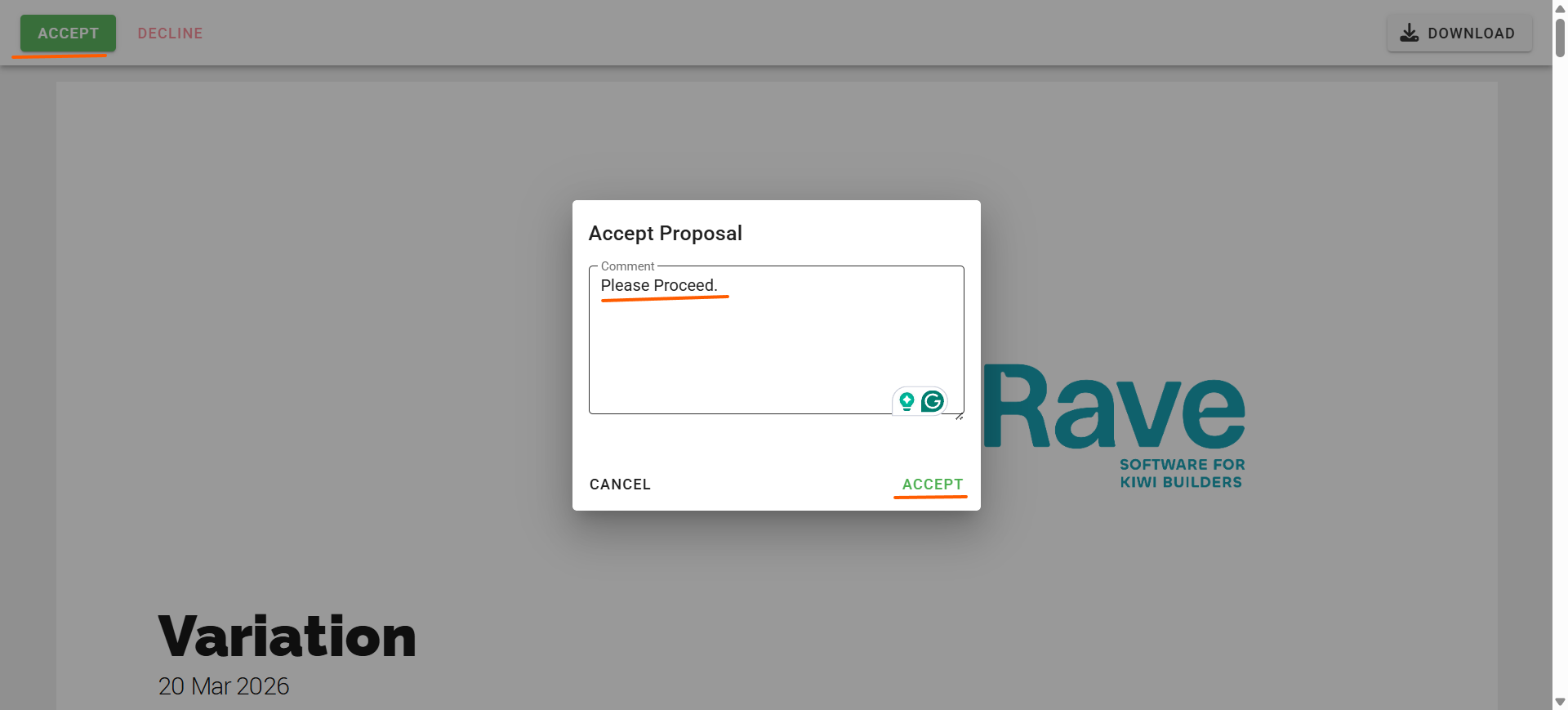
Click the “Click to View” link to open the proposal or variation online.
Click Approve from the top left corner.
Once the model pops up you can add a comment to your builder and press Accept.
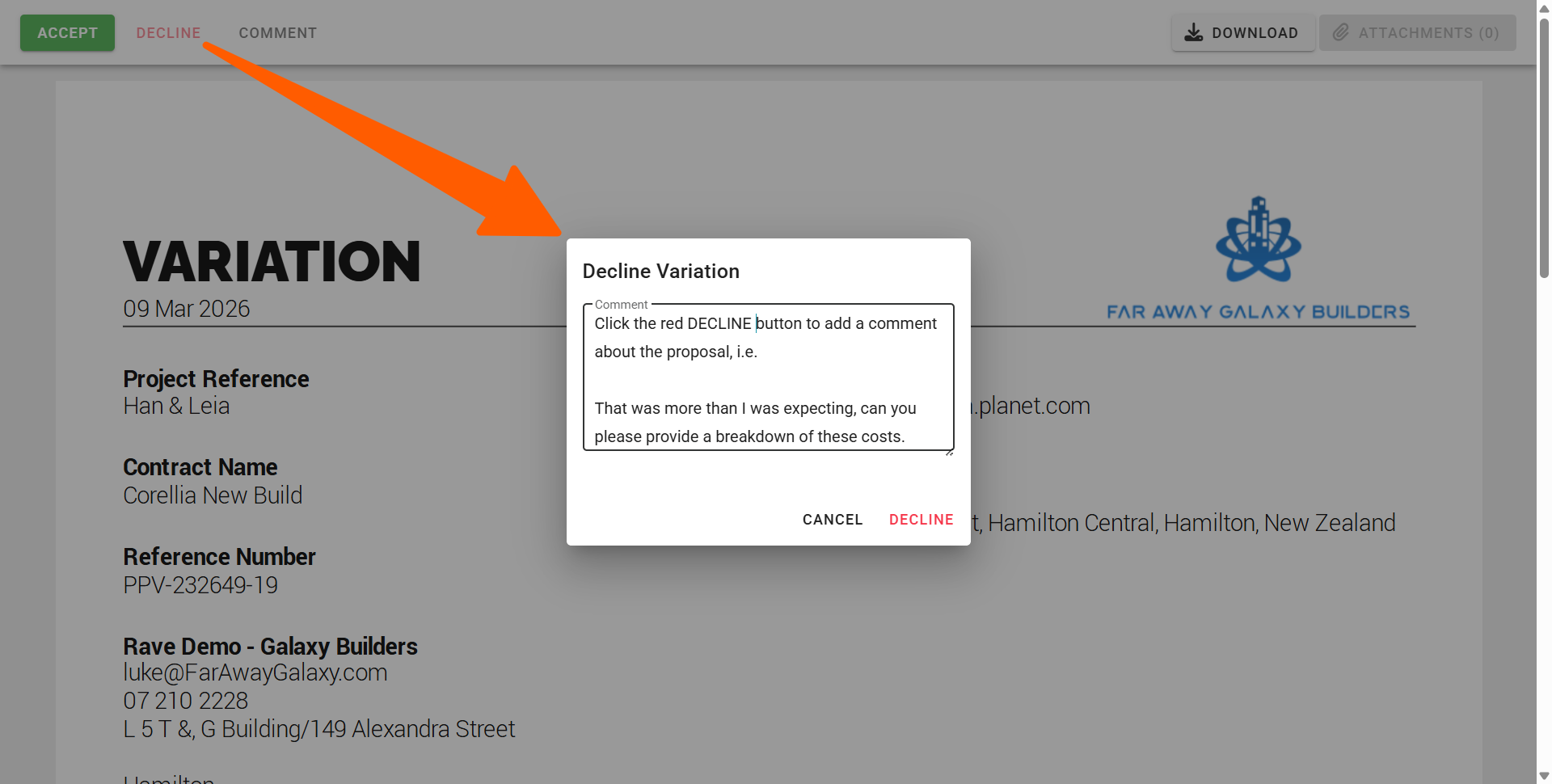
If you need to decline the document.
Click the “Click to View” link to open the proposal or variation online.
Click decline from the top left corner.
Once the model pops up, you can add a comment to your builder and press decline.
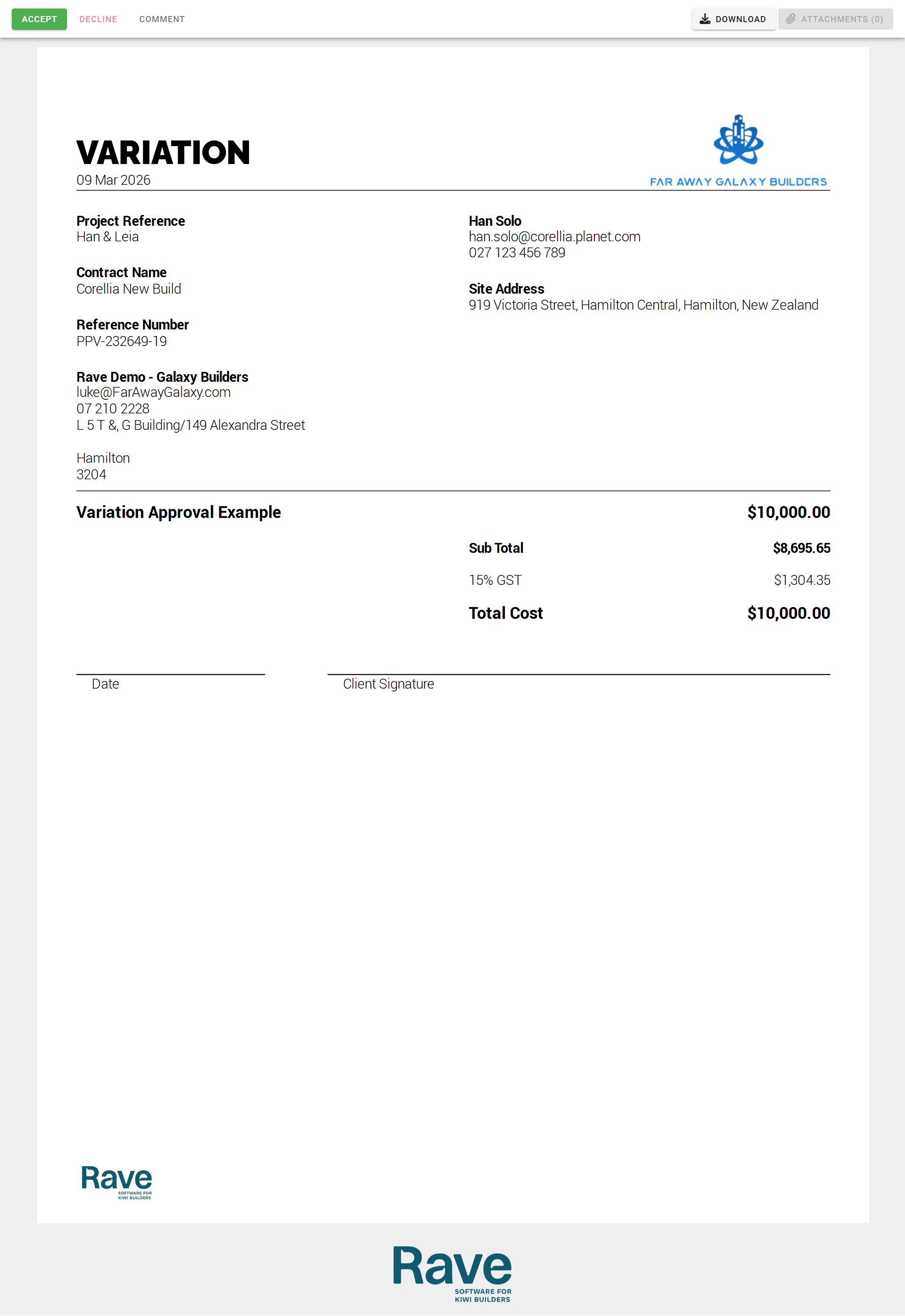
If you prefer a paper copy, you can choose to print the document, complete the date, sign above the client signature line, scan or take a photo of the signed document and email it back to your building company
Was this article helpful?
That’s Great!
Thank you for your feedback
Sorry! We couldn't be helpful
Thank you for your feedback
Feedback sent
We appreciate your effort and will try to fix the article