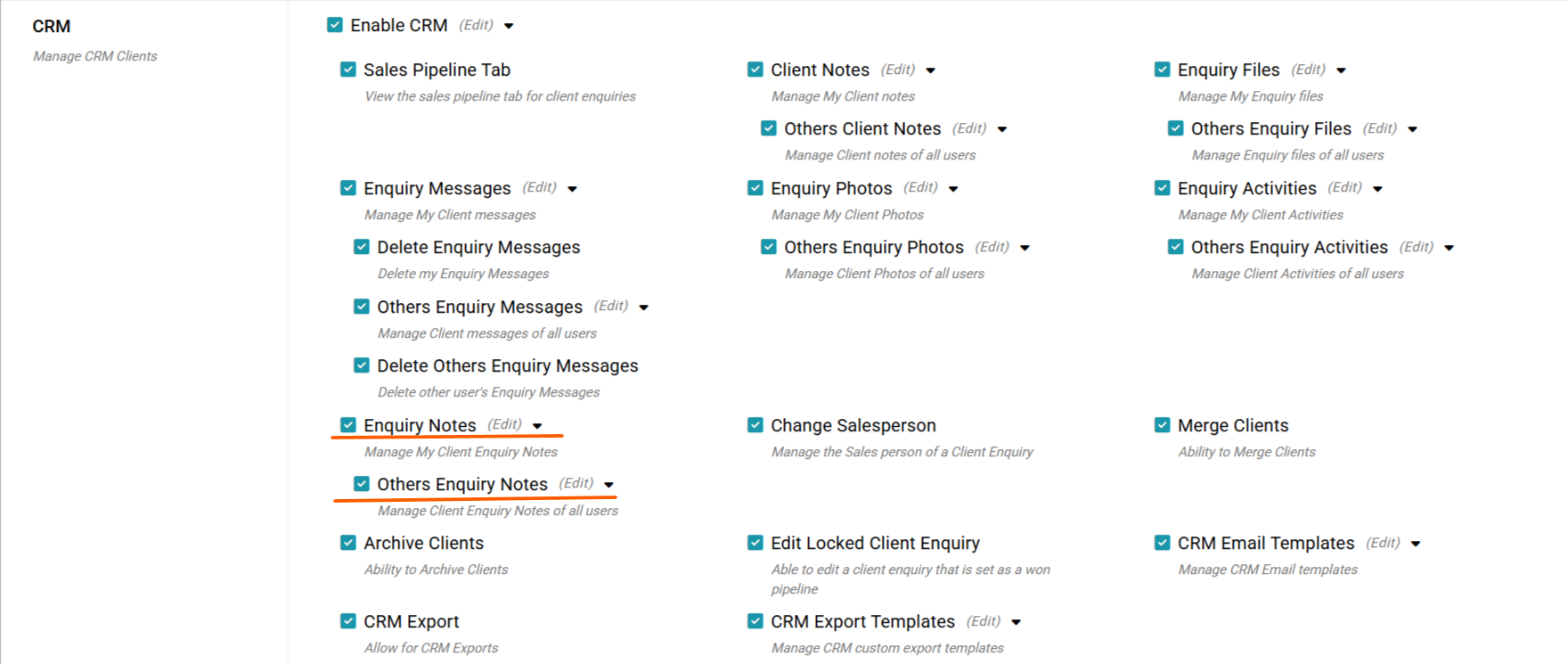
With permission you can add Enquiry notes to your own enquiries and we also have a separate other Enquiry Notes permission allowing you to either view only or edit others notes on all enquiries.
Adding an Enquiry note
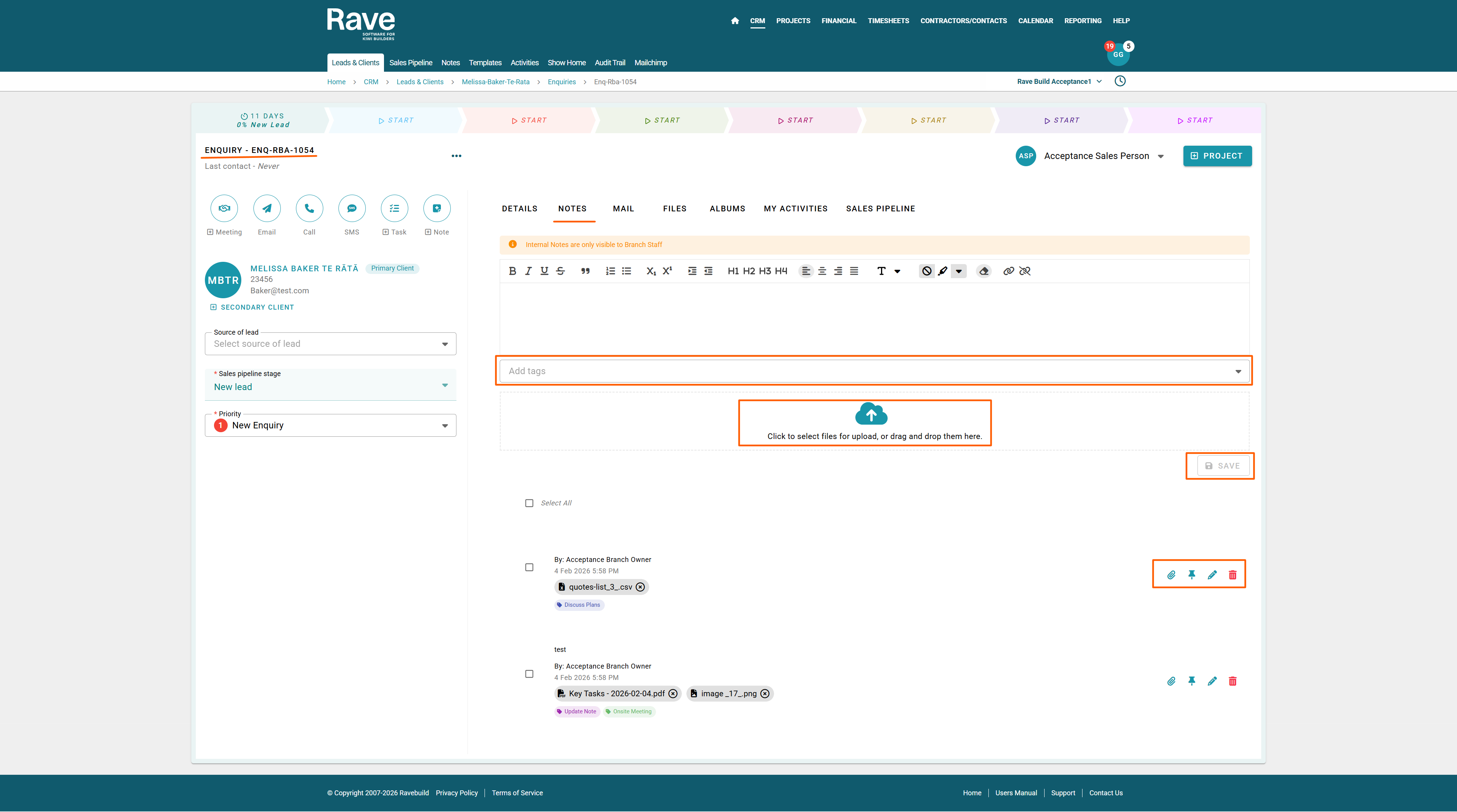
Adding a note is simple. Type the content you wish to add into the text box.
If required, drag and drop the attachment/s or click the cloud icon to load from your device, choose to add a tag or multiple tags to the note making searching for it later on easier. Then click Save.
Once the note has saved it will appear below with options to:
Paperclip - Open the attachment icon to add another attachment to your note
Drawing Pin - Pin the note to the top of the list
Pencil - With permission you can edit the note
Trash Can - With permission you can delete the note
Previewing Attachments
If you have loaded an image file you can click on the file name to preview the file in rave. Once you have previewed you can click the 3 dots to download or with permission delete the attachment.
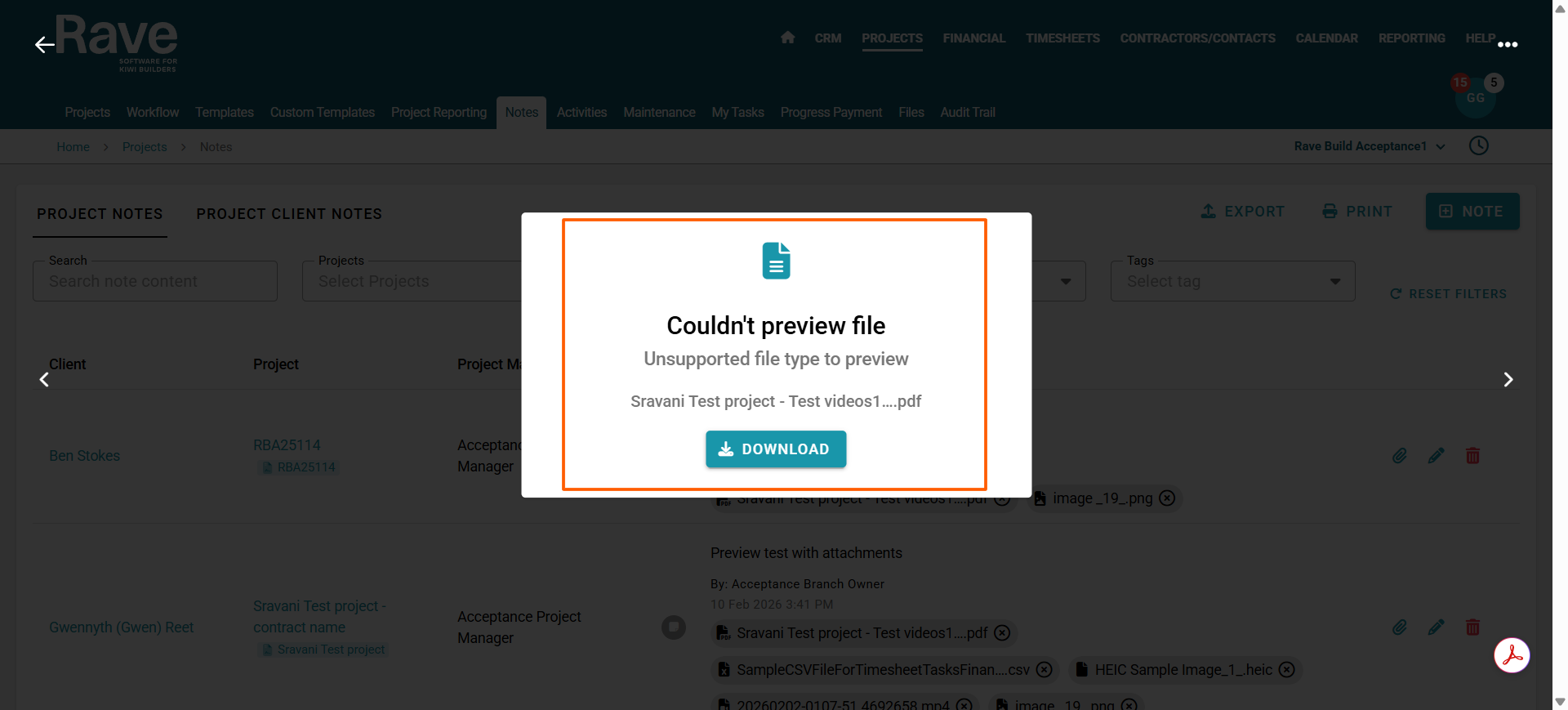
If the attachment is a PDF, Excel, Word or other file type that does not support preview you will be able to choose to download only.
Any Enquiry notes you add here will also appear on the CRM Branch Enquiry Notes page.
See CRM - Branch Lead/Client and Enquiry Notes help article to learn more about Enquiry notes and seeing all your notes in one place.
Note: These notes are internal only and relate to the Enquiry specifically - not the Client.
The Client Profile notes Help article can be found here.
Was this article helpful?
That’s Great!
Thank you for your feedback
Sorry! We couldn't be helpful
Thank you for your feedback
Feedback sent
We appreciate your effort and will try to fix the article