The following is the recorded version of the help article outlined below.
Rave CRM gives you powerful customisation tools so your workflows, notifications, client touchpoints, and team communication all line up with how your business actually operates day to day.
Below is a simple guide to getting Rave CRM customised to suit your team, your process, and your build style.
Once you have logged into Rave you will see:-
- Your Profile icon - To the right of the Help button is your profile drop-down icon (a teal-coloured circle with your initials). Clicking on this icon gives you access to your Rave CRM settings. Access to these settings is permission based.
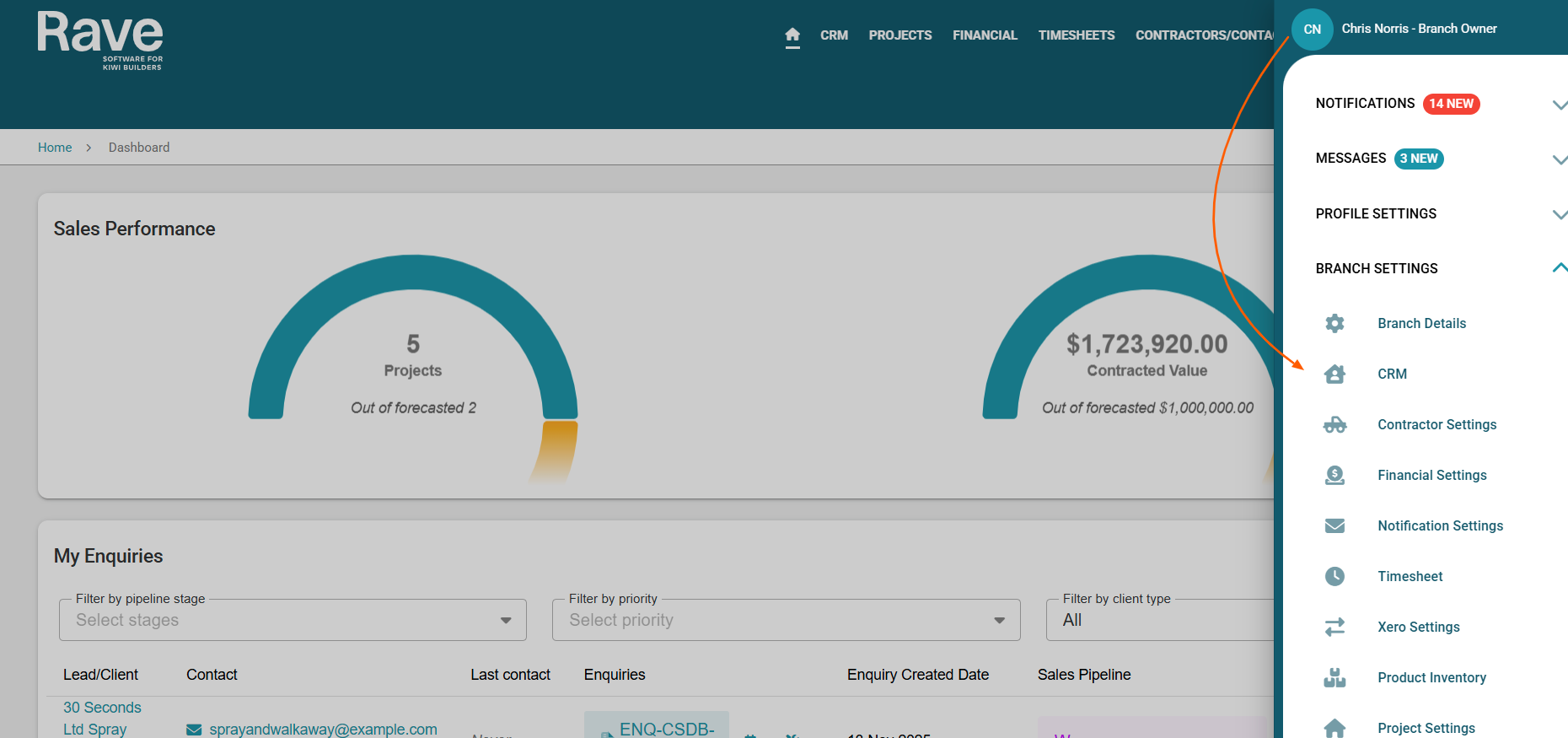
Click on CRM
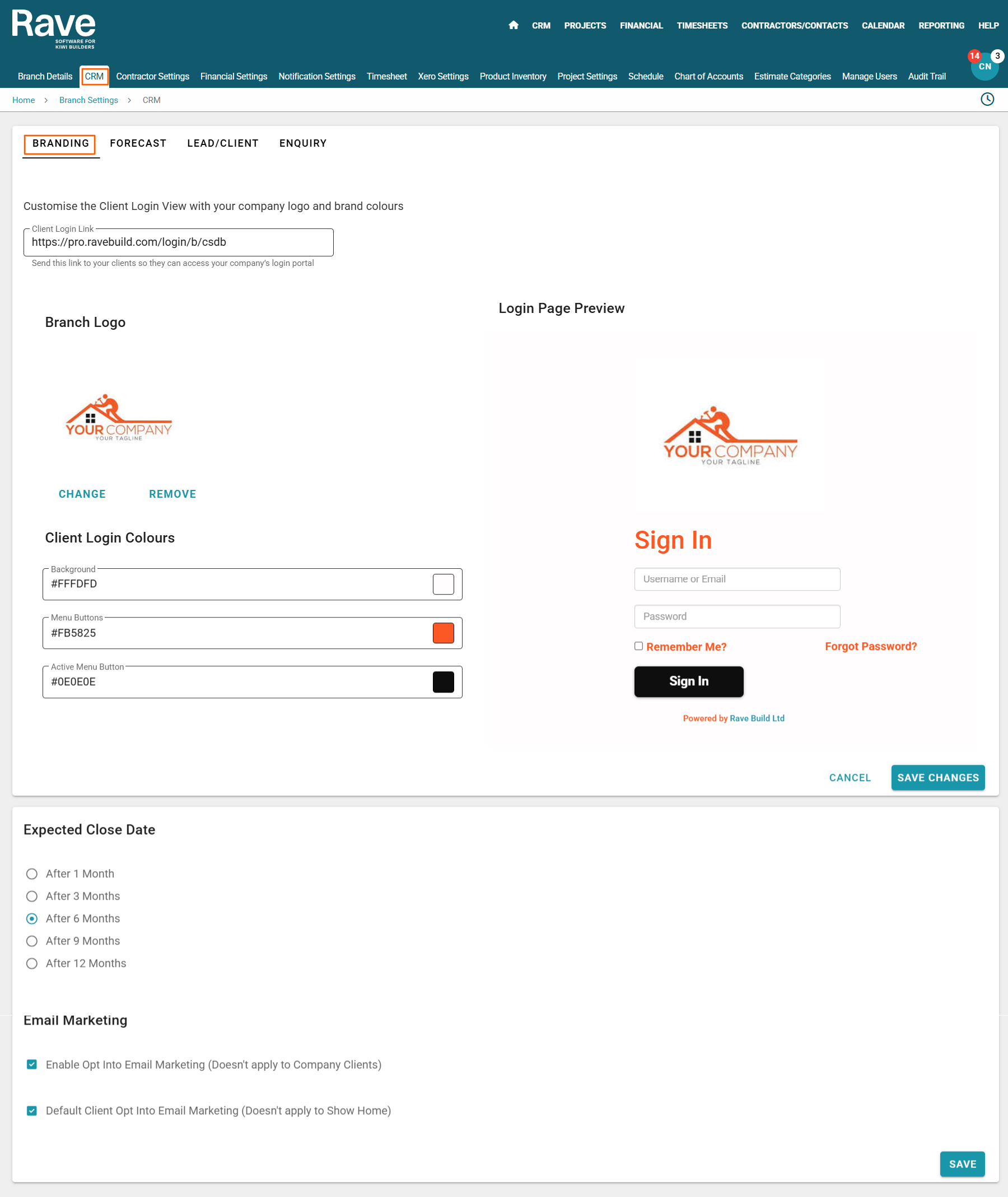
You will be directed to your branding page where you can upload your Logo if this hasn't already been done and customise your
- Client log in colours.
- Default expected close date- this is the timeframe you think it takes to close a deal
- Opt in or out of your companies email marketing.
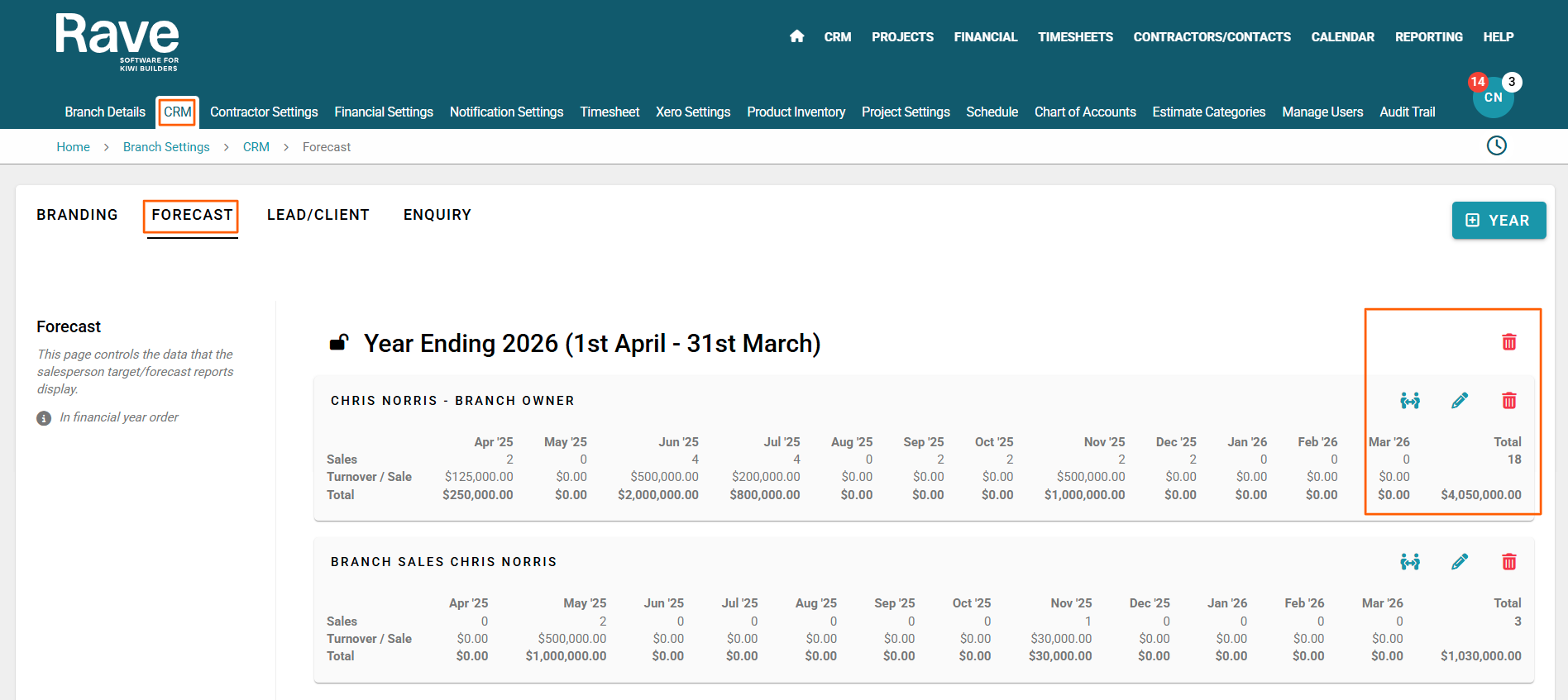
Your Forecast
As a Branch Owner you can set up sales forecasts for your sales team by adding a salesperson forecast and populating their units and turnover per sale per month for the financial year. You can always edit these forecasts and delete or merge with other salespeople if need be.
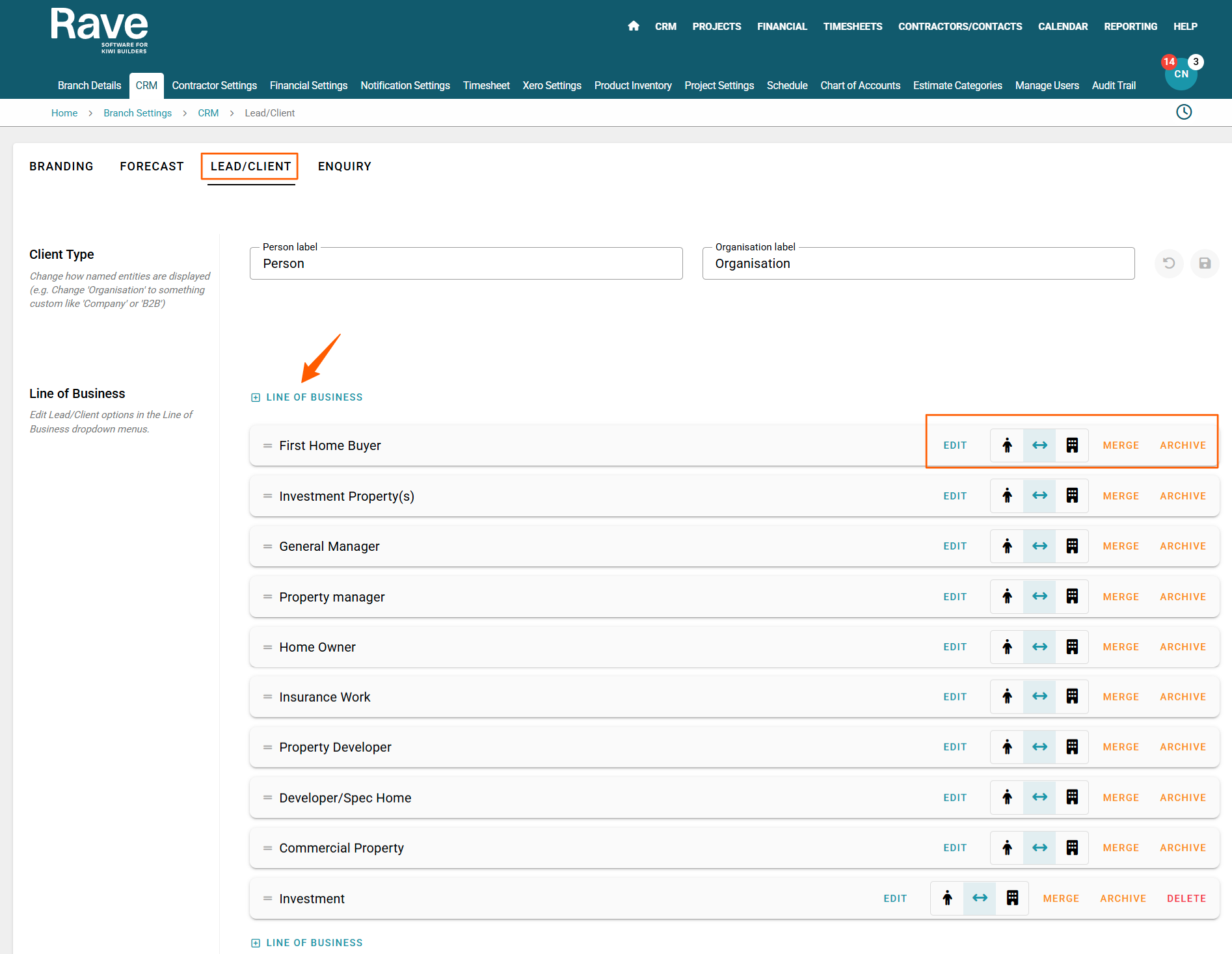
Lead/Client Customisation
In this tab you can edit the Person or the Organisation Label and you can Edit | Merge | Archive | Add your line of business.
You have the option of using the toggle to have your line of business options show up in the drop down box just for the person or the organisation or both.
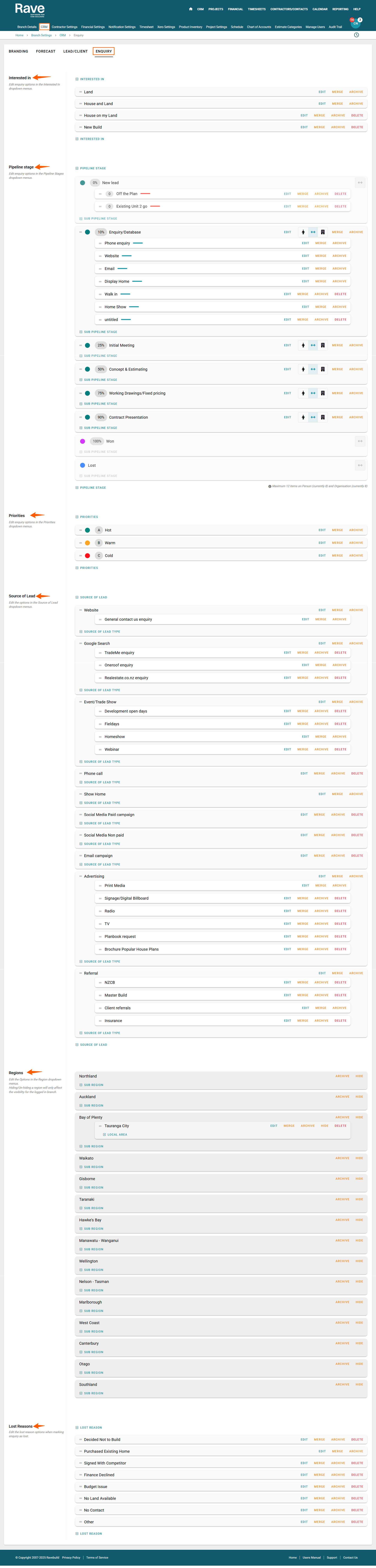
Enquiry Customisation
In this tab you can Edit | Merge | Archive | Delete or add any of the line items to fully customise your dropdown boxes when entering in a new enquiry.
The customisation is for the following dropdown boxes
- Interested in
- Pipeline Stage
- Priority
- Source of Lead
- Regions
- Lost Reasons
If you want to customise your sales pipeline to automate adding a new project at anytime through the pipeline stages please contact us here at help@ravebuild.co.nz
Was this article helpful?
That’s Great!
Thank you for your feedback
Sorry! We couldn't be helpful
Thank you for your feedback
Feedback sent
We appreciate your effort and will try to fix the article