RAVE’s financial management system is designed to help you manage all the financial aspects of your projects, including budgeting, bills, and invoices, with ease.
You can access your Project’s financial workflows from either the Financial button or the Project button's Project list, clicking on the project’s reference number, and finally selecting the Budget sub-tab, then Bills.
To learn how to create a Bill by converting a Purchase order or orders to a Bill, click here.
To learn how to create a Bill or Credit Note manually, click here.
To Learn how to create a Bill (s) from a CSV file, click here.
When loading a bill against a purchase order, you have two options for Rave to "remember" what budget you have left.
Option 1 is to remember the Quantity ordered vs. billed
i.e. by changing the line item quantity on the Bill, Rave will remember what quantity is left to bill next time
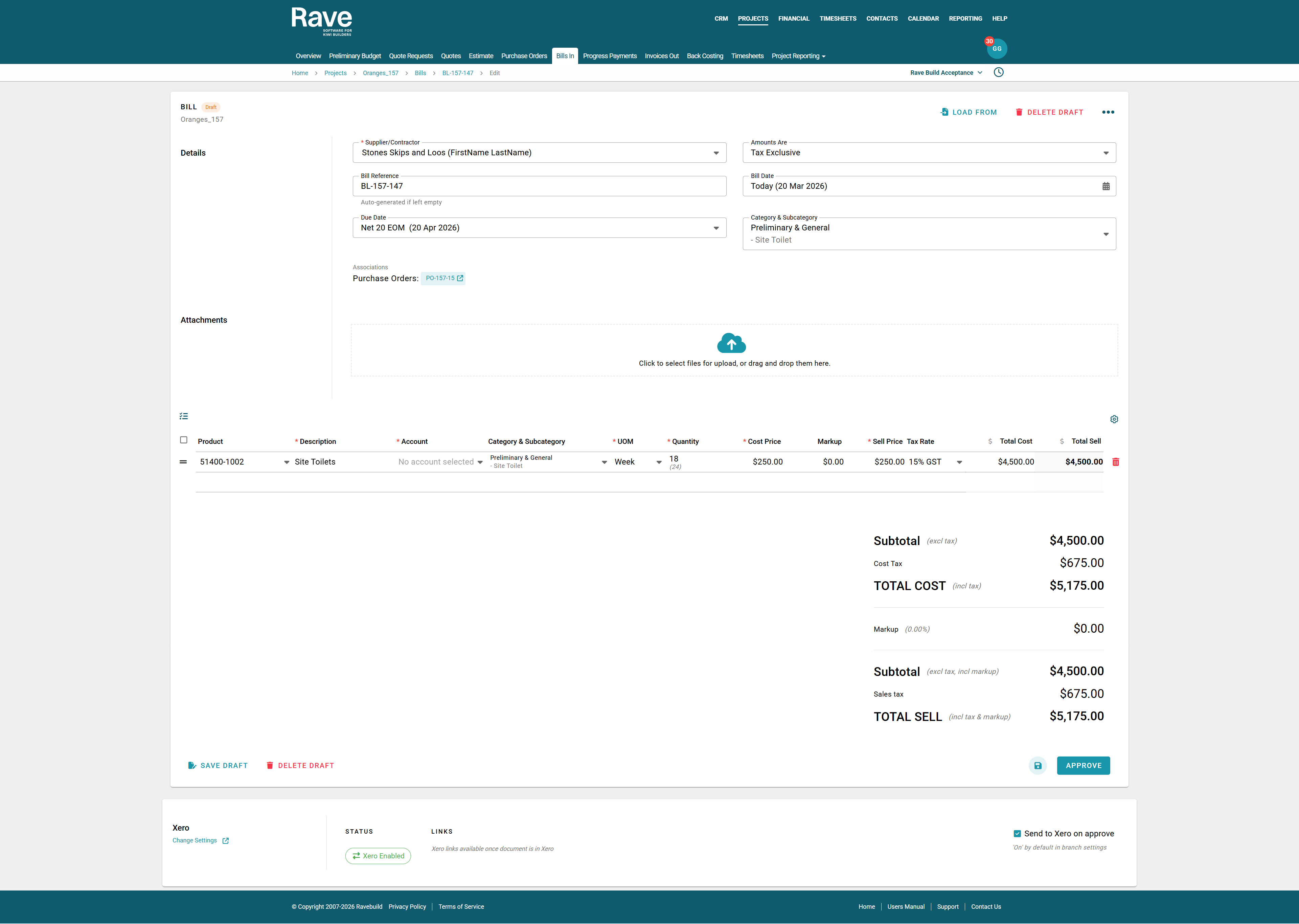
- When a Bill is added via a Purchase Order conversion, it will display the full quantity of each line item available for conversion.
- If you have already loaded a bill(s) against this Purchase Order, Rave will display the original quantity in brackets.
- In the example below, our original Purchase Order amount was for 24 weeks of Site Toilet Hire, and we have previously loaded a bill or bills for 6 weeks, leaving a balance of 18 weeks to be billed.
- This Purchase Order will remain open with the ready-to-convert balance showing until all of the original quantity has been billed, regardless of pricing.
Option 2 is to remember the Total Pricing ordered vs Billed
If you prefer to load your Quotes and then Purchase Orders as a single bulk sum dollar amount with a quantity of 1.0, follow the steps below to ensure the dollar-value balance is retained.
i.e. by changing a line's Total Price value - Rave will remember the dollar value of what is still to be billed - and auto-edit the quantity of what is left to bill next time
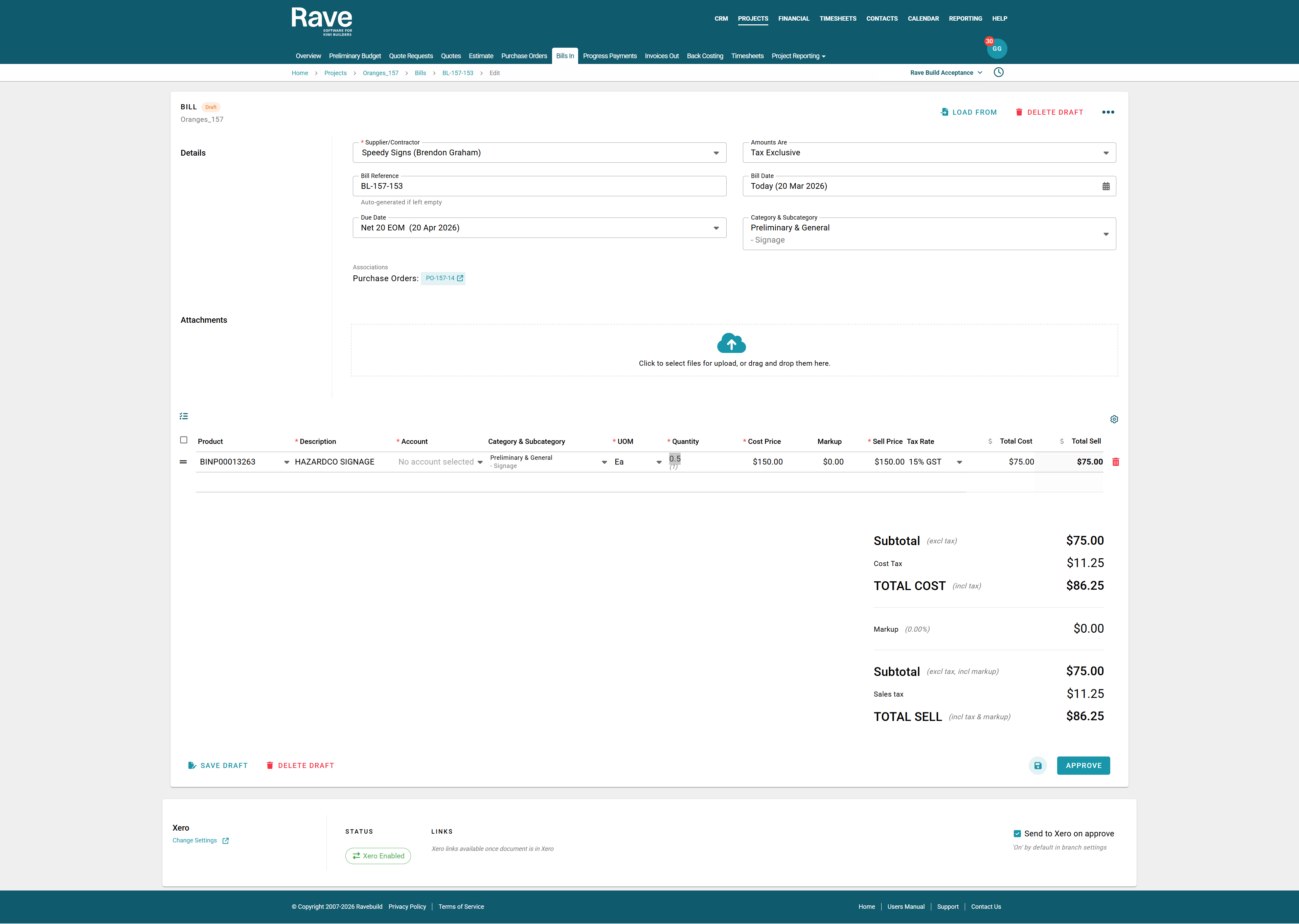
In the example below, I have a lump sum Purchase Order for $150 + Tax
- I have received a Bill from my supplier for $75 + Tax .
- Instead of trying to adjust the line quantity to .5 i just edit the total cost to be $75
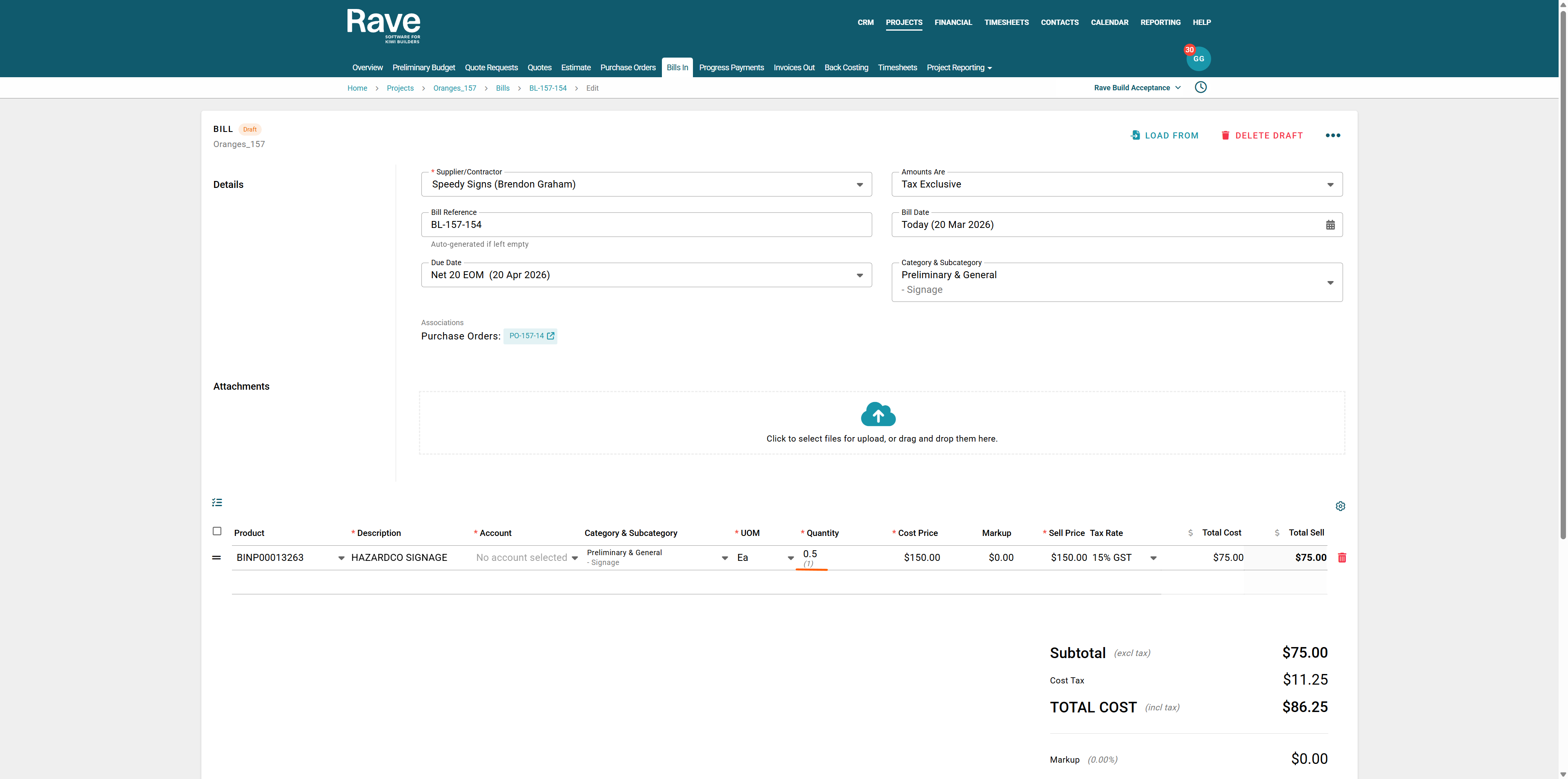
- Rave will then back-calculate the qty to .5
- Then, the next time you receive a Bill in Rave it will remember and display the remaining quantity of .5 left to bill
Was this article helpful?
That’s Great!
Thank you for your feedback
Sorry! We couldn't be helpful
Thank you for your feedback
Feedback sent
We appreciate your effort and will try to fix the article