If you are looking for the Schedule Tasks Maintenance subtab help article, see here.
Alongside the Maintenance tab within the Project Schedule, you can also set a Maintenance Start Date and Maintenance End Date from the Project Edit page.

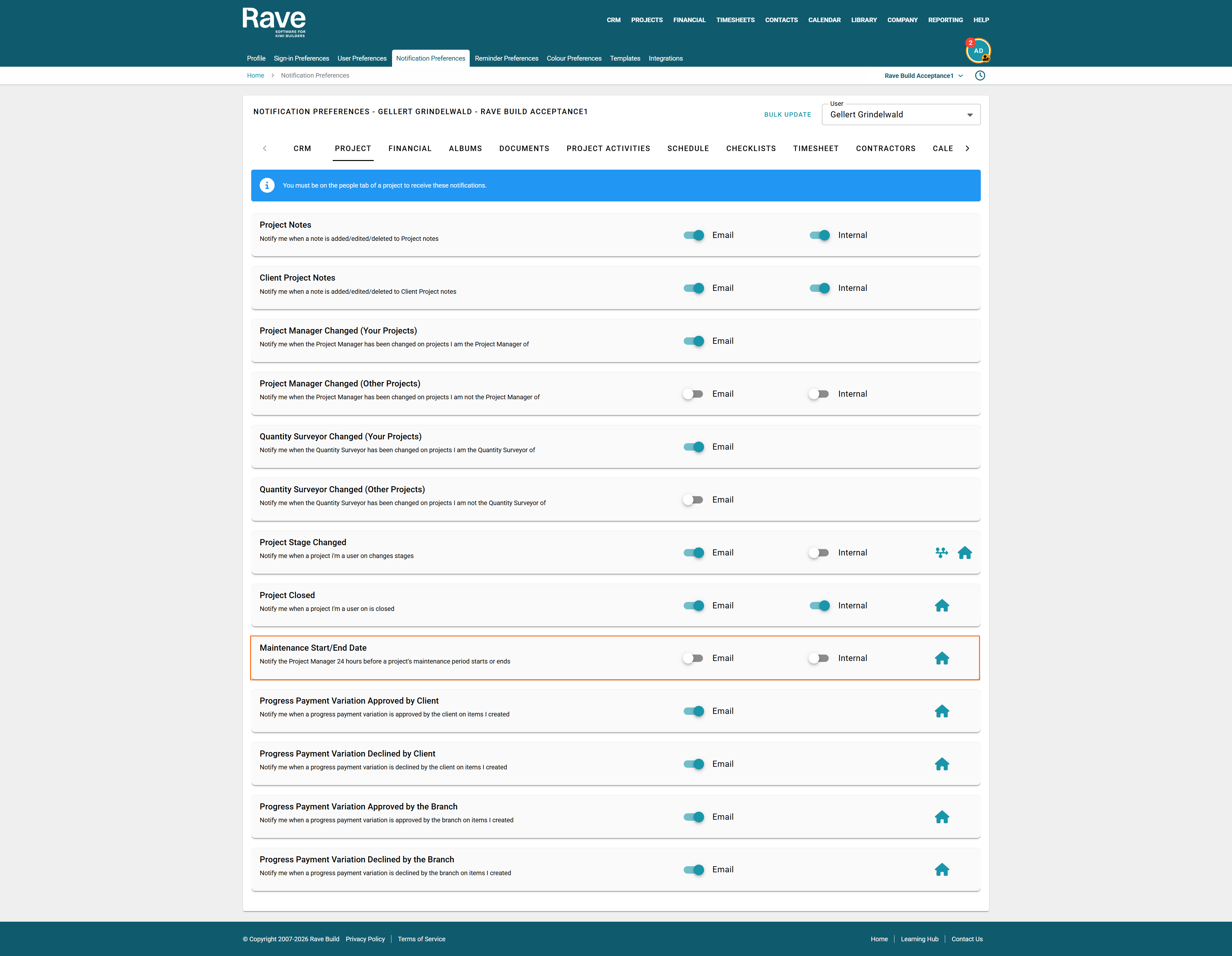
Once you enter these dates, Project Managers can choose to receive maintenance reminders in their Manage Notifications settings.
They can opt in to receive:
A notification 24 hours before the Maintenance Start Date
A notification 24 hours after the Maintenance End Date
This helps Project Managers stay on top of upcoming maintenance periods and follow up after the maintenance period ends.
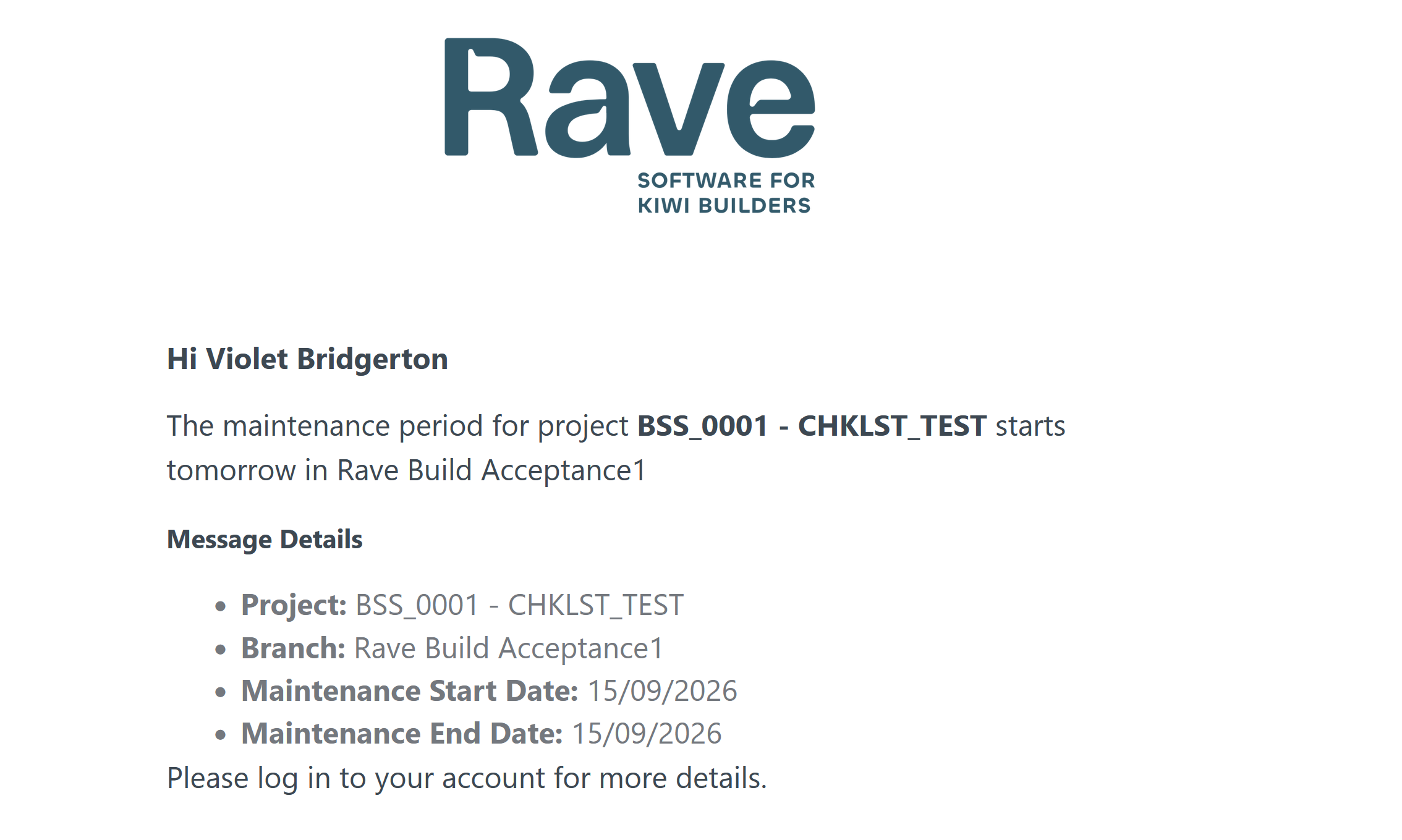
Sample Email
Was this article helpful?
That’s Great!
Thank you for your feedback
Sorry! We couldn't be helpful
Thank you for your feedback
Feedback sent
We appreciate your effort and will try to fix the article