From within an enquiry, you have access to the Documents tab. This is where you can upload and manage documents throughout the sales process.
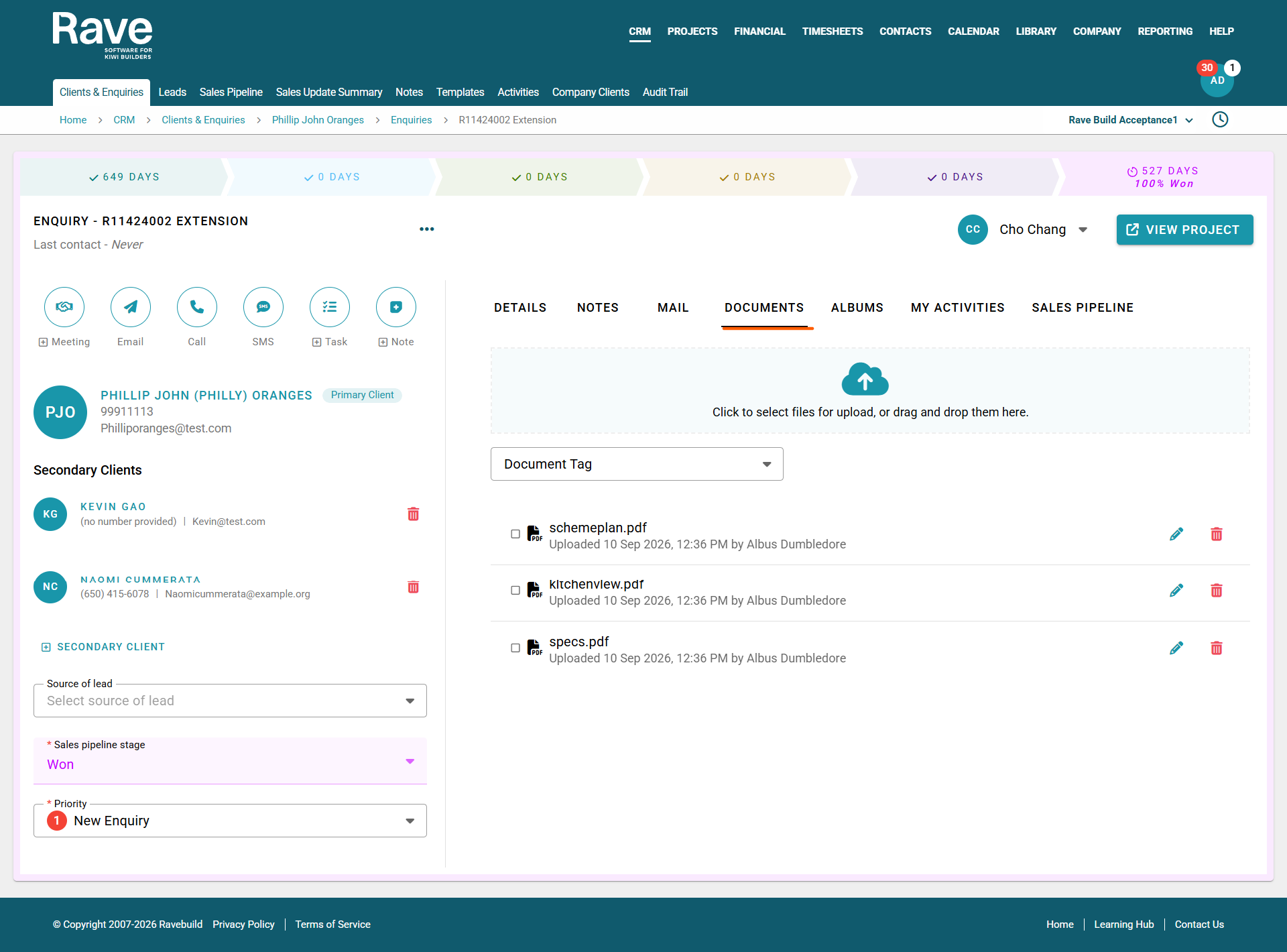
Depending on permissions, clients can also be given access to view and/or upload documents within the enquiry.
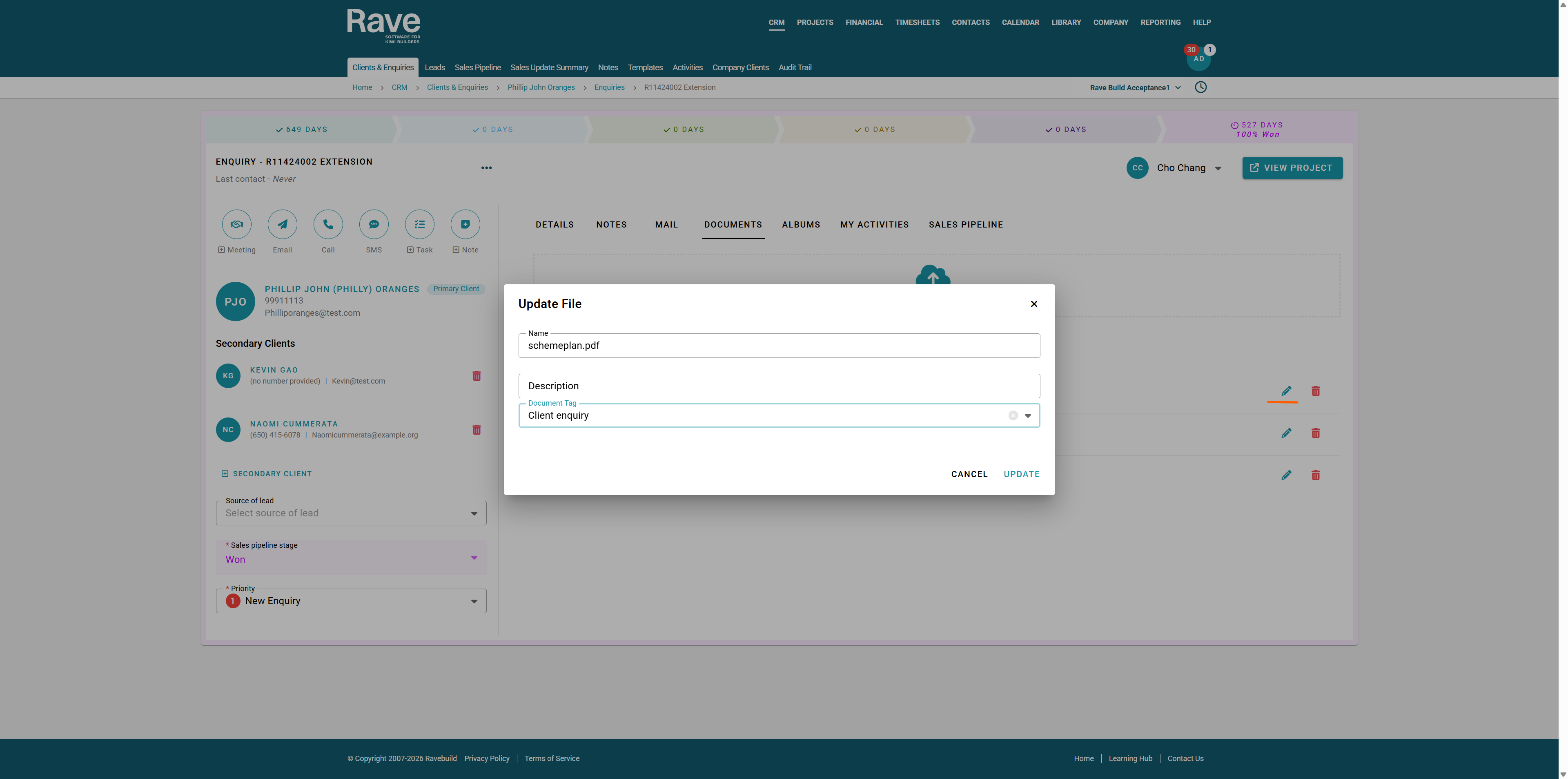
To help keep documents organised, you can apply customised document tags, making it easier to identify, filter and track different document types. To add/edit a a document click on the pencil icon.
here you can change document name, give the document a brief description and also update/add a document tag
To upload a document, simply drag and drop the file into the upload area, or click the Upload button to open your device’s file browser and select the document you wish to add.
You can also bulk select multiple documents and either:
Copy to Project – keeps the original document within the enquiry and creates a copy within the project.
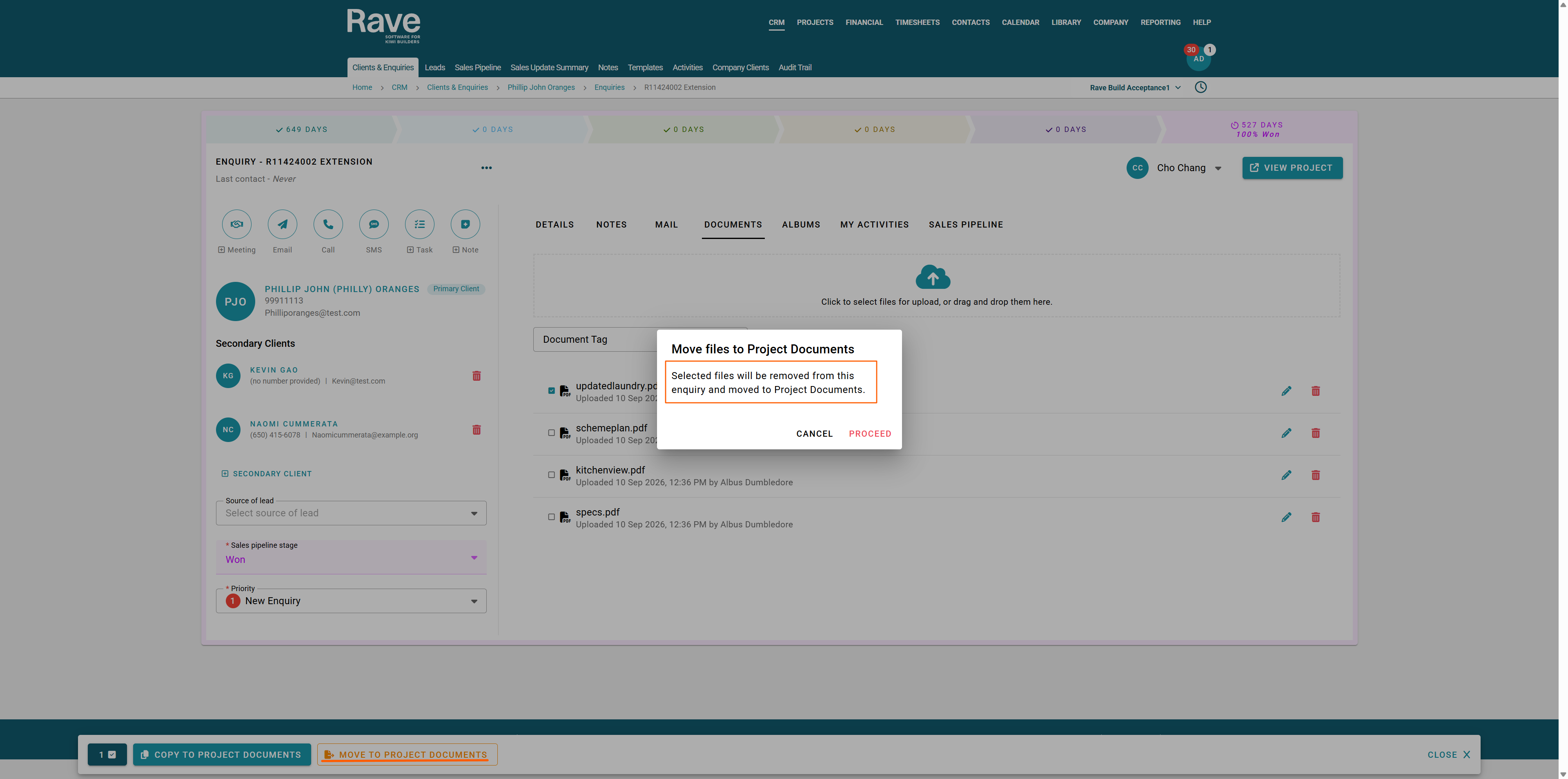
Move to Project – transfers the selected document(s) from the enquiry into the project.
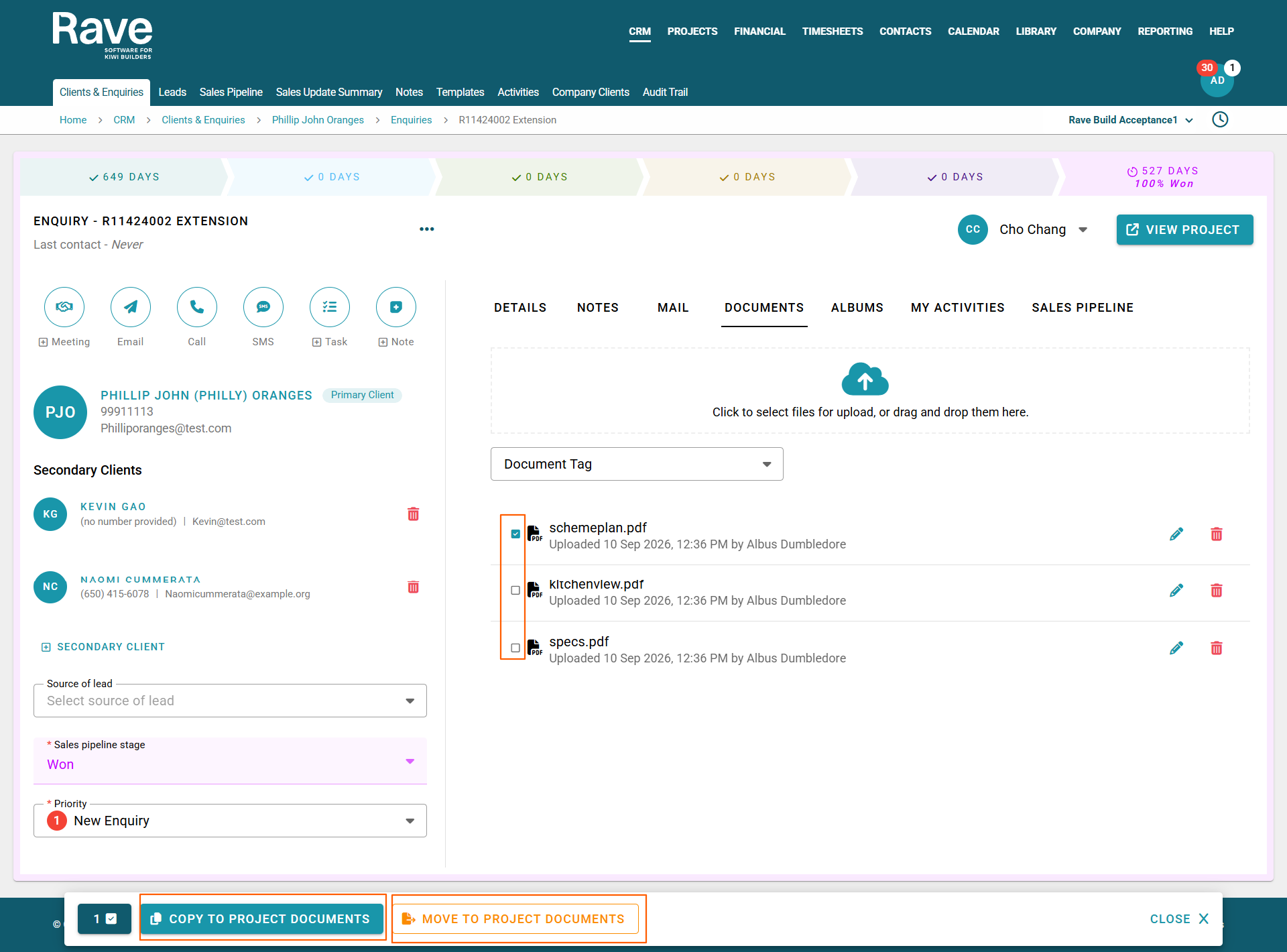
Copy to Project
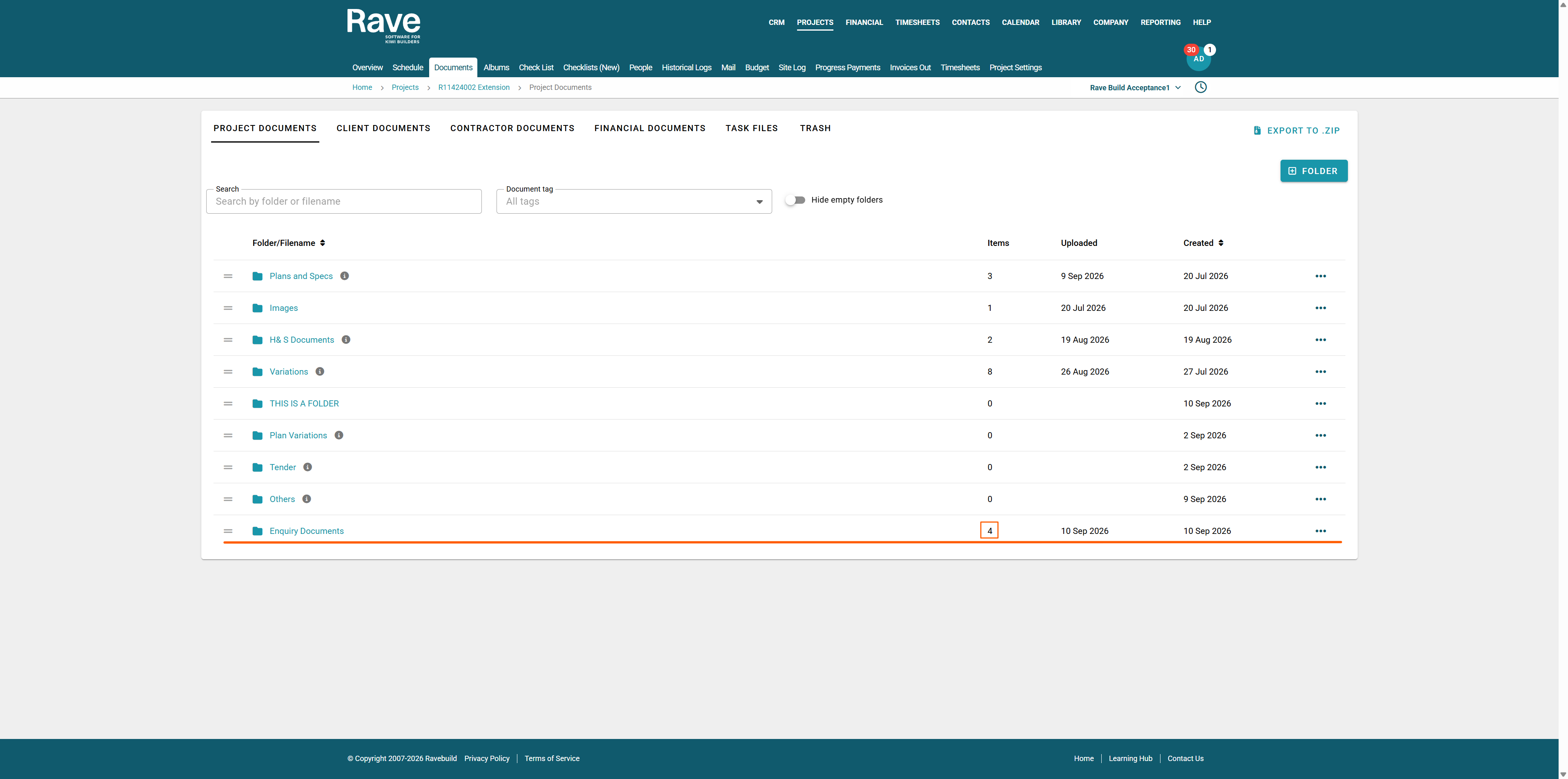
This creates a new folder under project documents and copies all the documents here. Keeping the same permissions that were on the enquiry documents tab.
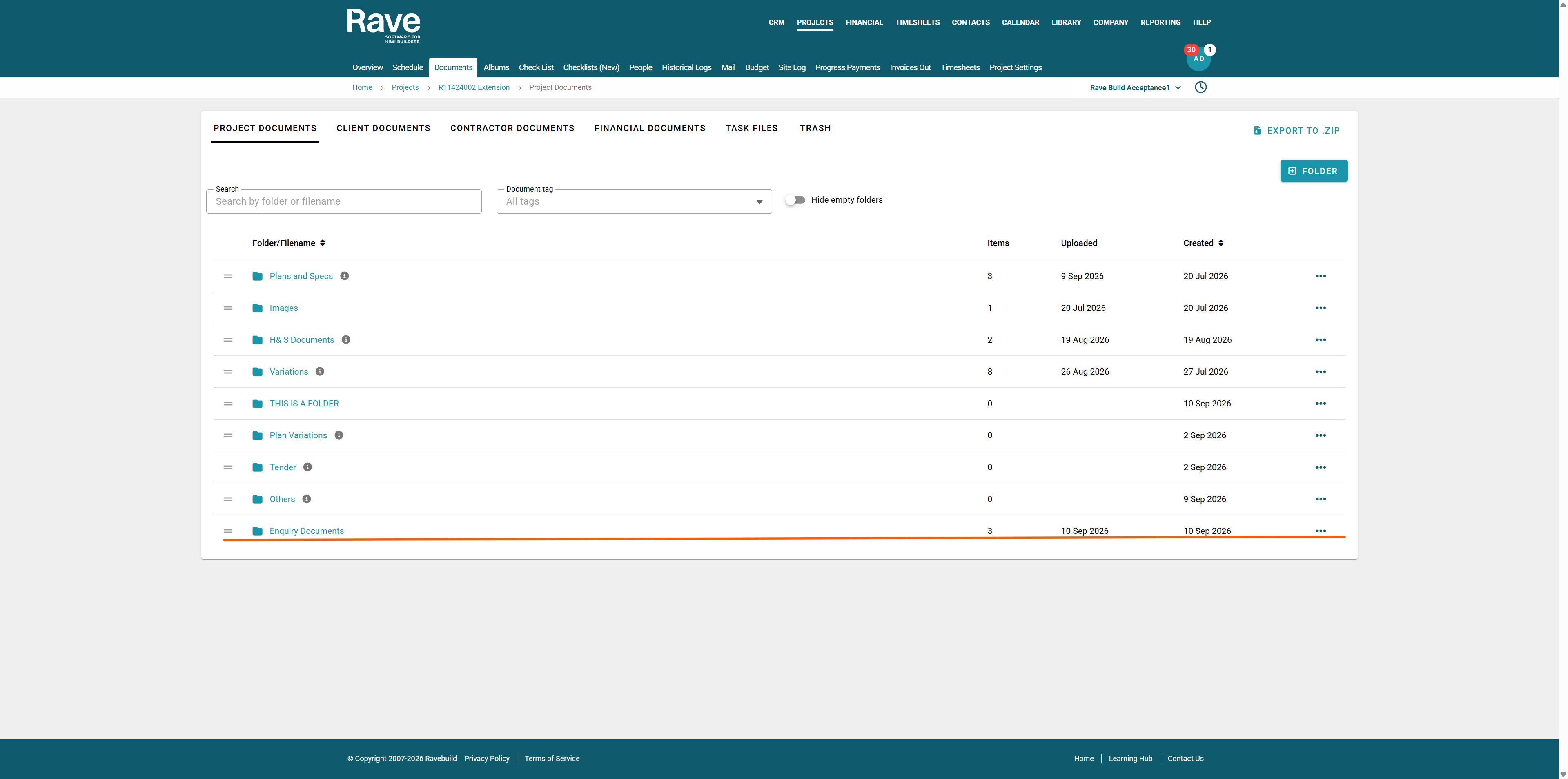
Move to Project
This will remove the items from Enquiry Documents and place them in a new folder in Projects called Enquiry Documents. No copy will remain in CRM
Was this article helpful?
That’s Great!
Thank you for your feedback
Sorry! We couldn't be helpful
Thank you for your feedback
Feedback sent
We appreciate your effort and will try to fix the article