Sign-In Preferences
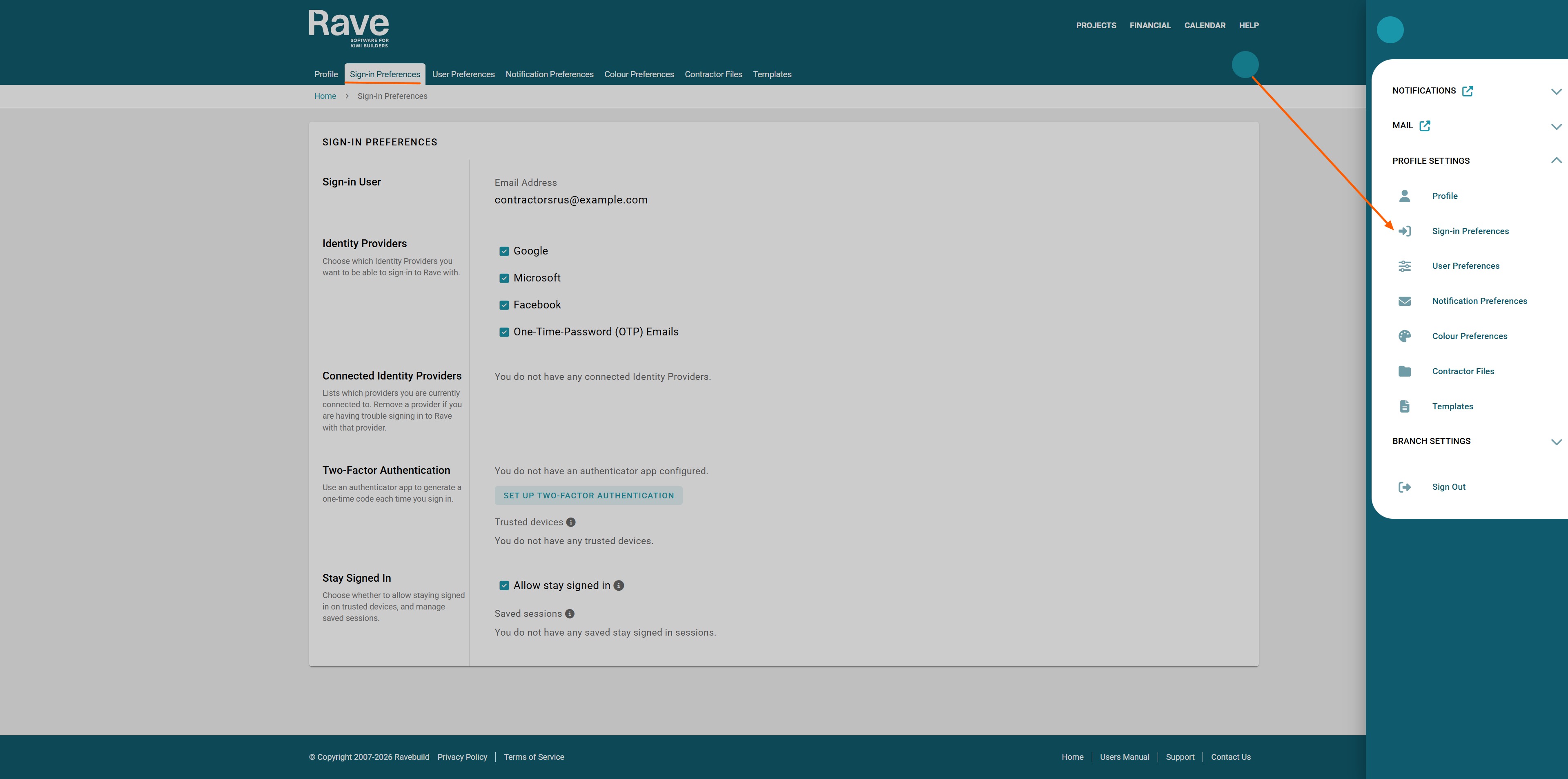
From your profile drop-down, select Sign In Preferences.
This will open your options for signing in.
Sign-in User - This is your email address associated with your Rave Profile or Profiles.
Identity Providers - Here, you can uncheck the options you don't want to use to sign in to Rave. Note: not all options will appear if your business owner or head office has disabled certain options.
Connected Identity Providers - This will show the current approved email address and provider, along with the creation date and last access date.
Two-Factor Authentication - This will show whether you have enabled two-factor authentication. It shows what the current option is (i.e., the authenticator app), when it was created, and when it was last accessed. Below, it will also show the trusted devices you have approved.
Stay Signed in- With this box checked, you will be auto-signed in for 30 days before you have to re-sign in again.
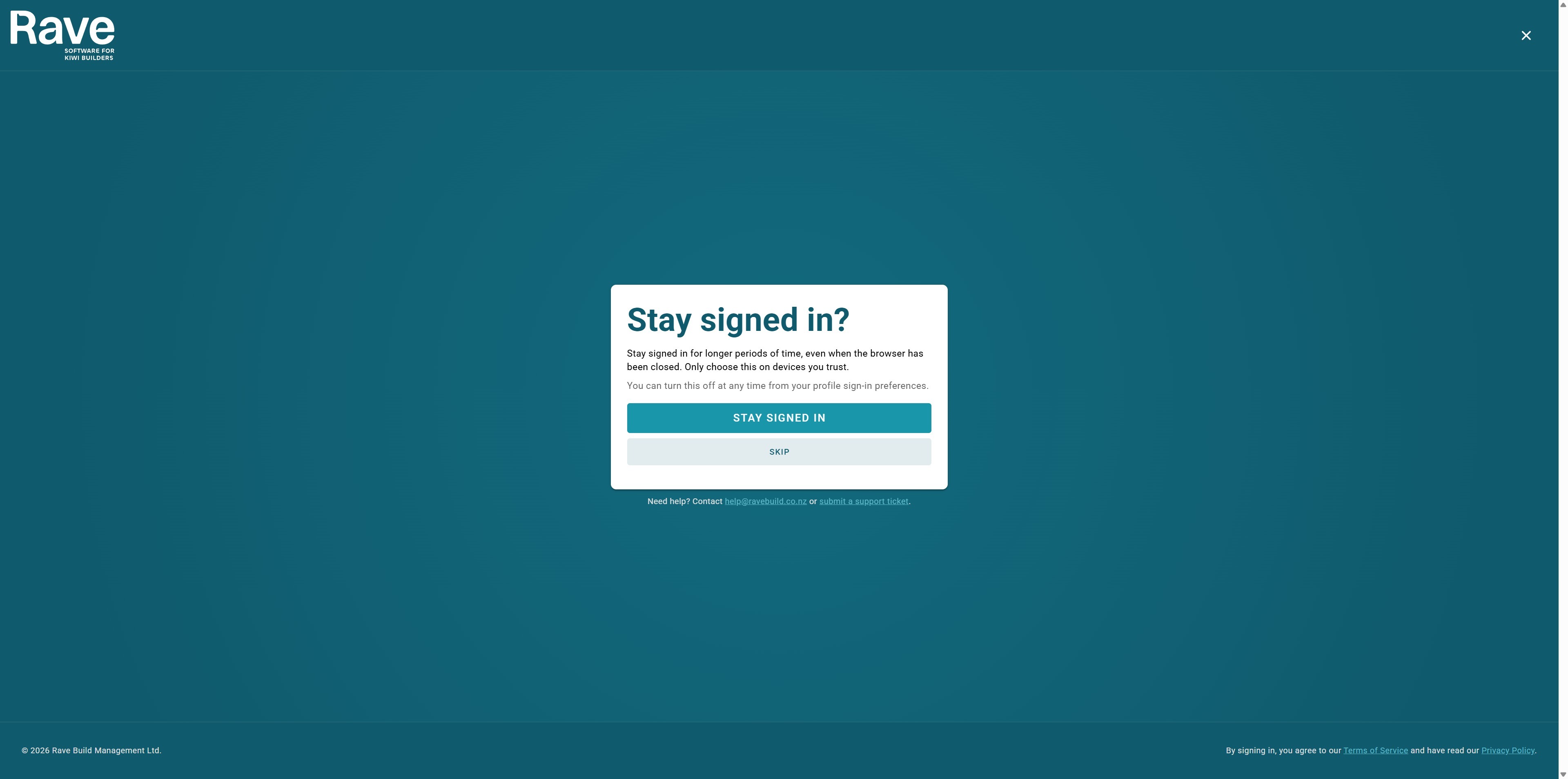
Once you have signed in to Rave, you can choose to Stay Signed in. Select the Stay signed in tab as shown below, and you'll be auto-logged in for 30 days before you are required to sign back in.
Was this article helpful?
That’s Great!
Thank you for your feedback
Sorry! We couldn't be helpful
Thank you for your feedback
Feedback sent
We appreciate your effort and will try to fix the article