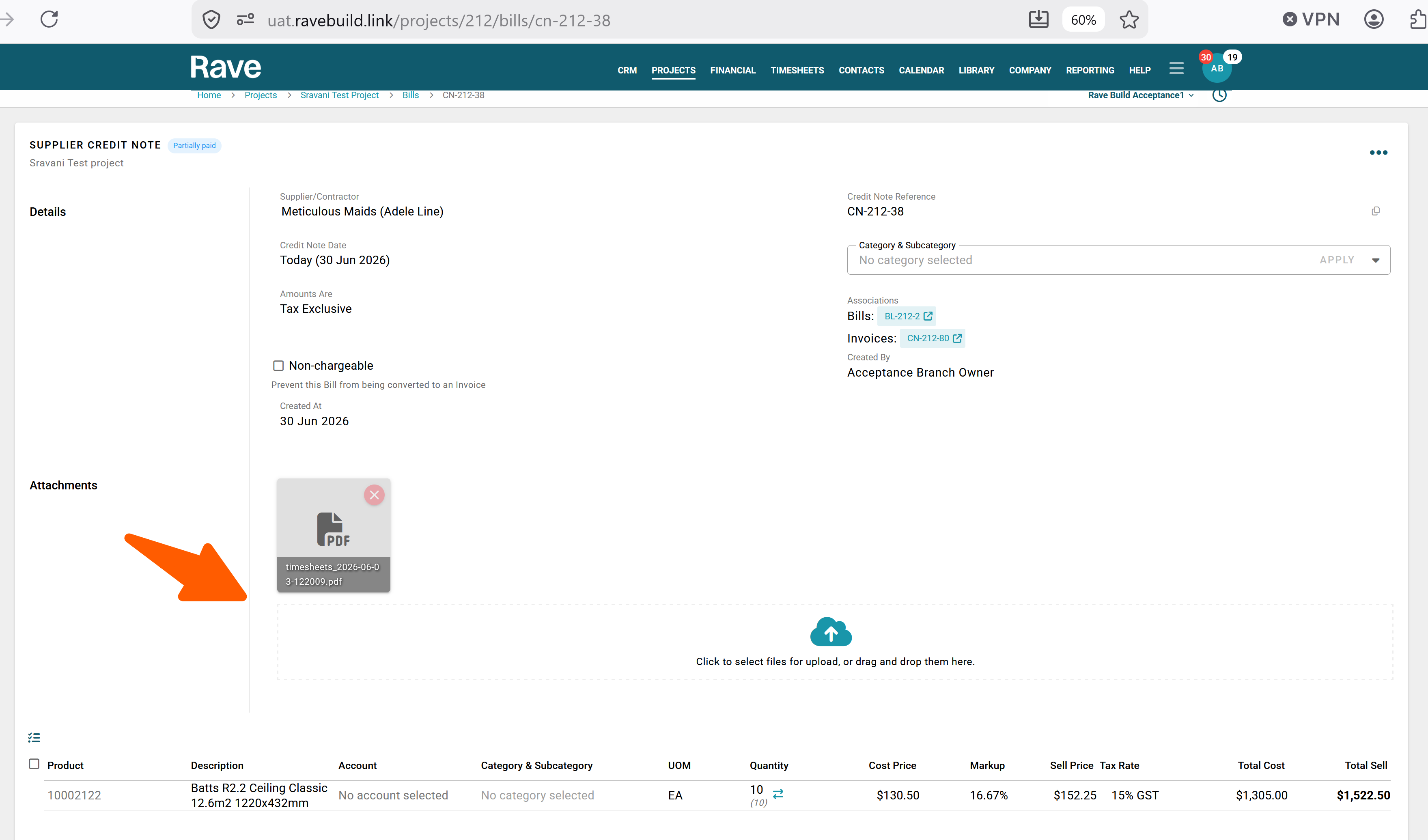
You can now add or remove attachments from any Rave-created Invoice, Credit Note or Bill, even after it has been paid or partially paid.
Simply open the invoice, bill, or credit note in View mode, then drag and drop your file or click Upload to attach it. Attachments can also be deleted if required, and all attachment uploads and deletions are automatically recorded in the audit trail for complete visibility.
With Xero connected to Rave, the attachment will be sent to Xero regardless of the payment status.
Access to add or remove attachments is controlled by each document type's Add/Edit/Delete permission in Manage Users, ensuring only authorised users can make changes.
Was this article helpful?
That’s Great!
Thank you for your feedback
Sorry! We couldn't be helpful
Thank you for your feedback
Feedback sent
We appreciate your effort and will try to fix the article