The Rave Calendar icon in the top navigation lets you view all your event invitations in one place across the different Building Partners you have.
Select Calendar from the top navigation and you will land on My Calendar
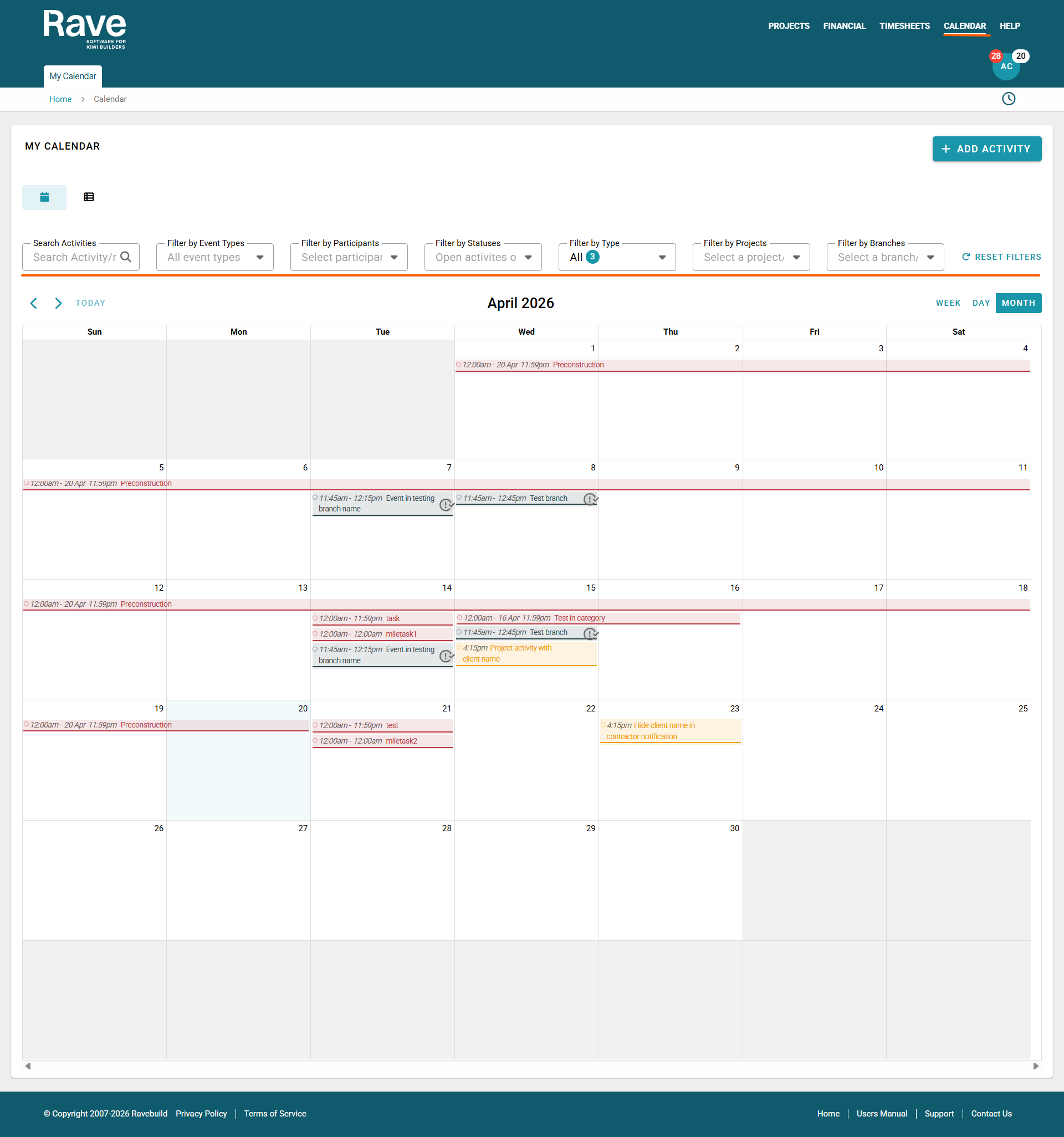
You will see your calendar in the traditional month view with options to view Day, Week, or change months. You can switch to a modern List view, depending on your preferences, using the icons at the top left.
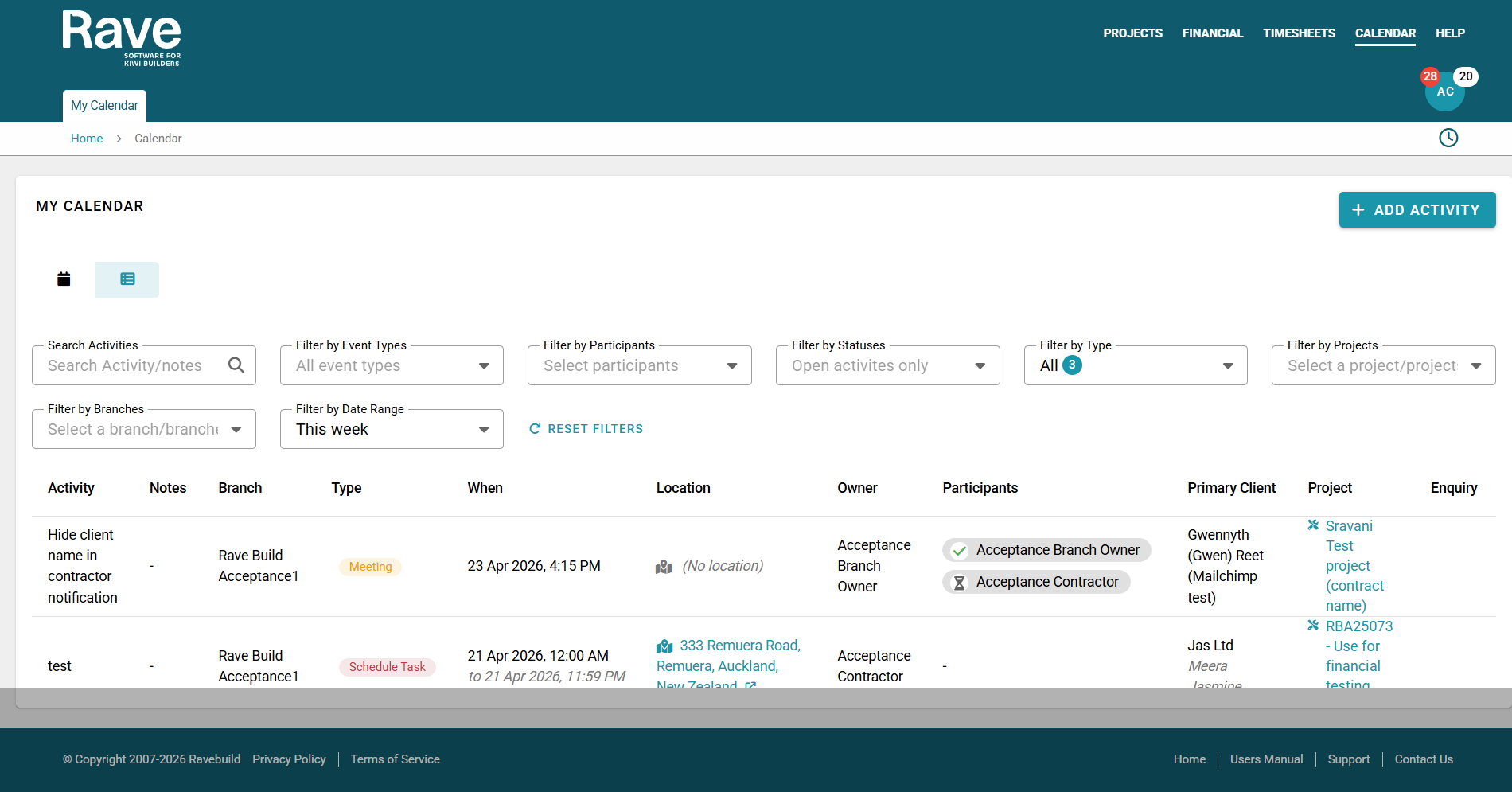
You can search for a specific Activity or Note; filter by event type, participants, open or completed activities, or Activity Type; or choose specific Projects or Branches (Build Partners) to view activities for, and filter by a specific date range.
By default, we will show all event types when you first open the page. Selecting your own filters will ensure that they stay the next time you click on this page.
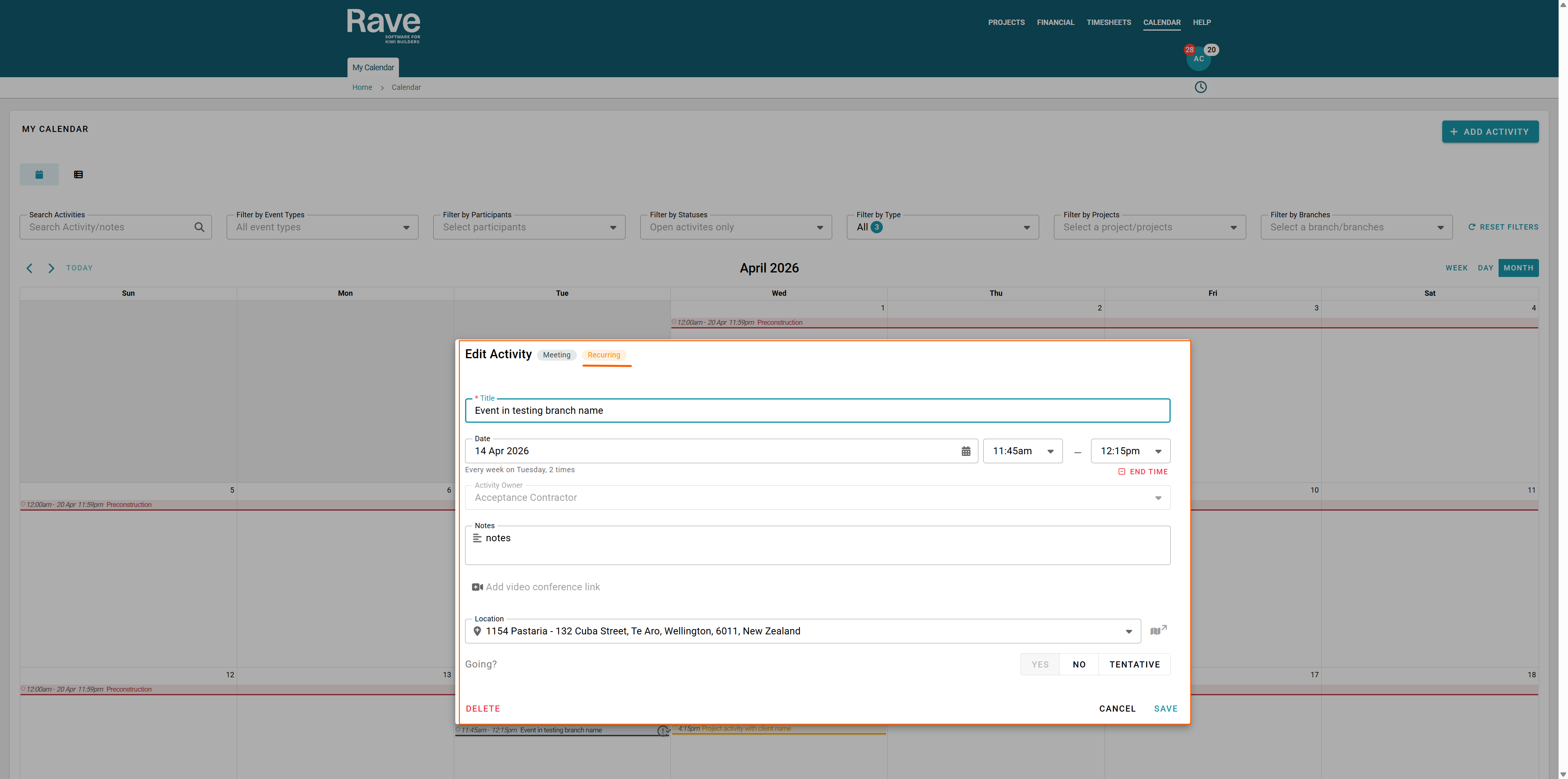
Clicking on the event will provide you with more information, such as the time, attendees, and location (if in person) or the meeting link (if online). You will also see whether the activity is a recurring event by the orange recurring icon when you click into the event.
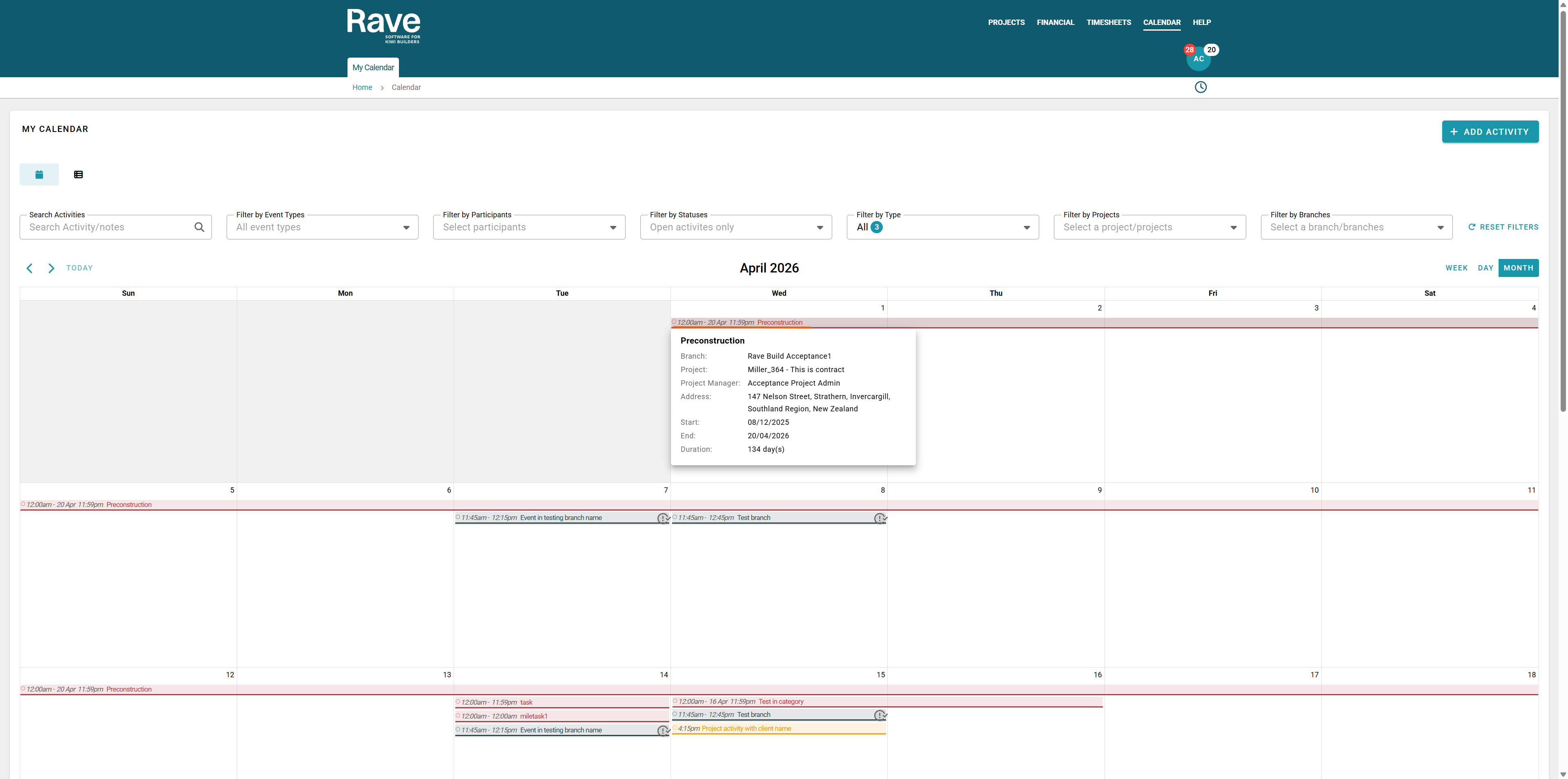
You can hover over the schedule tasks to get a pop-up of handy information or click on the task, and it has the same information plus a link that takes you back to the schedule.
You can accept, decline, or tentatively accept meeting invites here, or change the status of a previously set one.
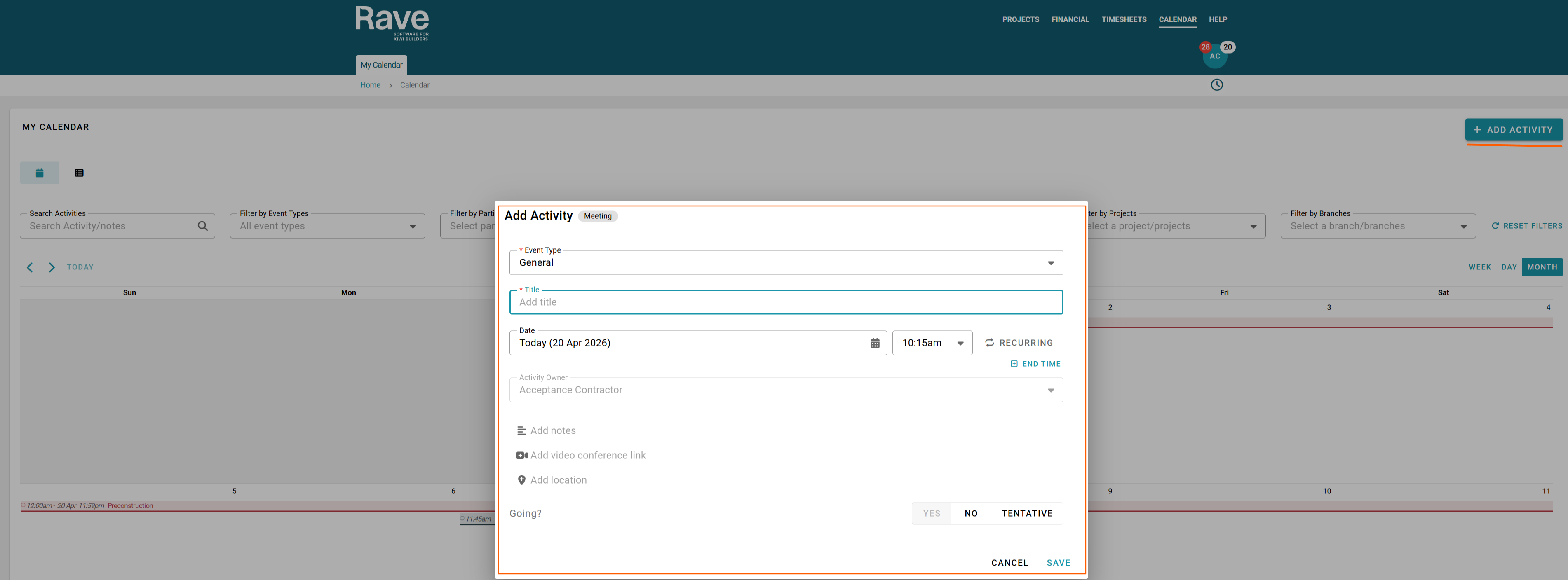
To create a new activity, click the + Add Activity button in the top-right corner.
Next, enter a title for the event.
Then select the date and time. If the activity is recurring, select the recurring option and choose the appropriate recurrence settings.
You will automatically be assigned as the activity owner.
You can then add notes, insert a video conference link (e.g., Zoom, Teams, or Google Meet), or enter the location for an on-site meeting.
Once everything is complete, click Save.
Once saved, the event will then show in your Rave calendar
Note:
Contractors cannot invite other partiicpants to events only creating ones for themselves. Building Partners are able to invite Contractors to meeting.
Was this article helpful?
That’s Great!
Thank you for your feedback
Sorry! We couldn't be helpful
Thank you for your feedback
Feedback sent
We appreciate your effort and will try to fix the article