What it’s used for
Cashflow management – understanding upcoming supplier payments
Cost control – tracking claims against budgets/quotes (An alternative to our Backcosting or Budget vs Actual reports)
Payment approvals – reviewing claims before processing payments to ensure accuracy
Reconciliations – matching claims to accounting systems (e.g. Xero)
Reporting to management/Financial Institutions aka Banks – quick snapshot without line-by-line detail.
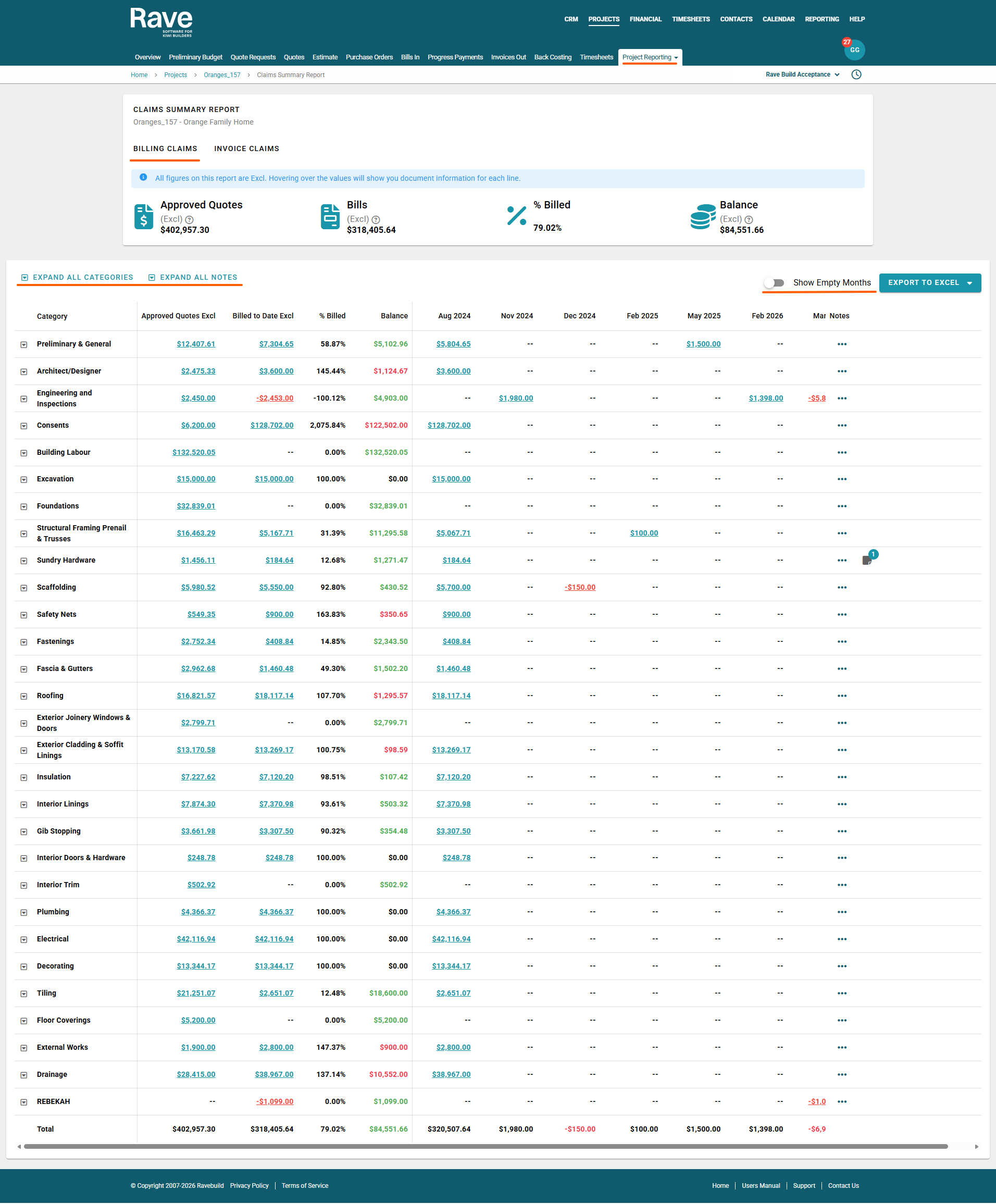
The top of the page displays a summary of the project’s financial position, including the total value of all approved quotes and approved variation quotes, the total value of all approved bills and credit notes, the overall percentage of the project value that has been billed, and the remaining balance between approved quotes and billed amounts.
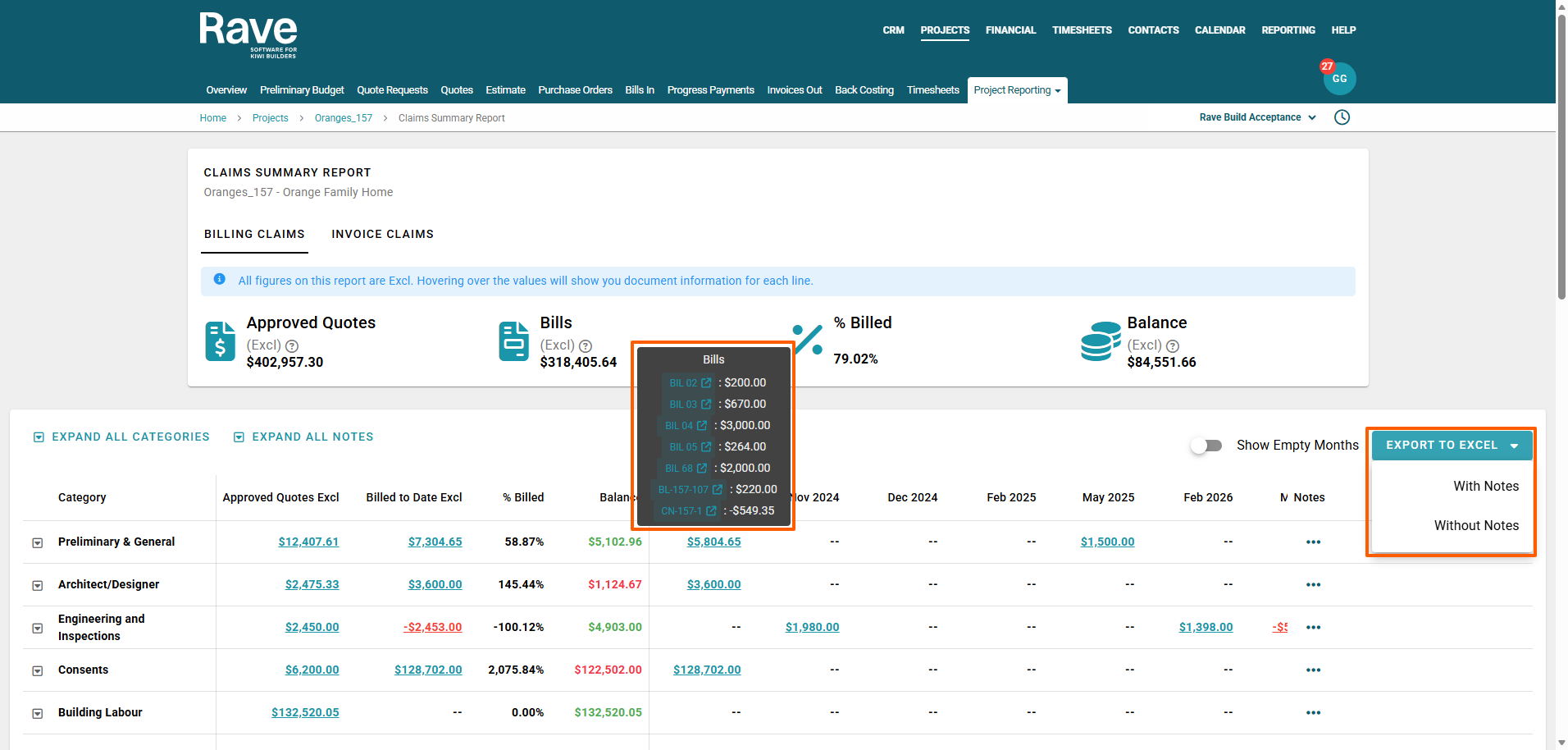
Information is grouped by category (and sub-category if used) and shown by month. Blue values are clickable. Hover over them to see the document name and amount, then click to view the full document.
The 3-dot ellipsis beside each row allows you to enter notes about the category and/or subcategory. To explain overspends or credits or other information that might be helpful.
Use the toggle in the top-right corner 'Show Empty Months' to control month visibility. By default, its slid it off to show only months with data. You can slide it on to display empty months as well.
Alongside this toggle is the export to excel. You can choose to export with or without notes.
Was this article helpful?
That’s Great!
Thank you for your feedback
Sorry! We couldn't be helpful
Thank you for your feedback
Feedback sent
We appreciate your effort and will try to fix the article